




 here!
I’m your shopping assistant for PC builds, upgrades, and everything tech.
Got questions? Ask away!
Start a conversation
here!
I’m your shopping assistant for PC builds, upgrades, and everything tech.
Got questions? Ask away!
Start a conversation

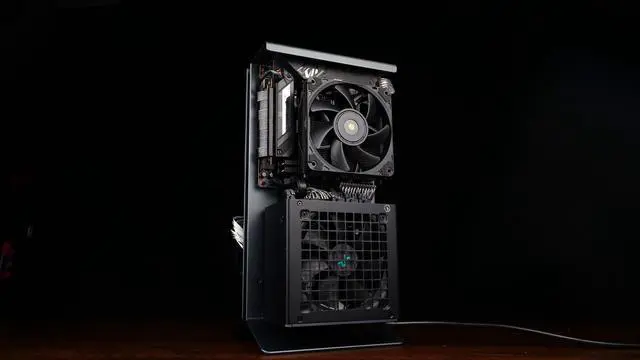
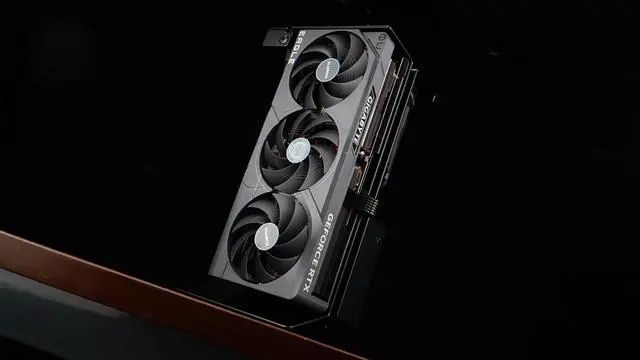
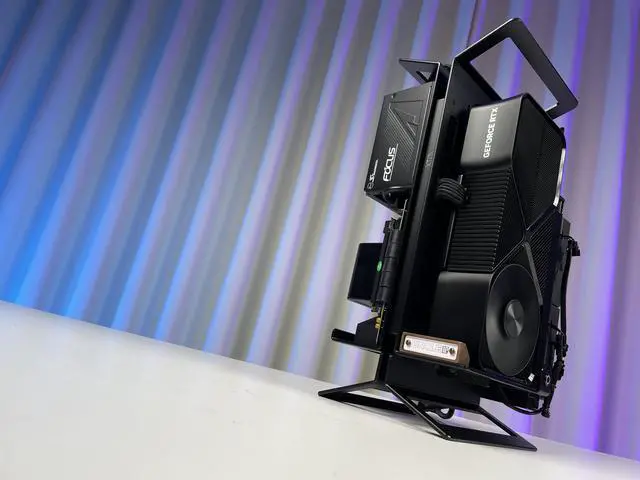



Any questions? Ask CelesteSM will help you find out quickly.


This is XTIA Studio. It's a pleasure to meet everyone at NEWEGG. We will start trying to provide better service and faster transportation conditions on the New Egg platform.
Our store has started operating, and more information and details will be updated gradually
We will use different operating methods on the Newegg platform compared to our other platforms.

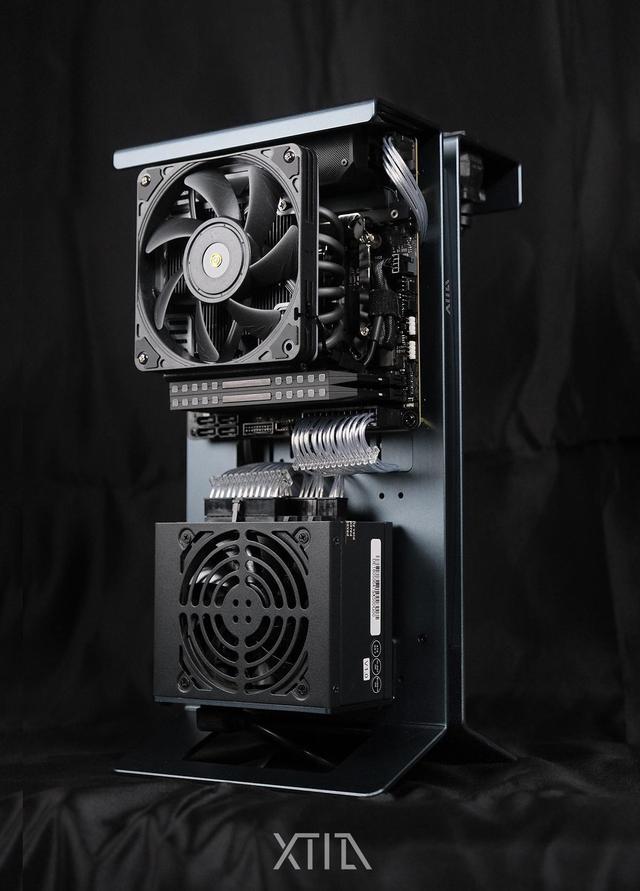
We completed regular iterations of XPROTO-L.
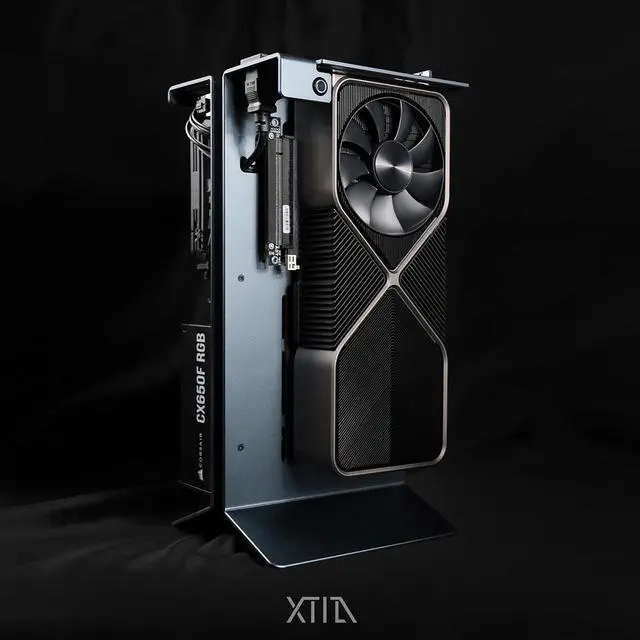
XPROTO-L V2 will integrate the handle design by default. And can support all known 40 series graphics cards on the market without increasing the size
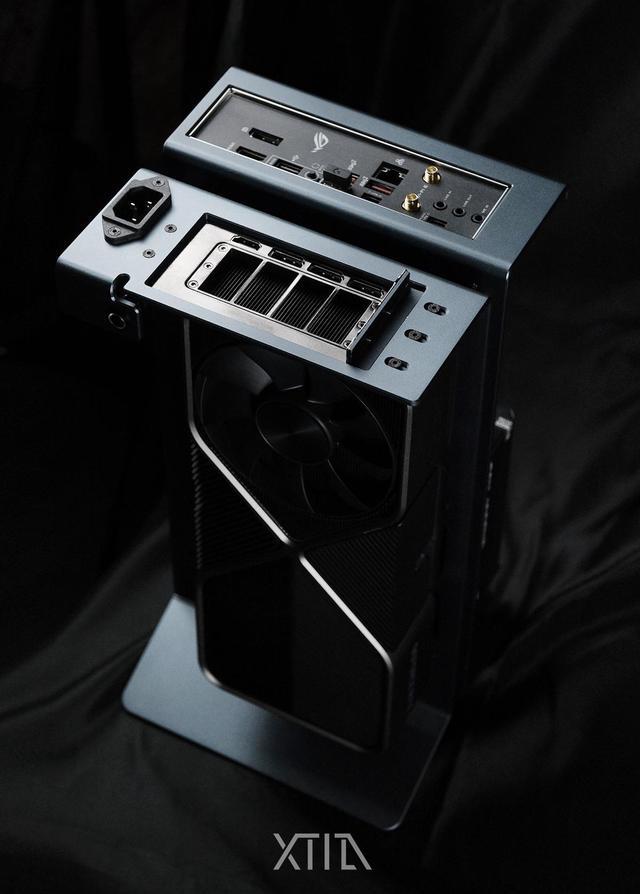
The bottom of the graphics card side will use an opening design similar to XPROTO-N to be compatible with more graphics cards. The way the power supply is installed provides more options
XPROTO-L v2 is compatible with all previous expansions (some accessories conflict with the handle and cannot be used at the same time)


Please view the installation tutorial in the YouTube video list
Please note that the video tutorial is in V1 version, and there are some differences in the installation of V2 version compared to V1.

V2 Version comes with hidden handle

Still compatible with most Modules, including flip module

The power extension cable is no longer fixed at the top

Please arrange the switch wires according to the guide diagram
XPROTO-L V2 will integrate the handle design by default. And can support all known 50 series graphics cards on the market without increasing the size
The bottom of the graphics card side will use an opening design similar to XPROTO-N to be compatible with more graphics cards. The way the power supply is installed provides more options
The power extension cord fixing hole on the top has been removed
XPROTO-L v2 is compatible with all previous expansions (some accessories conflict with the handle and cannot be used at the same time)
For more details about Xproto-L V2, please watch our updated tutorial video
Need 21.5CM Double reverse pcie riser cable


(With filp module )


Please read ALL the information below before you buy!
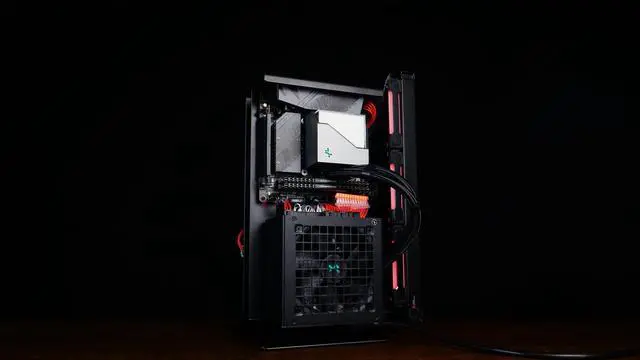
AIO mounting: You can add an AIO module (or two) and a custom set of cables (for both versions of the Xproto; you can order a set for your power supply on this website) to cart and checkout the items together. One case can be attached with up to two AIO brackets without paying any extra postage for the brackets. If there are more than 2 AIO brackets in your order, please note that you will have to pay extra shipping costs (~$5USD for each additional AIO bracket).
The AIO bracket is compatible with both the Xproto and Xproto-L.
GPU compatibility: There are 3 PCI slots for GPU mounting, ensuring you can use giant graphics cards such as the 3090 FE. There is 345mm of GPU length clearance, plenty enough for even the largest graphics cards available.
Warning: The PCIe riser cable is Gen3/GEN4 (PCIe 3.0/4.0). If you are using PCIE 4.0/5.0 Mobo, please set your PCIe slot setting from Gen5/4 (PCIe 5/0/4.0) to Gen4/3 in the BIOS. If you do not change the setting, there is a high risk that you will have video output issues. Theres no need to be concerned about being limited to Gen3, as testing has shown that even with an RTX 3080, there is less than a 5% performance loss downgrading from a Gen4 to Gen3 connection.

What are the differences between the Xproto and Xproto-L? Why would I get an Xproto-L as opposed to the original?
The XTIA Xproto-L V2 Black is an open-frame aluminum PC case bundle with a LINKUP PCIe 5.0 riser, 360mm AIO bracket, USB-C side panel, and flip module, suited to builders who want an exposed, customizable setup with key accessories included.
| Attribute | Value |
|---|---|
| Best For | Open-frame PC builds with Mini-ITX, Mini-DTX, Micro ATX, or ATX motherboards and graphics cards up to 460 mm long |
| Case Form Factor And Compatibility | Micro ATX / Mini-ITX case compatible with Micro ATX, ATX, Mini DTX, and Mini ITX motherboards |
| Graphics Card Clearance | Supports graphics cards up to 460 mm long |
| Materials And Color | Aluminum construction in black |
| Power Supply Support | Power supply not included; PSU mounting positions at the top and bottom |
Q: Should I get the Xproto-L V2 bundle or the standard Xproto-L V2?
A: Choose the bundle if you want the case packaged with a PCIe 5.0 riser, 360 mm AIO bracket, USB side panel, and flip module. Choose the standard Xproto-L V2 configuration if you prefer to select those accessories individually.
Q: Xproto-L V2 or Xproto-N V2 for a build with a three-slot GPU?
A: Choose the Xproto-L V2 for a three-slot GPU build: XTIA specifies three PCI slots for GPU mounting on the L and lists 345 mm of GPU-length clearance. The Xproto-N V2 is the more compact option in the Xproto lineup.
Q: Xproto-L V2 or Xproto-ATX V2 for an open-frame PC build?
A: Choose the Xproto-L V2 for an ITX-focused build with a compact open-frame layout and a GPU clearance listed at 345 mm. Choose the Xproto-ATX V2 when you want motherboard support that includes ATX and Micro-ATX, plus its broader storage and radiator-mounting options.
Q: What changed between the original Xproto-L and the Xproto-L V2?
A: The Xproto-L V2 adds an integrated handle, updates the graphics-card-side opening, and offers more power-supply mounting options. Choose V2 if those revisions suit your build or handling preferences.
Q: Will a long graphics card fit in the Xproto-L V2?
A: The listed maximum GPU length is 460 mm. Check your card’s dimensions and connector clearance before buying, since the product information does not specify a maximum GPU width or thickness. The bundle includes a LINKUP PCIe 5.0 riser cable.
Q: Can I install a 360 mm AIO cooler?
A: The bundle includes a bracket that supports a radiator up to 360 mm. The AIO cooler itself is not listed among the included items, so you will need to provide one and confirm its dimensions and connections suit your build.
Q: What comes in the bundle, and is a power supply included?
A: The bundle includes the Xproto-L V2 chassis, a LINKUP PCIe 5.0 riser cable, a 360 mm AIO bracket, a USB side panel with USB Type-C, and a flip module. A power supply is not included.
Q: Who is an open-frame PC case like this best suited for?
A: It suits builders who want an exposed, accessible layout and plan to check component fit carefully. Because the Xproto-L V2 is open-frame rather than enclosed, it provides less physical separation from surrounding objects and dust than a closed case; consider your placement and cleaning needs.
Q: Can the Xproto-L V2 use a 360mm radiator?
A: Yes. This bundle includes a bracket that supports a radiator up to 360mm, and Reddit and YouTube builds document Xproto-L V2 setups with 360mm radiators. Check your radiator, fans, and tubing layout against your other components before building.
Q: Is the Xproto-L V2 a good choice for a high-end GPU build?
A: It can suit a high-end build: the product data lists a maximum GPU length of 460 mm, and Reddit builds show the Xproto-L V2 used with powerful graphics cards. Confirm your GPU’s length, thickness, and power-connector clearance; the listed length limit alone does not establish fit.
Q: Is the Xproto-L V2 easy to assemble or change later?
A: Allow time for assembly and component planning. One Xproto-L V2 owner described the build as tedious, with many screws and a full teardown needed after forgetting a part. The open-frame layout also leaves cabling visible, so cable routing may take extra effort.
Q: Is the flip module useful for the Xproto-L V2?
A: It is useful if you want an inverted or alternative orientation; the bundle includes the flip module. Reddit users discuss using it to invert the frame and change its appearance. Choose the orientation with your component layout and access to ports in mind.


