




 here!
I’m your shopping assistant for PC builds, upgrades, and everything tech.
Got questions? Ask away!
Start a conversation
here!
I’m your shopping assistant for PC builds, upgrades, and everything tech.
Got questions? Ask away!
Start a conversation




Any questions? Ask CelesteSM will help you find out quickly.


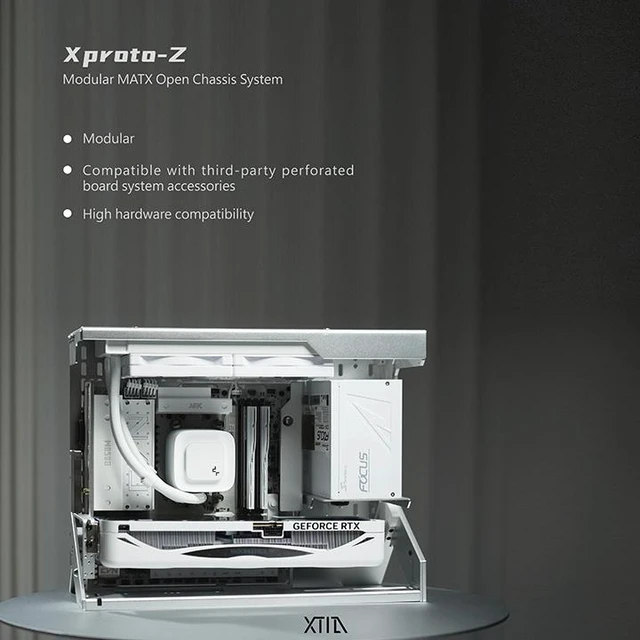
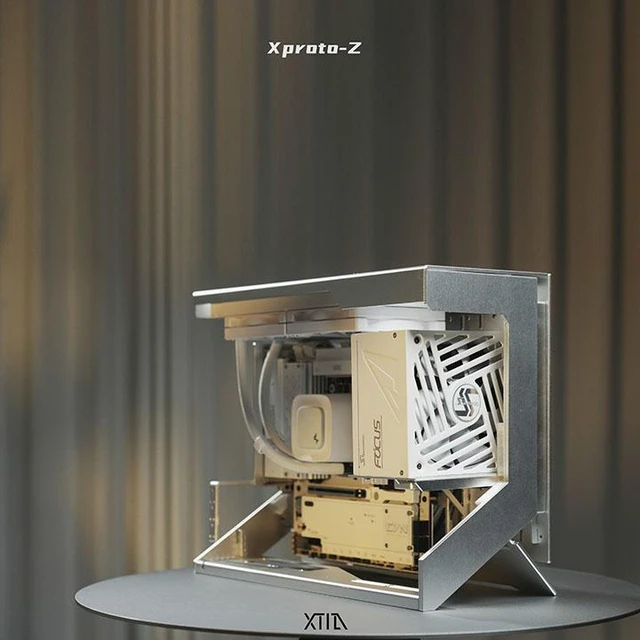
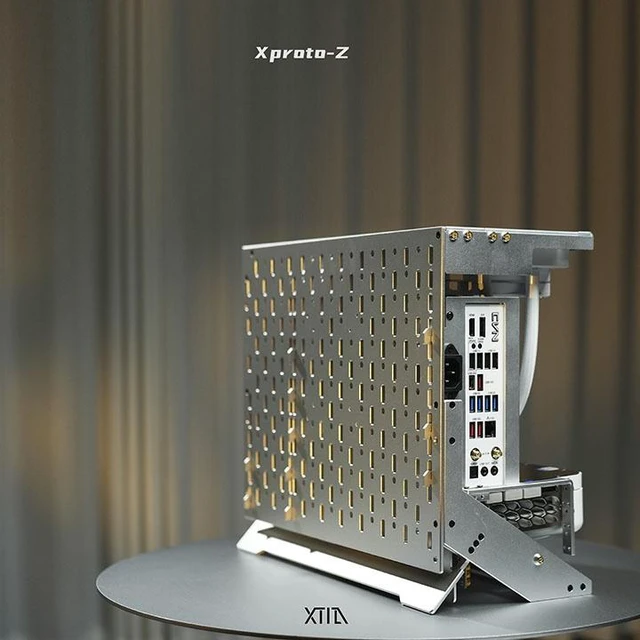
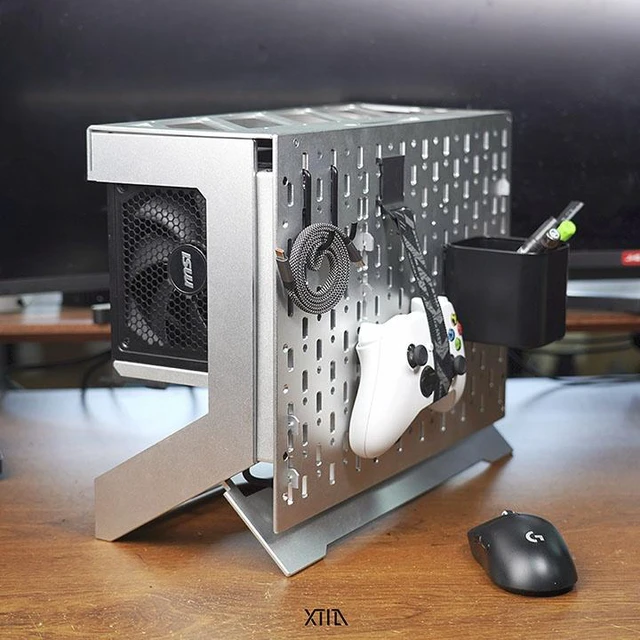
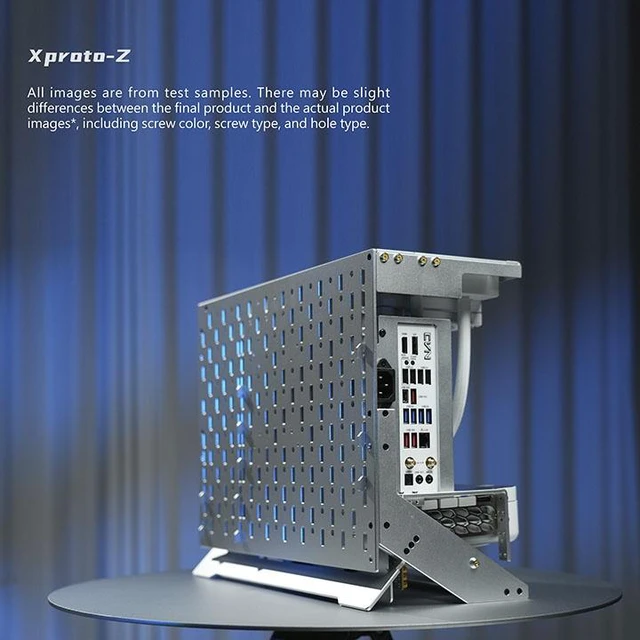
The XTIA Xproto-Z MATX is an open-frame computer case for PC builders who want a perforated-panel design with flexible hardware and extension-cable compatibility.
| Attribute | Value |
|---|---|
| Best For | Micro-ATX open-frame computer builds |
Q: XTIA Xproto-Z or Xproto-ATX V2 for an mATX build?
A: Choose the Xproto-Z when a perforated mounting panel, repositionable components, and flexible hardware and extension-cable placement are priorities. Choose the Xproto-ATX V2 when you want its listed support for ATX, mATX, ITX, and DTX motherboards, along with included mounting brackets and support for larger AIO radiator formats.
Q: Should I choose the Xproto-Z or Xproto-Mini for a compact XTIA build?
A: Choose the Xproto-Z for an mATX-oriented build with a flexible perforated-panel layout. The Xproto-Mini is the more portable-focused option in XTIA’s lineup: it is designed for Mini-ITX and includes a telescopic handle.
Q: Xproto-Z or Xproto-L V2 for a new build?
A: Choose the Xproto-Z if your build uses an mATX motherboard or you want to arrange components on a perforated mounting panel. Choose the Xproto-L V2 for an ITX-focused open-frame build; XTIA lists options for AIO brackets and a handle for that model.
Q: Will my motherboard and other PC parts fit the Xproto-Z?
A: The Xproto-Z is described as an mATX open-frame case, but the provided product information does not give detailed component-clearance limits. Confirm your motherboard size and the clearances for your graphics card, power supply, cooler, and cables before buying.
Q: Is the Xproto-Z a good choice if I want easy access to my components?
A: It may suit builders who want an open layout and convenient access for inspection or hardware changes. XTIA describes a perforated-panel design and says it aims to make installation less cumbersome, but that is not a guarantee that every build will be easy to assemble.
Q: Is an open-frame case suitable for a dusty area or a home with pets?
A: It may be a poor fit if you need a case that encloses components: the Xproto-Z is open-frame, so it does not provide the same physical barrier from dust or accidental contact as a closed case. Consider your room and placement before choosing it.
Q: Does the Xproto-Z come with fans or a PCIe riser cable?
A: The provided product information does not confirm whether fans are included. The product page lists chassis-only and chassis-plus-PCIe-5.0-riser options, so check the selected option and package contents before ordering.
Q: Can the Xproto-Z fit an ATX motherboard and an ATX power supply together?
A: Yes. XTIA’s designer stated on Reddit that Mode B supports an ATX motherboard paired with an ATX power supply. Check the chosen layout and clearances before ordering.
Q: Can I build a liquid-cooled system in the Xproto-Z?
A: A YouTube build demonstrates a water-cooled Xproto-Z. The video does not establish compatibility for every radiator or tubing layout, so check dimensions against your planned parts.
Q: Is the Xproto-Z sturdy enough for a very heavy graphics card?
A: A Reddit owner reported wobble with an RTX 5090 build and raised concerns about support for heavy GPUs. That is one user’s experience, not evidence that all builds will wobble; check the mounting arrangement and card support for your exact GPU.
Q: Is the Xproto-Z easier to assemble than older Xproto cases?
A: Easier installation is a stated design goal for the Xproto-Z, but the cited Reddit discussion describes assembly of an older Xproto as tedious and does not confirm whether the Z is easier in practice. Treat assembly time as uncertain and review the build instructions before starting.


