




 here!
I’m your shopping assistant for PC builds, upgrades, and everything tech.
Got questions? Ask away!
Start a conversation
here!
I’m your shopping assistant for PC builds, upgrades, and everything tech.
Got questions? Ask away!
Start a conversation



Any questions? Ask CelesteSM will help you find out quickly.


Meet the NPad Y1 the handy 10-inch Android tablet thats perfect for just about everyone! Whether you're a student tackling assignments, a parent keeping the kids entertained, or a senior staying connected with family, this tablet has you covered.
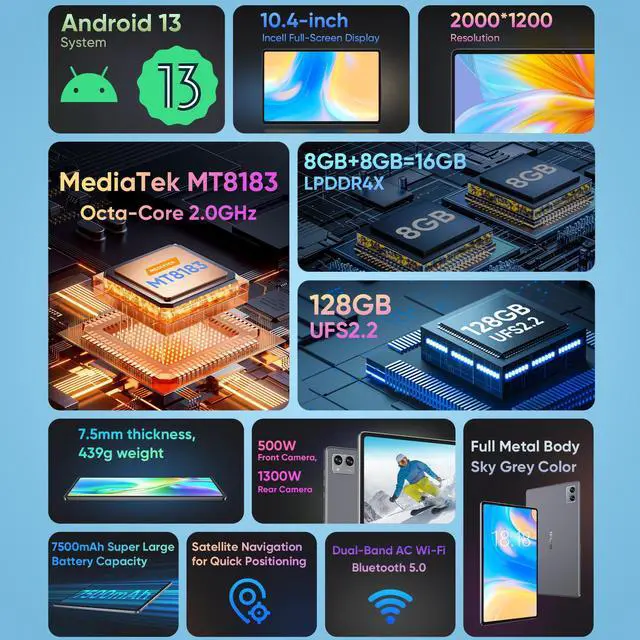
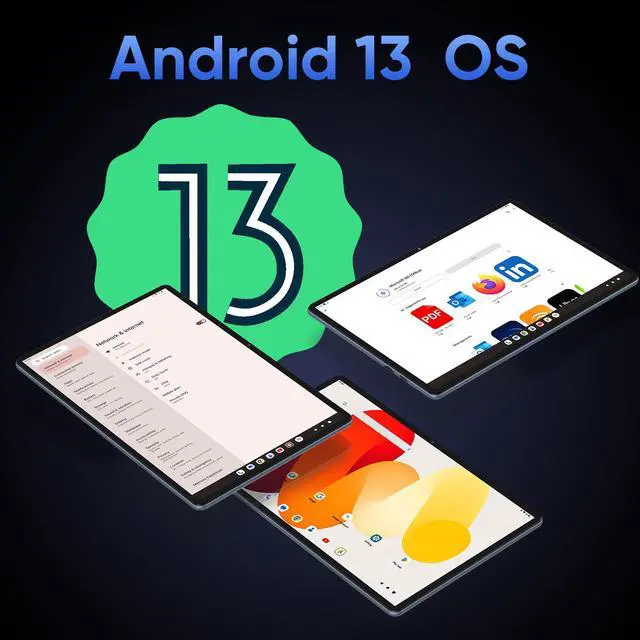
It runs on the latest Android 13 and is powered by a zippy quad-core processor, so you can browse the web, watch YouTube, join Zoom calls, or help with online learningall without slowdowns. With 4GB+4GB Expand of RAM and 64GB storage (and expandable space!), theres plenty of room for all your apps, photos, and videos.
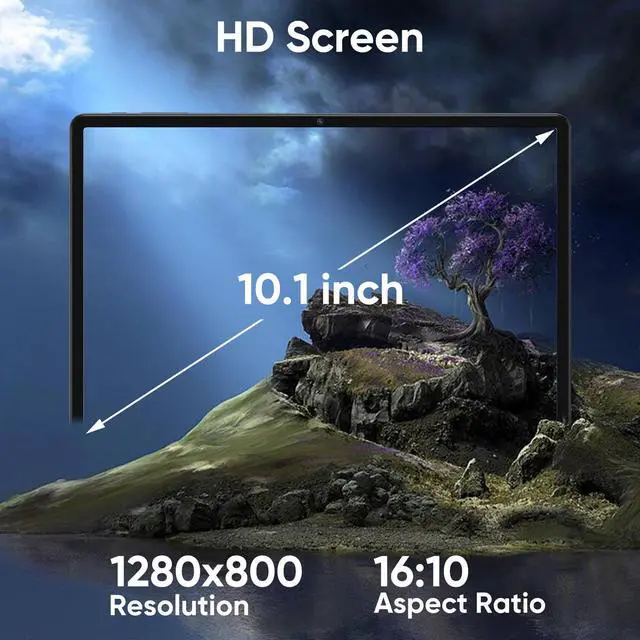
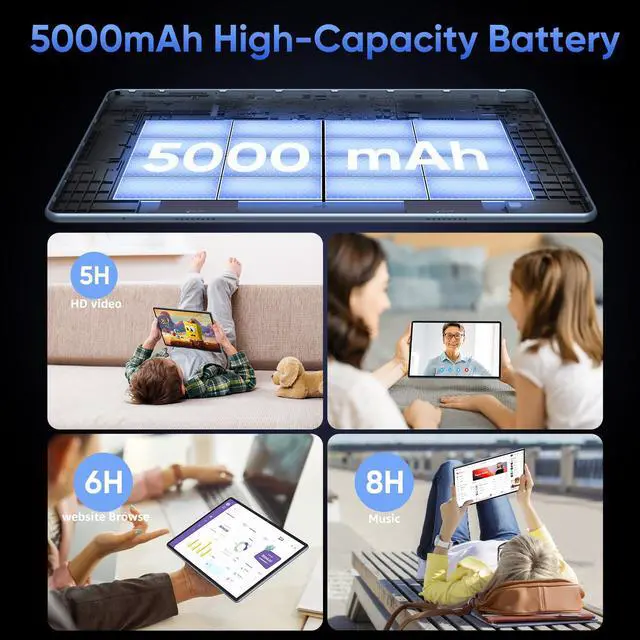
Love a good screen? Youll love the 10.1-inch IPS display its bright, clear, and perfect for movie nights or video chats with grandparents. The battery lasts all day, so you dont have to constantly hunt for a charger. Plus, with strong WiFi connectivity, Bluetooth, and useful ports like Type-C and a headphone jack, its as convenient as it is fun.
Lightweight, user-friendly, and packed with the features you actually need, the NPad Y1 is the no-fuss tablet that fits your life and your budget. Grab yours and start streaming, learning, and connecting today!
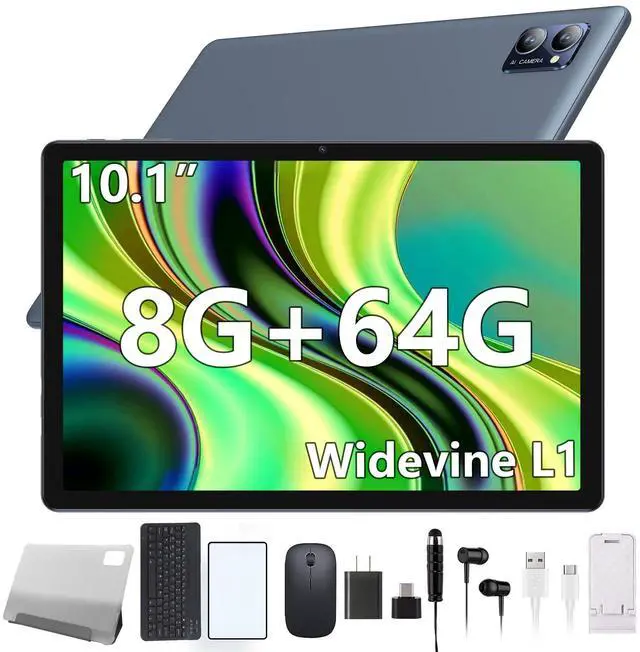
The N-one NPad Y1 is a 10.1-inch Android 13 tablet with a quad-core Rockchip RK3562 processor, 8GB memory, and 64GB storage, making it suitable for browsing, streaming, schoolwork, video calls, and everyday multitasking.
| Attribute | Value |
|---|---|
| Best For | Android tablet use for touch-based browsing, media, and everyday multitasking, with 8GB memory, 64GB storage, and a 10.1-inch display |
| Processor And Graphics | Rockchip RK3562 processor with ARM G52 graphics |
| Display And Touch | 10.1-inch touchscreen with 1280 x 800 resolution |
| Memory And Storage | 8GB memory and 64GB built-in storage for apps, media, and files |
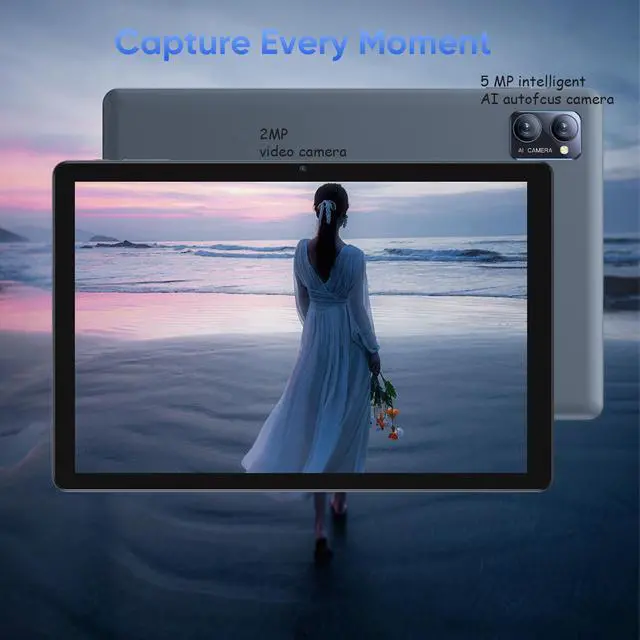
| Cameras | 5MP rear camera and 2MP front-facing camera |
| Operating System | Android operating system |
| Ports And Connectivity | One USB port for wired peripheral connectivity |
Q: Is the N-one NPad Y1 better than the Amazon Fire HD 10 for everyday Android use?
A: Choose the N-one NPad Y1 if you want standard Android 13, expandable storage, and a keyboard-and-mouse bundle for browsing, video calls, schoolwork, and light media use. Choose the 2023 Amazon Fire HD 10 if you prioritize a sharper 1920 x 1200 display, dual-band Wi-Fi, longer tested battery life, and Amazon services. The Fire HD 10 uses Fire OS rather than the standard Android interface, while the NPad Y1 has a lower-resolution 1280 x 800 display and a quad-core RK3562 processor.
Q: Should I buy the N-one NPad Y1 or Lenovo Tab M11?
A: Choose the Lenovo Tab M11 for a higher-tier tablet experience with an 11-inch 1920 x 1200 display, 90Hz refresh rate, 7040mAh battery, four Dolby Atmos speakers, optional pen support, and a stated Android upgrade path. Choose the N-one NPad Y1 when the lower-cost configuration, included keyboard-and-mouse accessories, and basic browsing or streaming are more important than display quality, battery capacity, speakers, and sustained performance.
Q: Does the N-one NPad Y1 really have 8GB of RAM?
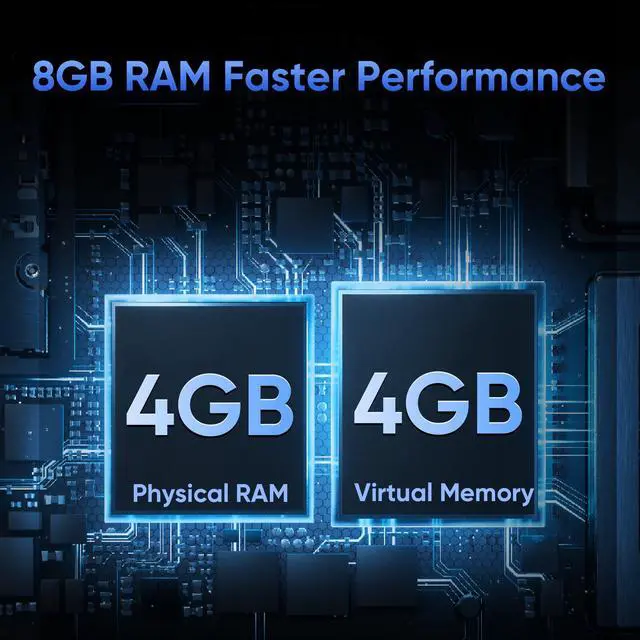
A: The NPad Y1’s advertised 8GB is a combination of 4GB of physical RAM and up to 4GB of virtual RAM taken from internal storage. It can help keep more lightweight apps available, but it should not be compared with a tablet that has 8GB of physical RAM. For web browsing, streaming, video calls, and simple school apps, the configuration is suitable; demanding games and heavier multitasking favor a tablet with a faster processor and more physical RAM.
Q: Is the N-one NPad Y1 suitable for portability, or should I choose a faster tablet?
A: Choose the NPad Y1 for inexpensive, light-duty portability: it has a 10.1-inch screen, weighs under 500g according to the listing, includes a case, and is suited to reading, streaming, recipes, video calls, and simple apps. Choose a faster tablet such as the Lenovo Tab M11 or Amazon Fire HD 10 for heavier multitasking, sharper text, longer trips between charges, or more demanding games. The NPad Y1’s main trade-offs are its quad-core RK3562 processor, 1280 x 800 display, and 5000mAh battery.
Q: Is this tablet suitable for travel, streaming, and light work?
A: Yes. It is suitable for travel entertainment, web browsing, email, documents, video calls, and other light tasks over Wi-Fi. Its 10.1-inch screen, included keyboard and mouse, USB-C charging, TF-card expansion, and advertised video playback of up to 5 hours support portable use. It is not a full laptop replacement for demanding software, intensive multitasking, or cellular connectivity.
Q: Can I use it for note-taking, email, documents, and basic office work?
A: Yes, for basic office use. The included keyboard and mouse can make typing emails, notes, web forms, and short documents easier than using the touchscreen alone. Android productivity apps can support common document and spreadsheet tasks, but the RK3562 quad-core processor, 1280 x 800 display, and Android tablet interface are better suited to light work than advanced desktop workflows.
Q: Is the battery sufficient for a full day away from an outlet?
A: It depends on the workload. The 5000mAh battery is rated for up to 5 hours of video playback, so it should handle shorter trips, study sessions, browsing, or intermittent use. Continuous streaming, video calls, high brightness, and keyboard or mouse use may require recharging during a full day.
Q: Who is this tablet best suited for?
A: It is best suited for students, travelers, families, seniors, and casual users who want a large-screen Android tablet for streaming, browsing, learning apps, email, video calls, and light typing. It is less suitable for demanding 3D games, professional photo or video editing, intensive multitasking, or users who need a high-resolution display or mobile-data connection.
Q: Can I expand the tablet's storage for downloaded videos, files, and apps?
A: Yes. The tablet includes 64GB of built-in storage and a TF-card slot for additional storage. A memory card is useful for photos, videos, music, and documents, although Android may limit how some apps or system data can be moved to external storage.
Q: Is the N-one NPad Y1 worth buying for streaming, browsing, and light productivity?
A: It is suitable for basic streaming, web browsing, video calls, reading, and light productivity. The RK3562 processor and 1280×800 display are entry-level, so it is not the best choice for demanding apps, intensive multitasking, or high-end gaming.
Q: Is the N-one NPad Y1 good for gaming?
A: It should handle casual and lighter games, but demanding 3D games may run poorly because the tablet uses an entry-level Rockchip RK3562 processor and ARM G52 graphics. Buyers seeking gaming performance should consider a more powerful tablet.
Q: Is the N-one NPad Y1 suitable for basic work or travel use?
A: It can work for basic typing, email, browsing, document access, video calls, and entertainment while traveling, especially because the package includes a keyboard and mouse case. It should not be treated as a full laptop replacement for intensive office software or heavy multitasking.
Q: Does the N-one NPad Y1 really have enough RAM for multitasking?
A: The listed 8GB consists of 4GB of physical RAM plus 4GB of virtual or expanded RAM. That is adequate for ordinary app switching and light multitasking, but it does not provide the same performance as a tablet with 8GB of physical RAM.


