




 here!
I’m your shopping assistant for PC builds, upgrades, and everything tech.
Got questions? Ask away!
Start a conversation
here!
I’m your shopping assistant for PC builds, upgrades, and everything tech.
Got questions? Ask away!
Start a conversation







Any questions? Ask CelesteSM will help you find out quickly.
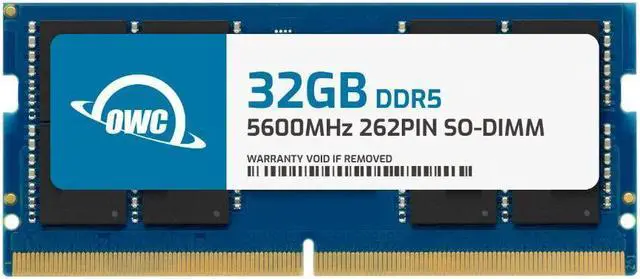
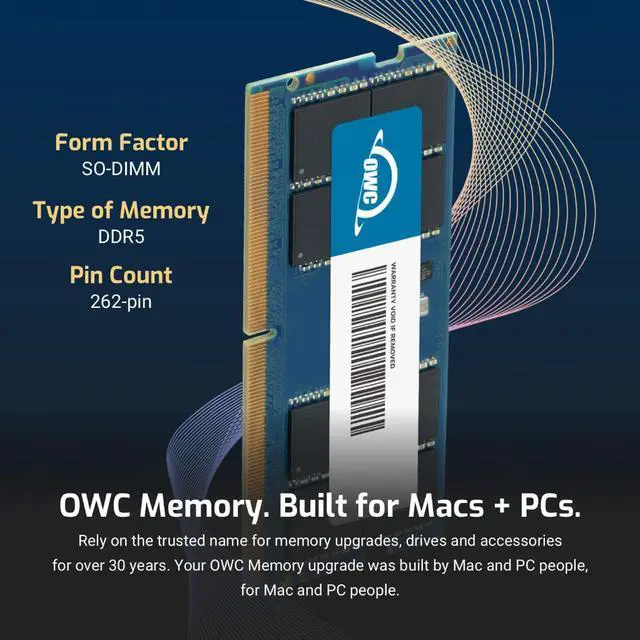
| Technology | DDR5 |
|---|---|
| Speed | PC5-44800 5600MHz CL46 |
| Form Factor | 262PIN SO-DIMM |
| ECC Type | NON ECC UNBUFFERED |
| Voltage | 1.1v |
| Compatibility | Laptops, Notebooks, , NAS System, All In One |
















The OWC 32GB DDR5-5600 SO-DIMM is a single laptop memory module for Dell Alienware M18 R2 owners seeking a compatible RAM upgrade, with CL46 timing, 1.1V operation, and non-ECC, unbuffered design.
| Attribute | Value |
|---|---|
| Best For | A 32GB DDR5-5600 SODIMM memory upgrade for the Dell Alienware M18 R2 |
| Capacity | 32GB |
| Memory Type And Configuration | 262-pin DDR5 SODIMM, unbuffered and non-ECC, with 2Rx8 rank and no heat spreader |
| Speed And Timing | 5600 MHz (PC5-44800) with CL46 latency |
| Electrical Specifications | 1.1V |
| Compatibility | Dell Alienware M18 R2 |
| Model Identifiers | OWC; part number 5S6D52R832GB; model number OWC5S6D52R832GB-C130-SF |
Q: OWC 32GB single stick or OWC 2×16GB kit for 32GB in an Alienware M18 R2?
A: Choose this 32GB module if you want 32GB on one stick and to leave the second memory slot open. Choose OWC’s 2×16GB kit if you want Dell’s documented 32GB dual-channel configuration at 5600 MT/s.
Q: Should I choose this OWC 32GB module or an OWC 64GB (2×32GB) setup?
A: Choose this module for a 32GB upgrade using one slot. Choose OWC’s 64GB 2×32GB setup when you want the M18 R2’s documented maximum memory capacity; Dell lists that configuration as dual-channel at 5200 MT/s.
Q: OWC 16GB or 32GB memory module for the Alienware M18 R2?
A: Choose the OWC 16GB module for a 16GB memory configuration. Choose this 32GB module when you want twice the capacity on one stick, with the M18 R2’s second memory slot available for a later upgrade.
Q: Is this memory compatible with the Alienware M18 R2?
A: The module is listed as compatible with the Dell Alienware M18 R2. It is a 32GB, 262-pin DDR5 SODIMM; confirm your system’s memory configuration and upgrade requirements before installing it.
Q: Does this include one 32GB stick or a two-stick kit?
A: It is one 32GB SODIMM module, not a two-stick kit. Whether you can add it to existing memory or need to replace a module depends on the laptop’s slots and supported configuration.
Q: Will it run at 5600MHz in my laptop?
A: The module is rated for DDR5-5600, but its actual operating speed depends on the laptop’s memory and processor support. It may run below 5600MHz if the system supports a lower speed.
Q: Who is a 32GB memory upgrade suitable for?
A: It may suit users whose work or other applications need more memory, such as people who run several apps at once. The benefit depends on whether their current workload is constrained by available RAM.
Q: Is upgrading the M18 R2 to 32GB worthwhile if 16GB is causing stuttering?
A: It may help when memory use is near capacity: an M18 R2 owner reported stuttering in games while 16GB was almost fully used. This product is one 32GB module, not a two-module kit, so check your laptop’s current memory layout before buying.
Q: Will this 5600 MT/s memory necessarily run at 5600 MT/s in an M18 R2?
A: Not necessarily. M18 R2 owners have reported 5600-rated memory running at 5200 MT/s, so the listed speed is not a guarantee of the operating speed in every configuration.
Q: Is installing RAM in the M18 R2 a DIY upgrade?
A: M18 R2 RAM upgrade videos demonstrate the installation process, so it can be a DIY task for someone comfortable opening a laptop. This listing is for one 32GB SODIMM; confirm the module arrangement you need before installation.
Q: Should I choose 32GB or upgrade to more memory?
A: The right capacity depends on your workload. M18 R2 discussions include upgrades beyond 32GB, including 64GB and 96GB configurations; this OWC listing provides a single 32GB module, not a larger kit.


