




 here!
I’m your shopping assistant for PC builds, upgrades, and everything tech.
Got questions? Ask away!
Start a conversation
here!
I’m your shopping assistant for PC builds, upgrades, and everything tech.
Got questions? Ask away!
Start a conversation








Any questions? Ask CelesteSM will help you find out quickly.
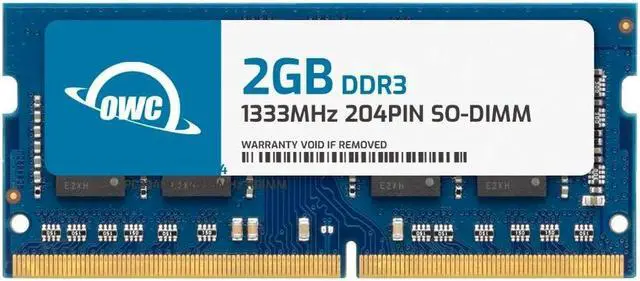
The OWC 2GB DDR3-1333 SODIMM is a memory upgrade for Dell Inspiron 17 N7010 owners who need a 204-pin, 1.5V non-ECC module with CL9 latency.
| Attribute | Value |
|---|---|
| Best For | Adding 2GB of DDR3 laptop memory to a Dell Inspiron 17 N7010 |
| Capacity | 2GB total |
| Memory Type And Form Factor | 204-pin DDR3 SODIMM for laptops |
| Speed And Latency | 1333 MHz (PC3-10600) with CL9 latency |
| Module Configuration | 1Rx8, non-ECC, unbuffered, 1.5V module with no heat spreader and black chips |
| System Compatibility | Compatible with Dell Inspiron 17 N7010 |
| Model Identifiers | OWC; part number 1S3D31R802GB; model OWC1S3D31R802GB-B294-SF |
Q: OWC 2GB or 4GB DDR3-1333 for a Dell Inspiron 17 N7010?
A: Choose this 2GB module when you want a single 2GB stick for your N7010’s memory configuration. Choose OWC’s 4GB DDR3-1333 module when you want more capacity from one stick. Dell lists 1GB, 2GB, and 4GB module capacities and memory configurations up to 8GB for the N7010.
Q: Should I get this 2GB stick or an OWC 4GB (2 x 2GB) kit?
A: Choose the 2GB stick when you need one module for your existing setup. Choose the 4GB kit when you want two 2GB modules for a 4GB total configuration. Both options are DDR3-1333, 204-pin SO-DIMMs; Dell lists the N7010 as having two memory slots and supporting up to 8GB.
Q: For an N7010 upgrade, how does this 2GB module compare with an OWC 8GB (2 x 4GB) kit?
A: Choose this 2GB module when you need a single 2GB stick. Choose OWC’s 8GB kit when you want a two-module 8GB configuration. Dell lists 8GB as a supported N7010 memory configuration; check the installed modules and configuration before choosing.
Q: Is this RAM compatible with the Dell Inspiron 17 N7010?
A: Yes. This module is listed as compatible with the Dell Inspiron 17 N7010. It is a 2GB, 204-pin DDR3-1333 (PC3-10600), 1.5V SO-DIMM. Check your laptop’s memory limits and slot configuration before buying.
Q: Can I add this 2GB module to the RAM already in my laptop?
A: Possibly. This is one 2GB module, so adding it requires an available memory slot and support for the module’s specifications. Check the N7010’s current memory configuration, maximum total capacity, and per-slot limit first; compatibility with existing RAM is not guaranteed by the product listing.
Q: Will adding this RAM make my laptop faster?
A: It may help if the laptop is slowing down because it has too little memory for the tasks in use. The module adds only 2GB, so the improvement depends on the laptop’s current RAM and workload; it will not necessarily address slowdowns caused by other hardware or software limits.
Q: Can I use this memory in a standard desktop PC?
A: Usually not. This is a 204-pin SO-DIMM intended for compatible laptops and other systems that specifically accept this form factor. Check the device’s manual for its memory slot type before buying.
Q: Is this RAM module compatible with a Dell Inspiron N7010?
A: The product information lists the Inspiron 17 N7010 as compatible. It is a 2GB, 204-pin DDR3 1333, 1.5V SODIMM module; check that your laptop is the N7010 model before buying. An N7010 Reddit discussion also highlights memory compatibility as a buyer concern.
Q: Will adding this RAM make an older Inspiron N7010 faster?
A: It may help if limited memory is slowing the laptop, but this is a single 2GB module, so the improvement depends on the laptop’s current memory and workload. Reddit users discussing a slow N7010 considered memory and storage upgrades, but that discussion does not establish a guaranteed performance gain from this module.
Q: Can I install RAM in the Inspiron N7010 myself?
A: A do-it-yourself installation is a reasonable option if you are comfortable opening a laptop and handling memory carefully. A YouTube video demonstrates a RAM upgrade on the Inspiron N7010; follow model-specific instructions and power the laptop off before installation.


















