• $112.76
  • Free 30-day Returns
  • Sold by Direct from manufacturerOWC
    4.7 (29 seller ratings)

    Shipped by Direct from manufacturerOWC

    Price alert
    Shop it at NeweggBusiness.

    Meet Your Seller

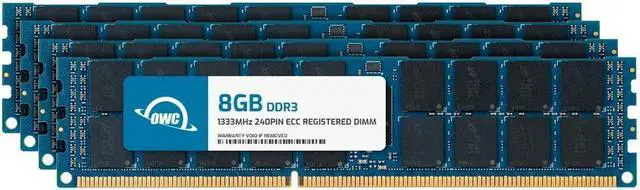
    OWC 32GB (4x8GB) DDR3L 1333 PC3L-10600 CL9 2Rx4 240-pin 1.35V ECC Registered RDIMM Memory RAM Module Upgrade Kit Compatible with Cisco UCS B440 M1 C460 M2

    • 16GB (2 x 8GB)
    • 32GB (4 x 8GB)
    • 64GB (8 x 8GB)
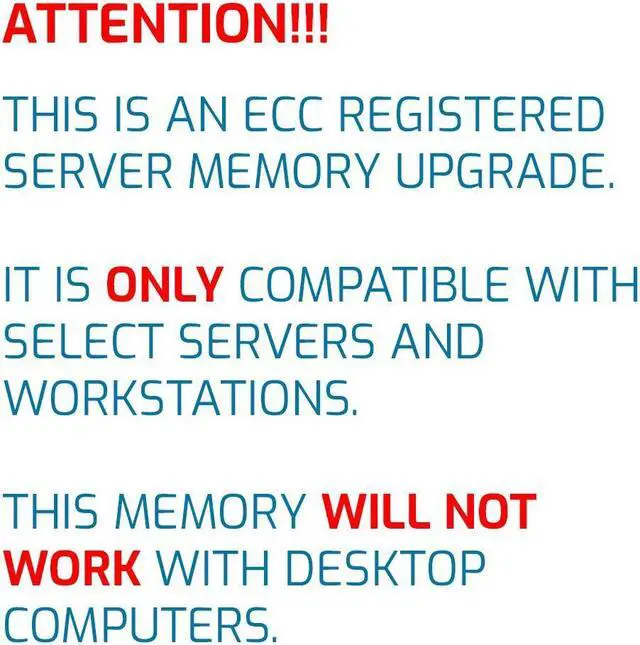
    • ECC REGISTERED UPGRADE: This type of memory is used in Workstations and Servers. It will NOT be compatible with standard desktop computers. Also, it cannot be mixed with UNBUFFERED -or- ECC LOAD REDUCED memory.
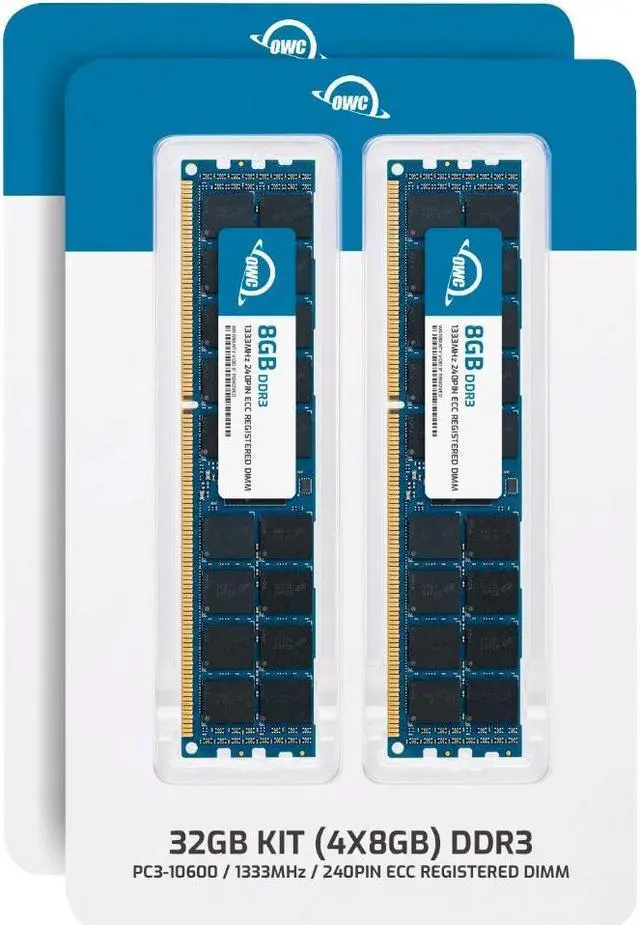
    • OWC 32GB UPGRADE: Consists of 4pcs of 8GB DDR3L 1333 PC3L-10600 CL9 2Rx4 240-pin 1.35V ECC Registered DIMM Memory RAM Module Upgrade compatible with Cisco UCS models B440 M1 And C460 M2.
    • INDUSTRY LEADING: Consumer-friendly Advanced Replacement Program and Limited Lifetime Warranty, which includes Free Tech Support by Other World Computing.
    • MAXIMIZE YOUR SERVER: With OWC's ECC Registered Server Memory, you will extend the life of your old infrastructure or save money when building a new one.
    • Replacement for Cisco part numbers N01M308GB2, UCSMR1X082RXA, UCSMR2X082RXB and UCSMR2X082RXC.
    +
    +
    Overview
    Specs
    Reviews
    See all Q & A

    Any questions? Ask CelesteSM will help you find out quickly.

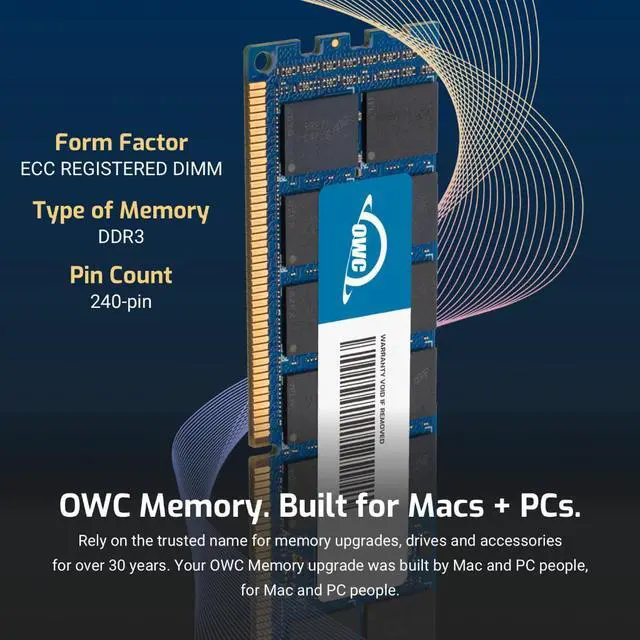
    OWC DDR3 PC3L-10600 1333MHz ECC REGISTERED DIMM SPECIFICATIONS

    Technology DDR3
    Speed PC3L-10600 1333MHz CL9
    Form Factor 240PIN DIMM
    ECC Type ECC REGISTERED
    Voltage 1.35v
    Compatibility WORKSTATION , SERVER, NAS SYSTEM, ROUTER
    ECC REGISTERED REG 1333 mhz memory module sdram 4gb 8gb 16gb 32gb 64gb 128gb 2009 ram mac pro 2010
    DDR5 ECC REGISTERED REG MEMORY RAM MODULE DIMM STICK 32gb 16gb 8gb 288pin 4800MHz PC5-38400 CL40
    ddr3 ram ecc 1333 2gb 1333mhz REGISTERED ram Mac macpro owc brand memory upgrade mac pro 2012 Mac

    OWC DDR3 PC3L-10600 1333MHz ECC REGISTERED DIMM SPECIFICATIONS

    Technology DDR3
    Speed PC3L-10600 1333MHz CL9
    Form Factor 240PIN DIMM
    ECC Type ECC REGISTERED
    Voltage 1.35v
    Compatibility WORKSTATION , SERVER, NAS SYSTEM, ROUTER
    4GB 16GB 8GB 32GB DDR4 240PIN DESKTOP DIMM REGISTERED ECC NAS MEMORY WORKSTATION RAM UPGRADE STICK
    unbuffered dimm memory ram upgrade desktop workstation non ecc ram 240pin stick module
    4GB 16GB 8GB 32GB DDR4 240PIN DESKTOP DIMM REGISTERED ECC NAS MEMORY WORKSTATION RAM UPGRADE STICK
    OWC DDR3L memory is Fully compliant with JEDEC specifications, ROHS compliant, providing a warranty safe upgrade. OWC Memory is the most cost effective and simple DIY upgrade you can install to unleash your Mac or PC's full potential and speed up overall responsiveness. Become a multitasking maven when you upgrade your Mac or PC with OWC Memory. Open more apps. Open larger files. Plus, work with multiple files all at the same time. We test every OWC memory module at our in house lab so you can upgrade with the confidence that your memory is built to last.

    We built your OWC Memory upgrade to meet or exceed the toughest industry specs to provide years of worry-free service. OWC recommends that all DIMMs be the same capacity, speed, and manufacturer to ensure optimal memory performance.

    Warranty & Returns

    Warranty, Returns, And Additional Information

    Warranty

    • Please contact the Seller directly for warranty information. Warranty information may also be found on the Manufacturer's website.
    • CONTACT

    Return Policies

    • Return for refund within: 30 days
    • Return for replacement within: 60 days
    • This item is covered by OWC Return Policy

    Manufacturer Contact Info

    LOADING...

    The OWC 32GB (4 x 8GB) DDR3L ECC Registered RDIMM kit is a server-memory upgrade for Cisco UCS B440 M1 and C460 M2 systems, suited to users who need compatible 1333MHz memory for these platforms.

    Recommended For

    • Cisco UCS B440 M1 or C460 M2 operators adding 32GB to an existing server, when the system’s DIMM type and population rules match this kit.
    • Administrators keeping older UCS infrastructure in service who need a matched 4-DIMM kit for maintenance or a memory-capacity increase rather than a platform-wide refresh.
    • Teams running legacy virtualized or enterprise workloads on a Cisco UCS C460 M2 that need additional ECC-registered memory; Cisco positions that server for virtualized and enterprise-critical workloads.
    • Cisco UCS B440 M1 owners replacing or supplementing compatible low-voltage DDR3 RDIMMs, provided they follow the server’s required paired-DIMM and population configuration.

    Real-World Use Scenarios

    • When a compatible UCS C460 M2 is running more virtual machines than its current memory comfortably supports, an administrator can use the added RAM to increase memory available to the host and its VMs; the benefit depends on the server’s existing configuration and whether memory is the limiting resource.
    • For a compatible UCS C460 M2 running a memory-demanding database or Java application, adding memory can provide more room for the workload’s data and processes, especially when the server is currently memory-bound.
    • When maintaining an older compatible UCS server for existing services, an IT team can add memory rather than replace the whole system; this may extend its useful service life if the server still meets the workload’s CPU, storage, and software requirements.
    • For an administrator consolidating workloads on a compatible UCS C460 M2, additional memory can make it possible to allocate more RAM across server workloads; it does not by itself guarantee that more workloads will run well if CPU, storage, or licensing is the constraint.
    • When a compatible UCS B440 M1 or C460 M2 needs a memory-capacity upgrade, a server administrator can install the kit as part of a planned maintenance window; the server’s supported DIMM population and slot arrangement should be checked first to avoid memory errors or unrecognized capacity.

    Spec Summary

    AttributeValue
    Best ForServer memory upgrades for Cisco UCS B440 M1 and Cisco UCS C460 M2 systems compatible with ECC registered RDIMMs
    Capacity32GB kit with four 8GB modules
    Memory Type And Configuration240-pin DDR3L ECC registered server RDIMM, 2Rx4
    Speed And Latency1333 MHz (PC3L-10600), CL9
    Voltage And Heat Spreader1.35V, without a heat spreader
    Model IdentifiersOWC; part number 1R3T32R4032S; model number OWC1R3T32R4032S-B747-SF

    Reference Q&A

    Q: OWC 32GB (4x8GB) vs OWC 16GB (2x8GB): which kit should I choose?

    A: Choose the 32GB kit when you want twice the total memory: both kits use 8GB DDR3L-1333 ECC Registered DIMMs, while the 32GB kit includes four modules and the 16GB kit includes two. Confirm your server’s available slots and memory configuration before choosing.

    Q: How does this OWC 32GB kit compare with OWC’s 64GB (8x8GB) kit?

    A: Both kits use 8GB DDR3L-1333 ECC Registered DIMMs; the 64GB kit provides twice the total capacity with eight modules, while this kit provides 32GB with four. Choose 64GB when your planned memory configuration calls for more capacity and has the required slots available; choose this 32GB kit for a four-module 32GB upgrade.

    Q: For a 32GB upgrade, should I buy this 4x8GB kit or assemble four 8GB modules individually?

    A: This kit is a straightforward choice when you want four 8GB DDR3L-1333 ECC Registered modules with matching listed specifications as one 32GB upgrade. OWC recommends using DIMMs with the same capacity, speed, and manufacturer for optimal memory performance; Cisco also documents matched-DIMM pairing requirements for UCS B440 configurations.

    Q: Will this memory work in my server?

    A: The kit is listed as compatible with the Cisco UCS B440 M1 and C460 M2. It contains four 8GB DDR3L-1333 ECC Registered RDIMMs. Confirm your server’s supported memory configuration and available slots before buying; matching the memory type and speed alone does not guarantee compatibility.

    Q: Can I use this RAM in a regular desktop PC?

    A: No. This is ECC Registered server memory, not standard desktop memory. Use it only in a system that supports DDR3 ECC RDIMMs; the product information also says it cannot be mixed with unbuffered or ECC load-reduced memory.

    Q: Can I add this kit alongside the RAM already in my server?

    A: Only if the server supports the resulting memory configuration. This kit is registered ECC memory, so do not mix it with unbuffered or load-reduced DIMMs. Check the server’s memory-population guidance and the specifications of the installed modules before adding it.

    Q: Is this 32GB in one stick or multiple sticks?

    A: It is 32GB total across four 8GB DIMMs. Check that your server has four compatible slots available and follow its recommended DIMM installation order.

    Q: Will third-party memory work in a Cisco UCS server?

    A: This kit is specified for the Cisco UCS B440 M1 and C460 M2, but third-party memory reports from other UCS models are mixed: users report successful use, while some mention inventory warnings or support considerations. Confirm the exact server model and memory requirements; those reports do not verify this specific kit. ([reddit.com](https://www.reddit.com/r/Cisco/comments/f9vuqb?utm_source=openai))

    Q: Can I mix this kit with the RAM already installed?

    A: Do not mix this registered DIMM kit with unbuffered or load-reduced memory. If adding it to existing registered RAM, check that the server’s memory rules allow the combination and follow the required slot-population order. UCS users discussing upgrades recommend matching memory types and checking model-specific population rules. ([reddit.com](https://www.reddit.com/r/Cisco/comments/1k1j8mo?utm_source=openai))

    Q: Do I need to configure anything when installing more RAM?

    A: Do not assume the server will accept every installation layout automatically. A UCS memory-upgrade discussion recommends following the model’s memory guide, and the product is a four-module kit for the listed B440 M1 and C460 M2 systems. Check the correct slots and configuration rules for your server before installing it. ([reddit.com](https://www.reddit.com/r/Cisco/comments/f9vuqb?utm_source=openai))