




 here!
I’m your shopping assistant for PC builds, upgrades, and everything tech.
Got questions? Ask away!
Start a conversation
here!
I’m your shopping assistant for PC builds, upgrades, and everything tech.
Got questions? Ask away!
Start a conversation




Any questions? Ask CelesteSM will help you find out quickly.


We Do the Research So You Don't Have To
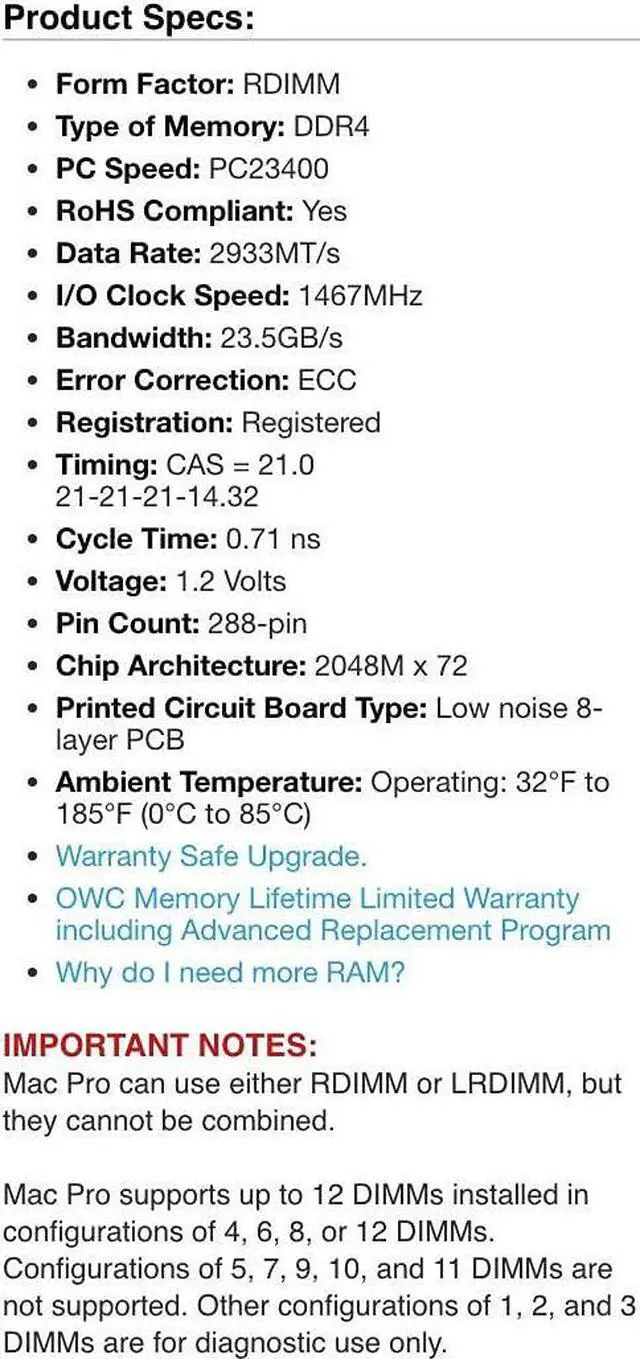
| Technology | DDR4 |
|---|---|
| Speed | PC4-23400 2933MHz |
| Form Factor | 288PIN DIMM |
| ECC Type | ECC REGISTERED |
| Voltage | 1.2v |
| CL Rating | 21 |
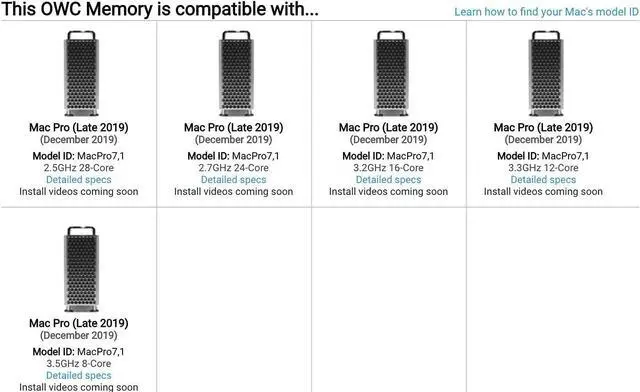
| Compatible With | Mac Pro 2019 7,1 TOWER, RACK |
| Backward Compatible | WILL WORK WITH PC4-21300 2666MHz |


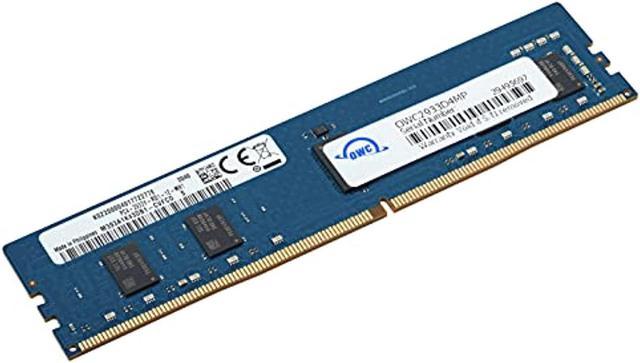
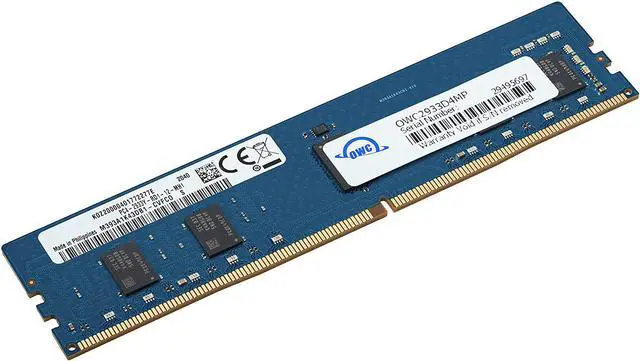
This OWC memory module is a 16GB DDR4-2933 registered ECC RDIMM for users upgrading a 2019 Mac Pro (MacPro7,1). It fits the listed 8-, 12-, 16-, 24-, and 28-core models; use it in a configuration that does not mix RDIMMs with LRDIMMs.
| Attribute | Value |
|---|---|
| Best For | Adding one 16 GB registered ECC memory module to a compatible desktop, including Mac Pro systems |
| Memory Capacity And Configuration | One 16 GB module |
| Memory Type And Compatibility | DDR4 registered ECC memory (RDIMM), with a 288-pin DIMM form factor; compatible with desktop devices |
| Memory Speed And Timing | 2933 MHz data rate with CL21 latency |
| Voltage | 1.2 V |
| Physical Characteristics | 23 g; 17.8 × 12.7 × 1.3 cm |
| Model And Manufacturer | OWC (Other World Computing), model 2933D4MP16GB |
Q: Should I choose a 16GB or 32GB RDIMM for my 2019 Mac Pro?
A: Choose this 16GB RDIMM when you want 16GB modules in a supported memory layout, such as six 16GB modules for 96GB total. A 32GB RDIMM provides twice the capacity per module and can make a 192GB six-module configuration. Both are 2933MHz DDR4 ECC RDIMMs; matching module capacities is a straightforward way to plan a configuration.
Q: How does this 16GB RDIMM compare with an 8GB RDIMM?
A: This module provides twice the capacity per DIMM. Choose 16GB modules for a higher-capacity configuration with the same number of slots—for example, six 16GB modules provide 96GB, compared with 48GB from six 8GB modules. Both capacities are offered as 2933MHz DDR4 ECC RDIMMs for the 2019 Mac Pro.
Q: Should I buy one 16GB module or a 2×16GB kit?
A: This product is one 16GB RDIMM, while a 2×16GB kit provides 32GB total. Choose the single module when adding one 16GB DIMM to a planned, compatible memory layout; choose the pair when you want 32GB across two slots. Apple supports specific multi-DIMM layouts, so plan the total configuration and slot arrangement together.
Q: Is this 2933MHz RDIMM a good match for every 2019 Mac Pro processor?
A: It matches the 2933MHz memory speed used by 12-core through 28-core Mac Pro models. The 8-core model operates memory at 2666MHz, so this 2933MHz module runs at that model’s supported memory speed. Choose based on the processor in your Mac Pro and keep the memory type consistent with the installed DIMMs.
Q: Is this 16GB memory module compatible with a 2019 Mac Pro?
A: It is specified for 2019 Mac Pro models (MacPro7,1) and uses 288-pin DDR4 ECC registered memory. Check that the Mac Pro is currently configured with RDIMMs; this module cannot be used alongside LRDIMMs.
Q: Can I mix this RDIMM with the memory already installed in my Mac Pro?
A: You can add it only if the Mac Pro uses RDIMMs already; RDIMMs and LRDIMMs cannot be mixed. Check the installed memory type and follow the Mac Pro’s supported slot configuration before adding a module.
Q: Will this 2933MHz memory run at 2933MHz in every 2019 Mac Pro?
A: No. The 8-core 2019 Mac Pro runs memory at 2666MHz; the 12-, 16-, 24-, and 28-core models support 2933MHz memory. The module’s rated speed does not override the system’s supported speed.
Q: Who is a single 16GB module a good fit for?
A: It suits a Mac Pro owner who needs a modest memory increase and has a compatible RDIMM configuration. It adds 16GB, but the best slot layout depends on the modules already installed; using the same module capacity across slots can help maximize performance.
Q: Is this 16GB RDIMM compatible with a 2019 Mac Pro?
A: The product is specified for all 2019 Mac Pro (MacPro7,1) models and uses 2933MHz DDR4 RDIMM memory. Reddit users report successful third-party 16GB RDIMM upgrades, but those reports do not verify this exact OWC module.
Q: Can I use this RDIMM with LRDIMM memory already installed?
A: No. The product specifications state that RDIMMs and LRDIMMs cannot be mixed in the same Mac Pro. Check the installed memory type before buying; the Reddit discussion also highlights this compatibility constraint.
Q: Is buying just one 16GB module a good way to upgrade?
A: It can add capacity if the system uses RDIMMs, but one module will not populate all six memory channels. Mac Pro owners discussing configurations favor using six slots when aiming to use all six channels; check the recommended slot order before installation.
Q: Can I mix this 16GB module with other RDIMM capacities?
A: Reddit discussions describe mixed-capacity RDIMM configurations, but also report that slot placement can affect whether a configuration boots and how channels are used. Confirm the Mac Pro’s supported slot arrangement before combining capacities; RDIMM and LRDIMM types still cannot be mixed.


