here!
here!
I’m your shopping assistant for PC builds, upgrades, and everything tech.
Got questions? Ask away!
Start a conversation
here!
I’m your shopping assistant for PC builds, upgrades, and everything tech.
Got questions? Ask away!
Start a conversation


Any questions? Ask CelesteSM will help you find out quickly.


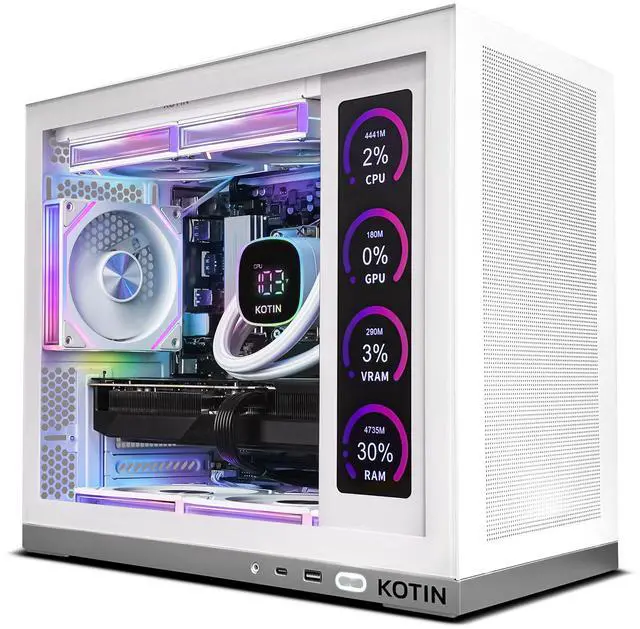
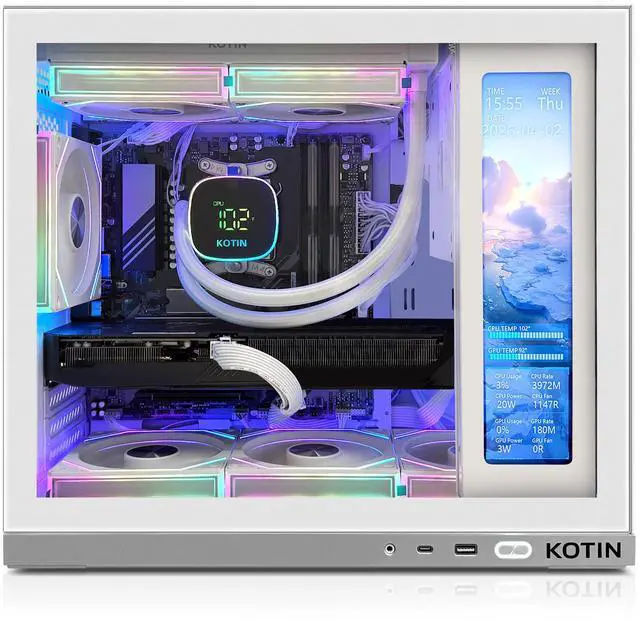
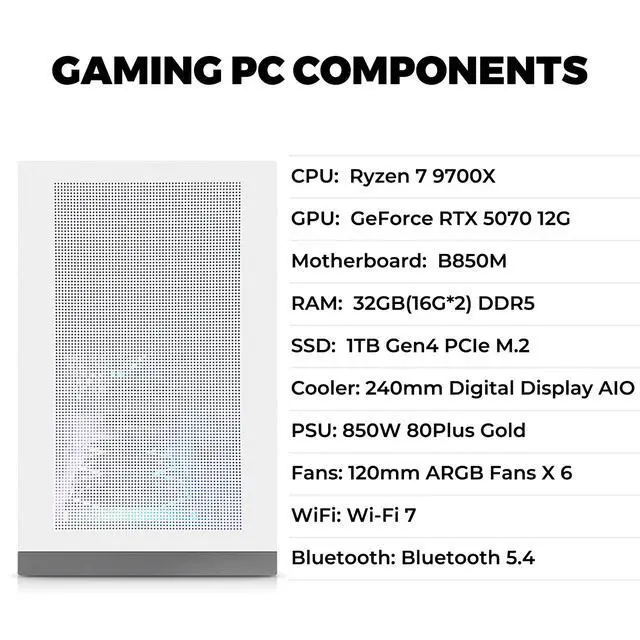
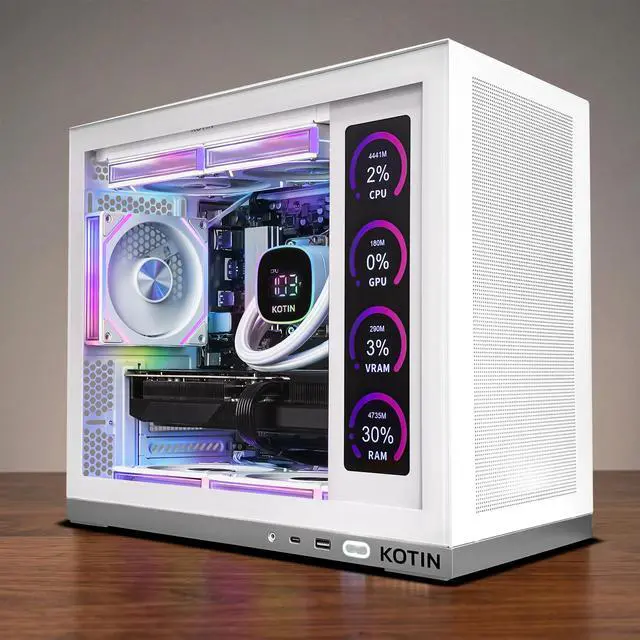
The KOTIN Gaming PC is a prebuilt Windows 11 desktop with a Ryzen 7 9700X, RTX 5070 12GB, 32GB DDR5, and 1TB PCIe 4.0 SSD, making it a strong fit for gamers who want high-refresh 1440p play, entry 4K gaming, streaming, and everyday content creation in a ready-to-use setup.
| Attribute | Value |
|---|---|
| Best For | High-resolution gaming, streaming and content creation (1440p–4K) using an 8‑core Zen 5 Ryzen CPU paired with an RTX 5070 12GB GPU |
| Processor And Core Count | AMD Ryzen 7 9700X (Ryzen 7, 9000 Series, Zen 5) — 8 cores / 16 threads, base 3.80 GHz, turbo up to 5.50 GHz, L2 8 MB and L3 32 MB, AM5 socket |
| GPU And VRAM | NVIDIA RTX 5070 (Blackwell) with 12 GB GDDR7 VRAM, no SLI/Crossfire; listed as Virtual Reality ready |
| Memory Configuration | 32 GB DDR5-6000 (2 × 16 GB); 4 DIMM slots total (2 available); supports up to 256 GB |
| Storage And Expansion | 1 TB NVMe storage on M.2 interface (1TB NVME) |
| Operating System | Windows 11 Home |
| Power | 850W power supply; sized to support the listed high-performance CPU and GPU |
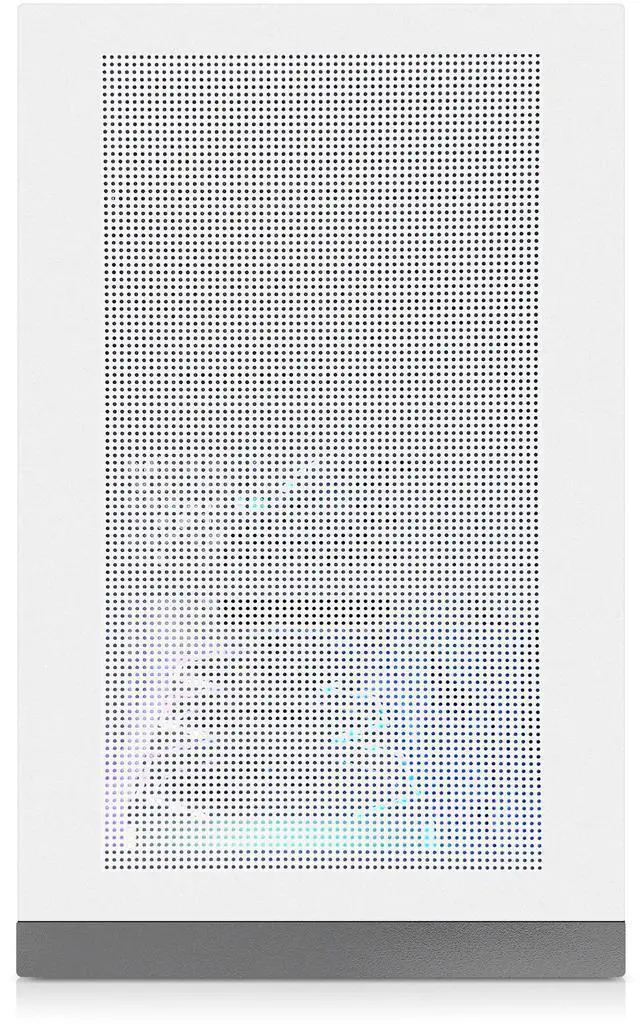
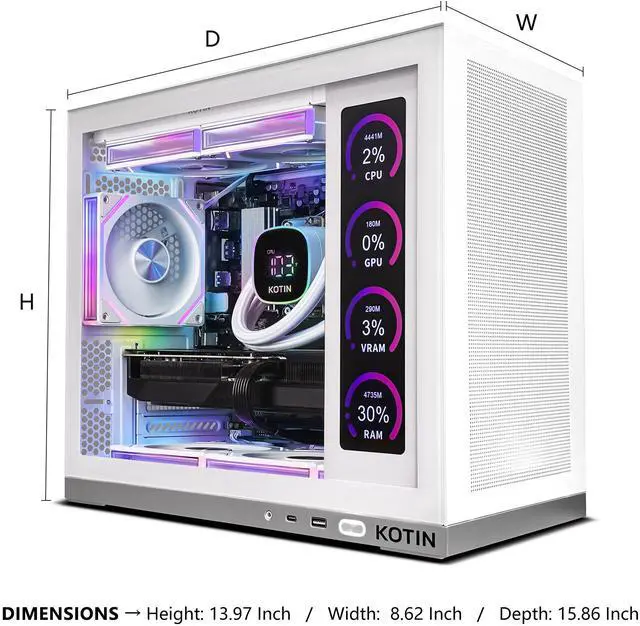
| Chassis And Physical | Desktop case, white; dimensions 20.6 × 19.6 × 13.1 inches; no optical drive |
| Capabilities | AI Ready and marketed for gaming use |
| Model Identifiers | KOTIN model KTG50WA797X3250712G — Desktop PC, release year 2025 |
Q: Should I choose this Ryzen 7 9700X + RTX 5070 desktop or move up to an RTX 5070 Ti gaming PC?
A: Choose this KOTIN configuration if you mainly want strong 1440p gaming, modern NVIDIA features, and a more balanced system cost. Move up to an RTX 5070 Ti desktop if your priority is higher 4K settings, more headroom for ray tracing, or longer GPU runway before reducing settings. Reviews and community comparisons consistently place the RTX 5070 Ti as the clearer step up for 4K-focused buyers, while the RTX 5070 remains the more practical fit for high-refresh 1440p use.
Q: Is this RTX 5070 prebuilt a worthwhile upgrade over an RTX 4070 Super gaming desktop?
A: It usually makes sense if you want Blackwell-generation features such as DLSS 4 Multi Frame Generation and a modest step up in GPU performance without changing your target use case. If you already own a well-balanced RTX 4070 Super desktop and play mostly at 1440p, the upgrade is more about newer features and incremental gains than a major class change. This KOTIN system is the better choice for buyers purchasing new, but it is a more measured upgrade for current 4070 Super owners.
Q: Should I buy this Ryzen 7 9700X + RTX 5070 desktop or a cheaper Ryzen 5 / RTX 5060-class prebuilt?
A: Choose this KOTIN desktop if you want more long-term flexibility for 1440p gaming, heavier multitasking, streaming, or creator workloads. The Ryzen 7 9700X, 32GB DDR5, and RTX 5070 place it in a stronger tier than typical Ryzen 5 / RTX 5060-class systems, which are usually better matched to tighter budgets and lighter performance targets. A lower-tier prebuilt can still be the smarter value if you mainly play esports titles at 1080p and do not need the extra CPU and GPU headroom.
Q: Is this Ryzen 7 9700X desktop better for gaming than a Ryzen 7 7800X3D prebuilt?
A: For gaming-first buyers, a 7800X3D-based desktop is still the more targeted choice because independent CPU testing regularly shows AMD's 3D V-Cache chips leading in game performance. This KOTIN system makes more sense when you want a balanced Zen 5 desktop with good efficiency, modern platform features, and an RTX 5070 doing most of the heavy lifting at 1440p or 4K. In other words: choose 7800X3D for maximum gaming focus, and choose this 9700X system for a broader all-around desktop profile.
Q: Should I get this desktop or an RTX 5070 gaming laptop if I need one system for everything?
A: Choose this desktop if performance matters more than portability. Desktop RTX 5070 systems typically offer more sustained GPU performance, 12GB of VRAM in this configuration, easier upgrades, and better thermals for longer gaming sessions. Choose an RTX 5070 laptop only if mobility is a real requirement, because laptop versions usually run at lower power and often use different memory limits and cooling targets than the desktop card.
Q: Who is this gaming PC best suited for?
A: This PC is best suited for buyers who want a prebuilt desktop for high-refresh 1440p gaming, entry-to-strong 4K gaming, streaming, and general content creation without building a system themselves. The Ryzen 7 9700X, RTX 5070 12GB, and 32GB DDR5 put it in the upper-midrange to high-end prebuilt class. It is less suitable for buyers who need portability, very large local game libraries, or workstation-class CPU/GPU performance.
Q: Is this a good choice for 1440p or 4K gaming?
A: Yes for 1440p, and generally yes for 4K with settings trade-offs. The RTX 5070 12GB and Ryzen 7 9700X are a strong match for high-FPS 1440p gaming and can handle many 4K titles, especially with upscaling features such as DLSS. The main trade-off is that 12GB of VRAM is solid for this class, but some newer games at 4K ultra settings may still require reduced texture or ray-tracing settings compared with more expensive GPUs.
Q: Can this PC be upgraded later?
A: Probably yes in the areas most buyers care about, but not every detail is guaranteed. Based on the provided specs, memory and storage should be the easiest upgrades because the system has 4 RAM slots total, 2 currently open, and AM5 is a current desktop platform. The main caution with prebuilts is that retail Q&A often shows motherboard, PSU, and exact internal layout can vary by batch, so buyers who care about extra PCIe slots, specific motherboard models, or cooler clearance should confirm those details before purchase.
Q: What are the main trade-offs versus a similar prebuilt with 2TB storage?
A: The main trade-off is capacity, not core performance. Compared with similar Ryzen 7 9700X + RTX 5070 prebuilts that ship with 2TB SSDs, this KOTIN configuration should feel similarly fast in gaming and everyday use, but its 1TB SSD will fill faster if you install many large games. In return, buyers may still get the key performance parts they care about: 32GB DDR5, an RTX 5070, liquid cooling, and an 850W Gold PSU. For buyers with a large library, 2TB is the safer starting point.
Q: Is liquid cooling a real benefit on a system like this?
A: Yes, but mainly for thermals and noise consistency rather than extra buying value on its own. Retail Q&A for comparable prebuilts shows buyers repeatedly ask whether the system is water cooled, which signals this is a real decision factor. On a Ryzen 7 9700X gaming build, a 240mm AIO is a practical fit for sustained gaming and streaming loads. The trade-off is that liquid cooling adds complexity versus a simpler air cooler, so buyers who want the easiest long-term maintenance may prefer air cooling instead.
Q: Is this KOTIN prebuilt a sensible buy for 1440p gaming?
A: Yes, it is a sensible fit for 1440p gaming if you want a ready-to-use desktop rather than building your own. The Ryzen 7 9700X, RTX 5070 12GB, and 32GB DDR5 match the kind of hardware discussed in Reddit comparisons and YouTube benchmark videos for strong 1440p play. The main decision point is value: community discussion around prebuilts repeatedly treats price and markup as the biggest risk, so it makes more sense if the price is competitive with similar RTX 5070 systems.
Q: Who is this PC best suited for?
A: It is best suited for buyers who want a prebuilt gaming desktop for high-settings 1440p gaming, everyday multitasking, and some streaming or content work without needing immediate upgrades. The 8-core Ryzen 7 9700X, 32GB RAM, and RTX 5070 are stronger than what a casual 1080p-only buyer strictly needs, but they make more sense for someone who wants a longer-lasting mid-to-high-end setup.
Q: What are the main trade-offs of buying this KOTIN system instead of building your own?
A: The trade-off is convenience versus price control and parts transparency. This system is fully assembled, tested, and ready to use, which matches what prebuilt shoppers on Reddit usually want. In return, you may pay a markup, and community discussions around prebuilts often focus on whether the exact motherboard, SSD, Windows setup, and upgrade path are as strong as the headline CPU and GPU. If you value plug-and-play convenience, it can make sense; if maximum value per dollar matters most, a self-build is usually the stronger option.
Q: Is 1TB of storage enough for this kind of gaming PC?
A: It is enough to start, but it may feel limited if you keep many large games installed at the same time. Reddit discussion around KOTIN systems specifically raises storage planning as a practical issue, and that matches the general reality of modern game sizes. For buyers with a small rotating library, 1TB is workable; for buyers who want many AAA games installed at once, plan on adding more storage later.
Q: Are there any practical concerns to check before buying this prebuilt?
A: Yes. The most practical concerns are price versus similar prebuilts, shipping reliability, and how easy future upgrades will be. Reddit discussion mentioning KOTIN and other prebuilts repeatedly centers on whether the system arrives safely, whether the included parts match expectations, and whether the overall deal is better than other prebuilt options at the same price. For this model, those checks matter more than raw specs, because the listed CPU, GPU, RAM, and PSU are already strong on paper.