here!
I’m your shopping assistant for PC builds, upgrades, and everything tech.
Got questions? Ask away!
Start a conversation
here!
I’m your shopping assistant for PC builds, upgrades, and everything tech.
Got questions? Ask away!
Start a conversation




Any questions? Ask CelesteSM will help you find out quickly.

|
CPU |
AMD Ryzen 5 3500U (4C/8T, 4M Cache,up to 3.7GHz) |
|---|---|
|
Graphics |
Radeon Vega 8 Graphics (1200 MHz) |
|
RAM |
16GB DDR4 3200Mhz (Dual Channel 2*8GB) |
|
Storage |
512GB PCIe 3.0 M.2 2280 NVMe (Expansion: Dual Slot M.2 2280 PCIE Max. 16TB) |
|
Wireless LAN |
2.5GbE Gigabit LAN RJ45 |
|
Video output |
Triple Display Output, HDMI 2.1 (4K@60Hz), DisplayPort v1.4 (4K@60Hz), Type-C(4K@30Hz) |
|
lnterface |
|
|---|---|
|
Power Adapter |
19V-3.42A Certification Input: 100-240V AC, 50/60Hz 1.7A , Output: 19V/3.42A 64.98W |
|
Operating Environment |
-10C to 45C, 30% to 85% Humidity |
|
Storage Environment |
-20C to 60C, 10% to 90% Humidity |
|
Package Contents |
1 x GMKtec Nucbox G10 Ryzen 5 3500U Mini PC, 1 x Power Adapter, 1 x VESA Mount with Screws, 1 x HDMI Cable, 1 x User Manual |


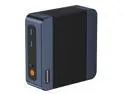
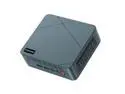
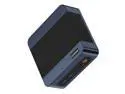
The GMKtec G10 is a compact Windows 11 Pro mini PC with a Ryzen 5 3500U, 16GB DDR4, 512GB SSD, and triple-display support, making it a strong fit for home office work, media-center setups, light gaming, and users who want more network speed with 2.5GbE in a very small desktop.