




 here!
I’m your shopping assistant for PC builds, upgrades, and everything tech.
Got questions? Ask away!
Start a conversation
here!
I’m your shopping assistant for PC builds, upgrades, and everything tech.
Got questions? Ask away!
Start a conversation



Any questions? Ask CelesteSM will help you find out quickly.

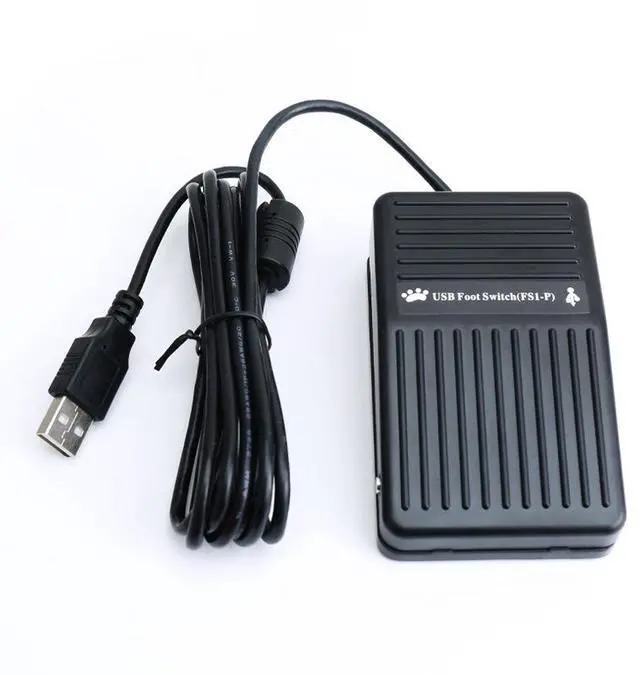
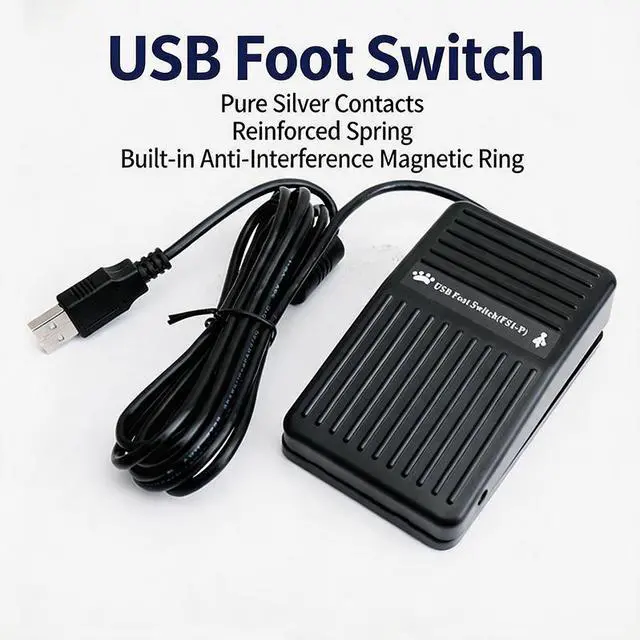
Replaces any mouse or keyboard key. Ideal for gaming and entertainment, medical imaging, and music editing. A versatile foot control tool that enhances convenience and speed.


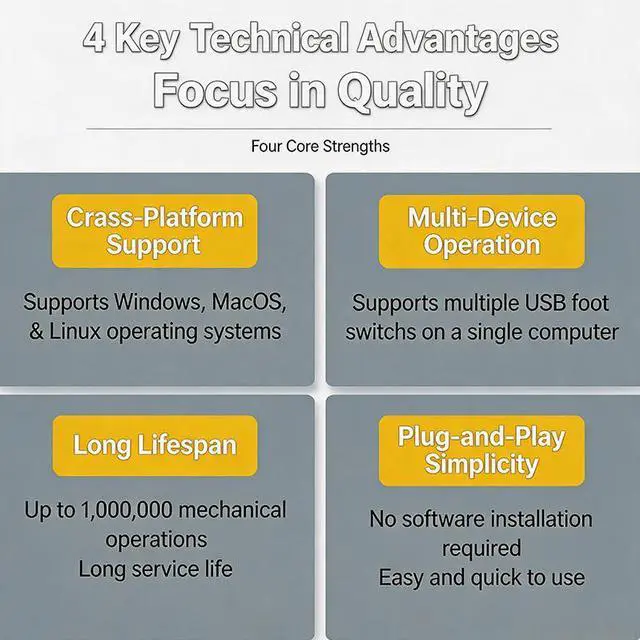
Cross-platform support for Windows, macOS, Android, and Linux. Multiple connections on the same computer, up to one million mechanical operations, and no software installation required.

The contact surface features an anti-slip design that increases friction to prevent accidental slips during operation, ensuring workplace safety and reliable foot control.

Configure as Mouse (left, right, middle click), Keyboard (save, copy, paste, switch programs), Gaming (up, down, left, right), Rapid-Click (hold for continuous click), or Multimedia (pause, play, next).

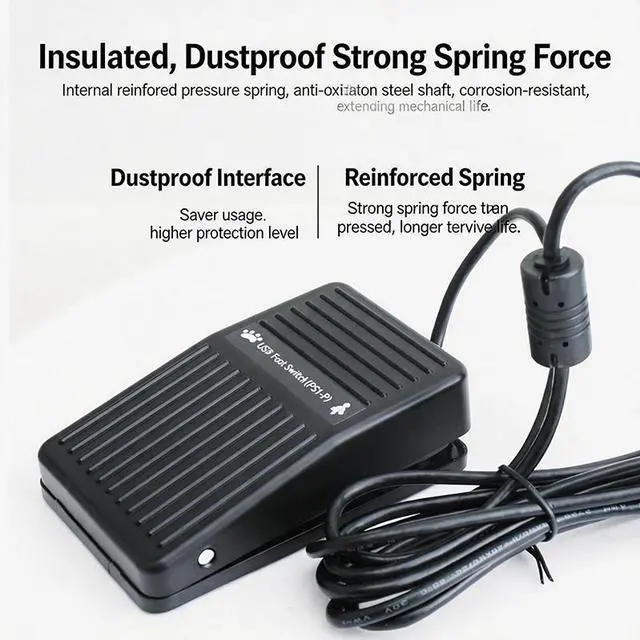
Features a flame-retardant housing with smooth surface, silver internal contacts for corrosion resistance and conductivity, and a reinforced spring with square steel shaft for extended service life.

Use it as a keyboard for hotkeys, multimedia controller for volume and page turning, video game combo trigger, string/mouse function, or for medical equipment image collection with a gentle foot tap.
The TOPWOLF SS-TFS-01 is a programmable USB foot switch with three pedals for hands-free gaming control. It is suitable for PC gamers who want custom inputs for FPS crouch or slide actions, MMO ability triggers, push-to-talk, and other keyboard commands without installing extra drivers.
| Attribute | Value |
|---|---|
| Best For | Gaming, industrial, medical, and other HID-compatible control applications requiring a programmable USB foot switch |
| Compatibility And Programming | Compatible with gaming, industrial, medical, and HID systems, with self-programming support |
| Connectivity | USB foot control switch; Thunderbolt 3 is not supported |
| Physical Specifications | Black finish |
| Model Identifiers | TOPWOLF SS-TFS-01 |
Q: TOPWOLF SS-TFS-01 vs Elgato Stream Deck Pedal: which should I choose for gaming?
A: Choose the TOPWOLF SS-TFS-01 when you want three foot-operated inputs that function as programmable HID keyboard controls for game keybinds, push-to-talk, crouch, slide, or MMO abilities. Choose the Elgato Stream Deck Pedal when you want deeper software integration, app-specific profiles, multi-actions, plugins, adjustable pedal tension, and automatic profile switching. The trade-off is simpler direct key mapping on TOPWOLF versus a more feature-rich software ecosystem on Elgato.
Q: Is a three-pedal USB foot switch better than a single-pedal model for PC gaming?
A: A three-pedal model such as the TOPWOLF SS-TFS-01 is the better choice when you need several simultaneous bindings, such as separate push-to-talk, crouch, lean, ability, or ping controls. A single-pedal model is more suitable when you only need one recurring function and want a simpler setup with fewer controls to configure. Three pedals provide more control options, while a single pedal is easier to dedicate to one task.
Q: Is TOPWOLF SS-TFS-01 suitable for push-to-talk in Discord or games?
A: Yes, it is suitable when Discord or the game accepts a keyboard-style push-to-talk key and the pedal is mapped to that key. The TOPWOLF has three programmable HID pedals, so one pedal can be assigned to push-to-talk while the others handle game or streaming controls. Users should verify whether the specific game supports external keyboard input and whether the assigned action requires press-and-hold rather than toggle behavior.
Q: Should I choose TOPWOLF SS-TFS-01 or a premium software-based foot pedal?
A: Choose TOPWOLF when direct keyboard-style control, three pedals, plug-and-play HID compatibility, and straightforward custom key assignment are the main priorities. Choose a premium software-based model such as the Elgato Stream Deck Pedal when you need profiles that change by application, plugin support, multi-action commands, adjustable pedal pressure, or integration with streaming and productivity software. TOPWOLF is oriented toward direct input mapping; premium models add workflow automation and software management.
Q: Is TOPWOLF SS-TFS-01 a good choice for portable or occasional use?
A: Choose the TOPWOLF SS-TFS-01 for a stationary PC setup where three extra controls are useful during gaming, streaming, or voice chat. For highly portable use or occasional single-function control, a one-pedal USB switch or a keyboard shortcut may be more practical because there are fewer controls to transport and configure. The TOPWOLF provides more input capacity, while simpler alternatives reduce setup and desk or floor-space requirements.
Q: Can I use this USB foot switch to control keyboard keys, mouse actions, or push-to-talk?
A: Yes. The three pedals are designed for custom key assignment on a PC and can be mapped to keyboard-style controls, mouse actions, push-to-talk, crouch, slide, ability triggers, or other supported shortcuts. Exact multi-key macro behavior depends on the configuration software or game being used.
Q: Does it work as a plug-and-play controller on a PC?
A: It is designed to connect through USB as an HID device and work with compatible PCs without additional drivers. The computer and game or application must support the assigned keyboard, mouse, or HID input, and some configurations may still require software setup.
Q: Who is this three-pedal foot switch best suited for?
A: It is best suited for PC gamers who want hands-free access to a small number of frequently used controls, such as push-to-talk, crouch, slide, reload, abilities, or media shortcuts. It may also help users who want to reduce hand movement or supplement a keyboard and mouse, but it is not a replacement for a full game controller.
Q: Is it stable and durable enough for extended gaming sessions?
A: The product is designed for extended use with an anti-slip heavy-duty body, a wear-resistant pedal surface, and mechanical micro switches rated for millions of presses. Stability will still depend on the floor surface, foot pressure, and placement, so it should be positioned on a firm, level surface.
Q: Will it work with consoles, phones, or tablets?
A: The provided specifications identify PC and HID-compliant systems as the intended compatibility targets. It should not be assumed to work with consoles, phones, or tablets unless the specific device recognizes USB HID keyboard or controller input and supports the required connection.
Q: Is this USB foot switch useful for push-to-talk while gaming?
A: Yes. It is suitable for assigning a pedal to a push-to-talk key or microphone mute function, allowing hands-free voice control. The main trade-off is that some games or chat systems require the pedal to simulate a key hold rather than a quick key press, which may require additional macro or remapping software.
Q: Will a programmable foot pedal work with every PC game?
A: No. As a USB HID keyboard-style device, it can be assigned to keyboard keys, but game compatibility varies. Some games recognize the pedal input directly, while others may ignore it, switch between controller and keyboard prompts, or require the game and remapping software to run with compatible permissions.
Q: Is this suitable for gamers who need alternative controls or reduced hand input?
A: It can be suitable for accessibility-focused setups or users who want to move selected commands away from the keyboard. Community discussions describe using three-pedal USB foot switches with controllers and remapping software, but setup may require experimentation and muscle-memory adjustment.
Q: Can using the pedals with macros create game-rule or ban risks?
A: A simple pedal mapped to one keyboard key is generally discussed separately from software macros that combine multiple commands. Because competitive-game policies differ, the safer use is one pedal press mapped to one allowed input; verify the specific game's rules before using chained or automated macros.
Q: Is a three-pedal USB foot switch worth buying instead of a single-button model?
A: A three-pedal model is more useful when you need several separate key assignments, such as push-to-talk, ping, crouch, or ability commands. A single-button model is simpler and may be preferable if you only need one function; the three-pedal design also requires enough floor space and adjustment to avoid accidental presses.


