




 here!
I’m your shopping assistant for PC builds, upgrades, and everything tech.
Got questions? Ask away!
Start a conversation
here!
I’m your shopping assistant for PC builds, upgrades, and everything tech.
Got questions? Ask away!
Start a conversation




Any questions? Ask CelesteSM will help you find out quickly.

This foot switch enhances your gaming with easy, convenient shortcut keys that save time. Three pedals let you trigger game actions with your feet, freeing your hands for faster response.

Ideal for office use, PPT page turning, medical facility image collection, industrial equipment control, customer service quick typing, and one-key move when gaming. One device adapts to many professional and gaming scenarios.

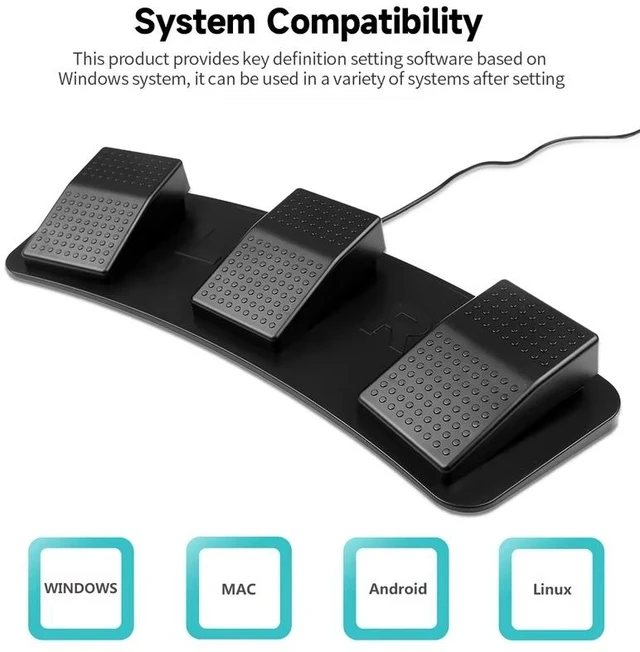
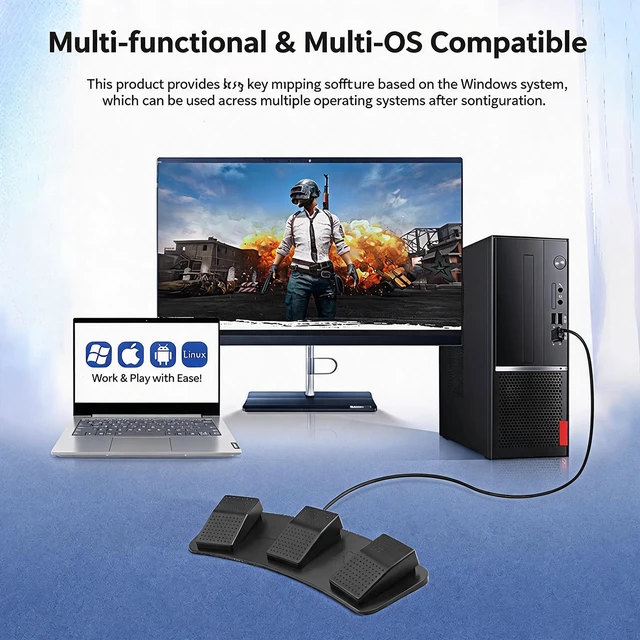
Provides software that can be set up on Windows, and is compatible with multiple systems after setting in Windows. Works with Windows, macOS, Android, and Linux for broad device support.

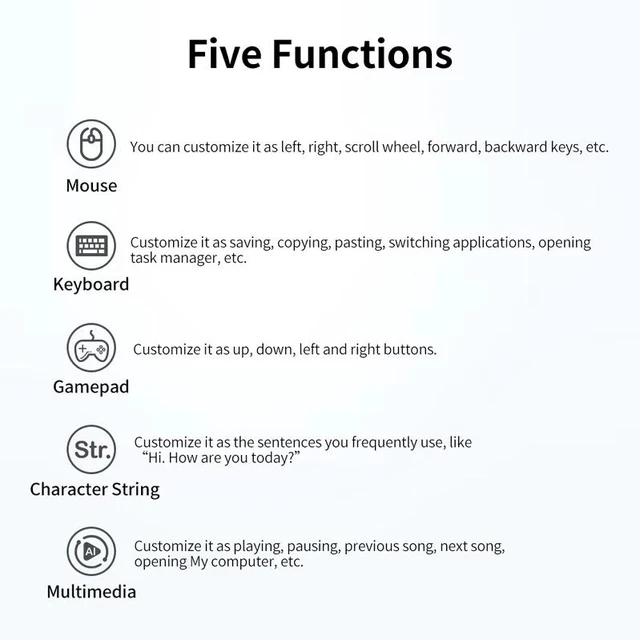
Customize each pedal as Mouse (left, right, scroll, forward, backward), Keyboard (save, copy, paste, switch apps, task manager), Gamepad (up, down, left, right), Character String (frequent sentences), or Multimedia (play, pause, next, previous).

Replace any keys or combination keys on the gamepad. Use the foot switch to trigger actions like W, A, S, D plus mouse controls, enabling one-key movement during gameplay for a competitive edge.

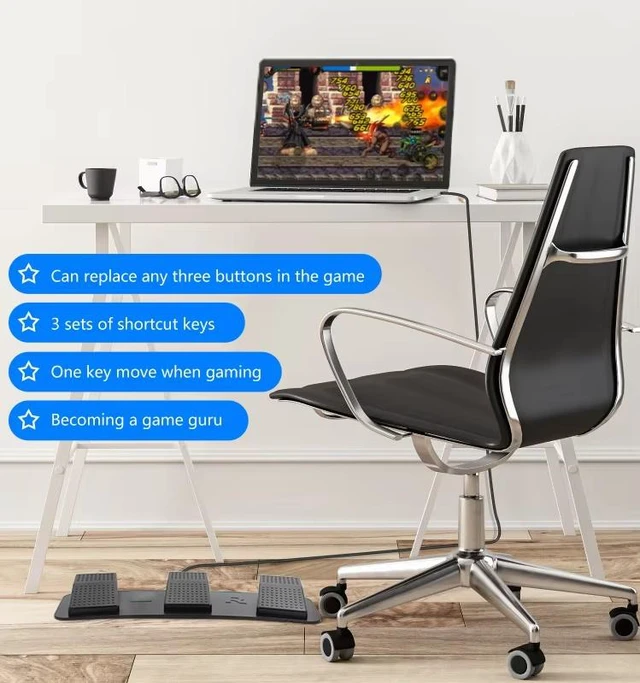
Can replace any three buttons in the game. Includes three sets of shortcut keys, one-key move when gaming, and helps you become a game guru. Perfect for desktop gaming with a laptop and chair.

Download the software, select Multimedia, click Open Computers, and save to button. Then use the foot switch to open My Computer and other functions. Clear, save, and initialization options are included.
TOPWOLF USB Foot Switch for Gaming - HID Programmable 3-Pedal, Anti-Slip Heavy Duty, MMO Macro Controller for PC Keyboard Replacement, FPS & Game Assistant
1. Plug-and-play USB foot switch designed specifically for gaming, enabling hands-free control and macro execution for FPS, MMO, and other action games.
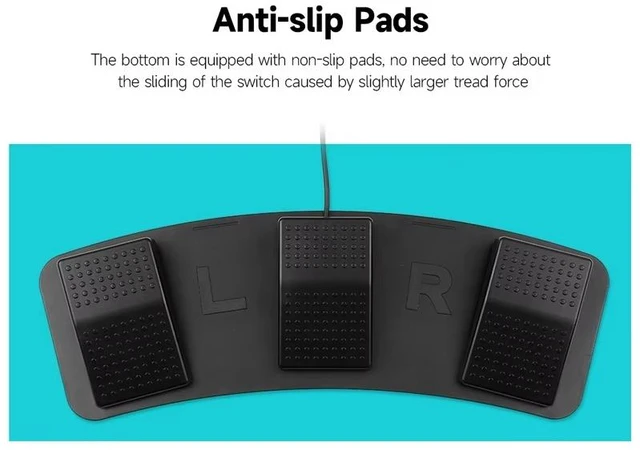
2. Built with durable anti-slip heavy-duty construction and wear-resistant pedal surface, ensuring reliable performance even during long and intense gaming sessions.
3. Features a high-sensitivity mechanical micro switch with ultra-low latency response and a rated lifespan of millions of presses delivering crisp tactile feedback and long-term durability for competitive gaming.
4. Fully compatible with PC and HIDcompliant systems, requiring no additional drivers; works out of the box with popular gaming software for custom key mapping.
5. Plug-and-play USB interface supports custom key assignment for any game genre acts as a keyboard replacement for FPS crouch/slide, MMO ability triggers, or in-game pushtotalk.
The TOPWOLF SS-TFSB-01 is a programmable three-pedal USB foot switch for PC gaming, designed for hands-free macro control in FPS, MMO, action games, and push-to-talk setups. It suits players who want low-latency key activation, custom mapping, and an alternative to keyboard controls.
| Attribute | Value |
|---|---|
| Best For | PC gaming setups needing hands-free control through a USB keyboard interface |
| Interface And Compatibility | USB keyboard interface for compatible PC setups |
| Model Identifiers | TOPWOLF SS-TFSB-01 |
Q: TOPWOLF three-pedal foot switch vs Elgato Stream Deck Pedal: which should I buy for gaming?
A: Choose the TOPWOLF if you want three physical pedals that send programmable keyboard-style inputs through a plug-and-play HID USB connection. It is suited to actions such as push-to-talk, crouch, lean, reload, or ability keys without relying on a dedicated control app. Choose the Elgato Stream Deck Pedal if you want app-based profiles, automatic layout switching, plugins, and actions beyond simple key assignments. Elgato provides a more software-centered workflow, while TOPWOLF is the simpler choice for direct game-key mapping.
Q: Is a three-pedal USB foot switch better than a single-pedal model for PC gaming?
A: A three-pedal model is the better choice when you want several hands-free commands available at the same time, such as push-to-talk, crouch, and lean, or when you want to assign separate controls to each foot position. A single-pedal model is more suitable when you only need one recurring action, is easier to position, and generally takes less desk or floor space. Choose the TOPWOLF when you expect to use at least two or three distinct foot controls.
Q: Should I choose the TOPWOLF three-pedal switch or a premium foot controller for streaming and productivity?
A: Choose TOPWOLF when your main requirement is assigning keyboard commands to three pedals for games, voice chat, or simple shortcuts. Choose a premium controller such as the Elgato Stream Deck Pedal when you need per-application profiles, plugin actions, automatic profile switching, or controls for streaming and productivity software. The premium option provides broader software integration; TOPWOLF keeps the setup focused on direct HID key input.
Q: Is the TOPWOLF three-pedal foot switch suitable for FPS games that require simultaneous keyboard and mouse control?
A: Yes, it is a suitable configuration when you want to move selected actions from the keyboard to your feet while keeping both hands on the keyboard and mouse. Three pedals can be assigned to commands such as lean left, lean right, crouch, slow walk, reload, or push-to-talk. The main trade-off is that the pedals function as discrete programmable switches rather than analog racing pedals, so they are intended for on/off commands rather than variable throttle or brake control.
Q: Does this USB foot switch work without installing drivers?
A: Yes. It is designed as a plug-and-play USB HID device for PCs and other HID-compliant systems, so no additional device drivers are required. Custom key mapping may still depend on the gaming or macro software being used.
Q: Can I assign different keyboard commands or macros to each pedal?
A: Yes. The three pedals are intended for custom key assignment and can be mapped to keyboard commands used by compatible games or macro software. They can function as extra controls for actions such as crouch, slide, ability activation, or push-to-talk.
Q: Is this foot switch useful for FPS and MMO gaming?
A: Yes. It is best suited to PC games where one or more frequently used commands can be moved from the keyboard to the feet. Typical uses include FPS crouch or slide actions, MMO ability triggers, and push-to-talk, while movement, aiming, and other controls remain on the keyboard and mouse.
Q: Can I use it for non-gaming tasks?
A: It can be used for other PC shortcuts when the connected software recognizes its HID key inputs, but the product is primarily designed for gaming. It is most appropriate for users who want hands-free access to repeated commands rather than a dedicated transcription, media-control, or office foot pedal.
Q: Is it stable enough for long gaming sessions, and can it be used as a footrest?
A: The anti-slip heavy-duty construction, wear-resistant pedal surface, and mechanical switches are intended for repeated activation during long sessions. However, it should be treated as an input device, not as a footrest; its main trade-offs are the required floor space and wired USB connection.
Q: Is a three-pedal USB foot switch useful for gaming?
A: It is useful for players who need extra controls without removing their hands from the keyboard, mouse, or controller. Common uses include push-to-talk, leaning, sprinting, jump, mute, and other secondary actions. It is less valuable if the game already provides enough accessible controls.
Q: Is this foot switch good for push-to-talk?
A: Yes, it is suitable for push-to-talk because each pedal can be assigned a keyboard key or hotkey. However, the game or voice-chat application must support the selected key behavior, and some foot-switch software or games may treat the input as a tap or may switch between controller and keyboard prompts.
Q: Can the pedals be used for actions that require holding a key?
A: That depends on the programming software and the game. Community discussions report that some foot switches send only a single keypress unless they are configured for hold, repeat, or continuous behavior. Before buying, confirm that the included software supports press-and-hold input for the action you need.
Q: Do you need all three pedals, or is a single pedal enough?
A: A single pedal is enough for one recurring function such as push-to-talk. Three pedals are more useful when you want separate controls for communication, movement, leaning, or other secondary actions. Community users commonly report that the extra pedals are convenient but may remain unused depending on the game.
Q: Who is this programmable foot switch best suited for?
A: It is best suited for PC gamers who need additional keyboard-style inputs, especially MMO and FPS players, controller users who need push-to-talk, and people who want to reduce hand movement or move secondary actions away from the keyboard. It may be unsuitable for games that restrict keyboard input, do not support the assigned key, or require highly precise analog control.


