




 here!
I’m your shopping assistant for PC builds, upgrades, and everything tech.
Got questions? Ask away!
Start a conversation
here!
I’m your shopping assistant for PC builds, upgrades, and everything tech.
Got questions? Ask away!
Start a conversation



Any questions? Ask CelesteSM will help you find out quickly.
We want to ensure your holiday shopping this year is hassle-free. That’s why we’re automatically extending our return policies on almost every product! For purchases placed between November 1st, 2026 and December 31, 2026 you will have until January 31, 2027 to return your product.
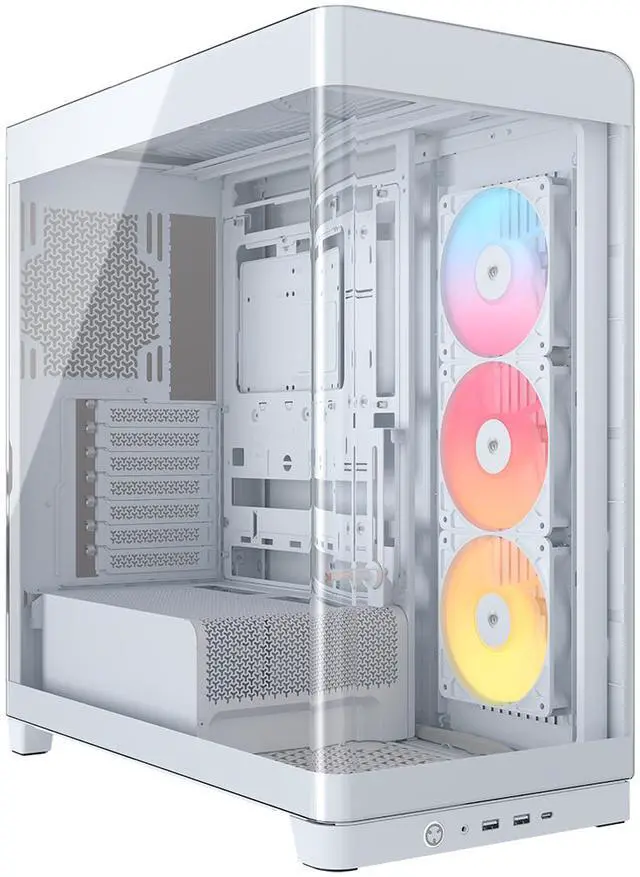
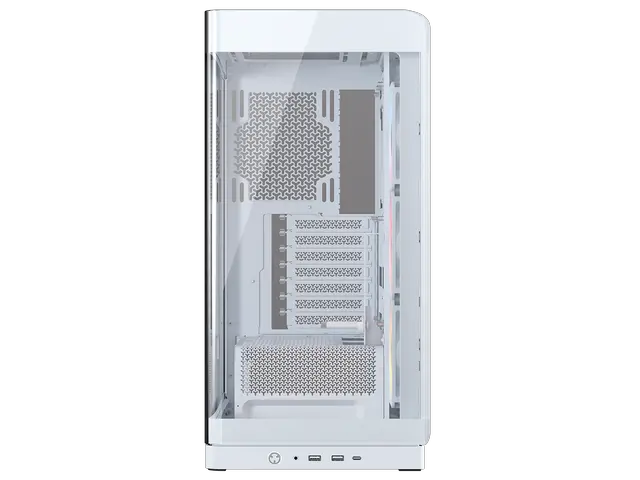
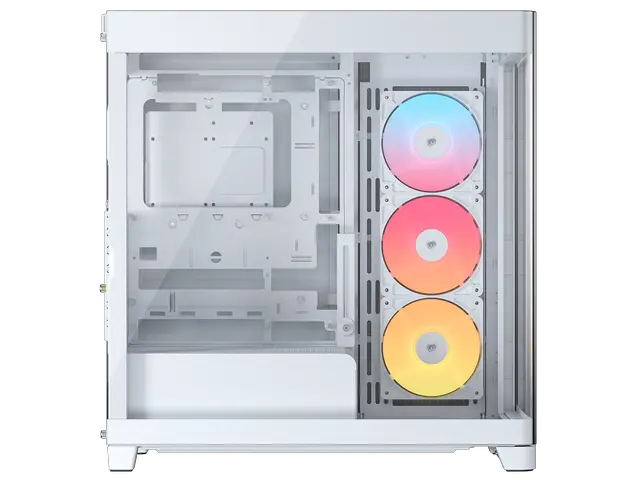
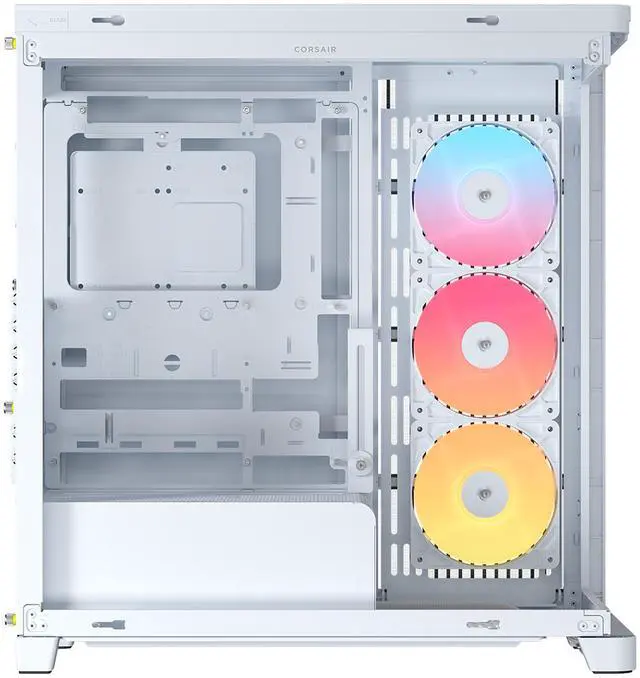
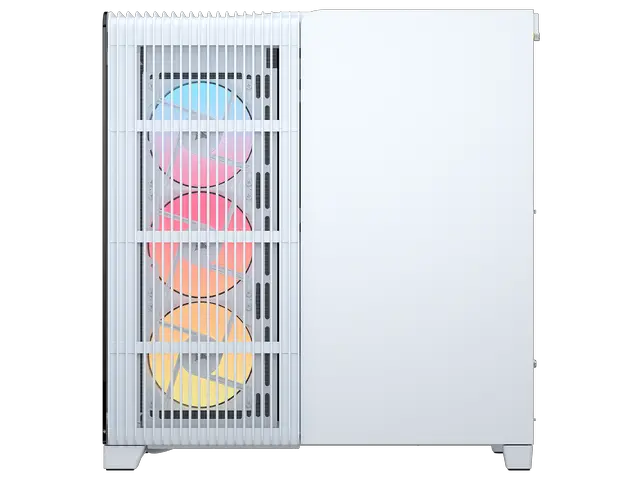
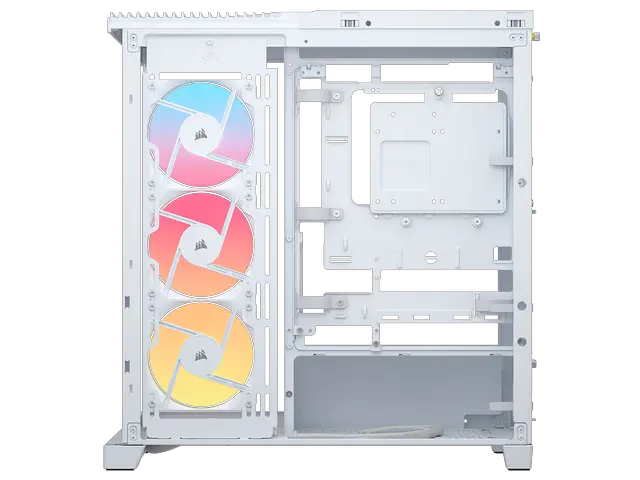
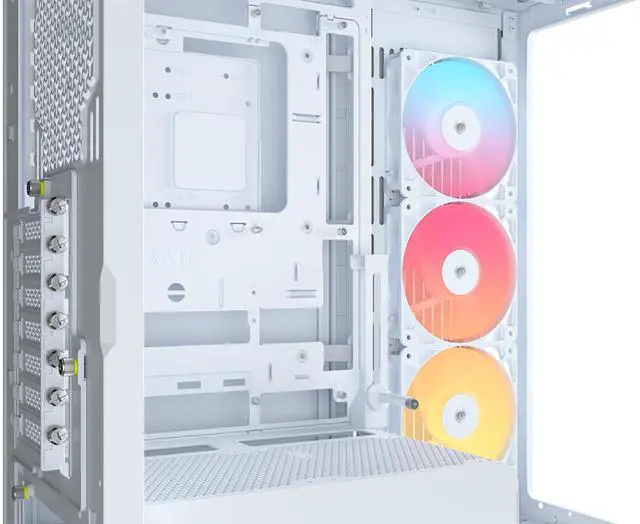
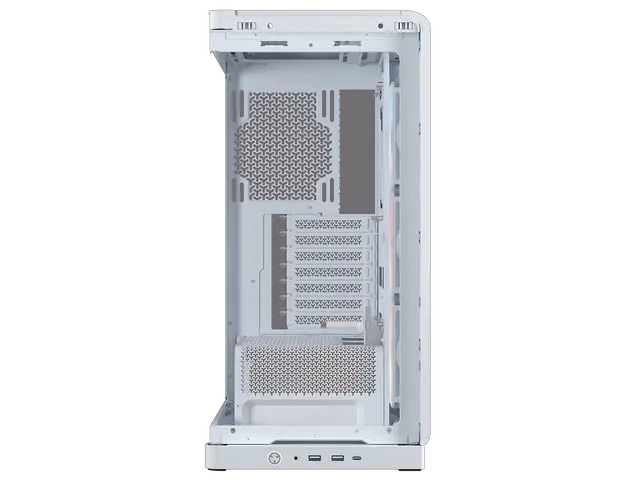
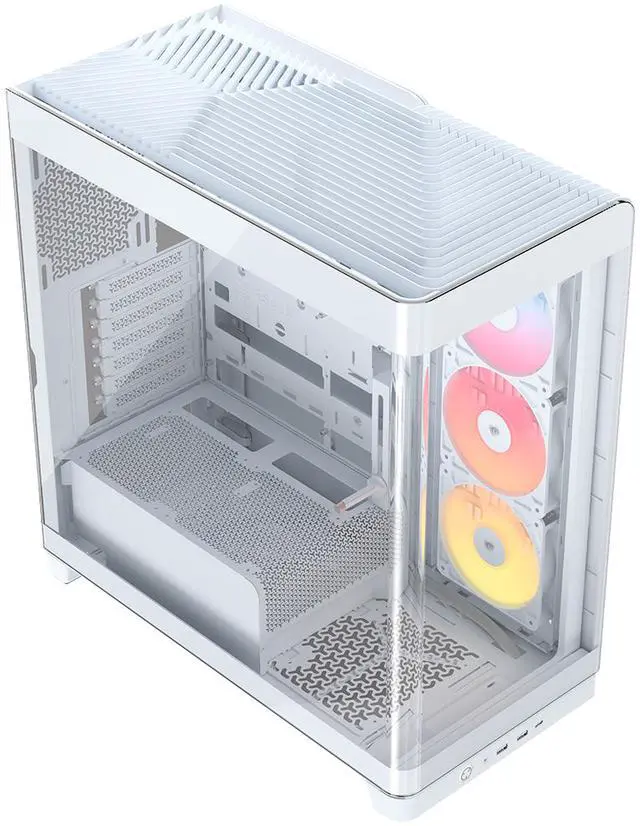
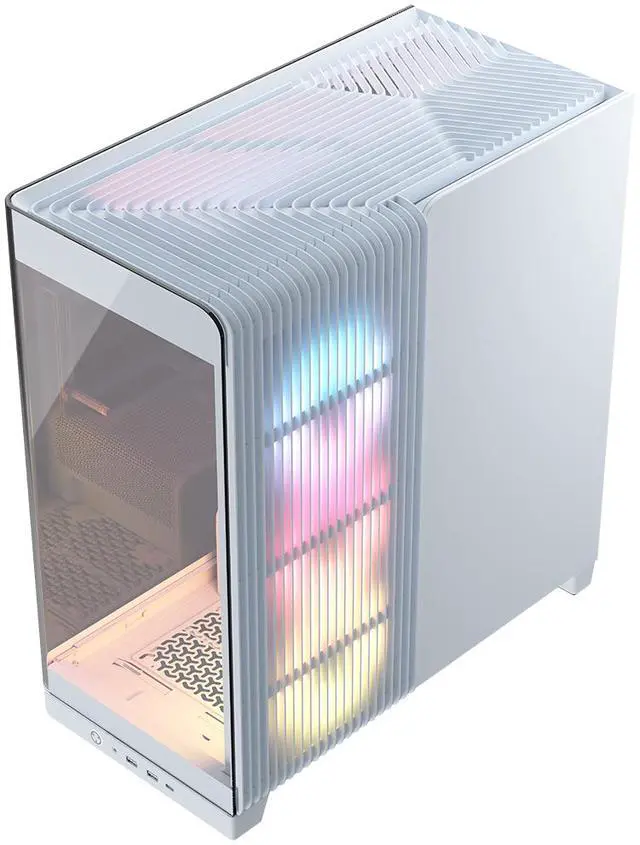
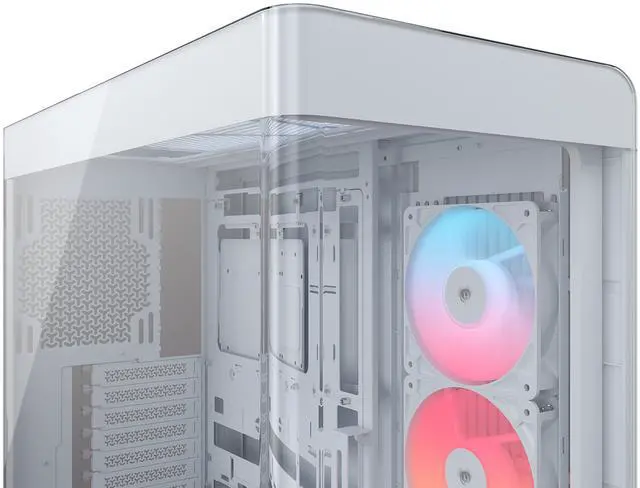
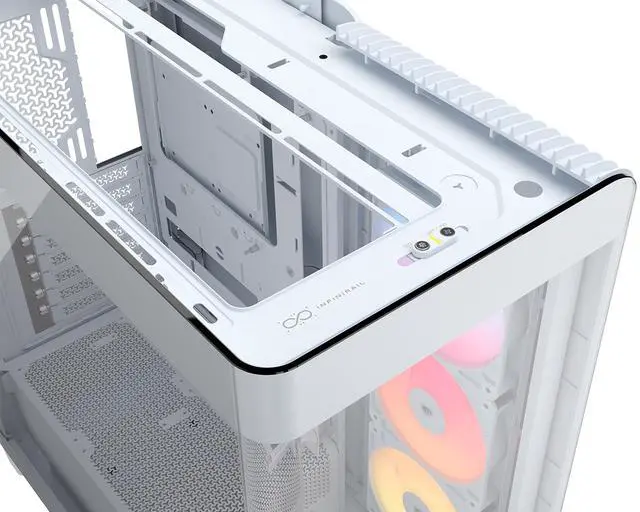
The CORSAIR FRAME 4500X RS-R ARGB is a white panoramic-glass mid-tower PC case built for gamers and PC builders who want a clean showcase system with strong cooling, reverse-connector motherboard support, and room for large GPUs plus dual 360mm radiators.
| Attribute | Value |
|---|---|
| Best For | Builders wanting a mid-tower with tempered-glass styling that supports Mini‑ITX through E‑ATX motherboards, long graphics cards (up to 460mm), and both air and liquid cooling |
| Model Identifiers | Corsair FRAME 4500X RS-R — model number CC-9011315-WW |
| Materials & Construction | Steel chassis with tempered-glass panels and plastic trim |
| Dimensions & Weight | Chassis: 19.64567 in D x 10.07874 in W x 18.54331 in H; package dimensions 33.02 x 56.642 x 57.658 cm; package weight 11.499 kg |
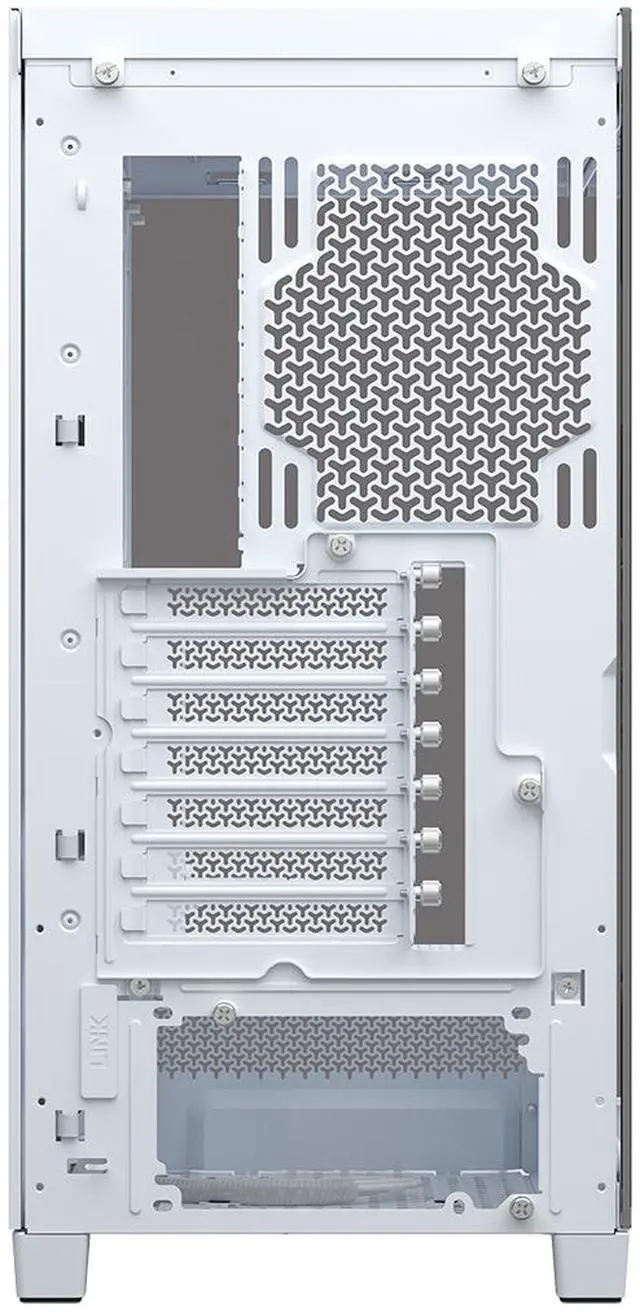
| Motherboard And Expansion | Supports Mini‑ITX, Micro‑ATX, ATX and E‑ATX motherboards; expansion slots configurable as 8 horizontal or 3 vertical |
| Storage And Drive Bays | Three internal drive bays total: one 3.5-inch bay and two 2.5-inch bays |
| Cooling & Fans | Air-cooled design with support for liquid cooling; fan mounts: bottom 1×120mm, side 3×120mm, top 3×120mm; includes built-in fan(s), RGB lighting, and dust filters |
| Compatibility & Clearance | Supports graphics cards up to 460mm and ATX power supplies with a bottom-mount PSU location |
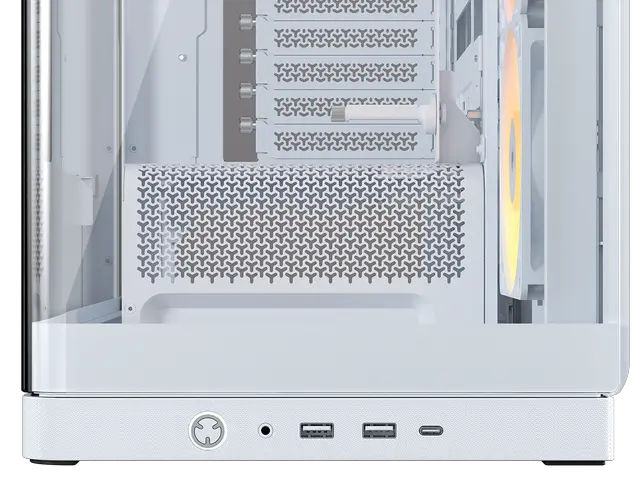
| Front I/O & Connectivity | Three USB 3.0 ports (total) |
| Packaging & Shipping | Package quantity 1; ships globally |
| Safety & Regulatory | No batteries required or included; safety attestation present |
Q: Should I buy the CORSAIR FRAME 4500X or the CORSAIR FRAME 4000D?
A: Choose the FRAME 4500X if you want a panoramic glass showcase case with support for reverse-connector motherboards and extra room for long GPUs and tall air coolers. Choose the FRAME 4000D if airflow capacity is the priority, since it supports front-mounted fans and more flexible radiator placement. Across official Corsair positioning and review/community feedback, the 4500X is the better fit for display-focused builds, while the 4000D is the more performance-first option.
Q: Is the CORSAIR FRAME 4500X worth it over the CORSAIR 3500X?
A: Buy the FRAME 4500X when you want a more premium presentation, a larger interior, and access to Corsair's FRAME modular system. Buy the 3500X when you want a simpler panoramic mid-tower for an entry-level to mid-range build and do not need the extra space or modular motherboard tray options. Corsair's own comparison positions the 4500X as the step-up choice for easier component compatibility and a more upscale build style.
Q: Should I choose the CORSAIR FRAME 4500X or a larger high-airflow case like the FRAME 5000D?
A: Choose the FRAME 4500X if your goal is a showcase build with panoramic glass and strong compatibility for modern parts without moving up to a larger chassis class. Choose a larger airflow-focused case such as the FRAME 5000D if you want more cooling headroom, especially for heavily tuned systems or builds where thermals matter more than glass-first presentation. Community discussion around the 4500X consistently treats it as satisfactory for most builds, but not the first choice for maximum airflow compared with Corsair's airflow-oriented frames.
Q: Is the CORSAIR FRAME 4500X a better choice than a compact or budget mid-tower for a high-end GPU build?
A: Yes, if you are building around a large modern GPU and want cleaner visibility. The FRAME 4500X is the better choice when you need generous component clearance, support for reverse-connector boards, and bottom/side airflow options that suit larger graphics cards. A smaller or lower-cost mid-tower makes more sense when space efficiency or budget matters more than panoramic presentation and easier clearance for oversized parts.
Q: Should I pick the CORSAIR FRAME 4500X for a showcase build or choose a more portability-focused case?
A: Pick the FRAME 4500X for a desk-display build where visibility, glass aesthetics, and full-size component support matter more than easy transport. Choose a portability-focused case only if you need a smaller footprint or expect to move the system often. The 4500X is a mid-tower showcase chassis, so its value is in spacious layout and presentation rather than compactness.
Q: Is this case a good choice for a clean, showpiece gaming PC build?
A: Yes. The FRAME 4500X RS-R ARGB is best suited for builders who want a display-focused ATX case with panoramic tempered glass, visible RGB fans, and support for reverse-connector motherboards. It fits standard to E-ATX boards, supports oversized GPUs, and is designed around clean cable presentation. The trade-off is that the glass-first design prioritizes looks and showcase value over compactness or understated styling.
Q: Does it support reverse-connector motherboards like ASUS BTF, MSI Project Zero, or Gigabyte Project Stealth?
A: Yes. This case is explicitly built for reverse-connector motherboard compatibility, including ASUS BTF, MSI Project Zero, and Gigabyte Project Stealth style layouts. That makes it a strong fit if your main goal is hidden cable routing and a cleaner front-facing build. If you are using a standard motherboard, it still works, but one of the case’s main advantages becomes less important.
Q: Is it a good case for high-airflow or liquid-cooled builds?
A: Yes, for most mainstream high-performance builds. The FRAME 4500X supports multiple 120 mm fan positions and dual 360 mm radiators, which makes it suitable for powerful gaming systems or liquid-cooled builds. It is a better fit for users planning strong cooling hardware than for budget builders who only need a basic enclosure. The main trade-off is that maximizing cooling may require buying additional fans or radiators beyond what is included.
Q: Who is this case not ideal for?
A: It is not ideal for buyers who want the smallest possible footprint, a plain office-style case, or maximum storage density. The FRAME 4500X is a mid-tower showcase chassis with panoramic glass and limited internal drive bays compared with storage-focused cases. It makes more sense for modern gaming or creator builds centered on GPU size, cooling, and appearance than for NAS-like, silent, or compact workstation use.
Q: Is it better than a typical panoramic mid-tower alternative?
A: It is a better choice if you specifically want broad reverse-motherboard support, dual-360 mm radiator capability, and the flexibility of Corsair’s modular FRAME system. A cheaper panoramic alternative may still deliver similar visual appeal, but it may offer less platform flexibility or fewer expansion options. In short: choose the FRAME 4500X for cleaner high-end builds and customization, and choose a lower-cost panoramic case if appearance matters more than upgrade flexibility.
Q: Who is the CORSAIR FRAME 4500X RS-R ARGB best suited for?
A: It is best suited for builders who want a showcase-style mid-tower with panoramic glass, support for reverse-connector motherboards, and room for large cooling setups. It makes the most sense for appearance-focused builds that still need modern compatibility such as dual 360mm radiator support and space for oversized GPUs. It is less suitable for buyers who prioritize maximum airflow above all else or want a simpler, lower-cost case.
Q: Is the FRAME 4500X RS-R ARGB a good choice if I care about thermals as much as looks?
A: Yes, if you want a balanced showcase case rather than a pure airflow case. Community discussion around the 4500X repeatedly treats thermals as acceptable to good for this style of chassis, but not class-leading versus more airflow-focused Corsair cases. In practice, it is a reasonable choice for mainstream to high-end builds, but buyers chasing the best possible temperatures should consider airflow-first alternatives.
Q: Should I buy the RS-R ARGB version or look for another 4500X variant?
A: Choose the RS-R ARGB version if you prefer standard motherboard-based fan and RGB control and do not specifically want Corsair's iCUE LINK ecosystem. Repeated community discussion frames the main difference between 4500X variants as the fan and lighting control approach rather than the core chassis. The RS-R ARGB version is the more practical pick for builders who want broader motherboard compatibility and fewer ecosystem commitments.
Q: What are the main trade-offs of buying the FRAME 4500X RS-R ARGB?
A: The main trade-off is that you are paying for design, glass presentation, and modular features rather than a bare-bones high-airflow layout. Compared with simpler cases, it offers stronger visual appeal and support for reverse-connector motherboards, but it includes bundled fans that some upgraders may not need, and it is not the obvious value choice for users reusing existing cooling hardware.






