Are you an E-Blast Insider?
Make informed decisions with expert advice. Learn More

Shop without retyping payment details. Secure shopping made faster.
Check out with PayPal.


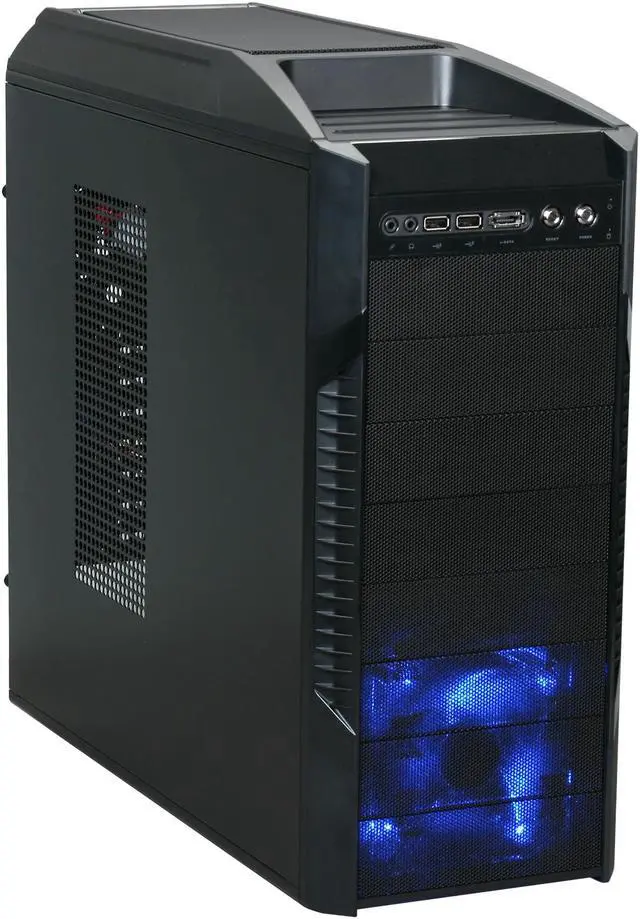
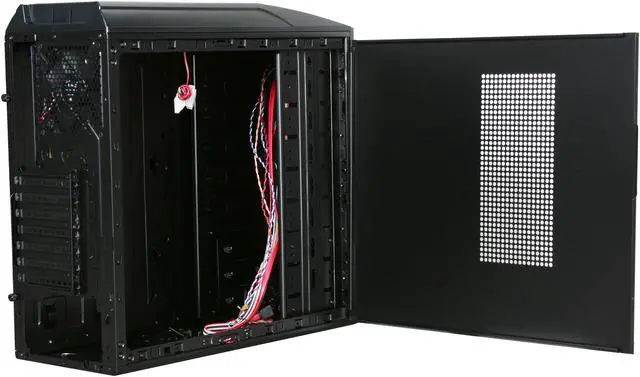
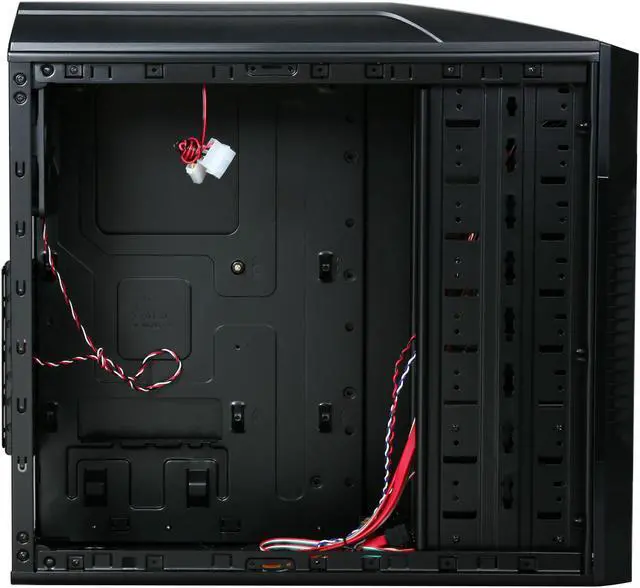
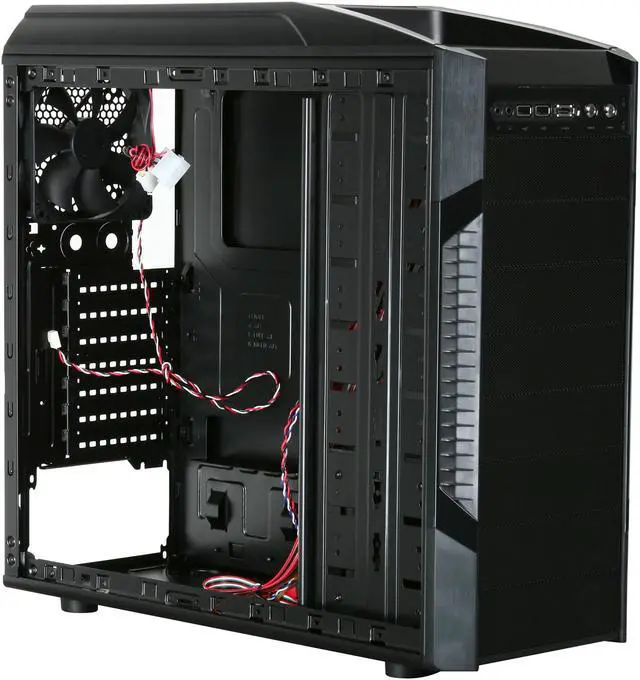
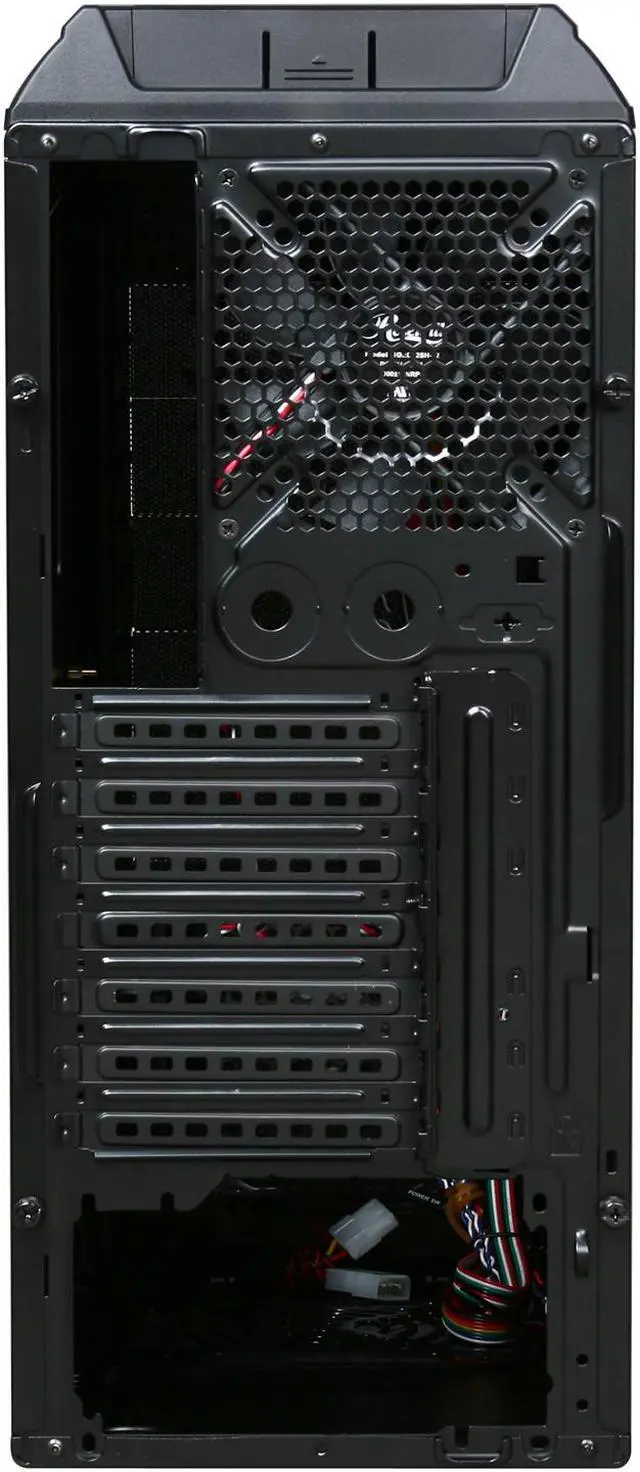
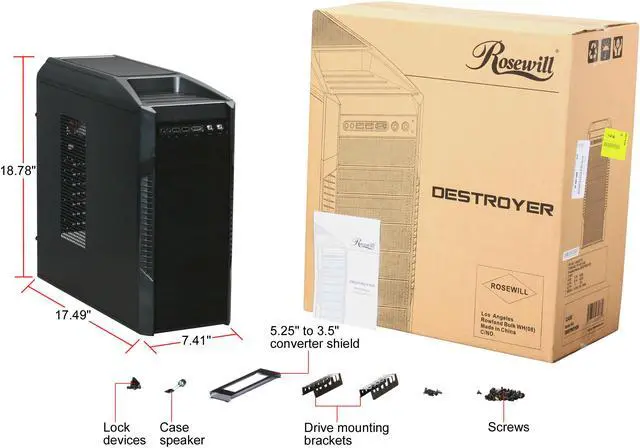
Rosewill DESTROYER Black Gaming ATX Mid Tower Computer Case, comes with Three Fans-1x Front Blue LED 120mm Fan, 1x Top 120mm Fan, 1x Rear 120mm Fan, option Fans-2x Side 120mm Fan, 1x Top 120mm Fan, 1x Bottom Fan
- 1x 120 mm Front Fan
- Front I/O Ports
- SECC Steel
Excellent Expandability with 8 Drive BaysThe Rosewill Destroyer features five or four external 5.25" drive bays, and three or four 3.5” drive bays for superior expandability.
Peerless Cooling PerformanceThe Rosewill Destroyer features one 120mm top fan, one 120mm rear fan and one 120mm blue LED front fan to optimize internal airflow for peerless cooling performance.
HDD Cage with Shockproof Rubber PadsThe HDD cage with Shockproof Rubber Pads maximizes hard drive and data protection against damage caused by shock and vibration.
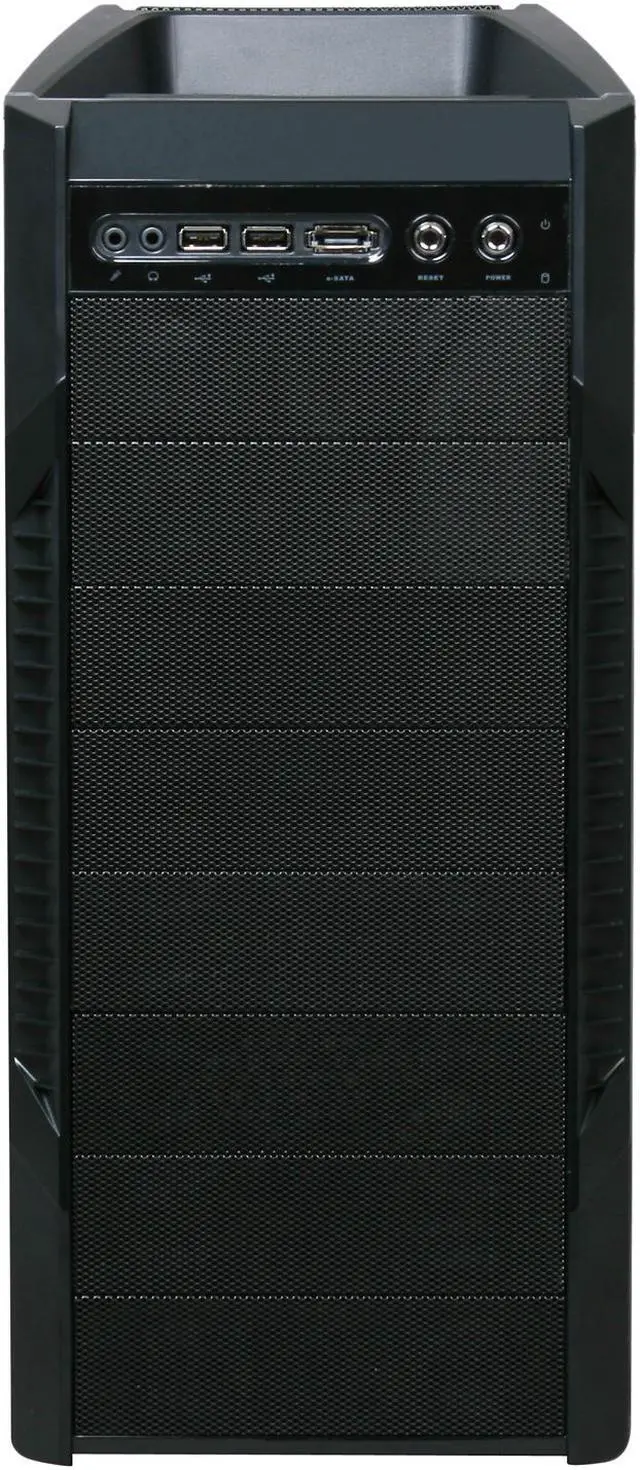
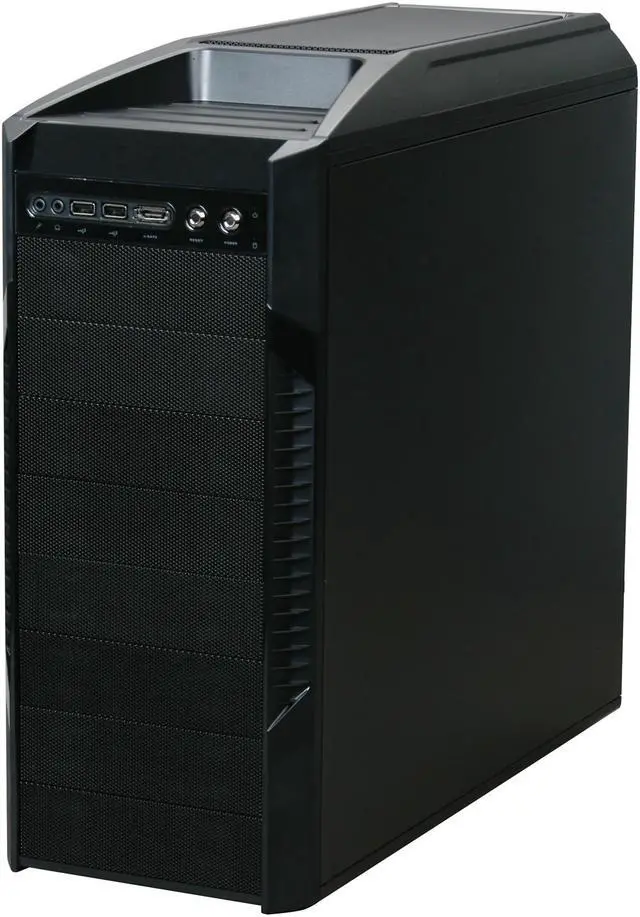
Convenient Top I/O PanelThe convenient Top I/O panel enables easy access to two USB 2.0 ports, one eSATA port and two audio ports.
Learn more about the Rosewill DESTROYER
| Brand | Rosewill |
|---|---|
| Model | DESTROYER |
| Type | ATX Mid Tower |
|---|---|
| Color | Black |
| Case Material | SECC Steel |
| With Power Supply | No |
| Power Supply Mounted | Bottom |
| Motherboard Compatibility | Micro ATX / ATX |
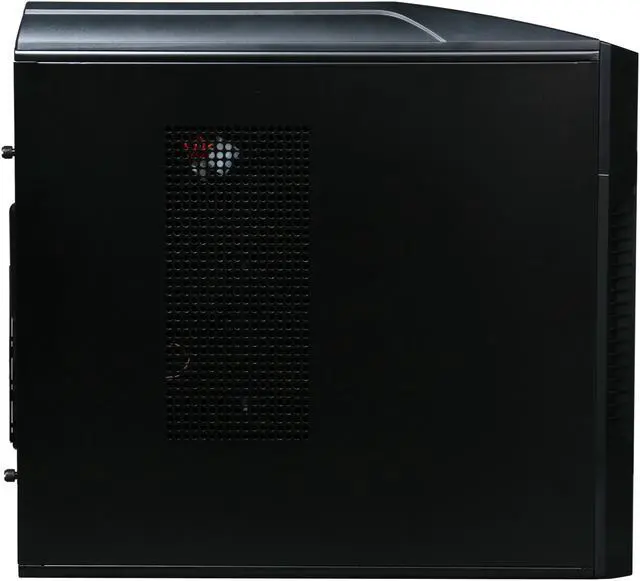
| Side Panel Window | No |
| External 5.25" Drive Bays | 5 or 4 |
|---|---|
| External 3.5" Drive Bays | 0 or 1 |
| Internal 3.5" Drive Bays | 3 |
| Expansion Slots | 7 |
| Front Ports | USB 2.0 / Audio / e-SATA |
|---|
| 80mm Fans | No |
|---|---|
| 120mm Fans | 1 x Front 120mm Blue LED Fan 1 x Rear 120mm Fan 1 x Top 120mm Fan |
| Side Air duct | No |
| Dimensions (H x W x D) | 17.99" x 7.48" x 16.14" (bezel not included) 19.09" x 7.48" x 16.14" (bezel included) |
|---|---|
| Weight | 10.56 lbs. |
| Features | Advanced Cooling System : -Front 1x 120mm Blue LED Fan (pre-installed) -Rear 1x 120mm Fan (pre-installed) -Top 1x 120mm Fan (pre-installed) -Side 2x 120mm Fan (Option) -Bottom 1x 120mm Fan (Option) -Top 1x 120mm Fan (Option) 8 Drive Bays : -3x Internal 3.5", 5x External 5.25", or -3x Internal 3.5", 1x External 3.5", 4x External 5.25" Shock-proof rubber pad for HDD cage. Mesh design front panel with dust filters. Top mounted IO ports– 2x USB, 1x e-SATA, Audio out, MIC in. Advanced Bottom-Mounted PSU Design. (120/135/140mm Fan faces up) |
|---|
| Date First Available | December 16, 2009 |
|---|
Pros: Love this black case, all interior black, black screws, rubber mounts for hard drives. I love the center pin for the motherboard -- makes installing the mobo a snap. Fans are generally quiet and there's room for a bunch. I really like the removable top fan try. Cable management is adequate. Best case for the money, hands down. Better than the 900 every wants to buy, in my view. Lots of fan space, and fit everything I put in it nicely.
Cons: Not a big fan of the hard drive tray, but it works fine. Wish the front panel mobo cables were a bit longer so it would be easier to do cable management. They reach fine, just hard to had at the length they are.
Overall Review: 1) Seen a few reviews talking about it being hard to remove the HD cage. It comes out through the front MUCH easier. If you're trying to pull it back through by an installed motherboard, you're just not thinking clearly. 2) I don't list my tech skill as high because everyone does that and its very seldom true based on the reviews I'm reading. I've been in IT management for 25+ years and when I was a bit younger, built hundreds of PCs. But my tech skill isn't "high" compared to people who buy from NewEgg. I've noticed over my career that most IT geeks generally have issues with unjustified arrogance. Please realize that everyone who buys PC parts from NewEgg knows how to assemble a PC and probably can do some overclocking just like you. Listen, just because your tech skill is "high" compared to your grandmother doesn't mean you should list it that way on you review here. Just sayin'!
Pros: This case is awesome. The case came with three fans (black) with blue glow 120 mm. I ended up replacing all them with Apevia Blue Fans. It has room for up to 7 fans. 2 Side (1 if you have a huge cpu heatsink) , 2 Top, 1 Bottom ( if your power supply isnt to big) 1 Front, 1 Rear. On the top front of the case is a place to put memory cards, usb devices or whatever. I liked this because I always had stuff sitting on the top of my tower. All in all the case is awesome. Front See Through Grills look cool and also catch dust. 2 USB Ports on front of CPU as well as Sata. I had plenty of room to stuff extra psu wires in bays that I was not using and you cannot see them through the grills which was a plus. I chose this case due to style and size. I had an 18 inch height limitation due to under desk shelf. I didnt wanna put it on the floor either. The case also comes with a grille for a floppy drive or card reader. The bays are all hd size but have bracket to convert, only suplied 1
Cons: If you had alot of optical drives and filled all the drive bays wire management would pretty much be impossible. This case is a good size but like most after filling with the parts was pretty tight. The power and reset buttons are small silver buttons at the top of the case.. Ive had no problem so far but some people may thing these are cd rom buttons and cause accidental shut down, but I've had no problems. The bottom case fan could not be used due to power supply taking up to much space, ( and I wouldnt call my psu huge), I also was not able to use 1 side fan due to my zalaman fan taking up too much room. Not really cons seeing how my cpu temp is amazing. I also like how the top fans just pop out for easy cleaning and replacement. The hard drives are also in a cage that the fan attachs to which I thought was nice. You must pop off front case cover to do so... Just remove any connections from the mb first because the supliied cords are just a little bit too short. Highly Recom
Overall Review: - Intel Core I7 860 (Quad Core 2.8ghz) w/Zalman - CNPS 9900 ALED Heat Sink Fan - BFG 8800GTX OC2 Video Card - P7P55 WS Super Computer MB(3 Way SLI or Quad Cuda SLI and 16gb Ram capable) - 8gb G. Skill Trident DDR3 2000 - 1tb Caviar Black Sata Hardrive w/ 300 Gigs for Media and 2 500 Gigs for Backup (Non Raid) - Microsoft Windows 7 Ultimate in 64 bit - 2 Sony Optiarc 24x DVD/CD RW, and Sony DVD Reader - Packed into a Rosewill Destroyer Case w/ RX850 PSU All cooled with 5 Apevia CD12SL-UBL 120mm fans No overclocking and I have a 7.5 Windows 7 Performance Index, with an operating tempature of 20C idle and 25-30c under load on avg. Very rarely see in hit above 25 normaly. This configuration is insane!! And im not even Sli'd yet!!!
Pros: What a surprisingly nice case. It's got tons of airflow and a ton of space for fans. Aesthetically it is a beauty that will make anyone who look at it envious of it's owner. The front face is pretty easy to remove to clean the filters and the side door slide off pretty easily actually. What I like most is easy access to the top fans. On the Antec 900 (and the other "Hundred" cases) it's virtually impossible to access the top fan for cleaning, but on this, it's just a matter of popping off the top and removing the fans for cleaning. Also there is a nice cage between the fans and the CPU so if you tool around while it's on you wont loose a fingeror break the fan (Antec can learn from Rosewill in this respect). It's a v
Cons: The metal is a little thin as is the paint on the case. The front filters seem to be a little too thick and may restrict airflow. The side fans I have installed (2 coolermaster fans) are a bit loud, likely due to the design of the side panel. Also the HDD cage is not tooless (unlike the 900) and is a pain to get to when everything is installed (not unlike the 900). It will only fit a max of 3 HDDs (compared to the Antec 900's 7).
Overall Review: Despite the con's, I LOVE this case! It's as nice as my 900 (minus a few features) at almost 1/3rd the price! At the price I got it at, I'd pick this over the Antec 300, Antec 200 and most other "PSU on the bottom" Cases. Runs what I have in there really well and keeps it cool. For the record here's what I put in this Beauty! AMD Athlon II x3 440 @ 3.6Ghz Stock HSF. Gigabyte AMD 770 Based board 4 GB DDR2 EVGA Geforce GTX275 Raidmax 530 watt PSU 6x Fans from Misc. Manufacturers
Pros: - Nice and quiet after modification (see cons) - Plenty of room for what I put in it (see other thoughts) - Good instructions included for a first time builder (= me) - Pretty blue LED fan in front - visible, but not at all glaring. My screensaver (before the monitor turns off) is far brighter at night, so unless you really need a pitch black, are-my-eyes-open-or-shut environment to sleep, it shouldn't bother you. - Tray area on top is perfect for holding phone/mp3 player or camera while charging or transferring pictures - All black, including screws. I didn't think that would matter when I bought it, but it does make a difference (for all you aesthetes) because you can look into the case through the mesh on the side panel - Speaking of visibility: if your PSU has an LED fan, you'll be able to see it if you can see the left side panel from where you sit - so I'm glad I happened to buy one with another blue LED. Matching colors for the win. - It makes my friends jealous.
Cons: - Must unplug front devices before removing front panel - Must remove front panel to get to HDD cage - ONE of 3 stock fans sounded like an airplane passing by in the distance. Testing confirmed it's the rear fan that plugs into the motherboard. Changing the fan placement didn't help so I removed it entirely = perfect. CPU temps constant with and w/o the fan, so it wasn't cooling the system anyway. Easy, free fix. - Power indicator LED uses 3-pin connector with 2 wires (middle connection empty). Empty connector is over mobo's power suspend LED pin, which doesn't work as a result. - Minus two eggs: power switch broke within 3 months, prob. b/c of the way the wires attach to the front panel. RMA'd my PSU, then thought mobo might be fried. Tested power switch instead by plugging reset button wires into the power button connector on the mobo - worked. No one sells power switches. Could rig one up with a normally-on momentary switch and soldering iron; using reset=power for now.
Overall Review: Wire management helps a *lot* with air circulation and CPU temps in this case. I stuffed all the wires I could over between the side panel and front bays, and coiled the rest in the empty HDD bays, and my CPU temps dropped from 42-44 C with spikes up to 50, down to 31-33 (!) with spikes to 40 for one core and a steady 37 for the other, when ambient temperature is ~28 C. <3 I'm not a big gamer, so no overclocking for me. Running the following: Intel Celeron E3300 Wolfdale 2.5GHz 1MB L2 Cache LGA 775 65W Dual-Core with stock cooler MSI P43-C51 LGA 775 Intel P43 ATX Intel Motherboard 4 GB G.Skill Ripjaws Series DDR3 1600 SDRAM WD Caviar Black 640GB 7200 RPM SATA 3.0Gb/s RAIDMAX Blackstone series RX-700AC 700W Sony Optiarc DVD Burner with LightScribe Black SATA Model AD-7241S-0B GIGABYTE GV-R455D3-512I Radeon HD 4550 512MB 64-bit DDR3 PCI Express 2.0 x16 Rosewill RNX-G300EX IEEE 802.11b/g PCI Wireless Card Rosewill Destroyer ATX Mid Tower case with stock 120 mm fans (minus
Pros: To start off, this case is EXTREMELY sexy in real life. It looks a tiny bet cheesy in the pictures, but in reality this case is absolutely beautiful. The case is very light, so you can play crysis at LAN parties now. The airflow is great, it has dust filters, front panel isn't made out of cardboard. This case is extremely nice, except for one major flaw which caused me to knock two eggs off.
Cons: I found the back fan to be rather loud as well as the top fans, but I actually found this to be a problem with the case itself and not the fans. The fan grills seem (from what I infer) to be designed in a weird way that amplifies the rear and top fan's sound. I tested those two fans while disconnected from the case and they were inaudible. This made me have to buy some low-RPM gentletyphoon fans which are extremely expensive.
Overall Review: If the fan grills were designed differently, this case would be perfect. The cable management in this case may seem difficult at first but it is actually incredibly easy if you do some planning. Overall, this is a very good case.
Pros: For Christmas 2011, I build a computer for my son I bought the Rosewill DESTROYER My son loves it and I do too. I was ready to build another computer and found out the Rosewill discontinue the destroyer And I was disappointed. Please bring it back!
Cons: Sad that it is Discontinued!!!
Overall Review: Computer Build is Rosewill DESTROYER ASRock 990FX Extreme3 AMD FX-6100 Zambezi 3.3GHz G.SKILL Ripjaws Series 4GB SAMSUNG CD/DVD Burner Black SATA Model SH-222AB - OEM Seagate Barracuda ST500DM002 500GB 7200 RPM SATA 6.0G SAPPHIRE Radeon HD 6570 2GB DDR3 RAIDMAX HYBRID 2 RX-530SS 530W
Pros: I've had this case for approx. 1.5 years now and it has held up pretty well so far. It is a pretty sleek case. It would work for a tight budget.
Cons: Cable management is nonexistent. There's almost no space behind the motherboard tray to route cables. There's no cutouts for you to route cables through, but you do have plenty of tie down spots. The HDD tray is pretty annoying, it would've been much better if they had turned it 90 degrees. In the current position if you have a lot of SATA cables, it REALLY gets in the way of your PSU cables. Makes routing them and making it actually look neat a REAL pain. The dust filters are incredibly hard to clean. The fan on the top of the case died on me. It started making a really annoying whirring sound whenever it was first starting up that would eventually go away, but it sounded like metal grinding when it was happening. Took it out, haven't noticed any difference in temps. One of the other fans is starting to do the same thing, haven't figured out which one yet. The feet on the case broke off within a month of owning it.
Overall Review: I wouldn't buy it again, for sure. It has served me well, but the fans dying and the lack of ANY form of cable management really sucks.
Warranty & Returns
Warranty, Returns, And Additional Information
Warranty
- Limited Warranty period (parts): 1 year
- Limited Warranty period (labor): 1 year
- Read full details
Return Policies
- Return for refund within: 30 days
- Return for replacement within: 30 days
- This item is covered by Newegg.com's Standard Return Policy
Manufacturer Contact Info
- Manufacturer Product Page
- Manufacturer Website
- Support Phone: 1-800-575-9885
- Support Email: techsupport@rosewill.com
- Support Website
- View other products from Rosewill


Excellent Expandability with 8 Drive BaysThe Rosewill Destroyer features five or four external 5.25" drive bays, and three or four 3.5” drive bays for superior expandability.
Peerless Cooling PerformanceThe Rosewill Destroyer features one 120mm top fan, one 120mm rear fan and one 120mm blue LED front fan to optimize internal airflow for peerless cooling performance.
HDD Cage with Shockproof Rubber PadsThe HDD cage with Shockproof Rubber Pads maximizes hard drive and data protection against damage caused by shock and vibration.
Convenient Top I/O PanelThe convenient Top I/O panel enables easy access to two USB 2.0 ports, one eSATA port and two audio ports.
Eggxpert Review
Pros: This case is a very high quality for bare min price i love it lots of room for 120mm fans great cooling like psu on bottom good design
Cons: None