




 here!
here!
I’m your shopping assistant for PC builds, upgrades, and everything tech.
Got questions? Ask away!
Start a conversation
here!
I’m your shopping assistant for PC builds, upgrades, and everything tech.
Got questions? Ask away!
Start a conversationShipped by Newegg


Make informed decisions with expert advice. Learn More





Any questions? Ask CelesteSM will help you find out quickly.


We want to ensure your holiday shopping this year is hassle-free. That’s why we’re automatically extending our return policies on almost every product! For purchases placed between November 1st, 2025 and December 31, 2025 you will have until January 31, 2026 to return your product.
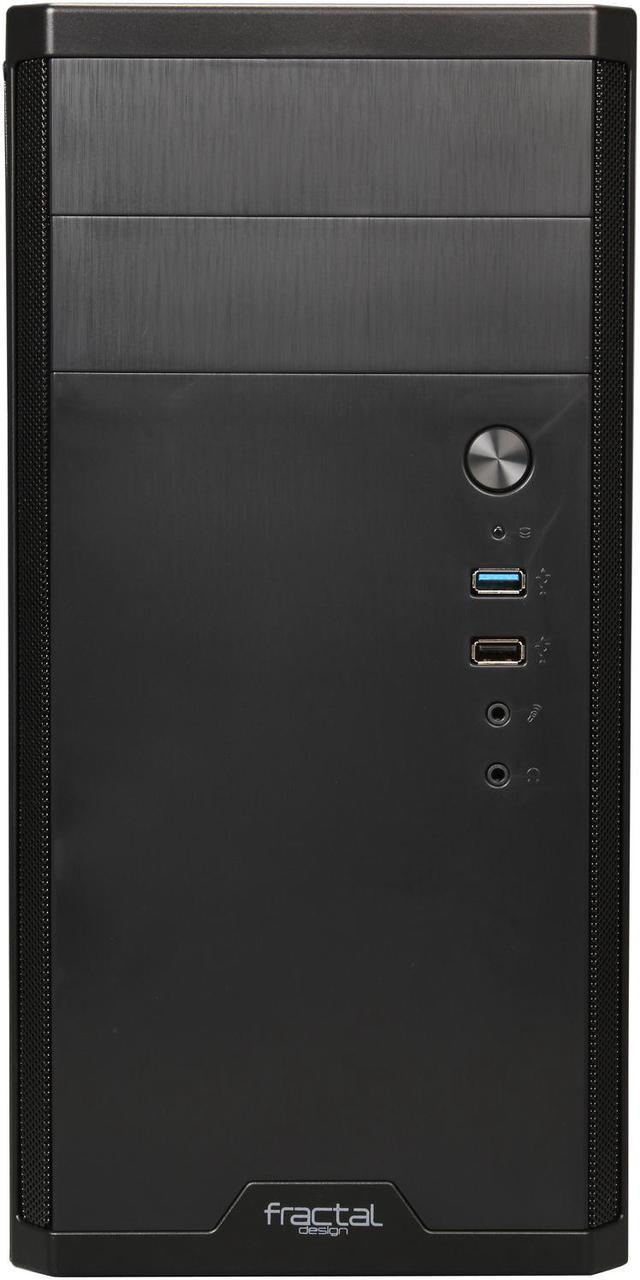
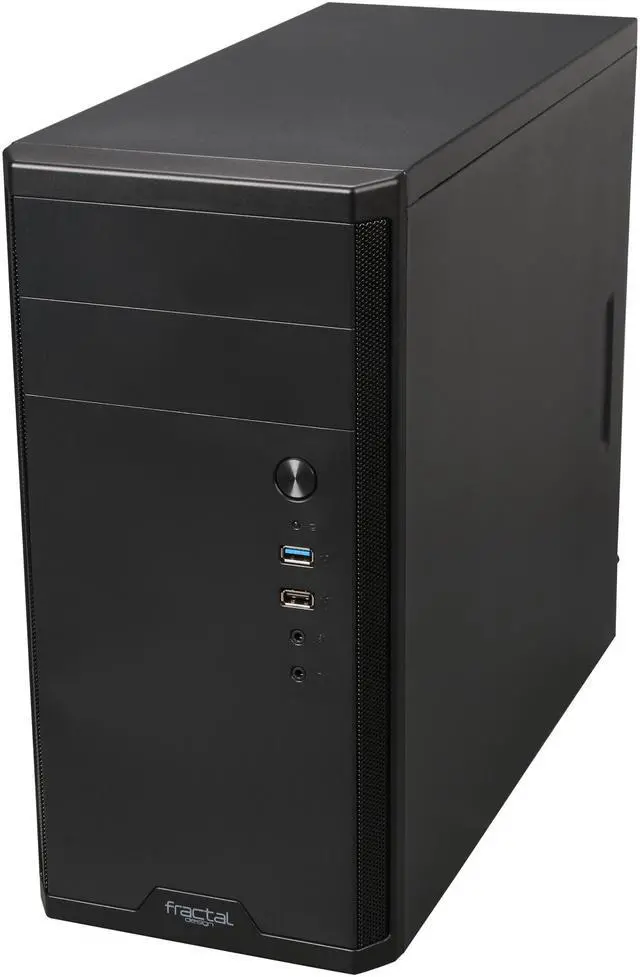
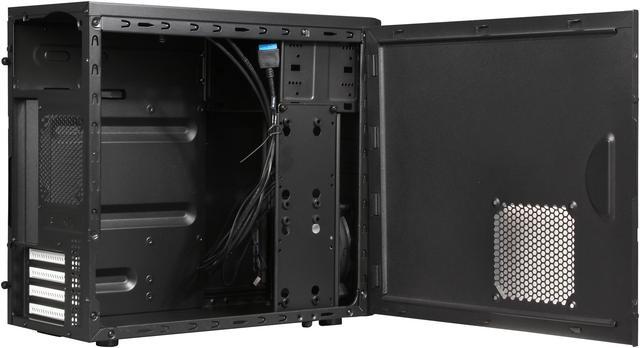
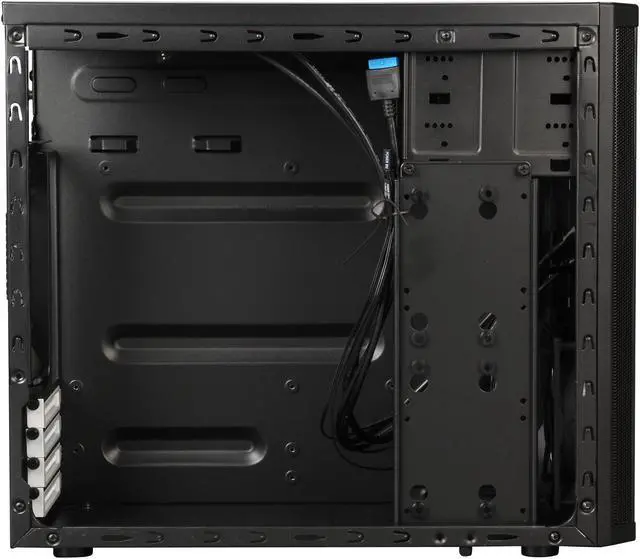
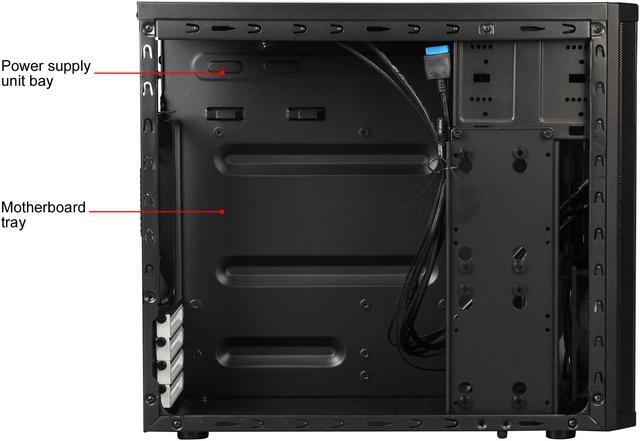
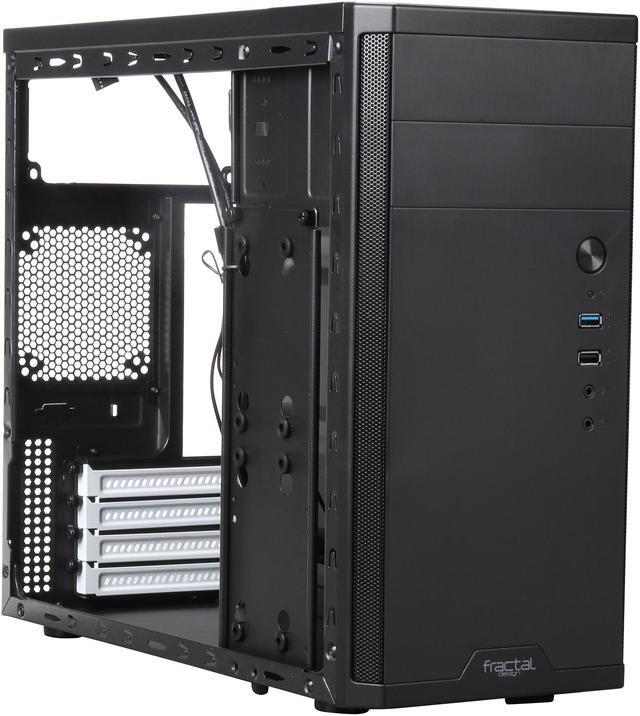
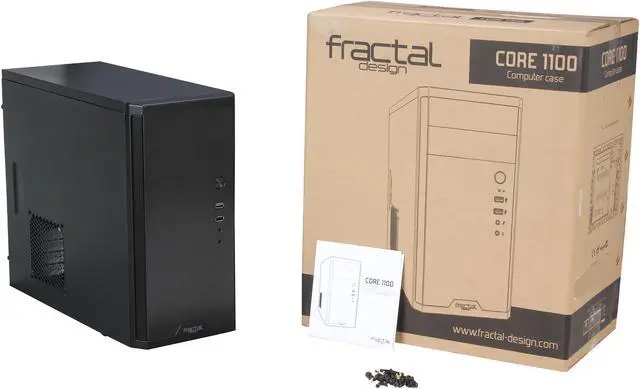
The Fractal Design Core 1100 is a compact Micro ATX mini tower case built for budget desktop and home office PC builds that need solid airflow, front USB 3.0, and support for full-size components like ATX power supplies and GPUs up to 350 mm.
| Attribute | Value |
|---|---|
| Best For | Compact Micro‑ATX and Mini‑ITX desktop builds that need efficient airflow, multiple internal storage layouts, and clearance for larger GPUs (up to 350 mm) and CPU coolers up to 148 mm |
| Model Identifiers | Fractal Design Core 1100 — model FD-CA-CORE-1100-BL (Core 1100 Series) |
| Case Type And Compatibility | Micro ATX mini tower (sized for Micro ATX and Mini ITX motherboards) with 4 expansion slots and a non-windowed side panel; color black |
| Material And Finish | Brushed aluminum‑look front panel with a black exterior and black interior with white accents; enclosure material listed as aluminum |
| Drive Bays And Storage | 2 external 5.25 inch drive bays; vertical internal HDD bracket configurable to hold two 3.5 inch HDDs or up to three 2.5 inch drives (or combinations), with vibration‑dampened 3.5 inch mounts |
| Cooling And Fans | Includes one front Fractal Design 120mm fan (1200 RPM); supports optional side 120mm and rear 92mm fans; airflow (air cooling) design with front dust filters and closed top/bottom panels for dust management |
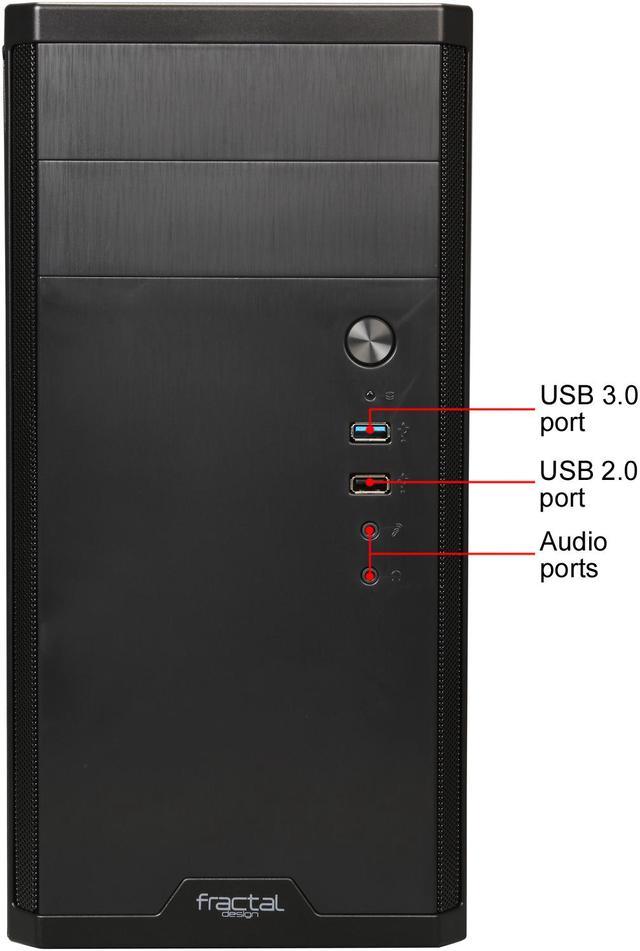
| Front I/O And Ports | Front-panel I/O includes 1 x USB 3.0, 1 x USB 2.0 and 2 x audio ports |
| Expansion And Clearance | 4 expansion slots; maximum GPU length 350 mm; maximum CPU cooler height 148 mm; maximum PSU length 185 mm (with typical-length optical drive) |
| Power Supply | Supports standard ATX power supplies; no power supply included; internal spec lists top-mounted PSU placement |
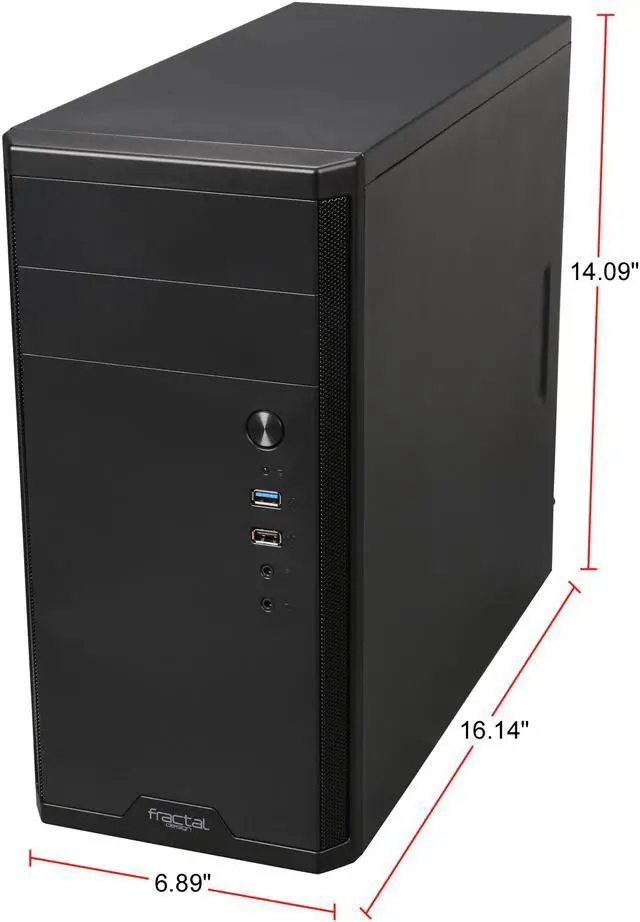
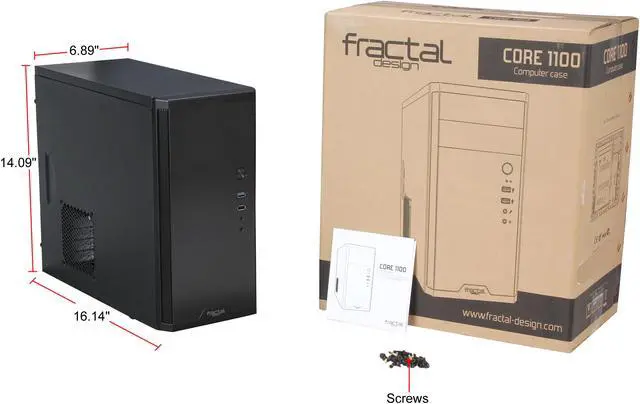
| Dimensions And Weight | 16.14 x 6.89 x 14.49 inches (depth x width x height); weight 8.38 lbs |
| Features | Innovative vertical HDD bracket, fully painted interior with white details, vibration‑dampened 3.5 inch mounts, easy-access front I/O, and front panel dust filters |
Q: Should I choose the Fractal Design Core 1100 or Cooler Master N200 for a micro ATX build?
A: Choose the Core 1100 if you want a smaller footprint and still need two external 5.25-inch bays for an optical drive or front-panel accessories. Choose the Cooler Master N200 if you want more modern cooling flexibility, higher CPU cooler clearance, and more room for multi-fan or radiator-focused builds. Both support Micro ATX and long GPUs, but the Core 1100 fits better for compact, simple office or legacy-friendly builds, while the N200 fits better for airflow-first gaming upgrades.
Q: Is the Fractal Design Core 1100 better than the Core 1000?
A: The Core 1100 is the better choice if you want the newer layout, front USB 3.0, and support for two external 5.25-inch bays. The Core 1000 is closer to a lower-tier alternative for very basic builds, but it is more limited in front I/O and external drive capacity. For users building around older components while still wanting a more flexible front-panel setup, the Core 1100 is the more practical pick.
Q: Core 1100 vs Fractal Design Focus G Mini: which one makes more sense?
A: Choose the Core 1100 if your priority is a more compact enclosure with legacy-friendly features like two 5.25-inch bays and a straightforward internal layout. Choose the Focus G Mini if you want a step-up option with stronger cooling support, a more builder-friendly interior, and a design that fits gaming parts more comfortably. The Core 1100 is a better fit for compact value builds, while the Focus G Mini is the better fit when airflow expansion and easier assembly matter more than overall size.
Q: Should I buy the Core 1100 or move up to a newer airflow-focused micro ATX case like the Montech AIR 100?
A: Buy the Core 1100 if you need external 5.25-inch bays, a smaller traditional tower shape, or compatibility with older-style build priorities such as optical drives and simple air-cooled hardware. Move up to a newer airflow-focused case like the Montech AIR 100 if you want a more current internal layout, more included fans, and a design aimed at modern gaming hardware and cable management. The trade-off is that newer airflow cases usually drop the external drive bays that make the Core 1100 distinctive.
Q: Is the Fractal Design Core 1100 a good budget case for a basic micro-ATX or mini-ITX build?
A: Yes. The Core 1100 is best suited for budget desktop builds that need a compact footprint, standard ATX power supply support, and simple air cooling. It supports micro-ATX and mini-ITX motherboards, includes one 120 mm fan, and keeps older practical features like 5.25-inch bays and multiple SSD/HDD layout options. The main trade-off is that it is a simpler, older chassis, so it is better for value-focused office, home, NAS, or modest gaming builds than for premium showcase builds.
Q: Can the Core 1100 fit a full-size graphics card?
A: Usually yes, for many mainstream full-length GPUs. The provided product data lists maximum GPU length at 350 mm, which is generous for a compact micro-ATX case. That makes it viable for many modern gaming cards, but buyers should still verify the exact card length, front fan setup, and power cable clearance before purchase.
Q: Is the Core 1100 a good choice if I still need an optical drive or extra 2.5-inch and 3.5-inch storage?
A: Yes. This is one of the clearer reasons to choose the Core 1100 over many newer compact cases. It has two external 5.25-inch bays and flexible storage support for either two 3.5-inch drives, three 2.5-inch drives, or a mixed layout. It is a practical fit for users building a budget workstation, legacy media PC, or storage-heavy system where drive bay flexibility matters more than glass panels or modern aesthetics.
Q: How does the Core 1100 compare with newer compact airflow cases?
A: The Core 1100 is stronger on practical legacy features and weaker on modern cooling flexibility and builder-focused extras. It includes front dust filtering and one front 120 mm fan, so it is fine for standard air-cooled systems. But newer compact cases often offer better cable management, more fan mounts, tempered-glass options, and stronger support for high-heat gaming parts or liquid cooling. Choose the Core 1100 if you value simplicity, small size, and drive bays; choose a newer airflow case if cooling headroom and build convenience matter more.
Q: Who is the Core 1100 not ideal for?
A: It is not the best fit for buyers who want a modern showcase case, extensive liquid-cooling support, or maximum CPU cooler clearance for larger tower coolers. The product data lists CPU cooler height support up to 148 mm, which can limit some larger air coolers. It is also a plain steel case without a side window, so it is less appealing for RGB-focused builds. In short, it fits practical budget systems better than high-end enthusiast builds.
Q: Who is the Fractal Design Core 1100 best suited for?
A: The Core 1100 is best suited for budget microATX or Mini-ITX desktop builds where small size, a plain look, and support for older features like 5.25-inch drive bays matter more than premium build convenience. It fits office PCs, family PCs, light gaming builds, and practical sleeper-style builds better than high-end showcase systems.
Q: Is the Fractal Design Core 1100 still a good buy for a basic or budget PC?
A: Yes, if your priority is a low-cost, compact case for standard parts and you do not need modern case features. Its value comes from fitting microATX hardware in a small footprint, including a front 120 mm fan, front dust filtering, and two external 5.25-inch bays. It is a weaker choice if you want easier cable routing, more fan flexibility, or a more modern internal layout.
Q: What are the main trade-offs of choosing the Core 1100?
A: The main trade-offs are build convenience and modernization. Community discussion repeatedly points to limited cable-management space and an older internal layout. Based on the product specs, cooling support is also basic: one 120 mm front fan is included, with optional side 120 mm and rear 92 mm mounts rather than a larger multi-fan setup. In short, it is functional and compact, but not the easiest or most refined case to build in.
Q: Is the Core 1100 a good choice for airflow and thermals?
A: It is adequate for low-to-mid-power systems, but it is not the strongest option if airflow is your top priority. The case includes one front 120 mm fan and supports only one side 120 mm and one rear 92 mm fan. That makes it reasonable for office PCs, entry gaming builds, and older midrange GPUs, but less ideal for hotter modern components that benefit from more intake and exhaust capacity.


