




 here!
here!
I’m your shopping assistant for PC builds, upgrades, and everything tech.
Got questions? Ask away!
Start a conversation
here!
I’m your shopping assistant for PC builds, upgrades, and everything tech.
Got questions? Ask away!
Start a conversationShipped by Newegg


Make informed decisions with expert advice. Learn More




Any questions? Ask CelesteSM will help you find out quickly.


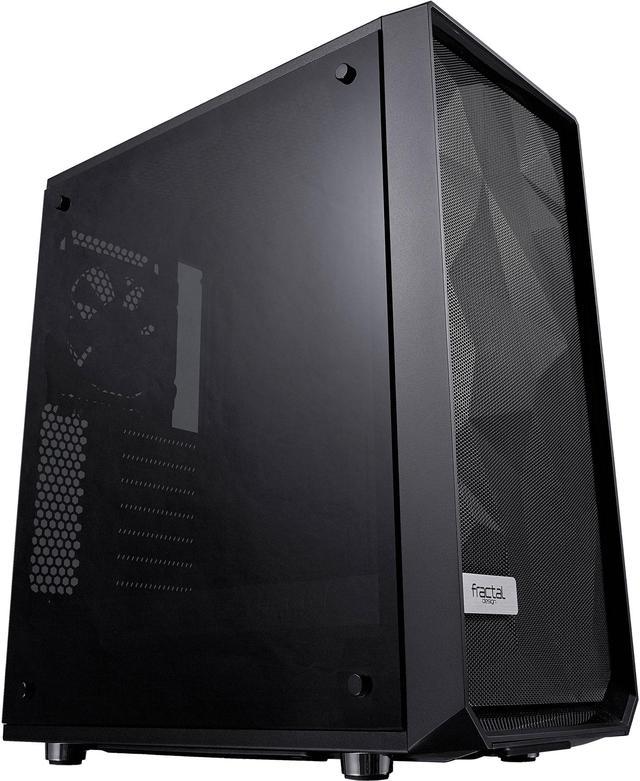
Meshify strikes an aggressive pose in the Fractal Design lineup with unparalleled cooling performance and a defiant new look.
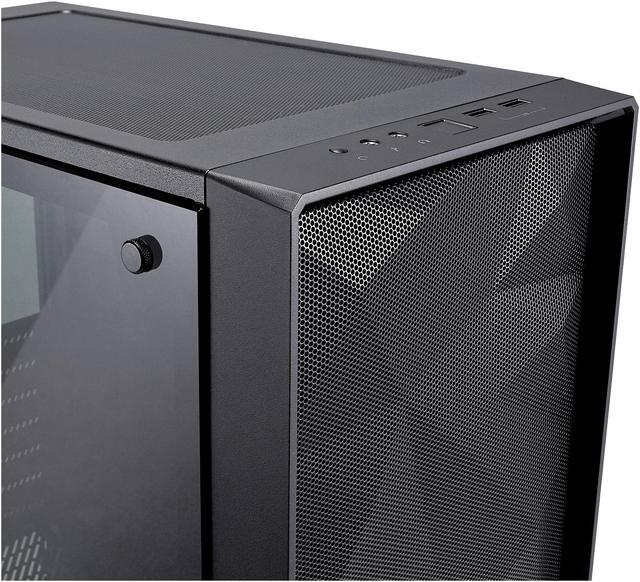
Like black-diamond facets, the angular asymmetry of the Meshify C carves a space uniquely its own as a new dominant force in high-airflow design. Tempered glass with a distinctive tint completes the stealth-inspired black-on-black aesthetic with exceptional style. A compact yet spacious open ATX layout creates an unrestricted airflow path from front intakes directly through key components to exhaust, ensuring heat is never an issue.
When performance is top priority and compromise is not an option, Meshify has you covered in style.


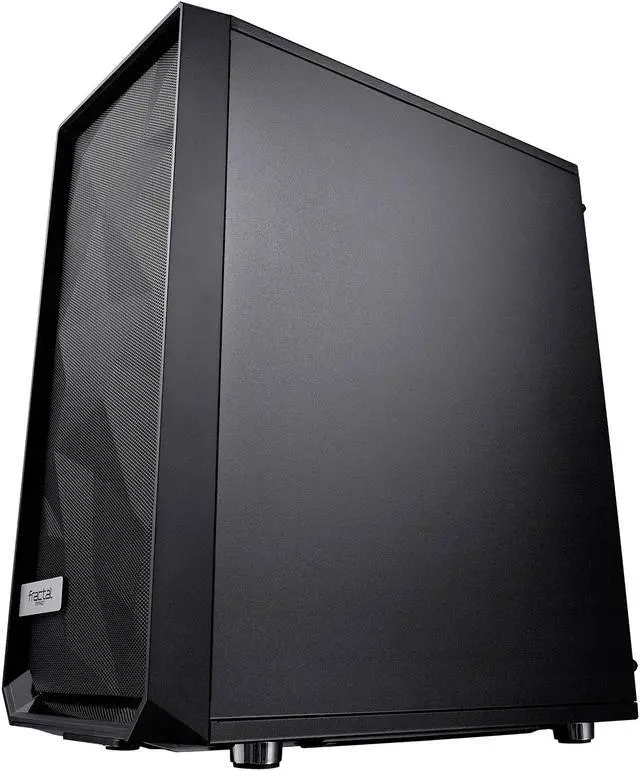
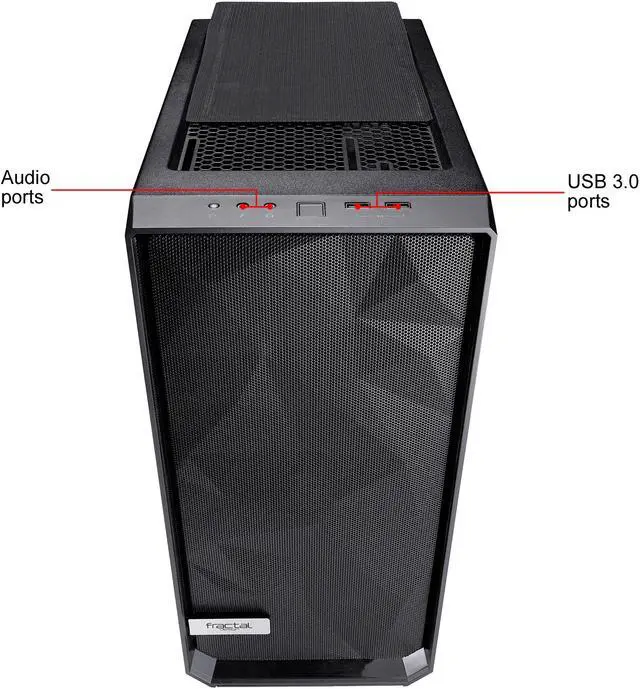
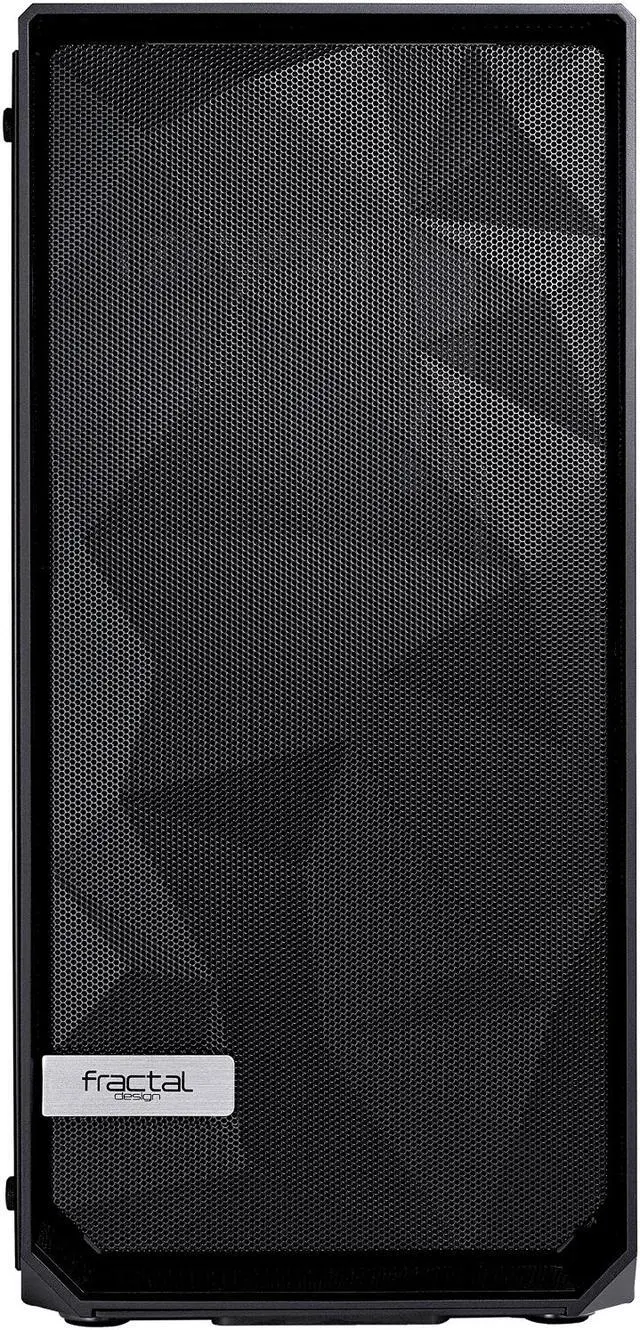
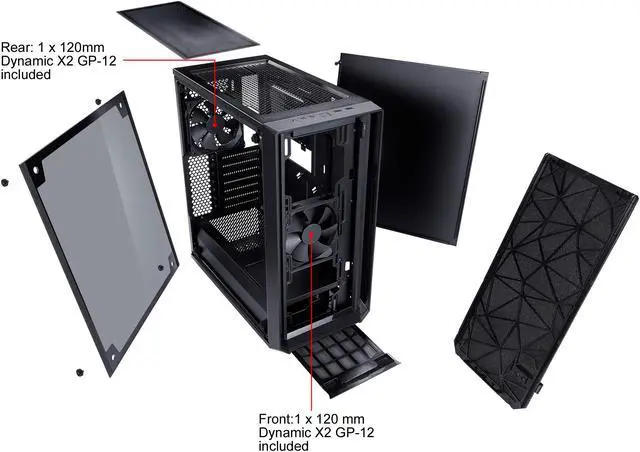
Meshify's distinctive styling features a newly designed angular mesh front panel that maximizes air intake.

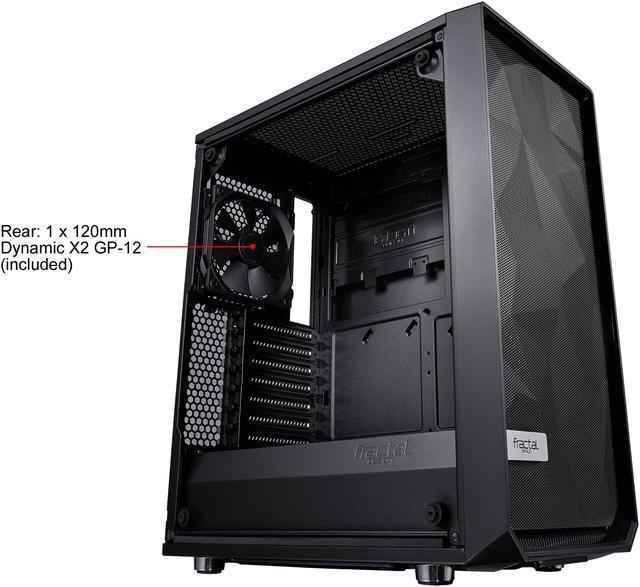
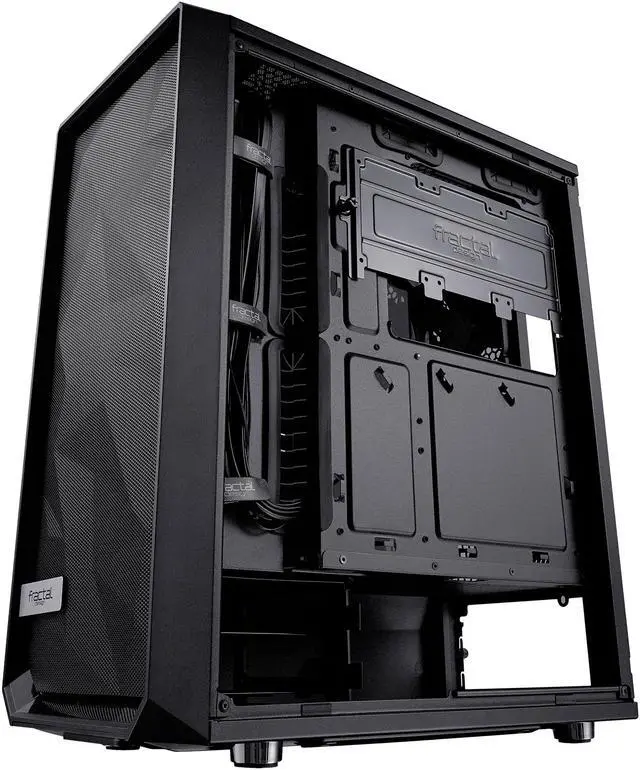
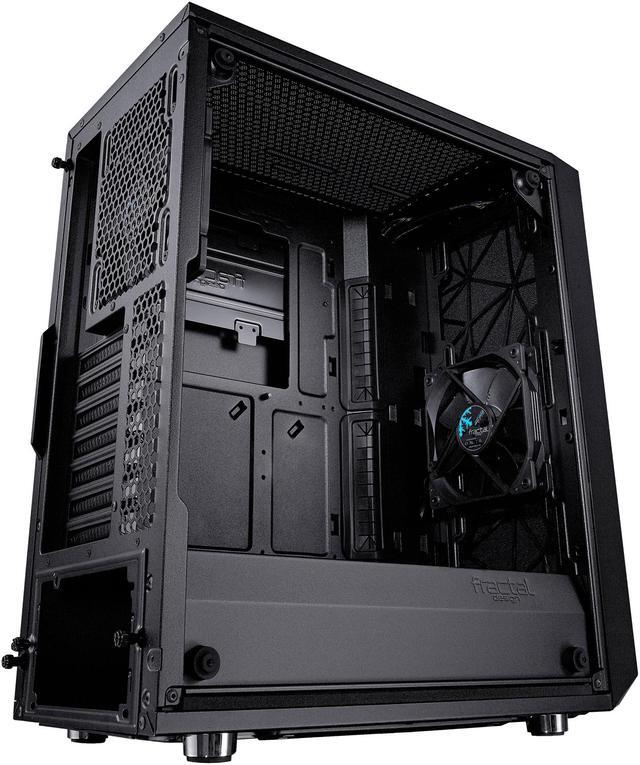
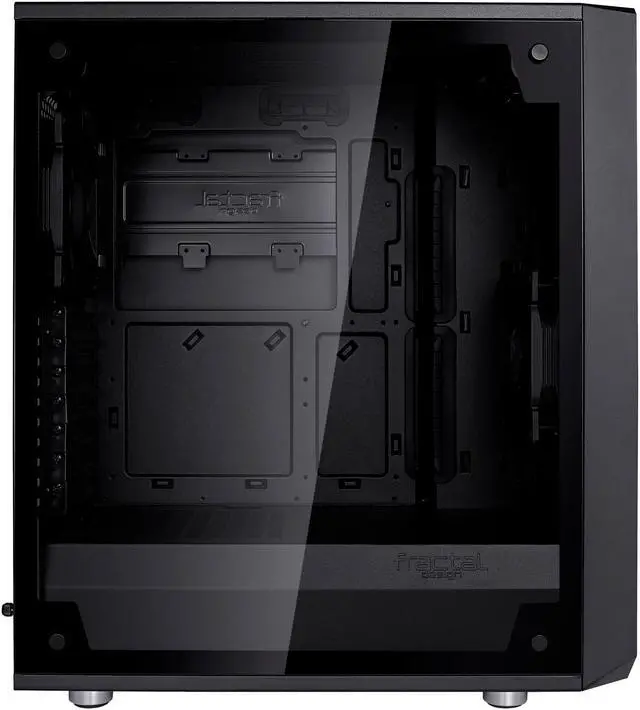
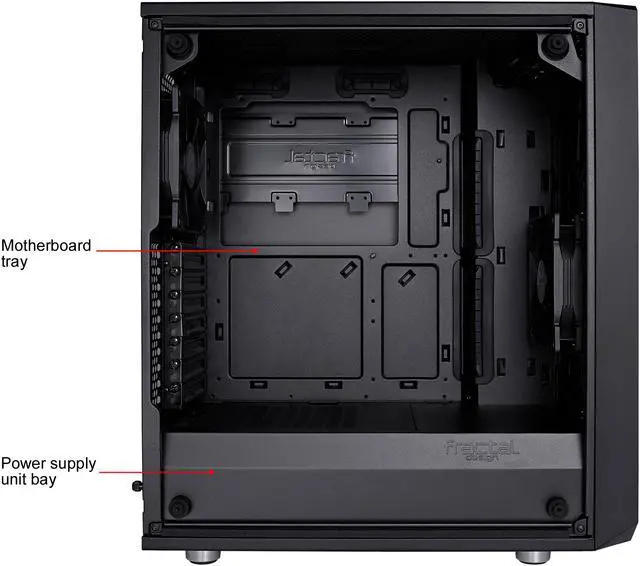
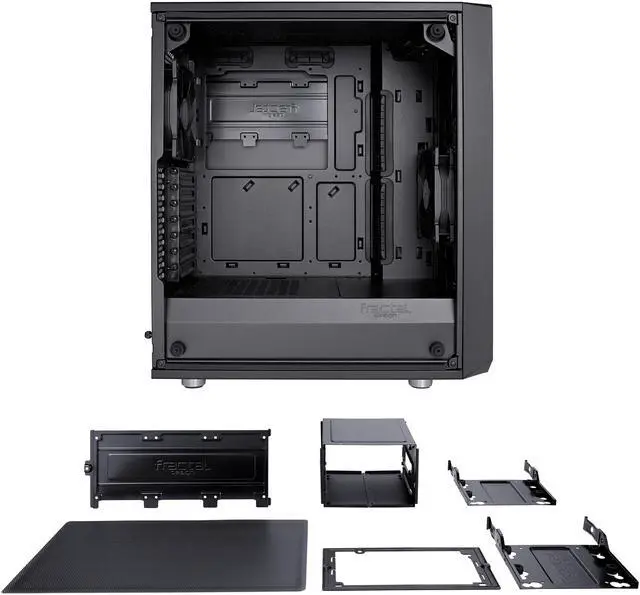
Edge-to-edge interior visibility complements a clean exterior profile.

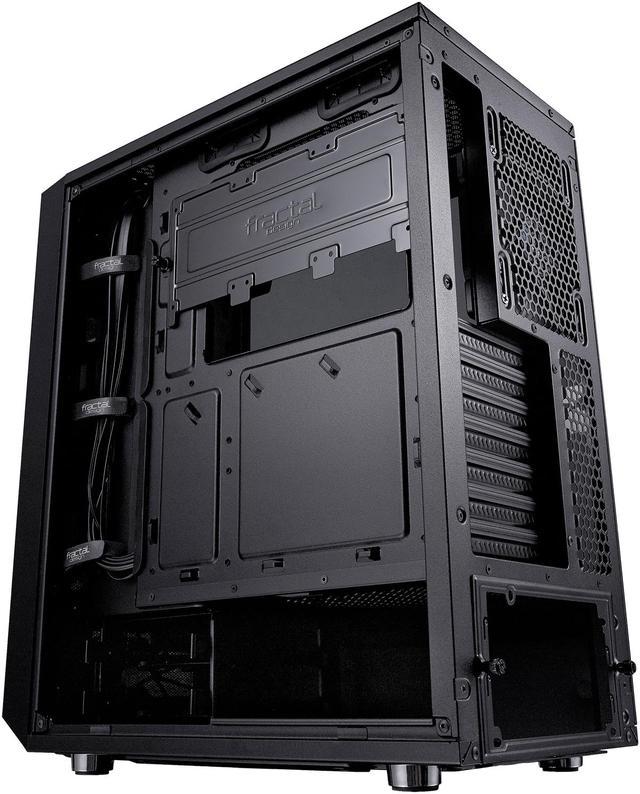
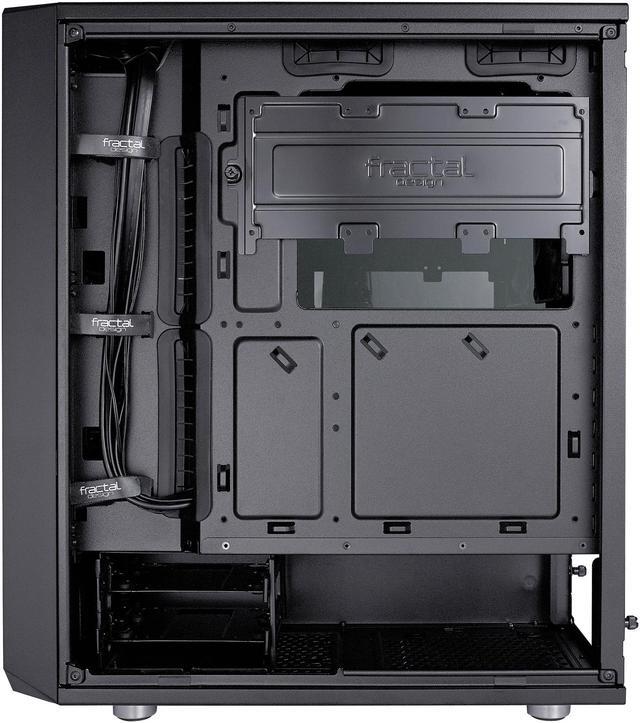
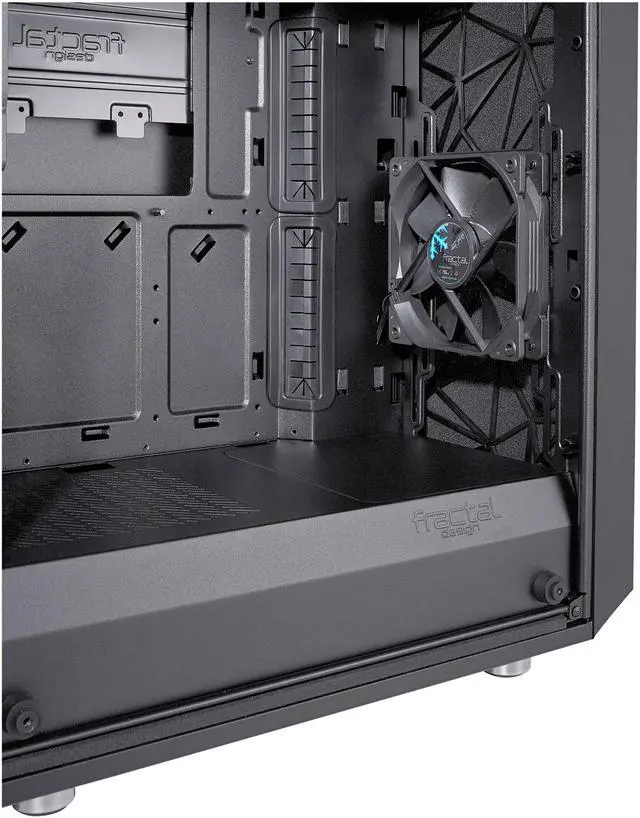
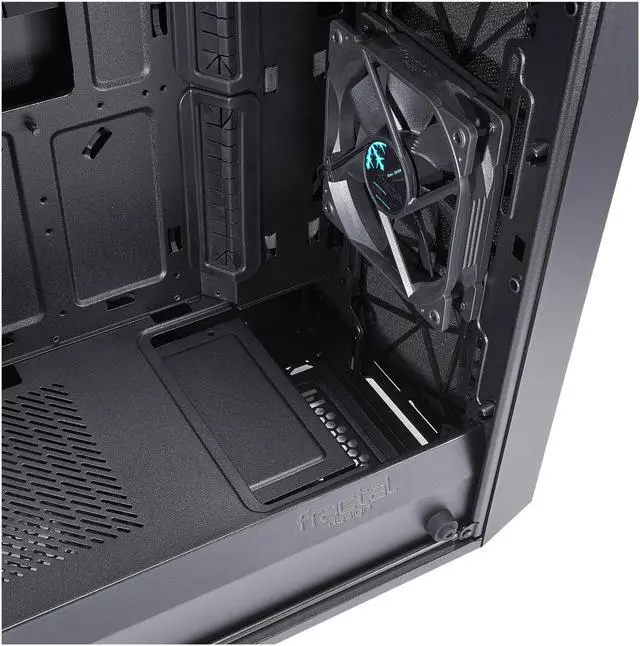
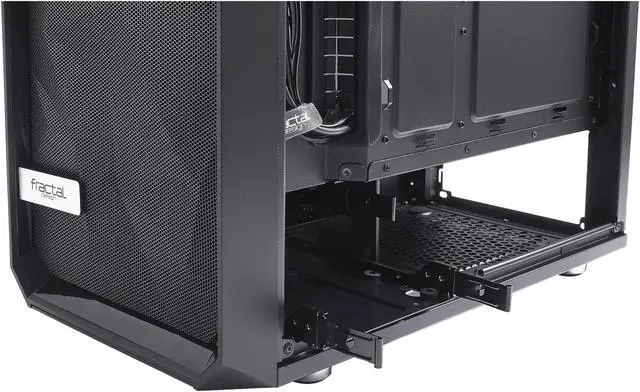
An open interior with full-length ventilated steel power supply shroud hides drives and cabling to create an unobstructed airflow path from front intake to rear exhaust.

Sturdy steel trays and vibration-dampening rubber grommets cushion your drives for smooth, quiet and reliable operation.


Even the largest enthusiast-class GPUs leave plenty of room for thick triple-fan rads in the front. The adjustable drive cage can be moved or removed to fit even the lengthiest heavy-duty PSUs.

Conceal up to five storage devices with an adjustable and removable drive cage beneath the PSU shroud plus dedicated SSD mounts behind the motherboard tray.

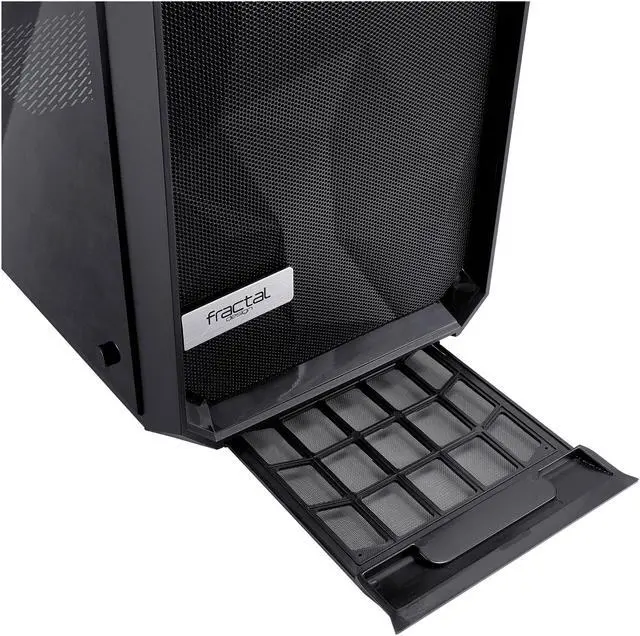
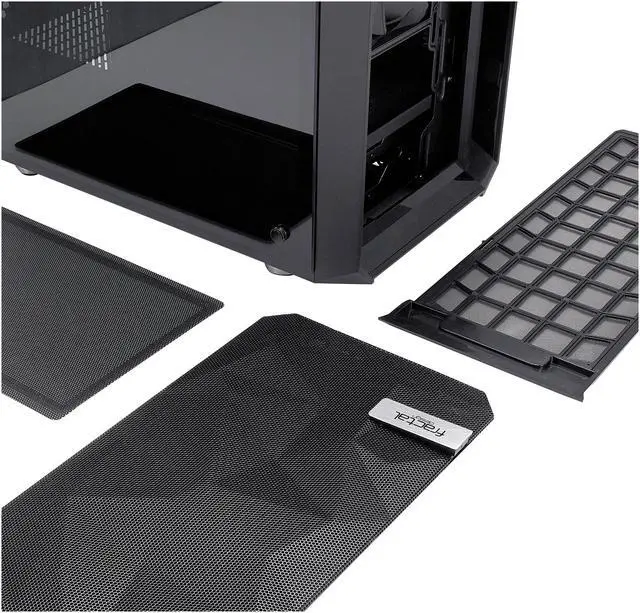
Removable front, top and base filters channel clean air with effortless maintenance and convenient front access.

Seven total fan positions allow for extensive air cooling. Two Fractal Design Dynamic X2 GP-12 fans come pre-installed for maximum airflow, minimal noise and 100,000-hour life expectancy.

Whatever your liquid cooling ambitions may be, Meshify C can make it happen with support for radiators up to 360mm in the front and 240mm up top.


We want to ensure your holiday shopping this year is hassle-free. That’s why we’re automatically extending our return policies on almost every product! For purchases placed between November 1st, 2025 and December 31, 2025 you will have until January 31, 2026 to return your product.
The Fractal Design Meshify C is a compact ATX mid-tower PC case built for high airflow, clean cable management, and tempered-glass visibility, making it a strong fit for gaming or performance-focused builds that need full-size motherboard support in a smaller footprint.
| Attribute | Value |
|---|---|
| Best For | Compact ATX or smaller builds that prioritize high airflow and flexible cooling (multiple fan mounts and front/top radiator support) |
| Case Type & Model Identifiers | Fractal Design Meshify C - Dark TG (FD-CA-MESH-C-BKO-TG), ATX mid-tower, black |
| Physical Dimensions & Weight | 16.1 x 8.54 x 17.83 inches (D x W x H); 13.58 lbs |
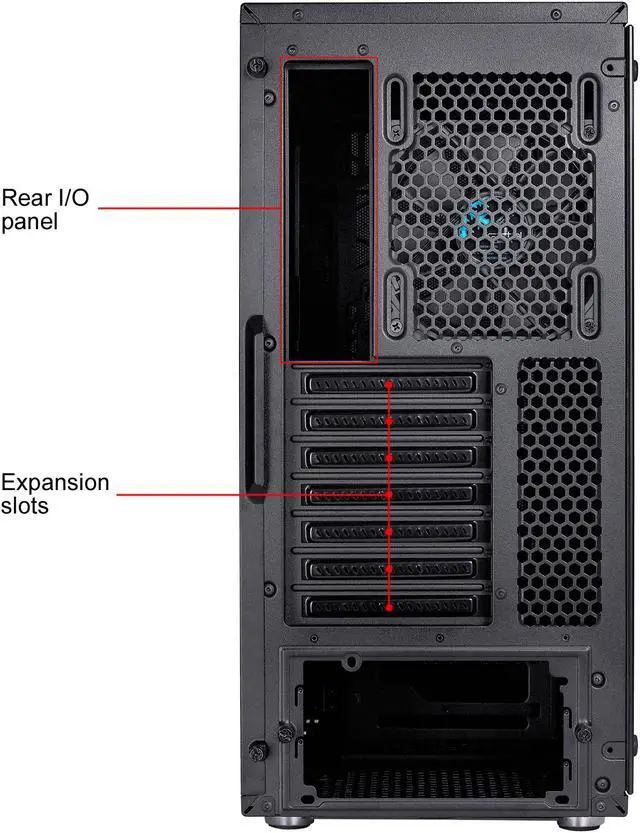
| Compatibility & Layout | Supports ATX, Micro ATX and Mini ITX motherboards; 7 expansion slots; bottom-mounted PSU; 315 mm maximum GPU length (with front fan); 172 mm max CPU cooler height; 175 mm max PSU length |
| Cooling & Fans | Two preinstalled 120 mm fans (front and rear); supports up to 3x120 mm or 2x140 mm front, up to 2x120/2x140 mm top, and rear 1x120 mm; radiator support front up to 280 mm, top up to 240 mm, rear up to 120 mm; air-cooled design |
| Drive Bays & Storage | Holds up to two 3.5" drives and three 2.5" drives (SSD plate behind motherboard tray supports up to 3 x 2.5"); overall flexible storage for up to 5 drives |
| Front I/O & Filters | Front I/O includes 2 x USB 3.0 and 2 x audio; easy-to-clean, front/top/base removable dust filters with full PSU coverage and front access |
| Materials & Panels | Steel enclosure with a tempered glass side panel and black finish |
| Airflow & Exterior Features | Angular mesh front panel and streamlined high-airflow design with full-length PSU shroud to conceal cabling and an open interior for unobstructed front-to-rear airflow |
| Cable Management & Drive Mounting | Full-length PSU shroud, removable/adjustable drive cage, up to 35 mm behind-motherboard cable space with grommeted pass-throughs and vibration-dampening rubber grommets on drive trays |
Q: Should I buy the Fractal Design Meshify C or the NZXT H510 for a gaming build?
A: Choose the Fractal Design Meshify C if airflow and component temperatures matter more than a closed-front aesthetic. The Meshify C was designed around a mesh intake layout, and review testing consistently shows it favors cooler CPU and GPU operation than older H510-style closed-front cases. Choose the H510 instead if you prefer a cleaner exterior and do not plan to run especially warm hardware. For most performance-focused gaming builds, the Meshify C is the more practical fit.
Q: Is the Meshify C worth choosing over the Fractal Define C?
A: Pick the Meshify C when you want better airflow for gaming parts or higher-wattage CPUs and GPUs. The two cases are closely related in size and layout, but testing showed the Meshify C's front mesh design lowers CPU temperature noticeably versus the Define C. The trade-off is that the Meshify C lets out more system noise, while the Define C is the better match for quieter builds that do not need as much intake airflow.
Q: Should I upgrade from the Meshify C to the Meshify 2 Compact?
A: Upgrade to the Meshify 2 Compact if you want a more modern front I/O, easier building experience, and better support for longer GPUs and newer cooling layouts. The Meshify C remains a strong compact ATX case, but the Meshify 2 Compact adds a USB-C front port, ships with three fans, and increases GPU clearance from 315 mm with a front fan installed to 341 mm. If your current Meshify C already fits your hardware and you do not need USB-C or extra clearance, the upgrade is more about convenience than a mandatory performance change.
Q: Is the Meshify C a better choice than a newer airflow case like the Corsair 4000D Airflow?
A: Choose the Meshify C if you want a smaller compact-ATX footprint and do not need extra front I/O or newer internal clearance trends. Choose a newer airflow case like the Corsair 4000D Airflow if you want a roomier build process, more up-to-date layout choices, and a platform designed around current large GPUs and cable-routing expectations. In practice, this is a compact-versus-roomier decision more than a pure airflow decision.
Q: Is the Meshify C good for a compact build, or should I choose a larger case for high-end parts?
A: The Meshify C is a good choice when you want an ATX case that stays relatively compact without giving up standard gaming hardware support. It fits ATX motherboards, towers up to 172 mm for CPU coolers, and GPUs up to 315 mm with a front fan installed. A larger case makes more sense if you want maximum radiator flexibility, very long graphics cards, or extra storage expansion. The Meshify C is the better fit when compact size and strong airflow matter more than expansion headroom.
Q: Will a large graphics card and front radiator fit in the Meshify C?
A: Usually yes, but this is the main fitment trade-off to check before buying. The Meshify C supports GPUs up to 315 mm with a front fan installed. If you add a front radiator, subtract the radiator thickness from that 315 mm limit. For example, a 31 mm front radiator reduces practical GPU clearance to about 284 mm. This case is a good fit for standard ATX gaming builds, but it is less forgiving than larger airflow cases if you plan to use a long GPU and front-mounted liquid cooling together.
Q: Is the Meshify C a good case for airflow-focused gaming builds?
A: Yes. The Meshify C is well suited for buyers who want strong airflow in a compact ATX case. Its mesh front panel, open internal layout, seven fan positions, and support for up to a 280 mm front radiator make it a practical choice for air-cooled or moderately liquid-cooled gaming systems. The trade-off is that it prioritizes airflow and compact size over extra internal room, so expansion and cooling clearance are tighter than in larger mid-towers.
Q: Is the Meshify C easy to build in for a first-time PC builder?
A: For most first-time builders, yes. It supports standard ATX, Micro ATX, and Mini ITX motherboards, includes a full PSU shroud, front-access dust filters, grommeted cable-routing holes, Velcro straps, and up to 15-35 mm of cable space behind the motherboard tray. Those features make it easier to keep a clean build than many budget cases. The main limitation is that compact cases leave less margin for oversized parts, so beginners should still verify GPU, radiator, and PSU length before purchase.
Q: Who is the Meshify C best suited for?
A: The Meshify C is best for buyers who want a compact ATX tower with good airflow, tempered glass, and clean cable management for a mainstream gaming or performance desktop. It is a strong fit for single-GPU builds that do not need many drive bays. It is less ideal for buyers who want maximum internal space, multiple large radiators, very long GPUs with front AIO cooling, or unusually large power supplies.
Q: Is the Meshify C better than a larger airflow case like the Corsair 5000D Airflow?
A: It depends on your priority. The Meshify C is better if you want a smaller footprint and a simpler airflow-focused ATX build. A larger case like the Corsair 5000D Airflow is better if you want more room for large components, easier cable routing, and fewer clearance compromises. In short: choose the Meshify C for compact efficiency, and choose a larger airflow case for easier expansion and high-end cooling flexibility.
Q: Is the Meshify C still a good buy if I want a compact ATX airflow case?
A: Yes, if your priority is a compact ATX case with strong front airflow and straightforward layout. Reddit and YouTube discussion repeatedly treat the Meshify C as a solid airflow-focused case that is easy to build in, but the main trade-off is age and size: it has a smaller internal footprint than many newer airflow cases, so clearance planning matters more.
Q: Who is the Meshify C best suited for?
A: It is best suited for builders who want an ATX-compatible case that stays relatively compact, prioritizes airflow, and does not need unusually large components or heavy storage capacity. It fits ATX, Micro ATX, and Mini ITX boards, supports up to 5 drives, and works well for typical gaming or general-purpose builds. It is less suitable for users planning oversized GPUs, thick front radiators, or very expansion-heavy setups.
Q: Are there any important GPU or radiator clearance trade-offs with the Meshify C?
A: Yes. This is one of the most repeated decision points in Reddit discussion. The case supports a front radiator, but front-mounted cooling hardware can reduce usable GPU length. On paper, GPU clearance is 315 mm with a front fan installed, and community discussions repeatedly focus on how tight that becomes once you add a radiator and standard-thickness fans. It is a better fit for builders who check exact GPU and radiator dimensions before buying.
Q: What are the main trade-offs of choosing the Meshify C over a larger or newer case?
A: The main trade-off is compactness versus flexibility. The Meshify C gives you strong airflow, a PSU shroud, dust filters, and clean cable-routing features in a smaller ATX footprint, but that smaller size reduces tolerance for long GPUs, front radiators, and more complex cooling layouts. If you value easier component clearance over compact dimensions, a larger modern case may be the safer choice.


