

Your Browsing History



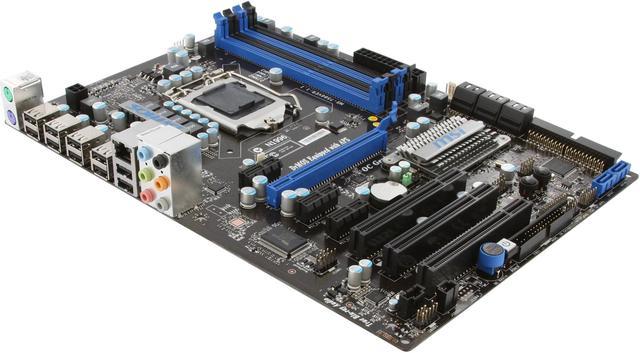
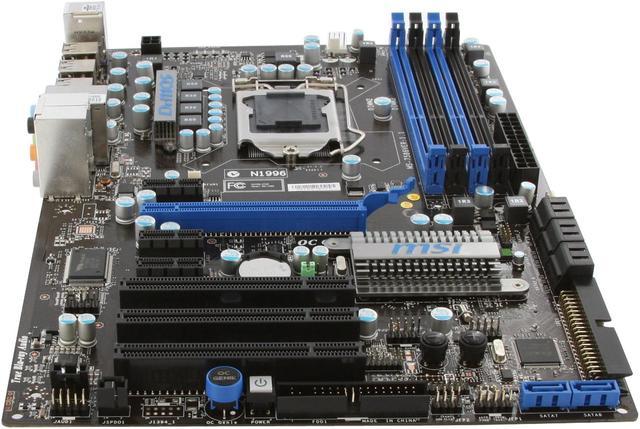
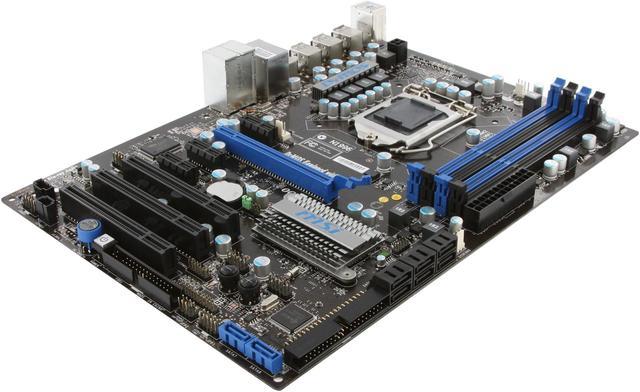
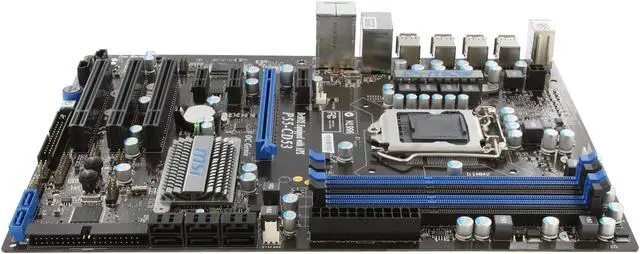
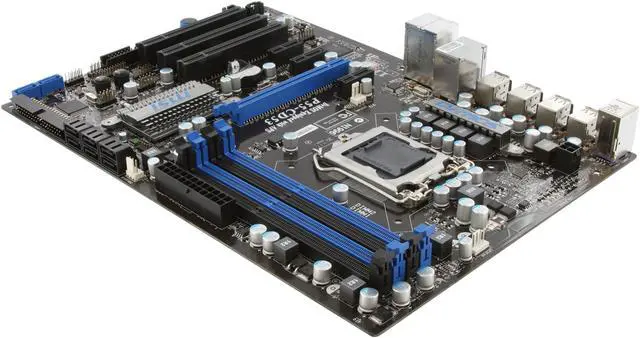
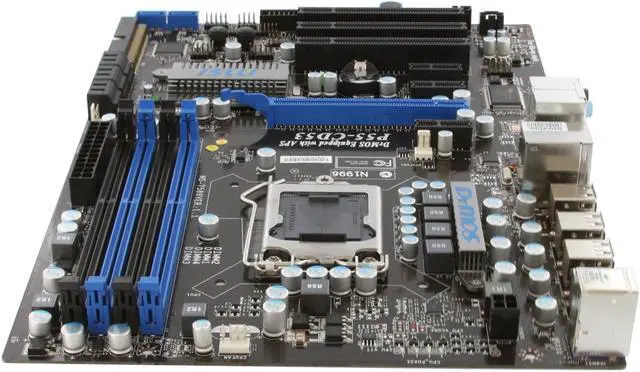
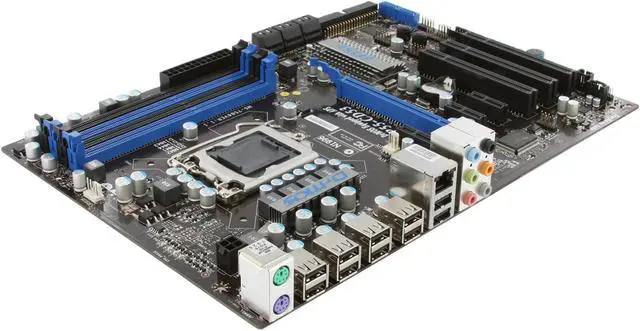
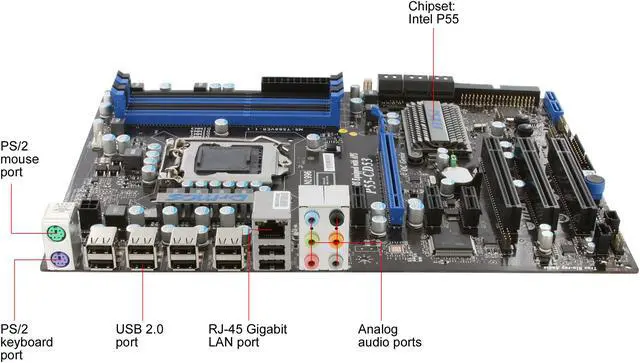


MSI P55-CD53 LGA 1156 Intel P55 ATX Intel Motherboard
- Intel P55
- Core i3 / Core i5 / Core i7 / Intel Core 1st Gen (LGA 1156) / Pentium
- DDR3 1066/1333/1600* (OC)
Overview
Specs
Reviews (51)
See all Q & A 
Any questions? Our AI mode will help you find out quickly.
Try me now
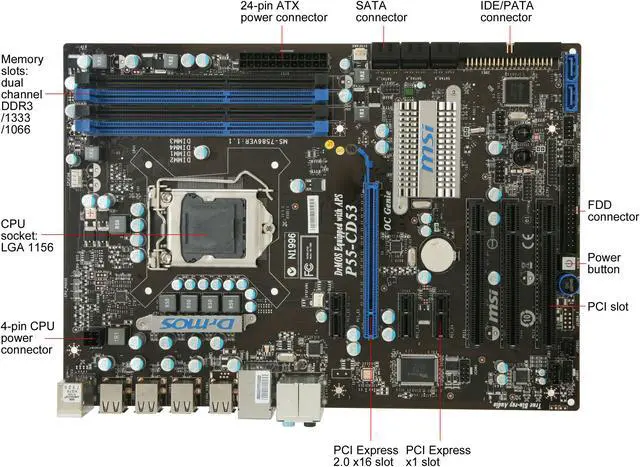
Build your next computer with the powerful P55-CD53 motherboard by MSI.
Take advantage of the powerful multi-core Intel i7 and i5 processors with this board's 1156 socket. And you'll get more power from the OC Genie that releases the potential of your CPU in an easy and simple way. Thanks to the dual channel, up to 16GB DDR3 memory support, Gigabit Ethernet ports, the SATA with RAID configuration support and True Blu-ray audio, this board offers everything you need to build your power system. Plus, the use of DrMOS technology enables you a better power efficiency and lower running temperature.
Build your next computer with the powerful P55-CD53 motherboard by MSI.
Take advantage of the powerful multi-core Intel i7 and i5 processors with this board's 1156 socket. And you'll get more power from the OC Genie that releases the potential of your CPU in an easy and simple way. Thanks to the dual channel, up to 16GB DDR3 memory support, Gigabit Ethernet ports, the SATA with RAID configuration support and True Blu-ray audio, this board offers everything you need to build your power system. Plus, the use of DrMOS technology enables you a better power efficiency and lower running temperature.
Take advantage of the powerful multi-core Intel i7 and i5 processors with this board's 1156 socket. And you'll get more power from the OC Genie that releases the potential of your CPU in an easy and simple way. Thanks to the dual channel, up to 16GB DDR3 memory support, Gigabit Ethernet ports, the SATA with RAID configuration support and True Blu-ray audio, this board offers everything you need to build your power system. Plus, the use of DrMOS technology enables you a better power efficiency and lower running temperature.
 OC GenieMSI’s OC Genie combines push-button and dedicated overclocking processor to offer easy and quick overclocking. Just push the OC Genie button, OC Genie processor will automatically detect the best overclocking setting including CPU clock, CPU voltage, memory clock and memory voltage, and boost system performance in one second. No software or complicated BIOS tweaking required.
 DrMOS TechnologyMIS's DrMOS technology combines the traditional discrete MOS into a high quality, 3-in-1 server class power component to deliver excellent energy-saving capability, high-computing performance and low temperature operation.
 Green Power Saving TechnologyThe MSI P55-CD53 features APS (Active Phase Switching) energy saving technology for controlling power supply with auto phrase switching for CPU and other components.
 All Solid CapacitorsThe MSI P55-CD53 utilizes all solid capacitors to deliver stable, reliable operation under higher frequency and temperature.
 MSI Live Update OnlineThe MSI Live Update online is designed to automatically download and update the BIOS and driver when there’s a new version online. It helps reduce the risk of getting the wrong file and minimize the trouble of searching the files from MSI website.
 OC GenieMSI’s OC Genie combines push-button and dedicated overclocking processor to offer easy and quick overclocking. Just push the OC Genie button, OC Genie processor will automatically detect the best overclocking setting including CPU clock, CPU voltage, memory clock and memory voltage, and boost system performance in one second. No software or complicated BIOS tweaking required.
 DrMOS TechnologyMIS's DrMOS technology combines the traditional discrete MOS into a high quality, 3-in-1 server class power component to deliver excellent energy-saving capability, high-computing performance and low temperature operation.
 Green Power Saving TechnologyThe MSI P55-CD53 features APS (Active Phase Switching) energy saving technology for controlling power supply with auto phrase switching for CPU and other components.
 All Solid CapacitorsThe MSI P55-CD53 utilizes all solid capacitors to deliver stable, reliable operation under higher frequency and temperature.
 MSI Live Update OnlineThe MSI Live Update online is designed to automatically download and update the BIOS and driver when there’s a new version online. It helps reduce the risk of getting the wrong file and minimize the trouble of searching the files from MSI website.
Warranty & Returns
Warranty, Returns, And Additional Information
Warranty
- Limited Warranty period (parts): 1 year
- Limited Warranty period (labor): 1 year
- Read full details
Return Policies
- Return for refund within: 30 days
- Return for replacement within: 30 days
- This item is covered by Newegg.com's 30-Day Return Policy.
- Read full return policy for details.
Manufacturer Contact Info
- Manufacturer Product Page
- Manufacturer Website
- Support Phone: 1-626-913-0828 x4503
- Support Website
- View other products from MSI
LOADING...
LOADING...