

Your Browsing History



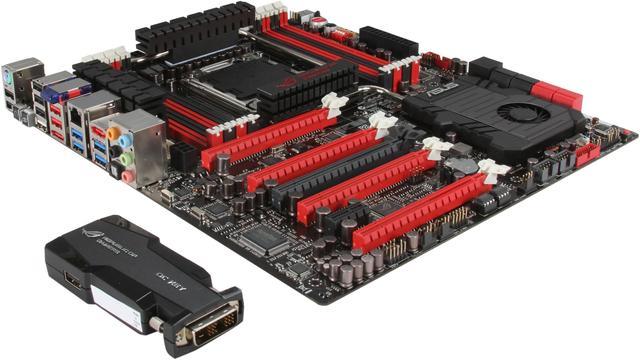
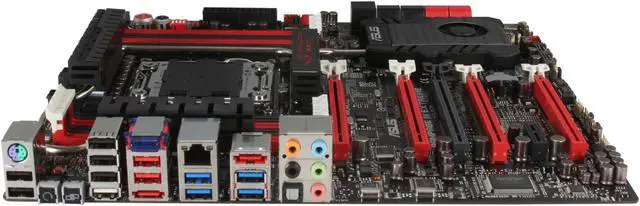
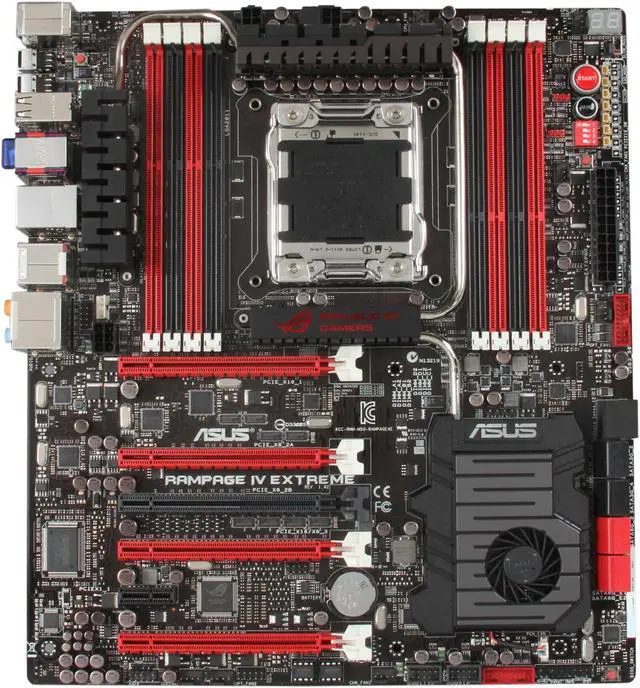
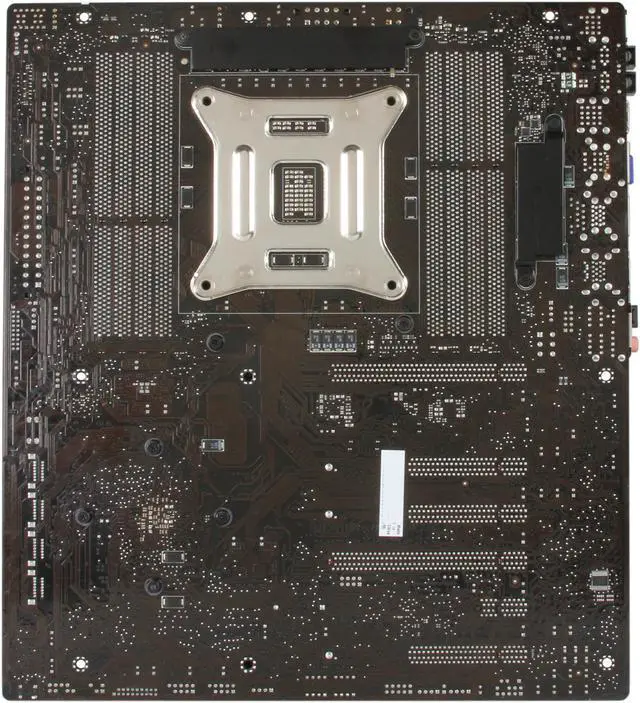
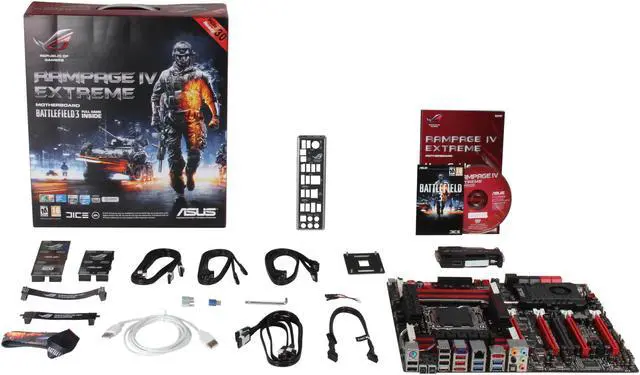


ASUS Rampage IV Extreme/BATTLEFIELD 3 LGA 2011 Intel X79 SATA 6Gb/s USB 3.0 Intel Motherboard with USB BIOS
- Intel X79
- Core i7 (LGA2011)
- DDR3 2400(O.C.)/2133(O.C.)/1866/1600/1333/1066
Overview
Specs
Reviews (65)

Any questions? Our AI mode will help you find out quickly.
Try me now
The Republic of Gamers consists only the best of the best. ASUS offers the best hardware engineering, the fastest performance, the most innovating ideas, and welcomes the best gamers to join in. In the Republic of Gamers, mercy rules are only for the weak, and bragging rights means everything.
The Rampage IV Extreme/Battlefield 3 aims to fulfill PC enthusiasts’ needs towards superior performance. The Rampage IV Extreme/Battlefield3 motherboard supports the latest LGA 2011 socket for 2nd generation Intel Core i7 and Extreme Edition Processors, and it ships with some truly revolutionary advanced features. New is the OC Key, a dongle device that allows you to monitor and adjust system settings in real-time, even while in-game without any extra software needed while the X-Socket feature allows you to keep using a LGA 1366 CPU cooler on a X79 Rampage IV Extreme/Battelfiled3 motherboard, saving you your hard earned cash. Tactical video support is available for 4-Way SLI and CrossFireX, which helps drive home the smoothest gaming experience. With great performance excellence, it’s time to dominate the Battlefield.
Be sure to also check out their new ultraportable laptop (ultrabook), the Asus Zenbook. Learn more about the Intel-powered Ultrabook by visiting our store page.
 PCIe 3.0 ReadyThe latest PCI Express bus standard delivers improved encoding for twice the performance of current PCIe 2.0. Total bandwidth for a x16 link reaches a maximum of 32GB/s, double the 16GB/s of PCIe 2.0 (in x16 mode). PCIe 3.0 provides users unprecedented data speeds combined with the convenience and seamless transition offered by complete backward compatibility with PCIe1.0 and PCIe 2.0 devices. It is a must-have feature PC users aiming to improve and optimize graphics performance, as well as have the latest, most future-proof technology. (This motherboard is ready to support PCIe 3.0 SPEC. Functions will be available when using PCIe 3.0-compliant devices.)
 Extreme Engine Digi+ IIThe Extreme Engine Digi+ II has been upgraded and equipped with the finest Japan-made 10K Black metallic capacitors, while the digital VRM design allows you to achieve ultimate performance with adjustable CPU and memory power management frequencies. Precise adjustments create greater efficiency, stability, five times longer lifespan than solid capacitors* and performance for total system control. (*At operating temperature of 105°C)
 ROG OC KeyMonitor the status of your system in real-time with OSD Monitor while tweak the parameters with OSD TweakIt, both come with a convenient graphical overlay displayed right on screen. OSD Monitor allows you to view POST codes in real-time, complete hardware status and even the readout from VGA Hotwire and Subzero Sense, all at a pure hardware level. And, OSD TweakIt provides you with a set of critical and hardware-driven functions so you can tweak your system on-the-fly.
 VGA HotwireLove to overvolt but got mad trimming the tiny variable resistors? With the VGA Hotwire feature, plug the two-wire cable onboard and solder two wires on the VGA's voltage regulator and accurately adjust the voltage, taking your system to the next level while avoiding some risks.
 Subzero SenseLove overclocking in LN2 mode, but have trouble finding out just how cold your board is? Worry no more, with Subzero Sense you can read the system’s temperature even in its coldest subzero degrees temperature.
 X-SocketDon't junk that expensive LGA1366 heatsink! With X-Socket, switch out the LGA2011 pad for a 1366 one and get more life out of your previous CPU cooler.
 PCIe 3.0 ReadyThe latest PCI Express bus standard delivers improved encoding for twice the performance of current PCIe 2.0. Total bandwidth for a x16 link reaches a maximum of 32GB/s, double the 16GB/s of PCIe 2.0 (in x16 mode). PCIe 3.0 provides users unprecedented data speeds combined with the convenience and seamless transition offered by complete backward compatibility with PCIe1.0 and PCIe 2.0 devices. It is a must-have feature PC users aiming to improve and optimize graphics performance, as well as have the latest, most future-proof technology. (This motherboard is ready to support PCIe 3.0 SPEC. Functions will be available when using PCIe 3.0-compliant devices.)
 Extreme Engine Digi+ IIThe Extreme Engine Digi+ II has been upgraded and equipped with the finest Japan-made 10K Black metallic capacitors, while the digital VRM design allows you to achieve ultimate performance with adjustable CPU and memory power management frequencies. Precise adjustments create greater efficiency, stability, five times longer lifespan than solid capacitors* and performance for total system control. (*At operating temperature of 105°C)
 ROG OC KeyMonitor the status of your system in real-time with OSD Monitor while tweak the parameters with OSD TweakIt, both come with a convenient graphical overlay displayed right on screen. OSD Monitor allows you to view POST codes in real-time, complete hardware status and even the readout from VGA Hotwire and Subzero Sense, all at a pure hardware level. And, OSD TweakIt provides you with a set of critical and hardware-driven functions so you can tweak your system on-the-fly.
 VGA HotwireLove to overvolt but got mad trimming the tiny variable resistors? With the VGA Hotwire feature, plug the two-wire cable onboard and solder two wires on the VGA's voltage regulator and accurately adjust the voltage, taking your system to the next level while avoiding some risks.
 Subzero SenseLove overclocking in LN2 mode, but have trouble finding out just how cold your board is? Worry no more, with Subzero Sense you can read the system’s temperature even in its coldest subzero degrees temperature.
 X-SocketDon't junk that expensive LGA1366 heatsink! With X-Socket, switch out the LGA2011 pad for a 1366 one and get more life out of your previous CPU cooler.
Warranty & Returns
Warranty, Returns, And Additional Information
Warranty
- Limited Warranty period (parts): 3 years
- Limited Warranty period (labor): 3 years
- Read full details
Return Policies
- Return for refund within: 30 days
- Return for replacement within: 30 days
- This item is covered by Newegg.com's 30-Day Return Policy.
- Read full return policy for details.
Manufacturer Contact Info
- Manufacturer Product Page
- Manufacturer Website
- Support Phone: 1-510-739-3777
- Support Website
- View other products from ASUS
LOADING...
LOADING...