




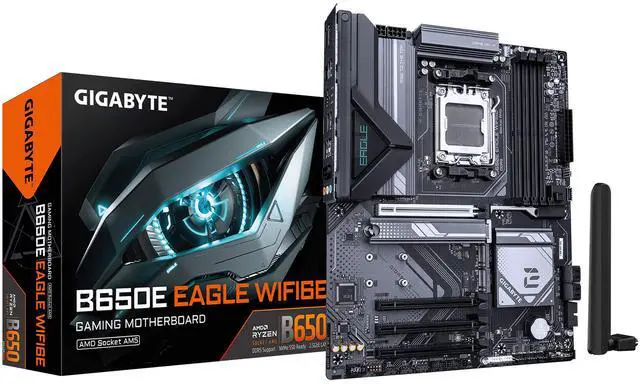
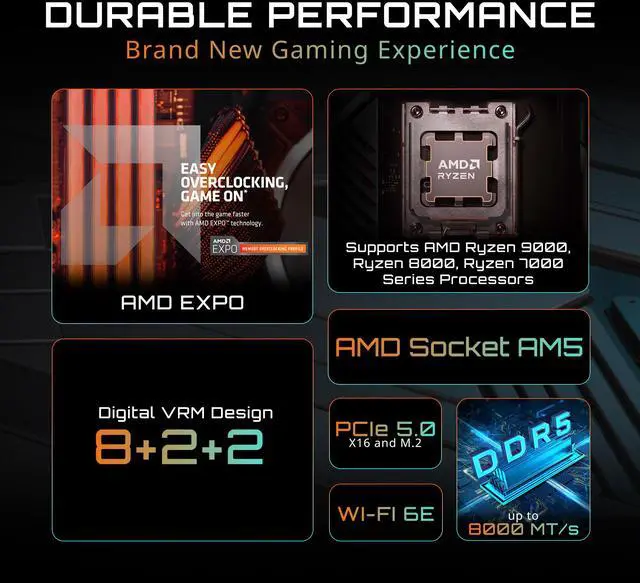
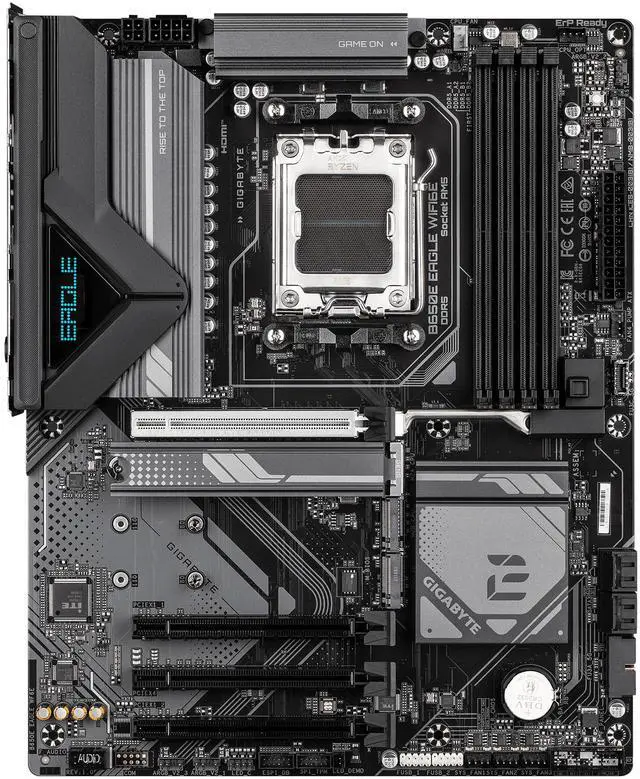
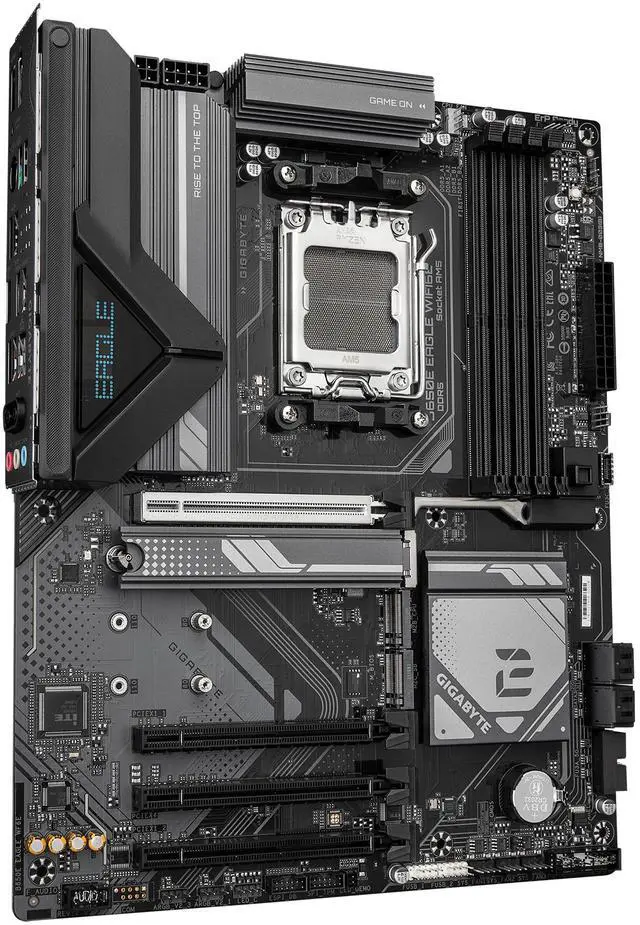


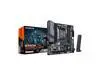

- AMD Socket AM5:Supports AMD Ryzen™ 7000/ Ryzen™ 8000/ Ryzen™ 9000 Series Processors
- Unparalleled Performance:8+2+2 Phases Digital VRM Solution
- Dual Channel DDR5:4*SMD DIMMs with AMD EXPO™ & Intel® XMP Memory Module Support
- SuperSpeed Storage:1*PCIe 5.0 + 2*PCIe 4.0 M.2 Connectors
- Advanced Thermal Design & M.2 Thermal Guard:To Ensure VRM Power Stability & 25110 M.2 SSD Performance
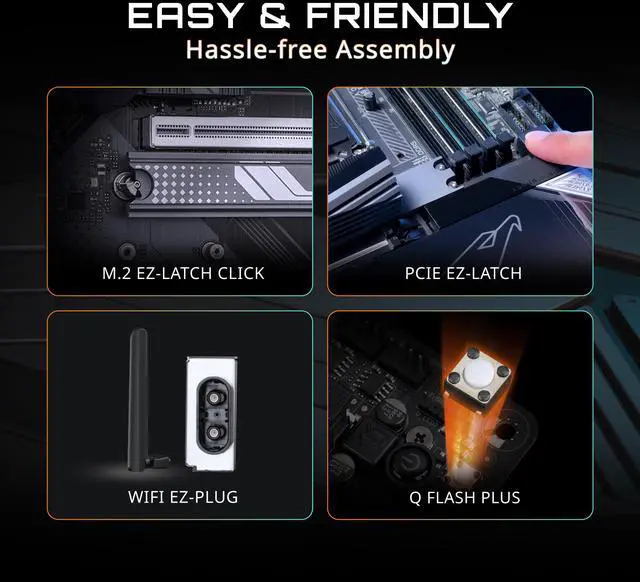
- EZ-Latch Plus : PCIe x16 slots with Quick Release & Screwless Design
- Fast Networks:Wi-Fi 6E 802.11ax & GbE LAN
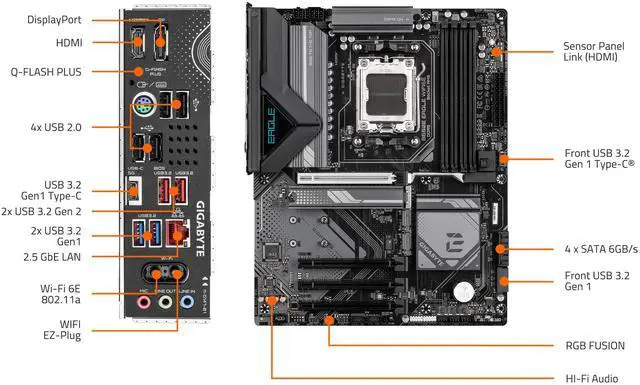
- WIFI EZ-Plug:Quick and easy design for Wi-Fi antenna installation
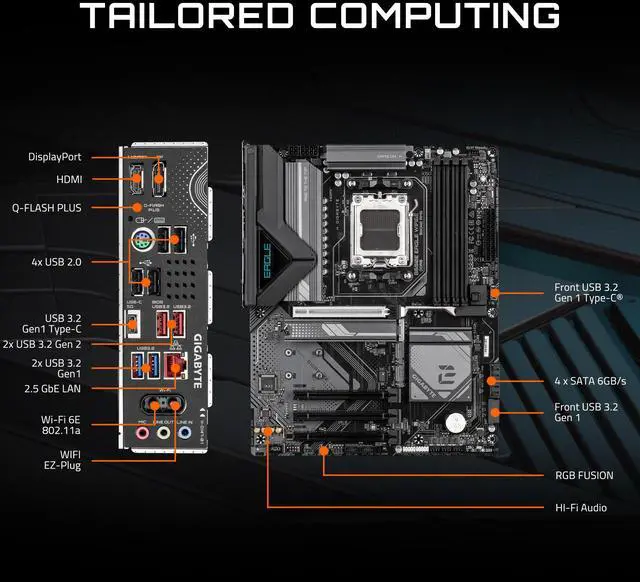
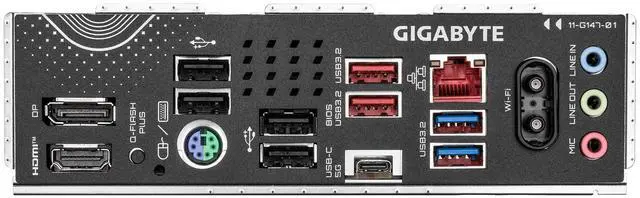
- Extended Connectivity:DP, HDMI, Rear USB® 10Gb/s
- Smart Fan 6:Features Multiple Temperature Sensors, Hybrid Fan Headers with FAN STOP
- Q-Flash Plus:Update BIOS Without Installing the CPU, Memory and Graphics Card


B650E EAGLE WIFI6E

GIGABYTE Ultra Durable™ motherboards built with optimal components inside out provide the prime performance and timeless platform.

The best VRM design ever built with the highest quality components.
- 8+2+2 Phases digital PWM + DrMOS
- Support the latest CPUs, and deliver enhanced system performance and ultimate hardware scalability.
* Photo for reference only.
GIGABYTE is offering a tested and proven platform with extreme memory performance boost.
* Memory overlocking and XMP profile support may vary depending on hardware configuration.
* Please see the complete validated memory support list.
Product features may vary by model.

GIGABYTE Exclusive DDR5 Circuit Design Increases DDR5 memory overclocking performance and capability by transforming Native DDR5 memory module to Overclocked DDR5 memory.

GIGABYTE AM5 MB supports both AMD EXPO™ and Intel® XMP overclocking memory modules for maximal compatibility. MB will automatically detect both profiles format in SPD, users can choose to enable one of profiles from BIOS menu and easily reach overclocked memory performance.

Automatically Boost the Native DDR5 frequency to 5000MHz while the system is under heavy loading by a single click.

Easily create overclocked memory performance by defining and creating your own SPD profile into Native and XMP 3.0 memory modules, or applying the pre-tuned profiles to XMP 3.0 User Profile.

Increased surface area up to 3X larger compared to traditional heatsinks. It improves heat dissipation from the MOSFETs.
TMOS is a TRUE single piece heatsink. Its one-piece design and larger surface drastically improve the cooling performance against competitors' multi-piece design.

The M.2 Thermal Guard prevents throttling and bottlenecks from high speed M.2 SSDs as it helps to dissipate heat before it becomes an issue.

The ultimate connectivity with blazing data-transfer speeds through the next generation network and storage.

The latest Wireless solution 802.11ax Wi-Fi 6E with new dedicated 6GHz band, enables gigabit wireless performance, provides smooth video streaming, better gaming experience, few dropped connections and speeds up to 2.4Gbps. Moreover, Bluetooth 5 provides 4X range over BT 4.2 and with faster transmission.
* Photo for reference only.

Gigabit Ethernet (GbE) LAN provides significantly faster data transfer speeds of up to 1 Gbps, which is ten times faster than traditional 100 Mbps Fast Ethernet, enabling smoother streaming, faster file transfers, and more responsive network applications.

PCIe 5.0 can boost performance by doubling the data transfer rate of PCIe 4.0 from 16 GT/s to 32 GT/s per lane. This substantial increase in bandwidth particularly benefits high-performance graphics cards, storage devices, and AI accelerators that demand faster data movement.

These high quality capacitors help deliver high resolution and high fidelity audio to provide the most realistic sound effects.
Essentially separates the board’s sensitive analog audio components from potential noise pollution at the PCB level.
* Photo for reference only.
Innovative and intuitive hardware, software, and BIOS interface design to create your personal style.
Easy ejection with single click for graphics cards.

Update the BIOS easily without installing the CPU, memory, and graphics card.
- STEP 1: Plug the 24-pin and 8-pin power supply cables into the motherboard.
- STEP 2: Download the motherboard BIOS file and rename it to "gigabyte.bin". Save it to a USB flash drive formatted in FAT32. Insert the USB flash drive into the Q-FLASH PLUS USB port.
- STEP 3: Press the Q-FLASH PLUS button, and the motherboard will start updating the BIOS automatically.

ensures optimal cooling and quiet operation for your gaming PC, with support for PWM/DC fans and pumps, customizable settings, and intuitive temperature monitoring.
- High Current Support: Each fan headers support PWM and DC fan and Water Cooling Pump , and up to 24W (12V x 2A) with Over-Current Protection.
- Precision Control: Multiple temperature/fan speed control points for precise fan curve.
- Dual Curve Mode: Slope/Stair dual mode for different user scenario.
- Fan Stop: Fan can stop completely below users' specified temperature point.

- Enhance Fan Curve UI: Enhance fan curve control with an expanded number of control points, from 5 to 7, and a larger fan speed graph, enabling users to have more precise and effortless control over fan curve settings.
- Slope/Stair Dual Graph Mode: Switch between Slope and Stair modes to adapt to various user scenarios. Slope mode provides a linear fan speed curve, while Stair mode maintains a constant fan speed within specified temperature intervals.
- Manual Input: For advanced users, manual input of fan speeds is available for fine-tuning and precise control over the cooling system.
- EZ Tuning: Simplify the process with EZ Tuning by setting 4 points on a rough temperature/fan speed scale. Smart Fan 6 will quickly generate a fan curve based on these points.
- Fan Curve Profile: Save your customized fan curve profile in the BIOS ROM, ensuring it remains intact even after BIOS updates.
Note: The picture is for reference and may vary by model.

The WIFI EZ-Plug design integrates Wi-Fi antenna plugs into one adapter, EZ to install.

Unified software platform for all Gigabyte supported products.
- Intuitive user interface
- Modularized control
- Auto update


