




 here!
I’m your shopping assistant for PC builds, upgrades, and everything tech.
Got questions? Ask away!
Start a conversation
here!
I’m your shopping assistant for PC builds, upgrades, and everything tech.
Got questions? Ask away!
Start a conversation Top Rated



Make informed decisions with expert advice. Learn More






Any questions? Ask CelesteSM will help you find out quickly.
| Brand | SAPPHIRE |
|---|---|
| Series | NITRO+ |
| Model | 11322-01-40G |
| Interface | PCI Express 4.0 x16 |
|---|
| Chipset Manufacturer | AMD |
|---|---|
| GPU Series | AMD Radeon RX 7000 Series |
| GPU | Radeon RX 7900 XTX |
| Game Clock | 2510 MHz |
| Boost Clock | 2680 MHz |
| Stream Processors | 6144 |
| Memory Size | 24GB |
|---|---|
| Memory Interface | 384-Bit |
| Memory Type | GDDR6 |
| DirectX | DirectX 12 Ultimate |
|---|---|
| OpenGL | OpenGL 4.6 |
| Multi-Monitor Support | 4 |
|---|---|
| HDMI | 2 x HDMI 2.1 |
| DisplayPort | 2 x DisplayPort 2.1 |
| Color | Silver |
|---|---|
| Max Resolution | 7680 x 4320 |
| Cooler | Triple Fans |
| Thermal Design Power | 339W |
| Recommended PSU Wattage | 800W |
| Power Connector | 3 x 8-Pin |
| Form Factor | ATX |
|---|---|
| Max GPU Length | 320 mm |
| Slot Width | 4 Slots |
| First Listed on Newegg | February 07, 2025 |
|---|
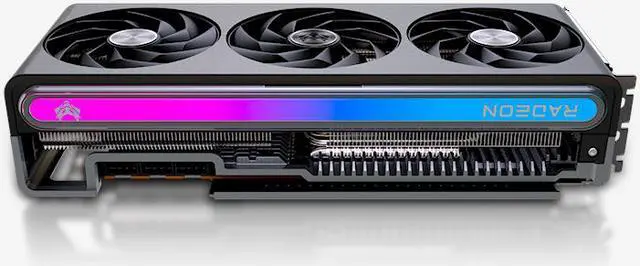
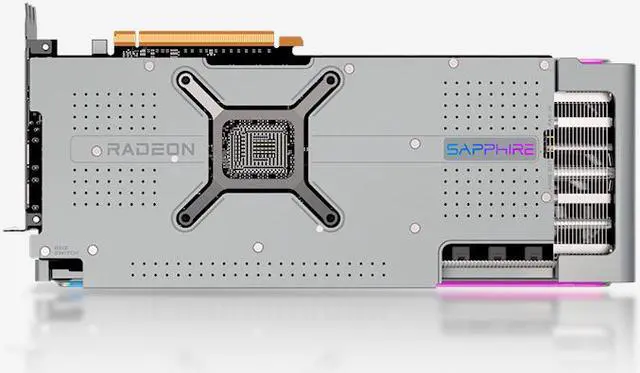
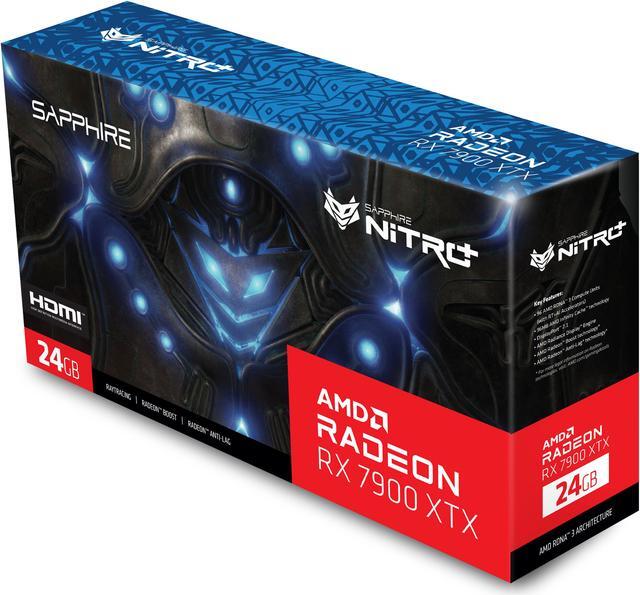
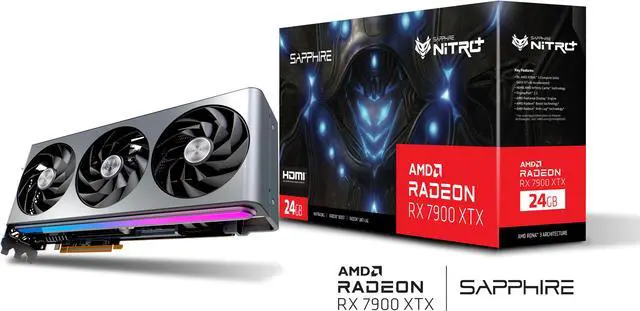
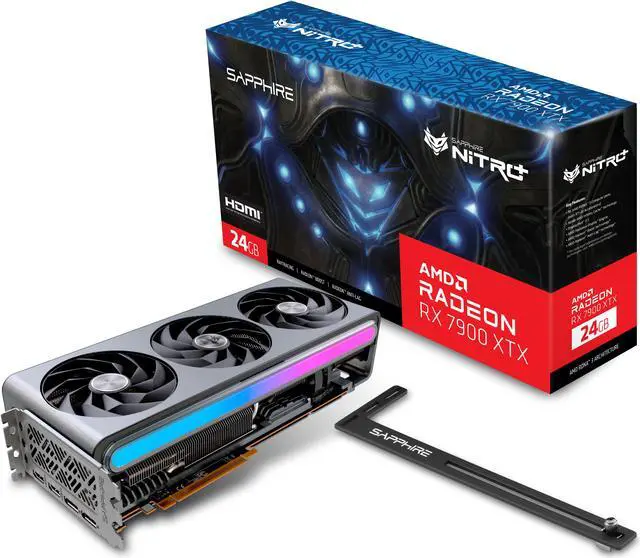
The SAPPHIRE NITRO+ Radeon RX 7900 XTX is a high-performance desktop graphics card with 24GB of GDDR6 memory, a 2680 MHz boost clock, and 6144 stream processors, making it suitable for demanding 4K gaming, content creation, and GPU-intensive workloads in spacious ATX PCs.
| Attribute | Value |
|---|---|
| Best For | Desktop gaming and high-resolution multi-monitor setups using an AMD Radeon RX 7900 XTX with 24GB of GDDR6 memory, support for up to four displays, and output up to 7680 x 4320 |
| GPU And Processing | AMD Radeon RX 7900 XTX from the Radeon RX 7000 Series with 6144 stream processors, a 2510 MHz game clock, and a 2680 MHz boost clock; supports DirectX 12 Ultimate and OpenGL 4.6 |
| Memory Configuration | 24GB of GDDR6 memory on a 384-bit interface |
| Display Outputs And Connectivity | PCI Express 4.0 x16 interface with two HDMI 2.1 and two DisplayPort 2.1 outputs, supporting up to four monitors and a maximum resolution of 7680 x 4320 |
| Cooling And Power | Triple-fan cooling with a 339W thermal design power, three 8-pin power connectors, and an 800W recommended power supply |
| Form Factor And Physical Fit | ATX graphics card measuring up to 320 mm in length and occupying four slots; listed in silver and weighing 2.2 pounds |
| Model Identifiers | SAPPHIRE NITRO+ model 11322-01-40G |
Q: Should I buy the Sapphire Nitro+ RX 7900 XTX or the RTX 4080 Super?
A: Choose the Sapphire Nitro+ RX 7900 XTX for high-end rasterized gaming, 24GB of VRAM, and DisplayPort 2.1 support. Choose the RTX 4080 Super if ray tracing, DLSS, frame generation, or CUDA-supported creative applications are more important. In conventional gaming benchmarks, the two cards are generally close, while the RTX 4080 Super has a stronger feature advantage for ray-traced and creator workloads. ([tomshardware.com](https://www.tomshardware.com/reviews/gpu-hierarchy%2C4388-2.html?utm_source=openai))
Q: Is the RX 7900 XTX worth choosing over the RX 7900 XT?
A: Choose the RX 7900 XTX when you want higher 4K performance and more memory headroom. It has 24GB of GDDR6, 96 compute units, and a 355W board power rating, compared with 20GB, 84 compute units, and 315W for the RX 7900 XT. The RX 7900 XT is the better fit when a smaller card, lower power draw, or lower purchase cost matters more than maximum performance. ([amd.com](https://www.amd.com/en/products/graphics/desktops/radeon/7000-series/amd-radeon-rx-7900xt.html?utm_source=openai))
Q: How does the RX 7900 XTX compare with the RTX 4090?
A: Choose the RTX 4090 when you want the highest performance in this comparison, especially for ray tracing, AI workloads, and applications that use CUDA. Choose the RX 7900 XTX when you want high-end 4K raster performance with 24GB of VRAM while using a lower-power graphics card. The RTX 4090 has 24GB of GDDR6X and a 450W total graphics power rating, compared with 24GB of GDDR6 and approximately 355W for the RX 7900 XTX. ([nvidia.com](https://www.nvidia.com/en-us/geforce/graphics-cards/40-series/rtx-4090/?utm_source=openai))
Q: Is the RX 7900 XTX a worthwhile upgrade from the RX 6950 XT?
A: The RX 7900 XTX is a meaningful upgrade for 4K gaming because it increases the memory capacity from 16GB to 24GB and moves from the RDNA 2 generation to RDNA 3. Independent testing has measured the RX 7900 XTX at roughly one-third faster than the RX 6950 XT on average, although the exact gain varies by game and settings. Upgrade when you want higher 4K frame rates or additional VRAM headroom; keep the RX 6950 XT if current performance is sufficient. ([techspot.com](https://www.techspot.com/review/2588-amd-radeon-7900-xtx/?utm_source=openai))
Q: Is the Sapphire Nitro+ RX 7900 XTX suitable for a compact or portable PC?
A: This model is designed for a spacious desktop gaming PC rather than portability. The Sapphire Nitro+ card measures approximately 320 x 135.75 x 71.6 mm, uses a large multi-slot cooler, and requires an 800W recommended power supply. Choose a smaller RX 7900 XT or another compact graphics card when case clearance, transportability, or small-form-factor compatibility is the priority. ([nation.sapphiretech.com](https://nation.sapphiretech.com/en/consumer/nitro-radeon-rx-7900-xtx-vaporx-24g-gddr6?utm_source=openai))
Q: Will this graphics card fit in my PC case?
A: It fits only in cases with enough clearance for a 320 mm-long, four-slot graphics card. Check the case's GPU-length limit, slot spacing, front radiator or fan placement, and room for the power cables before buying.
Q: What power supply and power connectors does this graphics card require?
A: The card has a recommended 800W power supply rating and requires three 8-pin PCIe power connectors. Confirm that your PSU can provide the required wattage and connectors before installation.
Q: How many monitors can this graphics card support, and what video ports does it have?
A: It supports up to four monitors and provides two HDMI 2.1 ports plus two DisplayPort 2.1 ports. The connected monitors and cables must support the desired resolution and refresh rate.
Q: Is this graphics card suitable for 4K gaming and other high-resolution workloads?
A: It is designed for high-resolution use, with 24GB of GDDR6 memory, a 384-bit memory interface, DisplayPort 2.1, HDMI 2.1, and support for resolutions up to 7680 x 4320. Actual gaming performance depends on the game, settings, drivers, processor, and cooling.
Q: Does this graphics card support ray tracing?
A: The card supports DirectX 12 Ultimate, which includes ray-tracing capabilities. Ray-tracing performance varies by game, resolution, graphics settings, drivers, and system configuration, so the specifications alone do not guarantee a specific frame rate.
Q: Is the Sapphire NITRO+ RX 7900 XTX suitable for high-end 4K gaming?
A: Yes. It is designed for high-end gaming with 24GB of GDDR6 memory, a 384-bit memory interface, 6,144 stream processors, and a 2680 MHz boost clock. Community discussions and testing generally frame the Nitro+ as a strong 4K-class card, although ray tracing performance and game-specific results can vary.
Q: What power supply and power connections does the Sapphire NITRO+ RX 7900 XTX require?
A: Use an 800W-or-higher power supply as specified by the manufacturer, with three 8-pin PCIe power connectors. The card can draw substantially more power than a reference RX 7900 XTX under demanding loads, so a quality PSU and three separate PCIe power cables are preferable to shared or adapter-based cabling.
Q: Will the Sapphire NITRO+ RX 7900 XTX fit in a standard PC case?
A: Not necessarily. The card is 320 mm long and occupies four slots, so case compatibility must be checked against the case’s maximum GPU length, radiator position, front fans, and adjacent expansion slots. Community reports show that front-mounted radiators can create tight or incompatible fits even when the case’s listed GPU clearance appears sufficient.
Q: Is the Sapphire NITRO+ RX 7900 XTX quiet and cool under load?
A: It can provide strong cooling, but noise and temperatures depend on case airflow, fan settings, workload, and the individual card. User reports include relatively low gaming temperatures with moderate fan speeds, while others report higher hotspot temperatures or audible fans during sustained 4K loads. Coil whine is also reported inconsistently, especially at high frame rates.
Q: Is the Sapphire NITRO+ RX 7900 XTX a good upgrade from a lower-tier gaming GPU?
A: It is most suitable for users seeking a major performance upgrade for 4K gaming, high-refresh-rate gaming, or workloads that benefit from 24GB of VRAM. The trade-offs are high power consumption, a large four-slot design, possible coil whine, and the need for adequate case airflow and PSU capacity. The upgrade is less compelling if the existing GPU already meets the user’s resolution and frame-rate targets.


