here!
here!
I’m your shopping assistant for PC builds, upgrades, and everything tech.
Got questions? Ask away!
Start a conversation
here!
I’m your shopping assistant for PC builds, upgrades, and everything tech.
Got questions? Ask away!
Start a conversationShipped by Newegg
 Top Rated


Make informed decisions with expert advice. Learn More



Any questions? Ask CelesteSM will help you find out quickly.
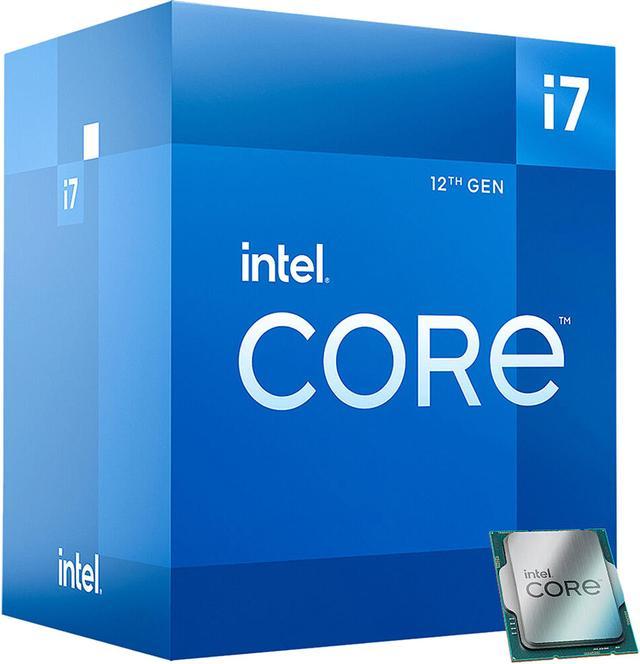
The Intel Core i7-12700 is a 12th Gen Alder Lake desktop processor with 12 cores (8 Performance-cores and 4 Efficient-cores), 20 threads, and turbo speeds up to 4.9 GHz, suited to multitasking, content creation, and responsive general-purpose PC builds.
| Attribute | Value |
|---|---|
| Best For | Desktop PC builds needing a 12-core hybrid processor with integrated graphics |
| Cores And Threads | 12 cores (8 performance cores and 4 efficiency cores) with 20 threads |
| Clock Speeds | P-core base 2.1 GHz and turbo up to 4.8 GHz; E-core base 1.6 GHz and turbo up to 3.6 GHz; Intel Turbo Boost Max Technology 3.0 up to 4.9 GHz |
| Cache And Power | 12 MB L2 cache and 25 MB L3 cache; 65 W processor base power and 180 W maximum turbo power |
| Socket And Platform | LGA 1700 socket, Alder Lake architecture, Intel 7 process, 64-bit instruction set, Hyper-Threading and virtualization support |
| Memory Support | Supports DDR4-3200 or DDR5-4800 memory, dual-channel operation, up to 128 GB, ECC, and up to 76.8 GB/s bandwidth |
| Integrated Graphics | Intel UHD Graphics 770 |
| PCI Express | PCIe 5.0, 4.0, and 3.0 support, with 16 CPU PCIe 5.0 lanes and 4 CPU PCIe 4.0 lanes |
| Cooling And Operating System | Includes Intel Laminar RM1 cooler; supports Windows 11 |
| Model Identifiers | Intel Core i7 12th Gen, model BX8071512700 |
Q: Should I get the Core i7-12700 or i7-12700K?
A: Choose the i7-12700 for a non-overclocking build that benefits from its 12 cores and 20 threads, lower 65W processor base power, and included Intel Laminar RM1 cooler. Choose the i7-12700K if you want an unlocked processor, higher maximum turbo frequency, and are prepared for its higher power and cooling requirements. In TechSpot testing, the i7-12700 was about 7% slower than the 12700K in the tested workloads, with results depending on power limits and cooling.
Q: Is the i7-12700 worth choosing over the i5-12600K?
A: Choose the i7-12700 for heavier multitasking or sustained multi-threaded work: it has 8 performance cores plus 4 efficient cores, compared with the i5-12600K’s 6 performance cores plus 4 efficient cores. The i5-12600K is a reasonable alternative for gaming-focused builds or buyers who want an unlocked CPU; actual gaming differences depend on the game, resolution, graphics card, and power settings.
Q: Should I upgrade from the i7-12700 to the i7-13700?
A: The i7-13700 is the higher-performance option for workloads that can use additional cores: it has 8 performance cores and 8 efficient cores, for 16 cores and 24 threads, versus the i7-12700’s 12 cores and 20 threads. Choose it for a new build or a workload-heavy upgrade when the extra throughput justifies the cost; for an existing i7-12700 system, compare application benchmarks and total platform costs before replacing the CPU.
Q: Do I need a separate graphics card to use this processor?
A: No. The Core i7-12700 has Intel UHD Graphics 770, so it can provide display output without a separate graphics card when paired with a motherboard that has display outputs. A discrete graphics card may be needed for more demanding graphics workloads.
Q: Will this processor work with my motherboard and RAM?
A: The motherboard must support the LGA 1700 socket. The processor supports DDR4-3200 or DDR5-4800, but the motherboard determines which memory type you can install; DDR4 and DDR5 are not interchangeable on a given board. Check the motherboard’s CPU and memory support before buying.
Q: Is the i7-12700 suitable for multitasking and demanding desktop work?
A: It is a capable option for CPU-intensive multitasking, with 12 cores (8 performance cores and 4 efficiency cores), 20 threads, and boost speeds up to 4.9 GHz. Results also depend on the system’s memory, storage, cooling, and graphics hardware.
Q: Does it come with a CPU cooler?
A: The provided product specifications list an Intel Laminar RM1 cooling device. The processor’s maximum turbo power is 180W, so consider the cooler and case airflow when planning sustained heavy workloads; the listing alone does not establish cooling performance in every build.
Q: Is the Core i7-12700 worth buying for a gaming-focused build?
A: It can work well in a gaming PC, but it may not be the best use of a tight budget if gaming is the only priority. Reddit discussions note that at 1440p, performance can depend more on the graphics card, while the i7’s extra cores are more useful for production workloads or multitasking. Compare its price with lower-tier CPUs and put enough of the budget toward the GPU.
Q: Is the i7-12700 a good fit for productivity and multitasking?
A: Its 12 cores (8 P-cores and 4 E-cores) and 20 threads make it a reasonable fit for workloads that can use multiple cores, such as rendering or running virtual machines. It is less compelling if the system will mainly be used for gaming or basic tasks and costs substantially more than a lower-tier option.
Q: Is the included cooler enough for the i7-12700?
A: The product includes an Intel Laminar RM1 cooler, but the processor’s maximum turbo power is listed as 180W. Reddit discussions raise cooling concerns, especially for sustained workloads. For prolonged heavy use, plan for an LGA 1700-compatible aftermarket cooler and check the case’s cooler clearance.
Q: Can I use either DDR4 or DDR5 with the i7-12700?
A: The processor supports DDR4-3200 and DDR5-4800, but the motherboard determines which memory type you can install. Choose a motherboard designed for the RAM type you plan to use; Reddit discussions also frame the DDR4-versus-DDR5 choice as dependent on the build and budget.