




 here!
here!
I’m your shopping assistant for PC builds, upgrades, and everything tech.
Got questions? Ask away!
Start a conversation
here!
I’m your shopping assistant for PC builds, upgrades, and everything tech.
Got questions? Ask away!
Start a conversationShipped by Newegg
 Top Rated Top Rated





Combo Up Savings Up To $270+
The more you add, the more you'll save!
Any questions? Ask CelesteSM will help you find out quickly.
/20-374-418/flare-x5_01.jpg)
/20-374-418/flare-x5_02.jpg)
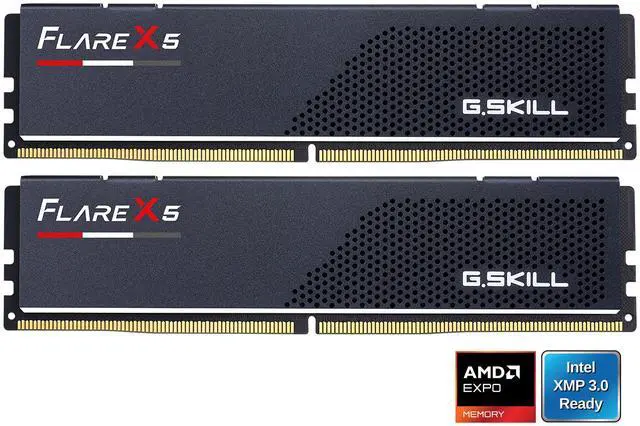
Created from high-quality hand-screened DDR5 DRAM ICs, Flare X5 memory kits are designed for performance on AMD platforms. Featuring AMD EXPO (EXtended Profiles for Overclocking) profiles, Flare X5 allows simple one-step memory overclocking through BIOS on supported motherboards.
/20-374-418/flare-x5_03.jpg)
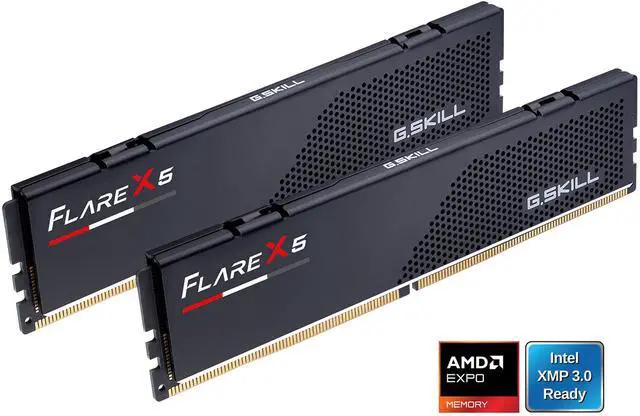
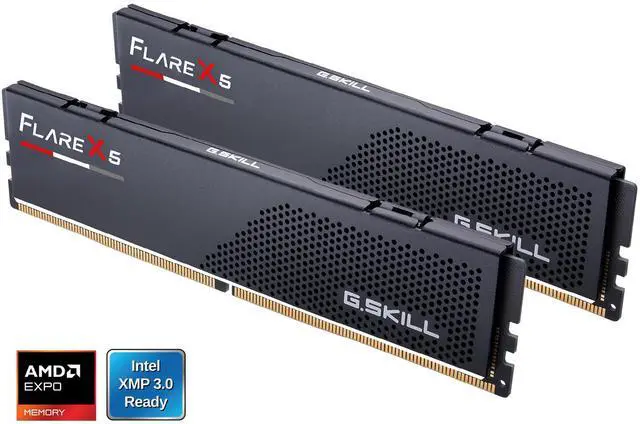
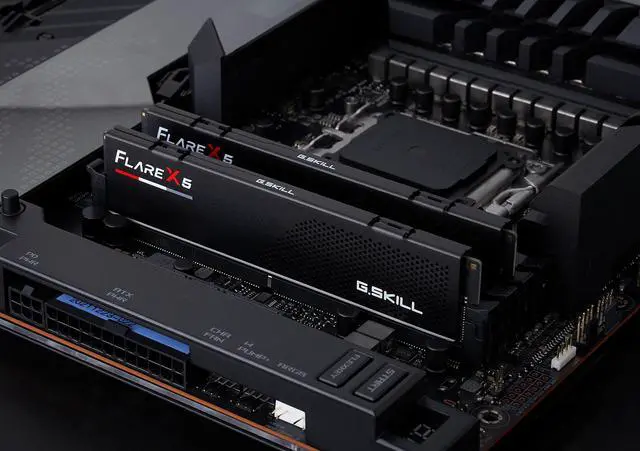
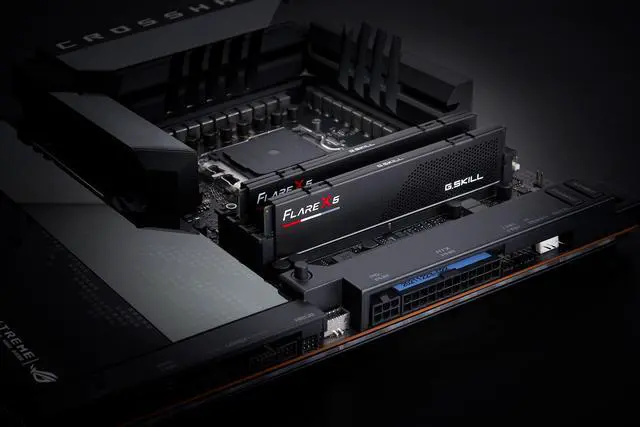
Available in anodized matte black, the Flare X5 memory module features a minimalistic design inspired by classic racing stripes and grills, and is ideal for a variety of build themes with its simple design.
/20-374-418/flare-x5_04.jpg)
Each Flare X5 memory kit is created with hand-screened ICs and tested under G.SKILL’s rigorous validation process to ensure outstanding quality.
/20-374-418/flare-x5_05.jpg)
/20-374-418/flare-x5_06.jpg)
Featuring a low-profile height of just 33mm, the Flare X5 is an ideal choice for compact PC builds or systems with large CPU coolers*.
* Please check the specifications of your CPU cooler for actual height clearance.
/20-374-418/flare-x5_07.jpg)
Just set and go. Programmed with AMD EXPO overclocking profiles, the only thing that stands between you and awesome performance is a simple BIOS setting.
* Enable the EXPO profile in the BIOS to reach up to the rated overclock speed of this memory kit. Maximum memory speed and system stability depends on the capability of the motherboard & CPU.
/20-374-418/flare-x5_08.jpg)
All G.SKILL memory products come with a limited lifetime warranty and the G.SKILL technical team is always ready to provide consumers with complete technical support via online forum, telephone, and email.
* Requires overclocking/BIOS adjustments. Maximum speed and performance depends on system components, including motherboard and CPU.
Flare X5 is a performance DDR5 DRAM memory series designed for compatible AMD platforms, featuring a simple and clean design in matte black or matte white, and a low-profile module height at 33mm.
Refer to the G.SKILL memory kit QVL on the G.SKILL website to check motherboard compatibility.
Visit the G.SKILL warranty policy webpage for more details.
The G.SKILL Flare X5 is a 32GB (2×16GB) DDR5-6000 desktop memory kit for gamers and PC enthusiasts seeking high-performance memory with AMD EXPO and Intel XMP 3.0 profile support.
| Attribute | Value |
|---|---|
| Best For | Gaming and high-performance desktop builds needing a 32GB dual-channel DDR5 kit with AMD EXPO and Intel XMP profile support |
| Memory Capacity And Configuration | 32GB kit with 2 × 16GB modules, configured for dual-channel operation; DIMM form factor with 288 pins |
| Memory Speed And Timings | DDR5-6000 (6000 MT/s; PC5-48000), CL36 latency with 36-36-36-96 timings |
| Voltage And Memory Type | 1.35V, non-ECC, unbuffered and unregistered |
| Platform Compatibility And Profiles | AMD Ryzen and Intel-compatible platforms; recommended for AMD 600- and 800-series chipsets, including B650, B850, X670 and X870, and Intel 600-, 700- and 800-series chipsets, including B660, B670, B760, H770, Z690 and Z790. Supports AMD EXPO and Intel XMP 3.0; rated profile speed and stability depend on compatible CPU and motherboard, with the profile enabled in BIOS |
| Physical Design | Black modules with heat spreaders and no LED lighting |
| Model Identifiers | G.SKILL Flare X5, model F5-6000J3636F16GX2-FX5 |
Q: Should I get this DDR5-6000 CL36 kit or DDR5-6000 CL30?
A: Choose this 32GB Flare X5 kit if you want DDR5-6000 and find it at a better price; choose a comparable CL30 kit if the price difference is small and you want lower CAS latency. Both have the same rated data rate, but CL30 has tighter CAS timing. Real-world gaming gains depend on the CPU, game, and graphics-card load, so the timing difference alone does not guarantee a noticeable improvement. Enable the supported memory profile in BIOS and confirm compatibility with your CPU and motherboard.
Q: Is this better than DDR5-5600 for a Ryzen gaming PC?
A: This kit is the more performance-oriented choice if your Ryzen CPU and motherboard can run it stably at DDR5-6000. Independent Ryzen testing found that memory-speed gains vary by processor and game: some tests showed a benefit from faster memory, while others found DDR5-5600 close to DDR5-6000. Choose DDR5-5600 if it is meaningfully less expensive or better suited to your system’s compatibility needs; choose this kit when you want the higher rated data rate and can use its EXPO profile.
Q: Should I buy this 32GB kit or step up to 64GB?
A: Choose this 32GB kit for a typical gaming or general-use PC when 32GB meets your workload. Step up to 64GB if you regularly run memory-heavy creative software, virtual machines, large datasets, or many demanding applications at once. The 64GB option provides more capacity; this 32GB kit is the more suitable choice when that additional capacity would go unused. Buy a matched 64GB kit rather than combining separate memory kits.
Q: Can I use this kit to upgrade a DDR4 PC?
A: Only if the motherboard supports DDR5 memory. This is a DDR5 desktop kit, so it is not a drop-in replacement for DDR4; check the motherboard’s memory type and CPU compatibility before buying. Choose it for a compatible DDR5 system, and keep or buy DDR4 memory for a DDR4-only motherboard.
Q: Will this memory work with my motherboard and processor?
A: It is a 288-pin DDR5 desktop memory kit, so your motherboard must support DDR5 DIMMs. The rated 6000 speed and stable operation also depend on CPU and motherboard compatibility; check your motherboard’s memory support list before buying.
Q: Do I need to enable AMD EXPO to run this memory at 6000?
A: Yes. The kit boots at its default SPD speed with compatible hardware; enable its AMD EXPO profile in BIOS to reach the rated DDR5-6000 speed. Actual speed and stability depend on the motherboard and processor.
Q: Can I add another 32GB kit later to increase capacity?
A: The kit contains two matched 16GB modules. The product guidance advises against mixing separate memory kits, since combining kits can cause instability or prevent the system from working properly. Check motherboard and processor support before planning a larger configuration.
Q: Will this RAM run at 6000 MT/s automatically?
A: Not necessarily. The product information says the kit boots at its default SPD speed and requires enabling the AMD EXPO profile in BIOS to reach its rated speed. Whether 6000 MT/s is stable also depends on the CPU and motherboard.
Q: Should I choose this CL36 kit or pay more for a CL30 kit?
A: Both kits run at DDR5-6000, but CL30 has a lower CAS latency than this kit’s CL36. Reddit comparisons raise the price-versus-timings trade-off; the discussions do not establish a consistent real-world performance difference. Compare the actual prices and choose based on whether the lower latency is worth the premium to you.
Q: Should I check my motherboard’s QVL before buying this kit?
A: Yes. Check the motherboard’s memory support list for the exact kit model, and confirm your CPU and BIOS support the intended speed. Reddit discussions report both successful setups and configuration problems, so broad platform compatibility alone does not guarantee that every system will run the kit at 6000 MT/s.
Q: Can I add a second kit later to make 64GB?
A: The product information advises against mixing memory kits because it can cause instability or failure, even if the kits have the same model number. For 64GB, a single matched 2 × 32GB kit is the more cautious choice.


