


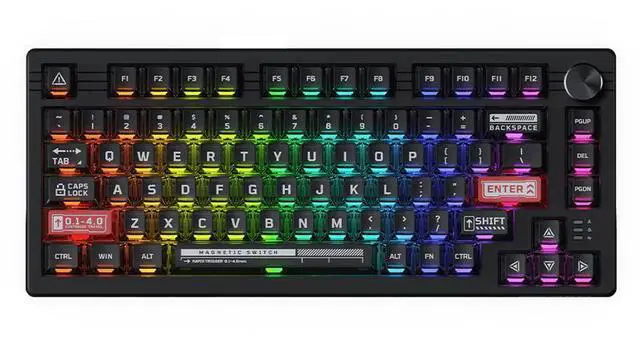
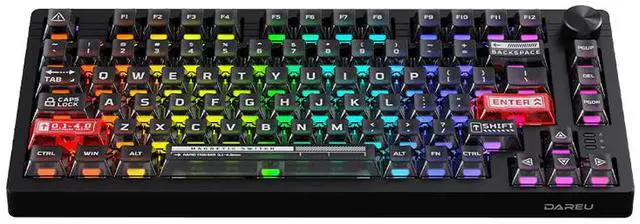


Adjustable Key Actuation
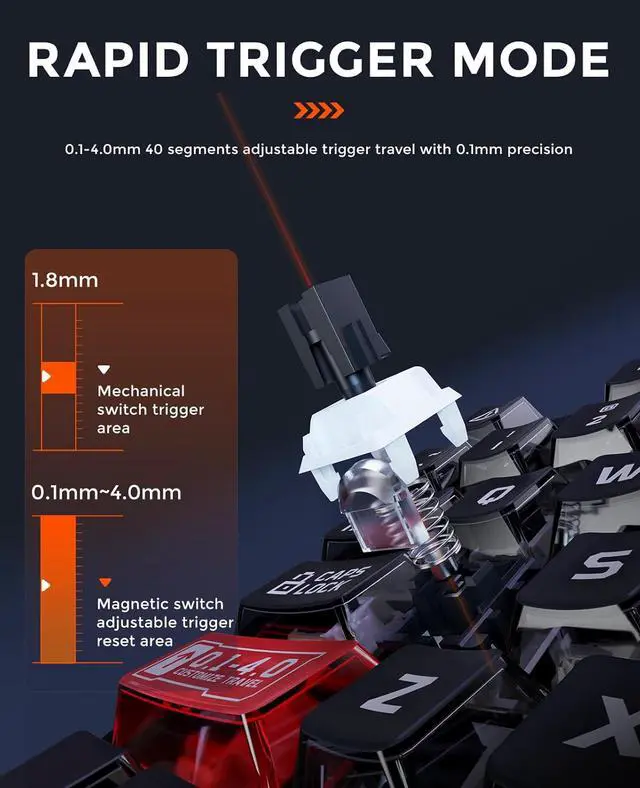
Magnetic Switch
Intelligent Calibration
40 levels adjustable (0.1 – 4.0mm)
Meet both the fastest keystrokes in gaming and the accuracy of intentional keystrokes in typing.

Hall effect rapid trigger
Improves more than 10 times response speed over traditional mechanical keyboards

Just one step
Calibration by replugging the power cord, no more complicated setups.

All In One Driver
Dynamic Keystroke
One click enable the games
Two game modes are preset in the driver, all configurations can be enabled with a single tick.

Four actions,one keypress
Enable 4 actions per keystroke with the driver setting to instantly complete a combo for victory.

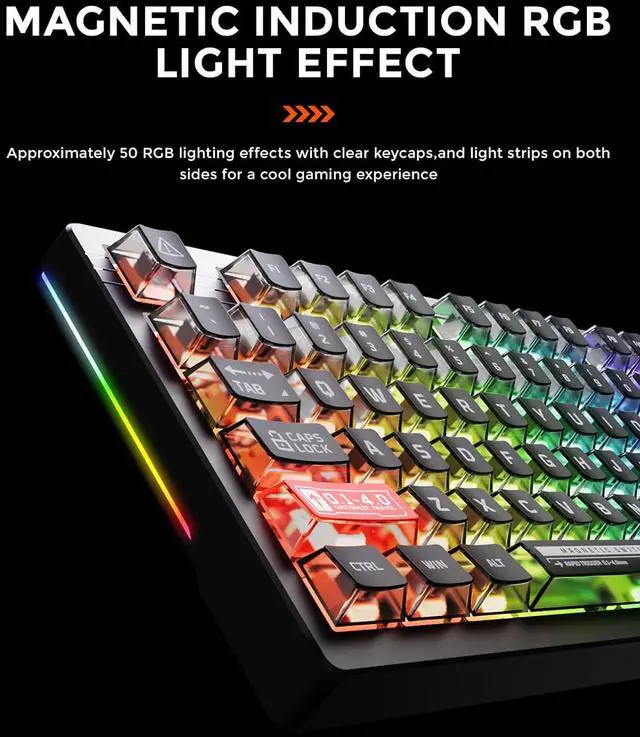
Magnetic Sensing RGB
Side RGB Lighting
Translucent Keycaps
50 customizable RGB effects
Lighting effects change with the force of key presses to provide an immersive gaming experience.

More personalized
Adjustable side light strips further enrich RGB lighting effects for a unique gaming atmosphere.

More gorgeous
Transparent PC keycaps and exclusive light pipes make the lighting effect more vivid and cool.

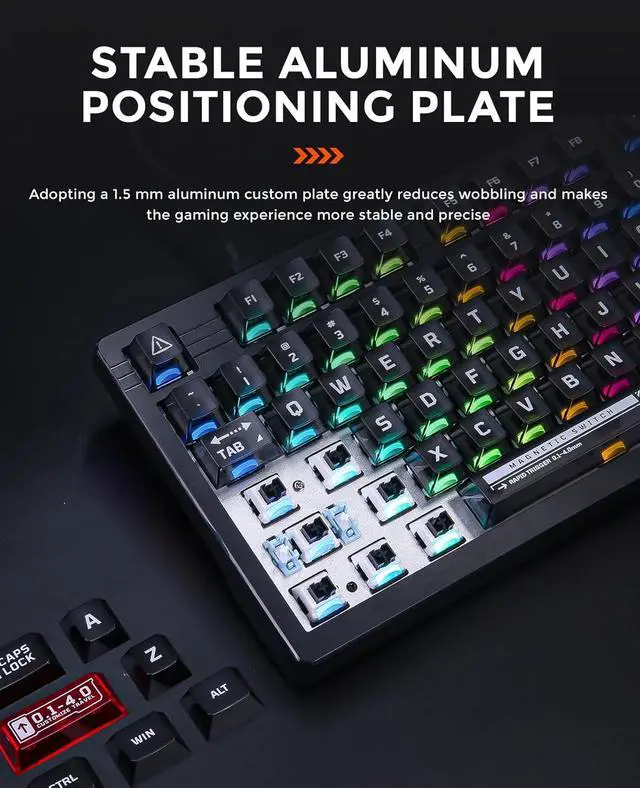
Metal Positioning Plate
Multimedia Knob
75% Layout
Portable Size
Adopting a 1.5mm aluminum board and sound-absorbing filling, more stable,solid and comfortable.

It's all made easier and more convenient(volume+/-, pause and start).

80-key compact layout,best gaming keyboard layout for full functionality and desktop space-saving.

Practical and portable, an ideal gift for your family and friends.


1. Is it compatible with Windows and Mac OS?
Yes, this keyboard is compatible with both Windows and Mac OS systems. Please note that the keyboard connects via a USB-C cable, if your device does not have a USB port, you will need to connect a hub adapter to connect your device to the keyboard.
2. Some keycaps will key or press themselves. Did I receive a defective product?
This problem can be caused by setting the trigger force of the magnetic switch too low. This can be solved by turning up the trigger point and fast trigger values instead of using trigger values as low as 0.1 in the software.
3. What should I do if some keys still self-trigger when the trigger force is turned up?
It is recommended that you update the FW version to the latest version in the settings in the upper right corner of the driver.
4. Is it possible to turn off this light? How to reset the keyboard?
Fn+Space bar=Backlight brightness cycle adjustment.
Fn+Space bar=Backlight brightness cycle adjustment.
How to avoid interference when using the magnetic switch keyboard?
The keyboard contains magnetic-sensitive components. Please keep it at least30cm away from magnetic objects such as speakers and headphones when using it.