• $122.99
  • $139.00
  • Save: $16.01 (11%)
  • Free 76-day Returns
  • Add to PC build list 
    Login to Make an Offer
    Sold by Newegg

    Shipped by Newegg

    Price alert

    Best Sellers

    5 (5 total ratings)
    • $178.99
    • + FREE SHIPPING
    Shop it at NeweggBusiness.

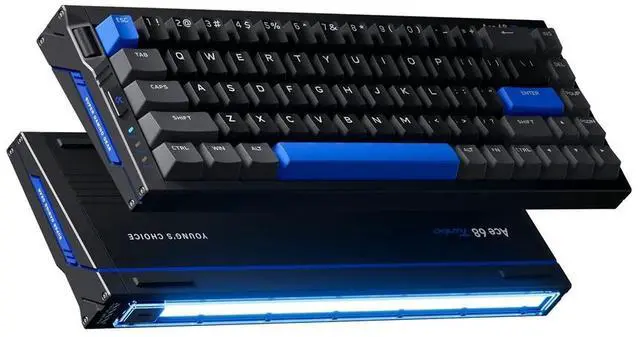
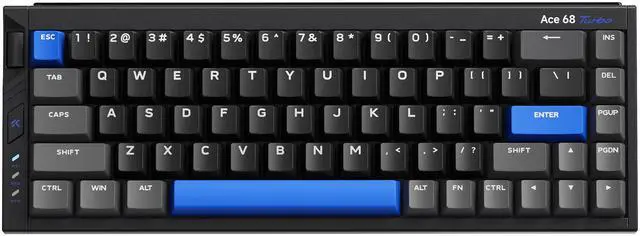
    MCHOSE Ace68 Turbo 65% Aluminum Hall Effect Magnetic Switch Keyboard, 16K Polling, Wired - Cyber Black

    • Cyber Black
    • Nova White
    • Galaxy Orange
    • Peach Pink
    • Berry Red
    • Hall Effect magnetic switch (Mount Tai Magnetic Switch GT)
    • 0.06ms ultra-low latency + 0.001mm precision
    • 16K polling rate + 256K scan rate for competitive speed
    • Full aluminum shell + dual-core MCU
    • 65% compact layout for desk space and control

    Combo Up Savings Up To $290

    The more you add, the more you'll save!

    +
    +
    Overview
    Specs
    Reviews (2)
    See all Q & A

    Any questions? Ask CelesteSM will help you find out quickly.

    MCHOSE Ace68 Turbo 65% Aluminum Hall Effect Magnetic Switch Keyboard
    Ace 68 Turbo
    65% Aluminum Hall Effect Magnetic Switch Keyboard
    MCHOSE Ace68 Turbo 65% Aluminum Hall Effect Magnetic Switch Keyboard
    MCHOSE Ace68 Turbo 65% Aluminum Hall Effect Magnetic Switch Keyboard
    MCHOSE Ace68 Turbo 65% Aluminum Hall Effect Magnetic Switch Keyboard
    MCHOSE Ace68 Turbo 65% Aluminum Hall Effect Magnetic Switch Keyboard
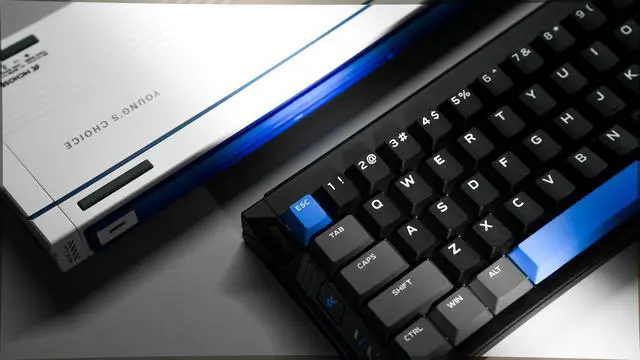
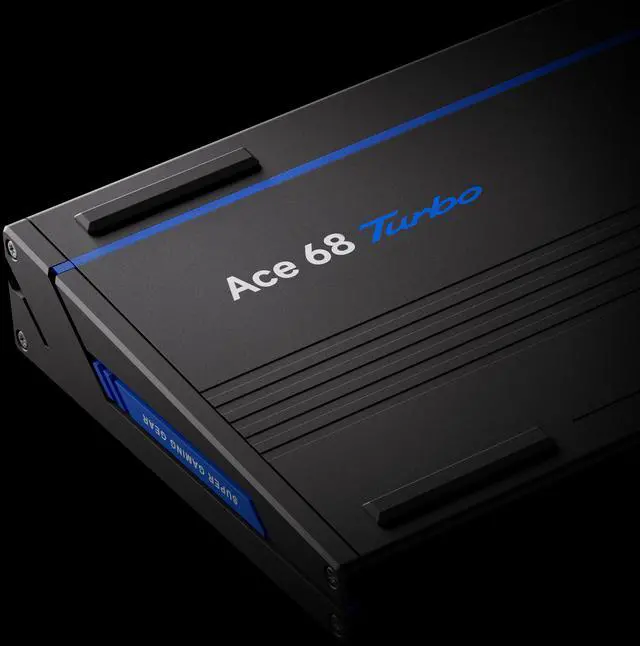
    Full CNC Aluminum Build - More Firmer, More Luxurious
    MCHOSE Ace68 Turbo 65% Aluminum Hall Effect Magnetic Switch Keyboard
    16K Polling Rate Keyboard

    The world’s first 16K ultra polling rate magnetic switch keyboard, designed as a rapid trigger keyboard for ultra-fast, precise input.

    Delivers a blazing-fast 0.06ms response time and 256K scan rate for stable, accurate control.

    Note: 16K polling rate works on Windows only; Mac supports up to 8K polling rate.

    MCHOSE Ace68 Turbo 65% Aluminum Hall Effect Magnetic Switch Keyboard
    0.001mm Precision

    0.001mm ultra-precision detection ensures faster, more consistent key presses, capturing micro-level actuation with unmatched accuracy — for faster stops and more stable rapid-fire combos.

    MCHOSE Ace68 Turbo 65% Aluminum Hall Effect Magnetic Switch Keyboard
    Dual-Core Power · Fully Self-Developed MCU

    Powered by MCHOSE’s Tianwen Solution Dual-Core MCU, running at a total frequency of 512MHz for seamless performance.

    MCHOSE Ace68 Turbo 65% Aluminum Hall Effect Magnetic Switch Keyboard
    New-Gen Hall Effect Sensor

    Next-gen Hall sensors combined with a four-layer PCB structure enhance signal stability and resistance to interference.

    MCHOSE Ace68 Turbo 65% Aluminum Hall Effect Magnetic Switch Keyboard
    MCHOSE Ace68 Turbo 65% Aluminum Hall Effect Magnetic Switch Keyboard
    MCHOSE Ace68 Turbo 65% Aluminum Hall Effect Magnetic Switch Keyboard
    Dynamic Light Bar

    Equipped with Dynamic Light Bar, supporting Music Sync 2.0 and RGB Spectrum Sync with 16 million customizable colors.

    MCHOSE Ace68 Turbo 65% Aluminum Hall Effect Magnetic Switch Keyboard
    Advanced Control

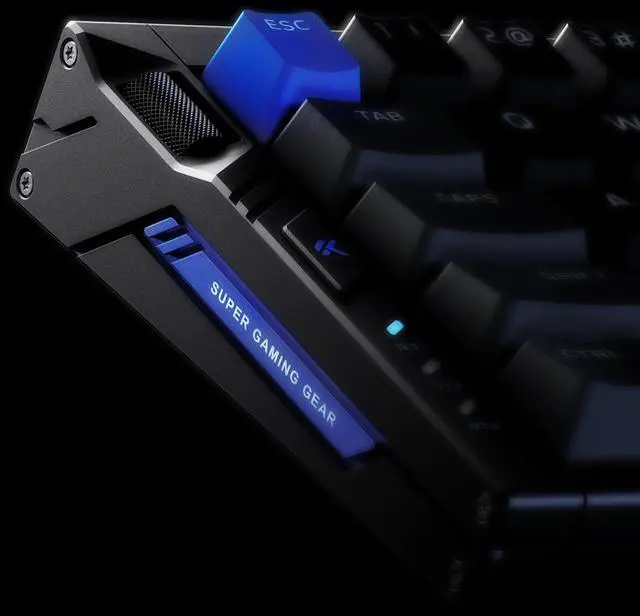
    Features a multi-function control knob and external RT button for easy switching between three RT profiles.

    MCHOSE Ace68 Turbo 65% Aluminum Hall Effect Magnetic Switch Keyboard
    Bottom Design

    Crafted with a grille-style bottom design, combining beauty and durability.

    MCHOSE Ace68 Turbo 65% Aluminum Hall Effect Magnetic Switch Keyboard
    Dual-Driver Support

    One MCHOSE HUB handles it all — full configuration and customization for MCHOSE products via Web HUB or MCHOSE HUB.

    MCHOSE Ace68 Turbo 65% Aluminum Hall Effect Magnetic Switch Keyboard
    Built for Precision and Comfort

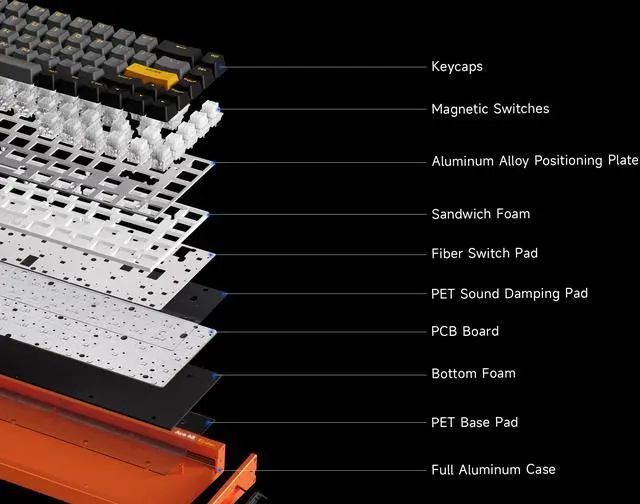
    With an aluminum plate and five-layer HiFi cushioning, the Ace 68 Turbo ensures stable, accurate keystrokes and lasting comfort for every game.

    MCHOSE Ace68 Turbo 65% Aluminum Hall Effect Magnetic Switch Keyboard
    MCHOSE Ace68 Turbo 65% Aluminum Hall Effect Magnetic Switch Keyboard
    MCHOSE Ace68 Turbo 65% Aluminum Hall Effect Magnetic Switch Keyboard
    MCHOSE Ace68 Turbo 65% Aluminum Hall Effect Magnetic Switch Keyboard

    This item comes with Mount Tai Magnetic Switch GT.

    MCHOSE Ace68 Turbo 65% Aluminum Hall Effect Magnetic Switch Keyboard
    MCHOSE Ace68 Turbo 65% Aluminum Hall Effect Magnetic Switch Keyboard
    MCHOSE Ace68 Turbo 65% Aluminum Hall Effect Magnetic Switch Keyboard
    MCHOSE Ace68 Turbo 65% Aluminum Hall Effect Magnetic Switch Keyboard
    MCHOSE Ace68 Turbo 65% Aluminum Hall Effect Magnetic Switch Keyboard
    MCHOSE Ace68 Turbo 65% Aluminum Hall Effect Magnetic Switch Keyboard

    Warranty & Returns

    Warranty, Returns, And Additional Information

    Warranty

    • Limited Warranty period (parts): 1 year
    • Limited Warranty period (labor): 1 year
    • Read full details

    Return Policies

      We want to ensure your holiday shopping this year is hassle-free. That’s why we’re automatically extending our return policies on almost every product! For purchases placed between November 1st, 2026 and December 31, 2026 you will have until January 31, 2027 to return your product.

    • Return for refund until: January 31, 2027
    • Return for replacement until: January 31, 2027
    • This item is covered by Newegg.com's Extended Holiday Return Policy.
    • Read full return policy for details.
    LOADING...
    LOADING...

    Recommended For

    • Competitive FPS and rhythm players who want to tune actuation, rapid trigger, and SOCD behavior on a compact wired board with dedicated arrow keys.
    • PC gamers moving from a standard mechanical keyboard to Hall Effect who care more about smooth key feel and fast reset behavior than wireless or analog game control.
    • Desk-bound players who specifically want a wired 65% layout to free mouse space without dropping to a 60% board that removes arrow keys.
    • Buyers shopping the value end of the Hall Effect market who want advanced gaming features and aluminum construction without paying flagship Wooting-level prices.

    Real-World Use Scenarios

    • For a small gaming desk setup, the 65% layout leaves more room for wide mouse movement while still keeping arrow keys, so the user gets a cleaner setup without fully giving up navigation keys.
    • When switching between games, work, and custom control schemes, the user can save different actuation, macro, and key-mapping profiles to the keyboard, making it practical for people who want one board for both esports and daily desktop use.
    • For users moving from plastic budget keyboards, the aluminum case and heavier build are likely to make the board feel more stable on the desk, with less shifting during intense play and a more solid everyday typing feel.
    • For general typing, coding, or office use, the keyboard should work well once the user is comfortable with layers, but the compact 65% layout means function-row-heavy workflows may require shortcuts instead of dedicated keys.
    • Users buying mainly for the 16K polling headline should expect the biggest benefit to be feature flexibility and fast Hall Effect behavior overall, while real gameplay gains from 16K alone may be hard to notice outside niche low-latency setups.

    Reference Q&A

    Q: Is this keyboard good for office work, note-taking, and everyday typing?

    A: It can work for office typing, but it is not the most office-first option. The 65% layout saves desk space, yet it removes a full function row and numpad, which some work users miss. Its Hall Effect gaming features are also more specialized than most office buyers need. It makes more sense for someone who types every day but primarily wants a compact gaming keyboard rather than a dedicated productivity keyboard.

    Q: Is the MCHOSE Ace68 Turbo a good travel or laptop companion keyboard?

    A: It is a reasonable travel desk keyboard if you want a compact wired layout, but it is not the most travel-friendly keyboard overall. The 65% size helps with portability and desk fit, but the full aluminum case likely adds weight, and it is wired only. It is better for users who move between desks and still want a premium gaming keyboard than for buyers who want a light, simple keyboard for frequent mobile work.

    Q: What are the main trade-offs versus another 65% Hall Effect keyboard like the Womier M68HE or Higround Performance 65?

    A: The Ace68 Turbo appears to emphasize a more premium build and higher headline performance, with a full aluminum shell and claimed 16K polling, while comparable retail models commonly advertise 8K polling and similar Hall Effect benefits such as adjustable actuation and rapid trigger. The trade-off is that many buyers may not notice a practical difference between 8K and 16K in normal use, so the stronger reasons to choose the Ace68 Turbo are its build quality, compact layout, and feature set rather than polling rate alone.

    Q: Who is the Ace68 Turbo best suited for?

    A: It is best suited for gamers who want Hall Effect features, a compact 65% ANSI layout, and a heavier full-aluminum board for desk use. It fits users who care more about rapid-trigger style gaming features and build quality than about portability, wireless use, or a full-size layout. It is less suitable for buyers who need dedicated function rows, numpad access, or a light travel keyboard.

    Q: Does the 16K polling rate make a real difference?

    A: For most buyers, probably not. Reddit discussion around the Ace68 Turbo repeatedly questions whether 16K polling is noticeable in normal play and treats it more as a spec advantage than a practical buying reason. A better decision basis is whether you want the keyboard's Hall Effect switches, aluminum build, and 65% layout.

    Q: Is the Ace68 Turbo a good choice for work as well as gaming?

    A: It can work well for mixed gaming and desk use if you are comfortable with a 65% layout, but it is not the most work-focused option. The compact layout saves space, yet the reduced key count means fewer dedicated keys than a 75% or full-size board. It makes more sense for users who prioritize gaming performance and desk space over spreadsheet-heavy or shortcut-heavy workflows.