- Free 30-day Returns
Meet Your Seller
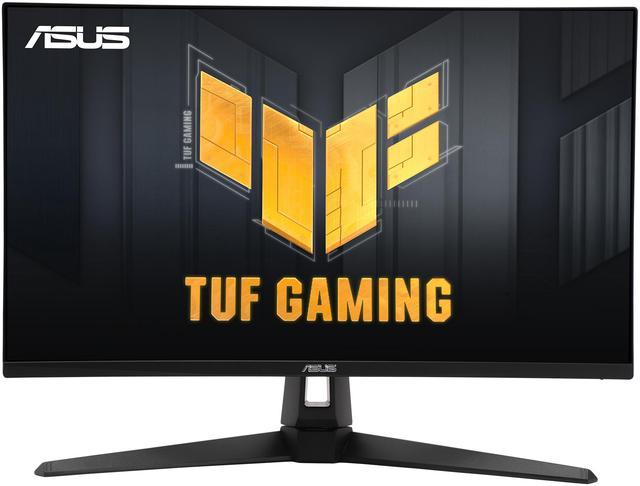
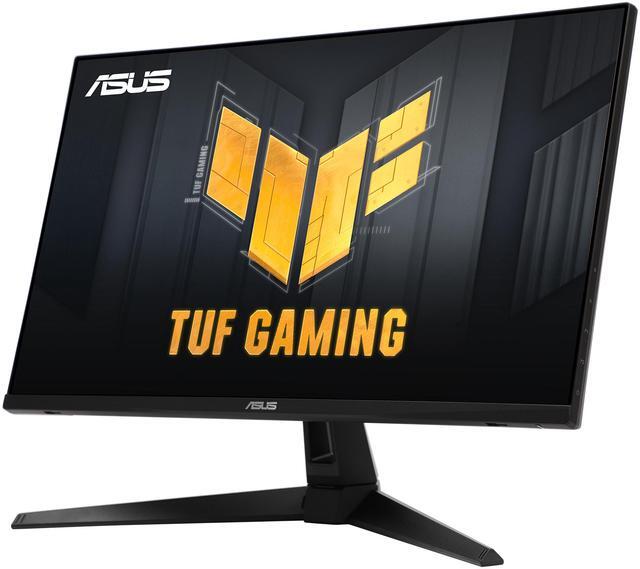
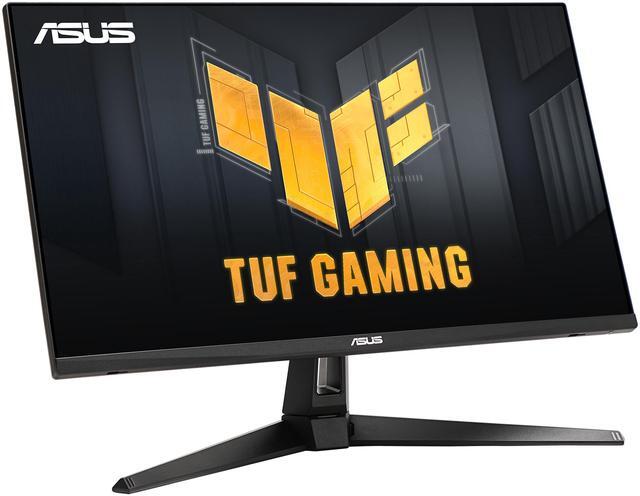
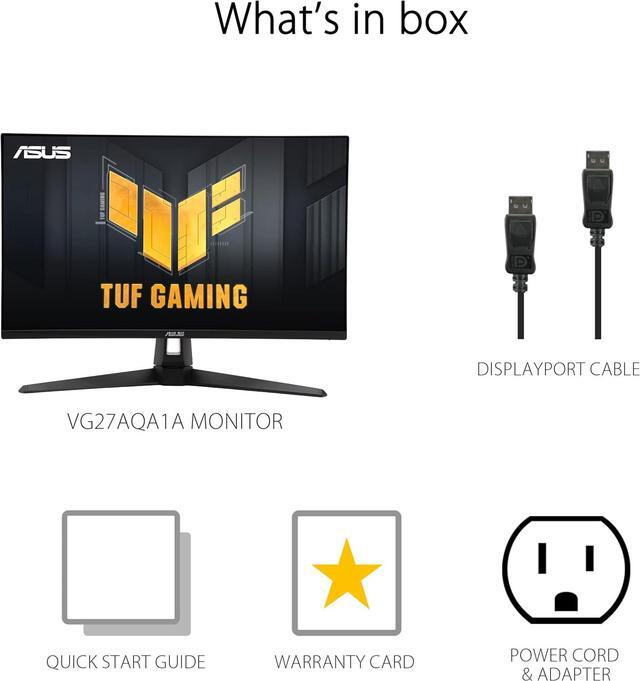
ASUS 27" 170Hz WQHD (2560 x 1440) Gaming Monitor 1ms Freesync Premium™– Overclock to Extreme Low Motion Blur™, Shadow Boost, HDR, DisplayWidget Lite TUF Gaming VG27AQA1A (above 144Hz)
- 27" WQHD (2560 x 1440) gaming monitor with overclock to 170Hz refresh rate designed for professional gamers and immersive gameplay
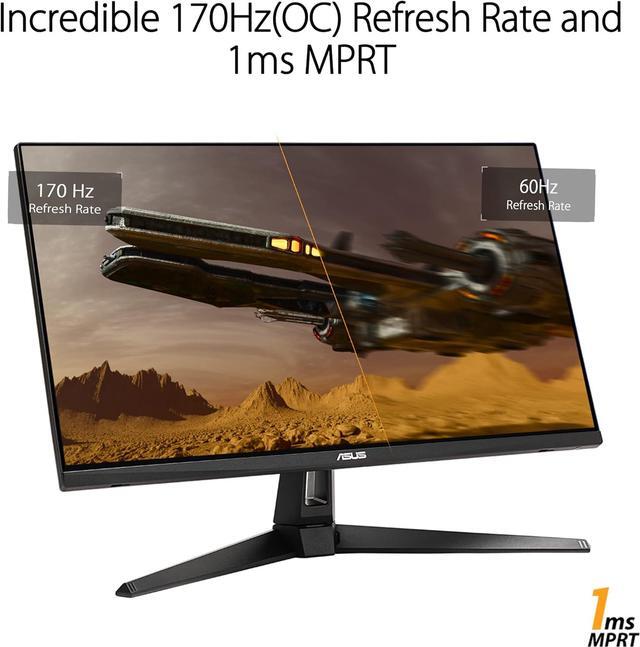
- 1ms (MPRT) response time for smooth gameplay, and ASUS Extreme Low Motion Blur (ELMB ™) technology to further reduce ghosting and motion blur
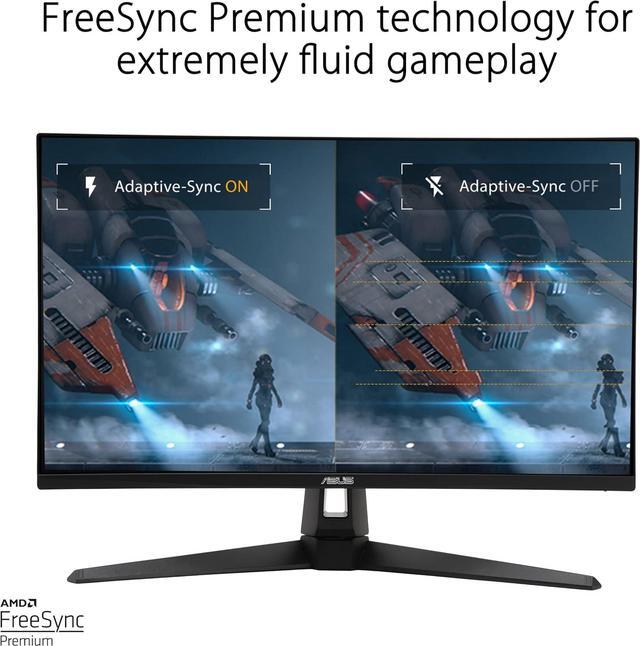
- FreeSync Premium delivers a seamless, tear-free gaming experience by enabling VRR (variable refresh rate) by default
- High Dynamic Range (HDR) technology supports HDR-10 format to enhance bright and dark areas
Any questions? Ask CelesteSM will help you find out quickly.
Gaming key spec: 170Hz Refresh Rate (OC) and 1ms (MPRT) Response TimeTUF Gaming VG27AQAY1A delivers stunning visuals from all angles. With overclock to 170Hz refresh rate decimates lag and motion blur to give you the upper hand in first person shooters, racers, real-time strategy, and sports titles. This ultrafast refresh rate lets you play at the highest visual settings and lets you react instantly to what's onscreen - so you'll get that first strike in.
Gaming key spec: Adaptive-SyncAMD FreeSync Premium technology supported through DP and HDMI ports providing variable refresh rates for low latency, stuttering-free and tearing-free while gaming.
Color performance: High Dynamic RangeTUF Gaming VG27AQAY1A takes advantage of HDR technology to deliver more vivid colors and higher contrast levels compared to traditional monitors.
Exclusive gaming feature: Extreme Low Motion Blur (ELMB) ASUS Extreme Low Motion Blur (ELMB) technology provides a 1 ms MPRT response time to eliminate smearing and motion blur. It makes moving objects appear even sharper, so gameplay is more fluid and responsiveExclusive gaming feature: Variable OverdriveIntegrated ASUS Variable Overdrive technology allows the display to dynamically alter its overdrive setting as frame rates fluctuate, ensuring optimal results for any game. You choose how strong you want the overall effect to be, then let the monitor take it from there.
In-game enhancementsDisplayWidget Lite: Intuitive ControlsASUS DisplayWidget Lite is a software utility that lets you easily and quickly tweak settings or configure ASUS-exclusive features such as Shadow Boost, ASUS GameVisual, and more. Shadow BoostASUS Shadow Boost technology clarifies dark areas of the game without overexposing brighter areas, improving overall viewing while also making it easier to spot enemies hidden in dark areas of the map. GamePlusThe ASUS-exclusive, integrated GamePlus hotkey offers in-game enhancements that help you get more out of your game. This function is co-developed with input from pro gamers, allowing them to practice and improve their gaming skills. GameVisualASUS GameVisual Technology has seven pre-set display modes to optimize visuals for different types of content. This unique feature can be easily accessed through a hotkey or the on-screen display settings menu. Flicker-Free technologyFlicker-Free technology reduces flicker to minimize eyestrain for improved comfort when you're embroiled in long gaming sessions. Low Blue LightASUS Low Blue Light technology reduces the amount of potentially harmful blue light emitted by the display. Four different filter settings are available to control the amount of blue light reduction. EngineeringExtensive ConnectivityA multitude of connectivity options, including two HDMI 2.0, plus DisplayPort 1.2, ensures wide compatibility with a variety of input sources.
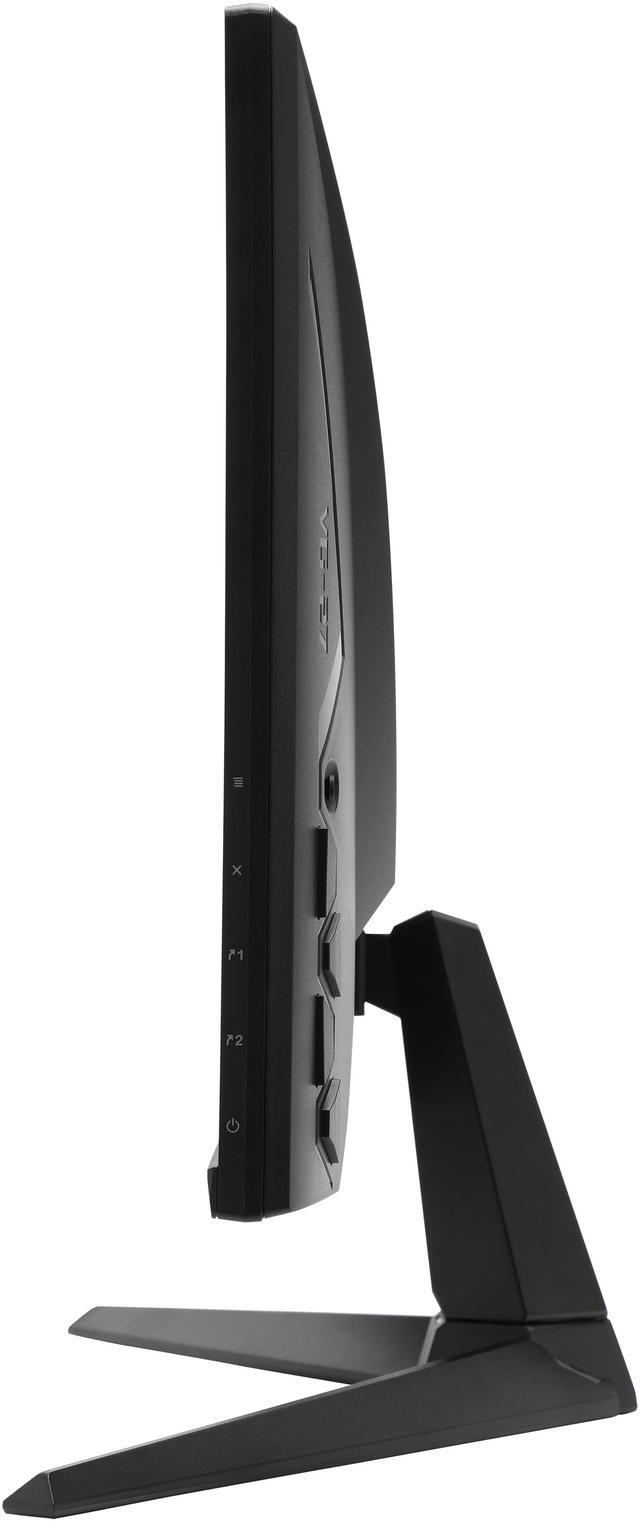
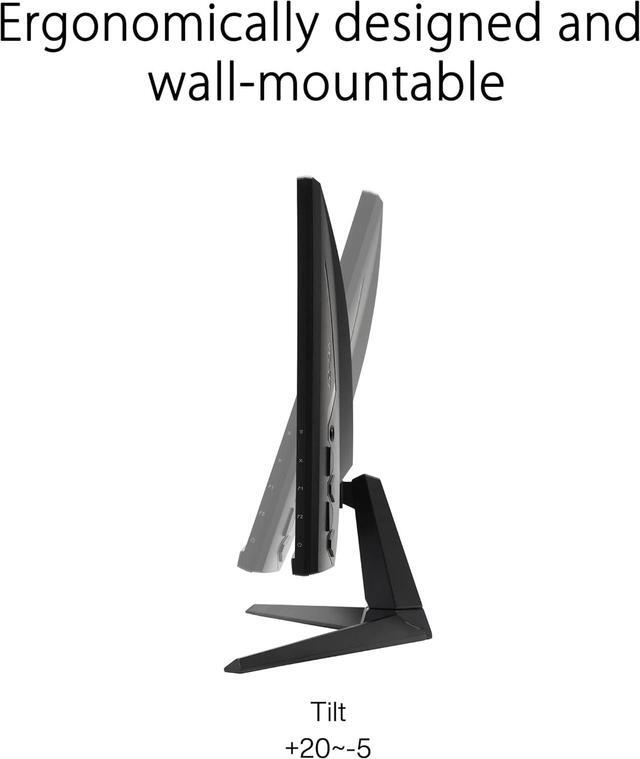
Ergonomic DesignWith an ergonomically-designed stand, it provides tilt so you can easily find your ideal viewing position. The display is also VESA-compatible for wall mounting.
Warranty & Returns
Warranty, Returns, And Additional Information
Warranty
- Please contact the Seller directly for warranty information. Warranty information may also be found on the Manufacturer's website.
- Read full details
- CONTACT
Return Policies
- Return for refund within: 30 days
- Return for replacement within: non-replaceable
- This item is covered by Adorama Return Policy
Manufacturer Contact Info
- For a directory of all our manufacturers, please click below.
- Manufacturers Directory
The ASUS TUF Gaming VG27AQA1A is a 27-inch WQHD gaming monitor with an overclockable 170Hz refresh rate, 1ms MPRT response time, and FreeSync Premium, making it suited to PC gamers who prioritize fast, smooth gameplay.
Recommended For
- PC gamers with a system that can drive high frame rates at 1440p who want a 27-inch display with refresh rates up to 170Hz and variable refresh rate support.
- PS5 or Xbox players who want to play at 1440p and use supported high-refresh console modes; a video review specifically tests this monitor for PS5 and Xbox Series X.
- Gamers who value stronger-looking blacks and contrast for darker, immersive games: this model uses a VA panel and ASUS rates its contrast at 3000:1.
- Desk users who want one 27-inch screen for 1440p gaming and everyday PC tasks such as browsing, documents, and multitasking, without prioritizing a 4K resolution.
Real-World Use Scenarios
- On a gaming PC, play action, racing, or sports games at 1440p with smoother motion than a standard 60Hz display when the computer can deliver higher frame rates.
- In fast-paced PC games such as first-person shooters and racers, use the high-refresh mode and ELMB to make moving targets and scenery appear clearer; the result can vary with the game and settings.
- When PC frame rates rise and fall during demanding games, Adaptive-Sync can help reduce visible tearing and stutter for a more consistent-feeling game.
- For darker games, use Shadow Boost to make details in shadowed areas easier to see without changing the game’s overall brightness manually.
- For everyday desktop use between gaming sessions, the 27-inch 1440p screen provides a detailed workspace for browsing, documents, and streaming video.
Spec Summary
| Attribute | Value |
|---|---|
| Best For | Gaming setups seeking a 27-inch QHD display with up to 170Hz refresh, 1ms response time, and FreeSync Premium |
| Panel And Resolution | 27-inch VA LCD panel with 2560 × 1440 WQHD resolution, 16:9 aspect ratio, matte finish, 178° horizontal and vertical viewing angles, 300 cd/m² brightness, 3000:1 contrast ratio, 99% sRGB, 16.7 million colors, and 0.231 mm pixel density |
| Refresh Rate And Response | Up to 170Hz refresh rate with 1ms response time |
| Picture Enhancements | HDR10, AMD FreeSync Premium adaptive sync, Extreme Low Motion Blur (ELMB), and Shadow Boost |
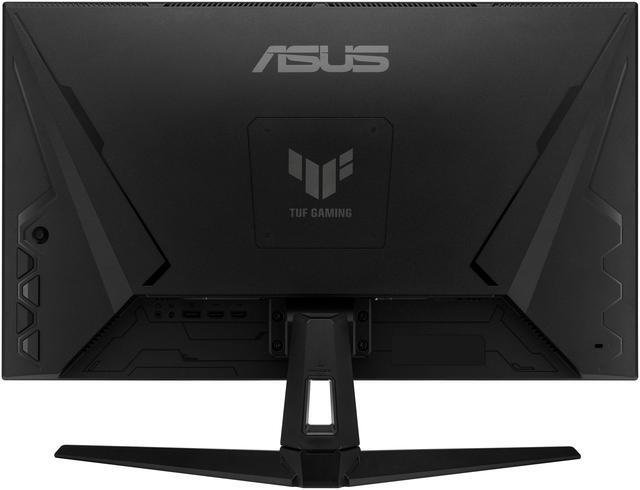
| Ports And Connectivity | 2 HDMI 2.0 ports, 1 DisplayPort 1.2, 1 3.5mm earphone jack, and 2 USB ports (1 USB 2.0 and 1 USB 3.0) |
| Stand And Mounting | Stand tilt adjusts from -5° to +20°; compatible with 100 × 100 mm VESA mounts |
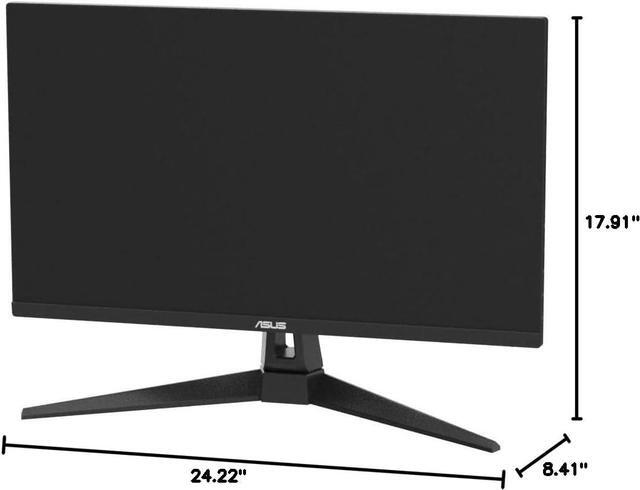
| Physical Design And Dimensions | Black cabinet; 615.19 × 545.86–213.54 mm with stand and 615.19 × 366.36 × 50.5 mm without stand; net weight 4.65 kg with stand and 3.85 kg without stand |
| Power | 100–240 VAC, 50/60Hz power supply |
| Model Identifiers | ASUS VG27AQA1A; part number 90LM05Z0-B063B0 |
Reference Q&A
Q: ASUS VG27AQA1A vs VG27AQ1A: which should I choose?
A: Choose the VG27AQA1A if you want a VA panel and its listed 3000:1 typical contrast ratio for high-contrast gaming. Choose the VG27AQ1A if you prefer an IPS panel and its advertised 130% sRGB color gamut. Both are 27-inch 1440p monitors with a 170Hz refresh rate.
Q: Should I get the ASUS VG27AQA1A or the VG27AQ3A for 1440p gaming?
A: Choose the VG27AQA1A for a VA panel, 170Hz overclocked refresh rate, and 3000:1 typical contrast ratio. Choose the VG27AQ3A if you want a Fast IPS panel, 180Hz refresh rate, and ELMB Sync, which ASUS says can work alongside variable refresh rate. Both are 27-inch QHD monitors with HDR10 support.
Q: Is the ASUS VG27AQA1A a good upgrade from the older VG27AQ?
A: The VG27AQA1A is a fitting upgrade if you want a 170Hz overclocked refresh rate and a VA panel with a listed 3000:1 typical contrast ratio. The VG27AQ is a 165Hz IPS monitor with ELMB Sync and NVIDIA G-SYNC compatibility, so it remains an option for buyers who want those features. Both provide 27-inch QHD resolution and HDR10 support.
Q: Who is this monitor suitable for?
A: It suits PC gamers who want a 27-inch, 2560 × 1440 display with a refresh rate of up to 170Hz, plus people who want one screen for gaming and everyday office tasks. Its stand tilts but does not list height adjustment, so check that the fixed stand height works for your desk or plan to use a monitor arm if supported.
Q: Can I use it with a PS5 or Xbox?
A: It has two HDMI 2.0 inputs, so it can connect to a console with HDMI output. The provided specifications do not confirm which resolution and refresh-rate combinations it supports from each console, so verify 1440p at 120Hz compatibility for your console before buying. Consoles may also not use the monitor’s full 170Hz refresh rate.
Q: Can it reach 170Hz?
A: The listed 170Hz rate is an overclocked maximum. Reaching it depends on using a compatible computer, connection, and display settings; the supplied specifications do not state the maximum refresh rate for each port. Check your graphics card’s output and the monitor’s setup instructions if 170Hz is important to you.
Q: Does it have built-in speakers?
A: The provided specifications list a 3.5mm earphone jack but do not list built-in speakers. If you need audio, plan to use headphones or external speakers and check the product manual to confirm the audio connection details.
Q: Does the VG27AQA1A have noticeable ghosting or black smearing in games?
A: Experiences may vary. One owner reported minimal ghosting, while Reddit discussions also raise concerns about VA-panel smearing. Its 170Hz refresh rate and 1ms MPRT specification do not guarantee that all motion artifacts will be absent.
Q: Does the stand adjust for height?
A: No. The listed stand adjustment is tilt only (+20° to −5°); a Reddit owner also described the stand as fixed-height. Consider a monitor arm or separate stand if height adjustment is important.
Q: Can HDR and FreeSync cause flicker on this monitor?
A: One owner reported brightness flicker with HDR and FreeSync enabled together, which stopped when either feature was turned off. This is a user report, not evidence that every unit will have the issue; it may matter if you plan to use both features simultaneously.