• $629.99
  • Free 30-day Returns
  • Sold by Adorama
    Top Rated
    4.5 (5,784 seller ratings)

    Shipped by Adorama

    Price alert

    Best Sellers

    4.4 (3,116 total ratings)
    • $685.09
    • + FREE SHIPPING
    Top Rated
    4.4 (8,593 total ratings)
    • $698.41
    Top Rated
    5 (6 total ratings)
    • $769.99
    • + FREE SHIPPING
    Shop it at NeweggBusiness.

    Meet Your Seller

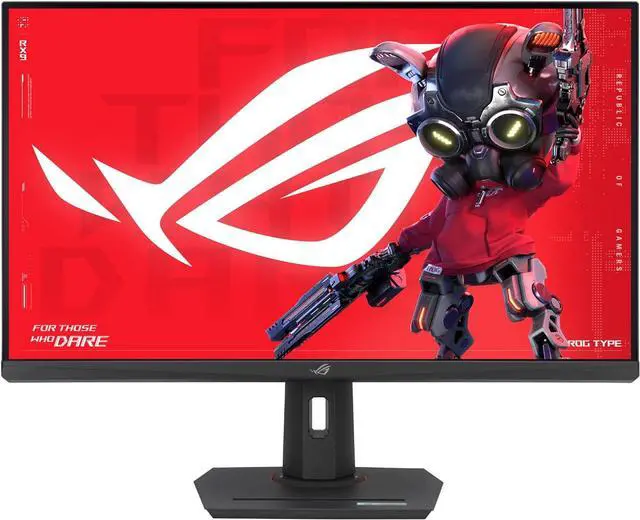
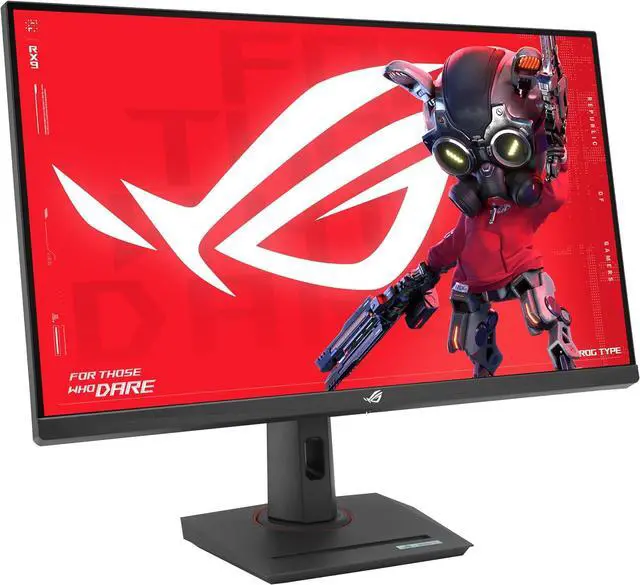
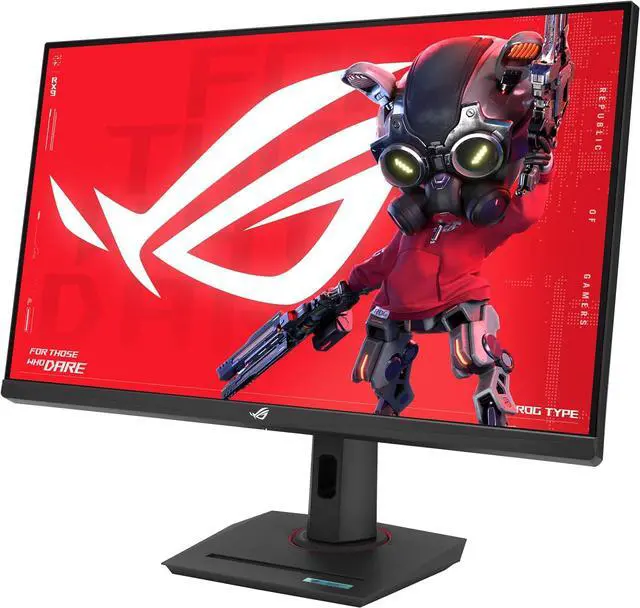
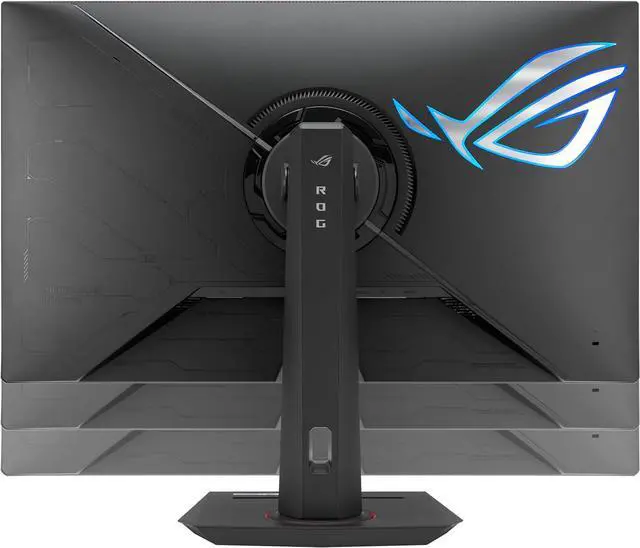
    ASUS ROG Strix 32 inch Dual mode UHD 4K 160Hz Full HD 320Hz IPS G-SYNC Compatible HDR400 ELMB, USB-C Gaming Computer Monitor with Height Adjustable, Swivel & Tilt Stand XG32UCG

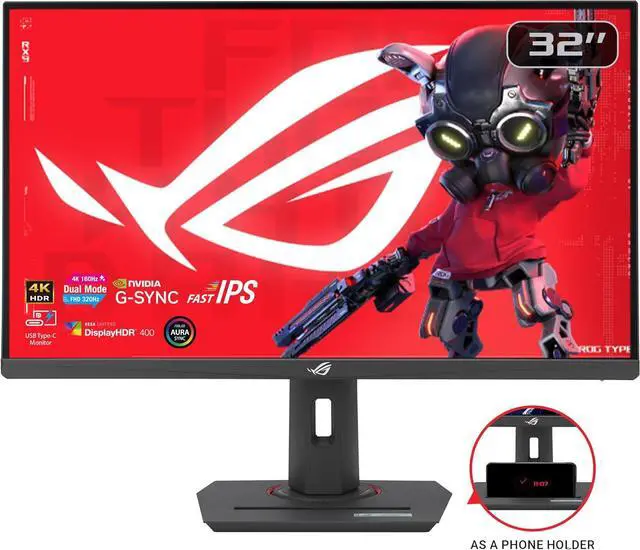
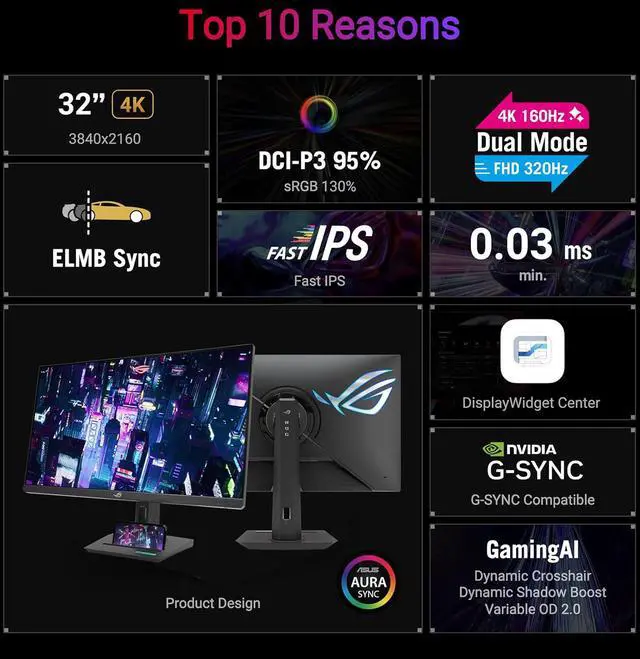
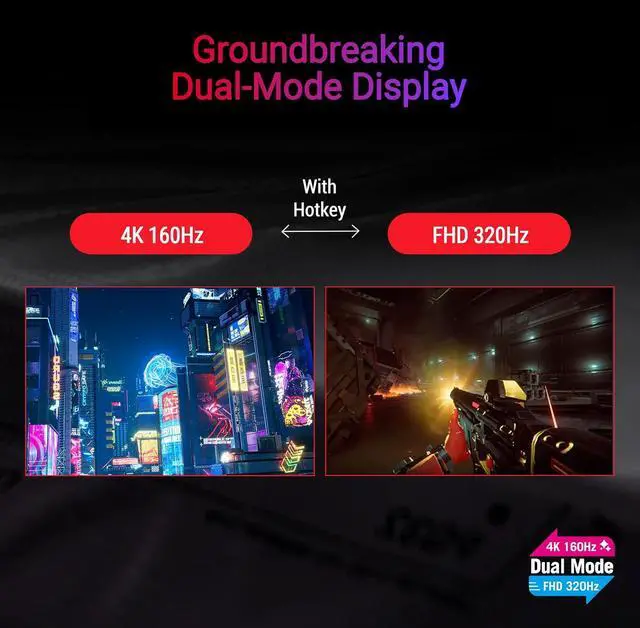
    • 32-inch 4K (3840 x 2160) gaming monitor with versatile dual mode (4K @ 160 Hz or FHD @ 320 Hz)
    • ASUS Fast IPS technology enables a 0.3ms response time (minimum) for sharp gaming visuals with high frame rates
    • ASUS Extreme Low Motion Blur Sync (ELMB SYNC) technology enables ELMB together with variable refresh rate, eliminating ghosting and tearing for sharp gaming visuals with high frame rates
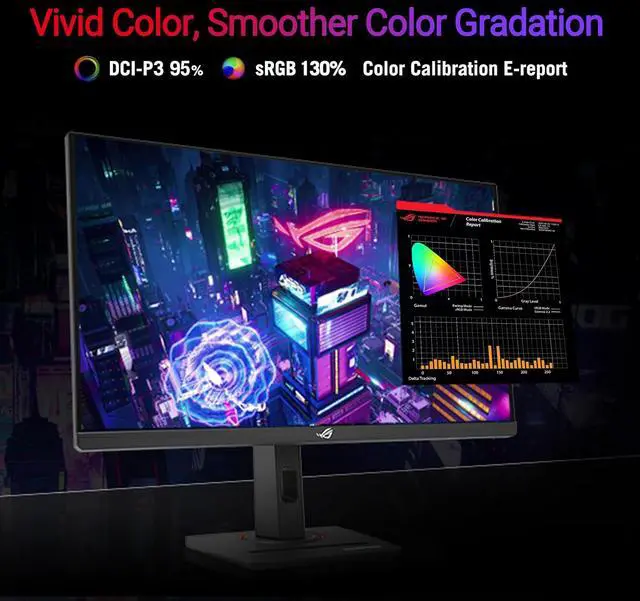
    • 95% DCI-P3 color gamut with ASUS advanced gray-scale tracking technology ensures smoother color gradation delivered and uniformity
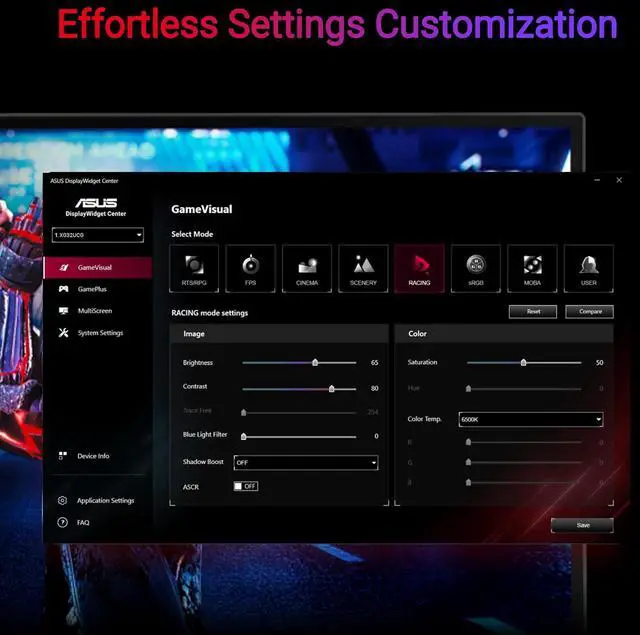
    • DisplayWidget Center enables easy monitor settings adjustments with a mouse
    • USB Type-C with DP Alt mode, meaning that you can connect your device with clutter-free set-up
    • ROG Gaming A.I technology with AI-powered features to enhance users' gaming experience.
    • Free 3-month Adobe Creative Cloud Subscription: Receive complimentary access with the purchase of this product (offer valid until 08/31/2025)
    +
    +
    Overview
    Specs
    Reviews (1)
    See all Q & A

    Any questions? Ask CelesteSM will help you find out quickly.

    Utility RedefinedElevate your gaming experience with the ROG Strix XG32UCG, meticulously crafted for utility and performance. Immerse yourself with Frame Rate Boost, allowing the monitor to easily switch via hotkey to a 1080p 320Hz mode for esports ready performance and lightning-fast 1ms response time. Conquer challenges effortlessly with AI-powered features, and enhance your connectivity options with the inclusion of a versatile Type-C connection, ensuring you stay ahead while enjoying the convenience of modern connectivity.Visual Brilliance Beyond CompareImmerse yourself in stunning visual precision with the ROG Strix XG32UCG. Its Fast IPS technology, coupled with a vivid 4K resolution and Display HDR400 support, ensures an unparalleled gaming and multimedia experience, bringing every detail to life with vibrant colors and remarkable clarity.Groundbreaking Dual-Mode DisplayThe ROG Strix XG32UCG gaming monitor breaks the mold with amazing dual-mode feature. This 31.5-inch gaming display allows you to switch between stunning 4K @ 160 Hz all the way up to a mind-blowing FHD @ 320 Hz visuals with just a tap of a hotkey.Tear-Free, Ghost-Free GamingEnjoy a tear-free gaming experience with G-SYNC & FreeSync compatibility. This ensures smooth, synchronized visuals by enabling variable refresh rate (VRR). Additionally, ELMB-SYNC technology eliminates ghosting and tearing for sharp visuals and high frame rates while gaming. Integrated ASUS Variable Overdrive technology dynamically adjusts the monitor's overdrive setting as frame rates fluctuate, ensuring optimal results for any game.Vivid Colors, Factory Checked
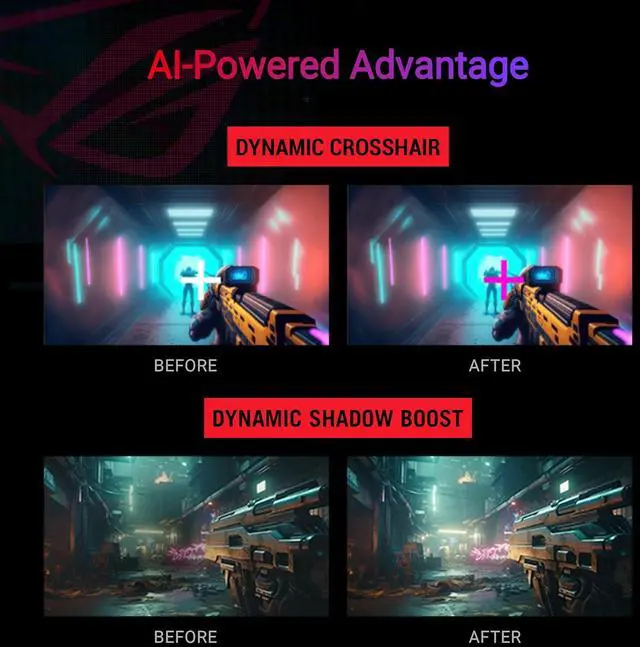
    Immerse yourself in a wider range of vibrant colors with a cinema-standard DCI-P3 95% and sRGB 130% color gamut. Each monitor undergoes rigorous factory checks to ensure color accuracy, guaranteeing a lifelike and immersive visual experience.Versatile ConnectivityConnect your devices with ease thanks to the extensive connectivity options, including a Type-C port supports DP Alt mode for video out and power delivery, DisplayPort 1.4 for high-resolution and high-refresh-rate connections, and HDMI port for connecting consoles and other multimedia devices.AI-Powered AdvantageWith AI-powered GamePlus technology, the monitor analyzes the scene on-screen in real-time and adjusts the GamePlus crosshair to enhance targeting accuracy. Additionally, Dynamic Shadow Boost brightens dark areas without overexposing bright areas, providing a clear advantage in low-light environments.Compact Design, Ergonomic ComfortThis monitor boasts a compact footprint, saving valuable desk space. It also features a convenient phone holder on the stand, allowing you to easily keep your phone within reach and charge it simultaneously via the Type-C port. The ergonomically-designed stand provides tilt, swivel, and height adjustment, ensuring you find the perfect viewing position for all-day comfort. Additionally, VESA compatibility lets you mount the monitor to the wall for even greater flexibility.Effortless Settings CustomizationEasily adjust your monitor settings through the intuitive DisplayWidget Center app, eliminating the need for physical buttons. Customize your settings for different games and applications with ease.Sustaining an Incredible FutureEco-friendly PackagingASUS is committed to environmental responsibility. This monitor is shipped in packaging made from 100% recycled cardboard, minimizing waste and promoting sustainable practices.

    Warranty & Returns

    Warranty, Returns, And Additional Information

    Warranty

    • Please contact the Seller directly for warranty information. Warranty information may also be found on the Manufacturer's website.
    • Read full details
    • CONTACT

    Return Policies

    • Return for refund within: 30 days
    • Return for replacement within: non-replaceable
    • This item is covered by Adorama Return Policy

    Manufacturer Contact Info

    LOADING...
    LOADING...

    The ASUS ROG Strix XG32UCG is a 31.5-inch 4K Fast IPS gaming monitor with dual modes: 4K at 160Hz for detailed, high-refresh gaming or Full HD at 320Hz for especially fast gameplay. It suits players who want to switch between visual detail and competitive speed.

    Recommended For

    • PC gamers who alternate between visually detailed single-player games and competitive shooters can use 4K at up to 160Hz for the former and switch to 1080p at up to 320Hz when prioritizing motion clarity and responsiveness. The trade-off is a softer image in the lower-resolution mode on a 31.5-inch screen.
    • Players who want a large, sharp desktop image for 4K gaming and everyday screen use, while still having a high-refresh mode for games that benefit from faster motion, are a strong fit. The IPS panel also offers wide viewing angles, but its contrast is limited compared with panels designed for deeper blacks.
    • Desk users switching between a gaming PC and a laptop can use USB-C for video input, alongside DisplayPort and HDMI for other devices. USB-C provides only 15W of power, so this is a fit for users who do not need the monitor to fully charge a laptop.

    Real-World Use Scenarios

    • For visually rich PC games, use 4K mode to see detailed environments and keep motion smooth; the actual frame rate depends on whether the PC can drive the game at that resolution.
    • When switching from story-driven games to competitive shooters, select 1080p mode for faster on-screen motion; the trade-off is a visibly softer image than 4K on the large screen.
    • For a single desk setup used for work and gaming, keep 4K mode for sharp text and desktop space, then switch modes when a game benefits more from faster motion than fine detail.
    • For compatible consoles, connect over HDMI to play supported games with 4K output and variable refresh rate; the console and game determine the resolution and frame rate you actually get.
    • For a compatible laptop, use USB-C to send video to the monitor with one cable for a tidier desk; its 15 W power delivery may not be enough to charge many laptops during use.

    Spec Summary

    AttributeValue
    Best ForGaming in 4K at 160Hz or Full HD at 320Hz, with listed uses also including photo and video editing and business; compatible with desktop and laptop computers
    Panel And Resolution31.5-inch flat, matte anti-glare Fast IPS LCD/LED panel with 3840 × 2160 native resolution, 16:9 aspect ratio, 178° horizontal and vertical viewing angles, 350 cd/m² brightness, 1,000:1 contrast, 1.07 billion colors, and 130% sRGB / 95% DCI-P3 gamut
    Refresh Rate And ResponseDual-mode refresh rates of 160Hz at 4K and 320Hz at Full HD; 1ms GTG and 0.3ms minimum response time
    HDR And Adaptive SyncHDR10 support with G-SYNC Compatible adaptive sync
    Gaming And Eye Care FeaturesELMB and ELMB Sync, Trace Free, GamePlus, Game Visual, Shadow Boost, Low Blue Light, and flicker-free features
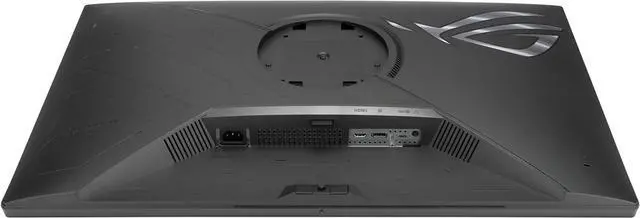
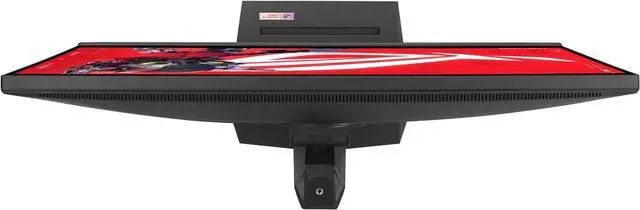
    Ports And Connectivity1 HDMI 2.1 port, 1 DisplayPort 1.4, 1 USB-C port with DisplayPort Alt Mode, and an earphone jack
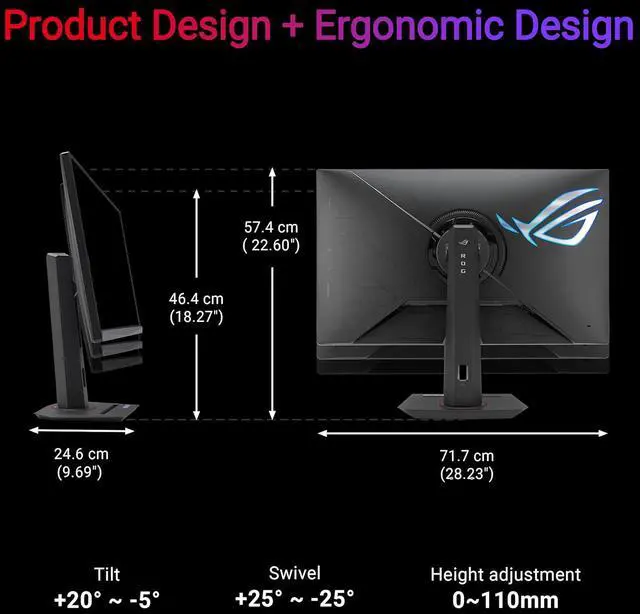
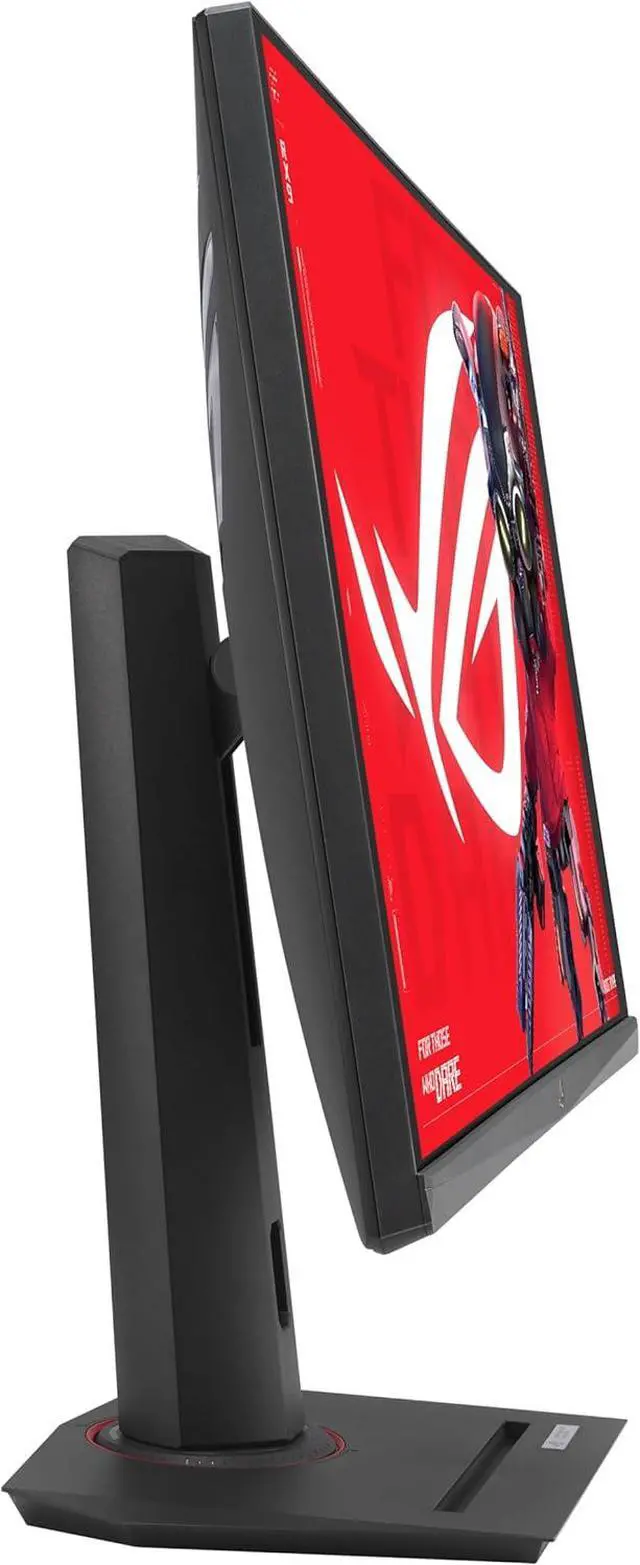
    Stand And ErgonomicsHeight adjustable from 0 to 110mm, tilts from -5° to +20°, swivels from -25° to +25°, and supports 100 × 100mm VESA mounting
    Power100–240 VAC, 50/60Hz input; power consumption under 30W when on, under 0.5W in standby, and under 0.3W when off
    Dimensions And WeightWith stand: 22.60 × 28.23 × 9.69 inches and 21.83 lb; without stand: 16.93 × 28.23 × 3.23 inches and 14.55 lb
    Color And Model IdentifiersBlack ASUS ROG Strix, model XG32UCG
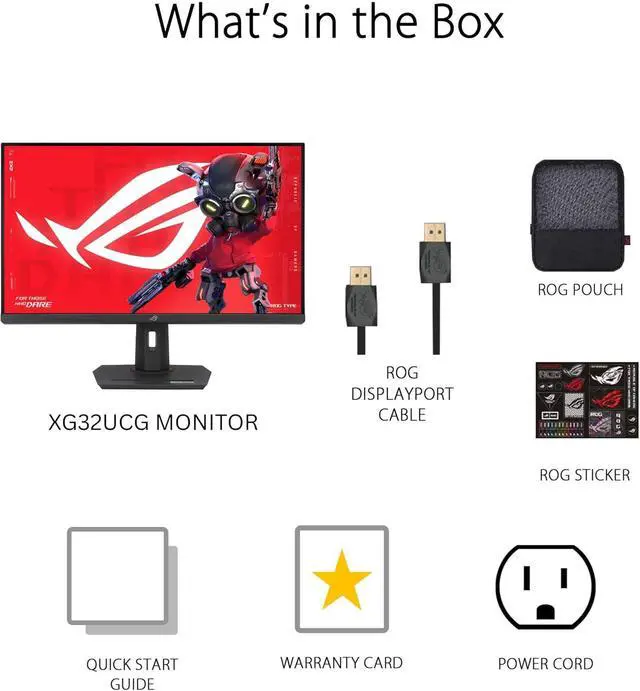
    Included In The BoxDisplayPort cable, power adapter and cord, quick start guide, ROG pouch, ROG sticker, and warranty card

    Reference Q&A

    Q: ASUS ROG Strix XG32UCG or XG32UCWMG: which 32-inch gaming monitor should I choose?

    A: Choose the XG32UCG for a Fast IPS panel with 4K at 160Hz, FHD at 320Hz, and USB-C connectivity. Choose the XG32UCWMG if you want a WOLED panel and higher refresh rates: 4K at 240Hz or FHD at 480Hz. Both offer dual-mode gaming, so the choice mainly comes down to panel type and the refresh-rate level you want.

    Q: Should I use the XG32UCG in 4K 160Hz or FHD 320Hz mode?

    A: Use 4K at up to 160Hz when image detail is the priority, and switch to FHD at up to 320Hz when you want a higher refresh rate for fast-paced games. The XG32UCG’s dual mode lets you choose between those resolution and refresh-rate combinations on the same 31.5-inch Fast IPS monitor.

    Q: ASUS ROG Strix XG32UCG or XG32UCWG: which one fits my gaming setup?

    A: Choose the XG32UCG for Fast IPS with dual modes of 4K at 160Hz and FHD at 320Hz. Choose the XG32UCWG for WOLED with 4K at 165Hz and FHD at 330Hz. Both are 31.5-inch 4K dual-mode monitors, making panel type and the small refresh-rate difference useful points to compare.

    Q: ASUS ROG Strix XG32UCG or XG32UQ: what’s the main difference?

    A: Choose the XG32UCG if you want dual-mode switching between 4K at 160Hz and FHD at 320Hz, plus USB-C with DisplayPort Alt Mode. The XG32UQ is a 4K Fast IPS monitor that reaches 160Hz with overclocking and is specified with DisplayHDR 600. Both provide a 32-inch-class 4K gaming display; compare the XG32UCG’s mode flexibility and USB-C with the XG32UQ’s listed HDR standard.

    Q: Can I use this monitor for office work and both detailed and fast-paced gaming?

    A: Yes. Its 4K mode supports up to 160 Hz for detailed work and gaming, while its Full HD mode supports up to 320 Hz for high-frame-rate play. The trade-off is that the faster mode uses a lower resolution; your computer and game must also support the selected resolution and refresh rate.

    Q: Can I connect a laptop to the monitor with USB-C and charge it at the same time?

    A: USB-C can carry video to the monitor when the laptop supports DisplayPort Alt Mode, but the provided specifications do not list USB-C power delivery. Plan to power the laptop separately; USB-C video output also depends on the laptop and cable.

    Q: Can I connect a gaming console to it?

    A: Yes. The monitor has an HDMI 2.1 input for a compatible console. The resolution and refresh rate you get depend on the console, game, cable, and display settings; the monitor’s 320 Hz Full HD mode does not mean a console will output at 320 Hz.

    Q: Can I mount it on a monitor arm or wall mount?

    A: Yes. It supports 100 × 100 mm VESA mounting. Check that the mount supports the monitor’s size and weight: the display weighs 14.55 lb without its stand.

    Q: Is the XG32UCG suitable for both work and gaming?

    A: It can suit mixed use if you want a 31.5-inch 4K screen for work and high-refresh gaming. One owner discussing mostly spreadsheets and documents with some gaming reported sharp text and a strong 4K gaming image. The 4K mode reaches 160Hz; actual gaming performance also depends on your computer.

    Q: Is the 320Hz mode worth using on a 32-inch screen?

    A: It may be useful for competitive games if your system can produce very high frame rates, but it switches the display to Full HD. An owner reported that the 1080p image looked less sharp than 4K, so the mode trades detail for refresh rate. One discussion also reports a resolution limitation when using 320Hz with a smaller aspect-control setting.

    Q: Is it a good choice if HDR and contrast are priorities?

    A: Consider it primarily for its 4K resolution, refresh rate, and Fast IPS panel—not for especially strong HDR or contrast. The supplied specifications list a 1,000:1 contrast ratio and HDR support; Reddit discussions comparing it with other 4K monitors also raise questions about IPS image characteristics and alternatives.