• $399.00
  • Free 30-day Returns
  • Sold by Adorama
    Top Rated
    4.5 (5,784 seller ratings)

    Shipped by Adorama

    Price alert

    Best Sellers

    Hot Seller
    4.4 (545 total ratings)
    • $339.99
    • + FREE SHIPPING
    Top Rated
    5 (6 total ratings)
    • $357.99
    • + FREE SHIPPING
    4.4 (3,116 total ratings)
    • $486.99
    • + FREE SHIPPING
    Shop it at NeweggBusiness.

    Meet Your Seller

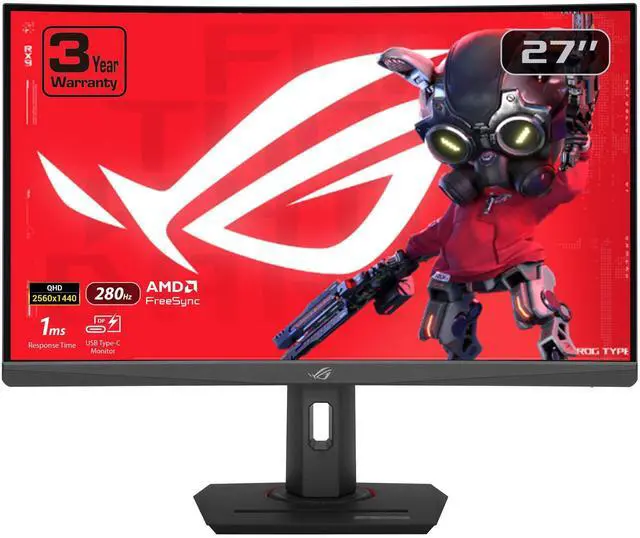
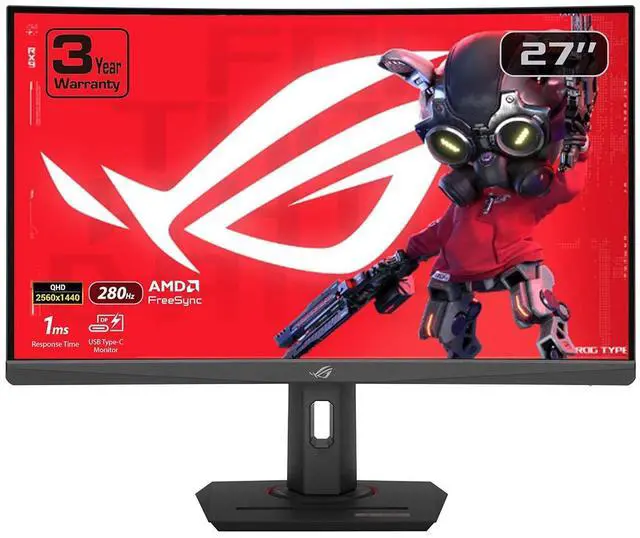
    ASUS ROG Strix 27” 1440P USB-C Curved HDR Gaming Monitor (XG27WCMS) - QHD, 280Hz, 1ms, Fast VA, Extreme Low Motion Blur Sync, FreeSync Premium, DisplayWidget, Tripod Socket, AI Gaming

    • 27"
    • Fast VA
    • 280Hz
    • 3000:1
    • 16.7 Million
    • 1 x DisplayPort 1.4 1 x USB Type-C
    +
    +
    Overview
    Specs
    Reviews
    See all Q & A

    Any questions? Ask CelesteSM will help you find out quickly.

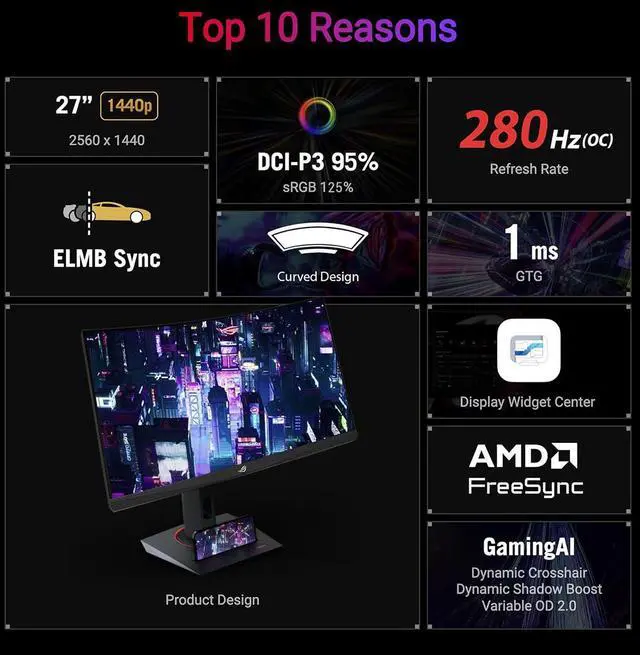
    Utility RedefinedElevate your gaming experience with the ROG Strix XG27WCMS, meticulously crafted for utility and performance. Immerse yourself in smooth, lifelike visuals boasting a 1440p resolution, overclock to 280Hz refresh rate, and lightning-fast 1ms response time. Conquer challenges effortlessly with AI-powered features and enhance your connectivity options with the inclusion of a versatile Type-C connection, ensuring you stay ahead while enjoying the convenience of modern connectivity. Visual Brilliance Beyond CompareImmerse yourself in stunning visual precision with the ROG Strix XG27WCMS. Its curved design technology, coupled with a vivid 1440p resolution and Display HDR400 support, ensures an unparalleled gaming and multimedia experience, bringing every detail to life with vibrant colors and remarkable clarity.

    Seamless Speed and PrecisionDecimate lag and motion blur with an overclocked 280Hz refresh rate and lightning-fast 1ms (GTG) response time. This combination ensures smooth, responsive gameplay, giving you the edge in fast-paced titles like first-person shooters, racing games, and real-time strategy games. React instantly to on-screen action and land those critical shots with confidence. Tear-Free, Ghost-Free GamingEnjoy a tear-free gaming experience with FreeSync Premium compatibility. This ensures smooth, synchronized visuals by enabling variable refresh rate (VRR) by default. Additionally, ELMB-SYNC technology eliminates ghosting and tearing for sharp visuals and high frame rates while gaming.

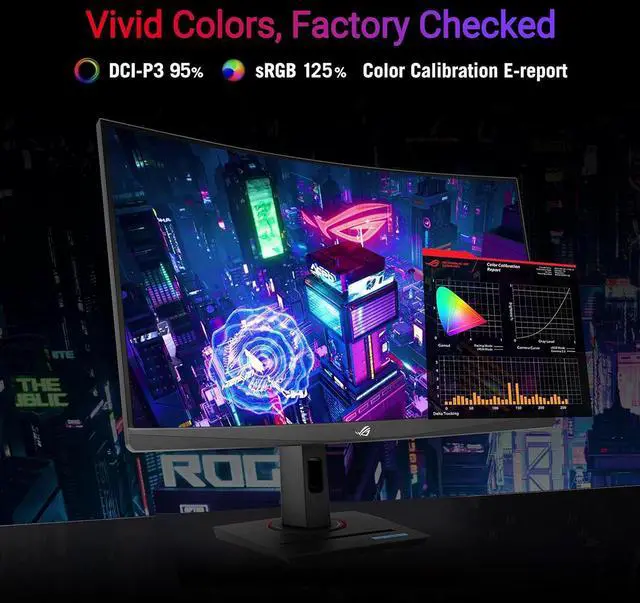
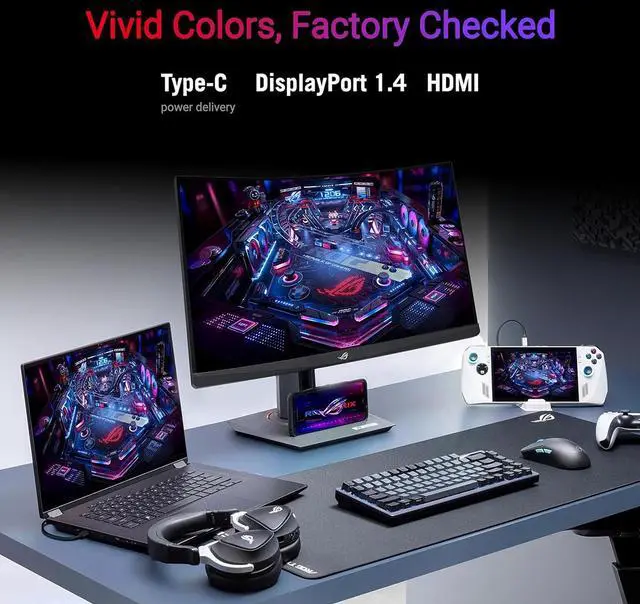
    Integrated ASUS Variable Overdrive technology dynamically adjusts the monitor's overdrive setting as frame rates fluctuate, ensuring optimal results for any game. Vivid Colors, Factory CheckedImmerse yourself in a wider range of vibrant colors with a cinema-standard DCI-P3 95% and sRGB 125% color gamut. Each monitor undergoes rigorous factory checks to ensure color accuracy, guaranteeing a lifelike and immersive visual experienceVersatile ConnectivityConnect your devices with ease thanks to the extensive connectivity options, including a Type-C port supports DP Alt mode for video out and power delivery, DisplayPort 1.4 for high-resolution and high-refresh-rate connections, and HDMI 2.1 port for connecting consoles and other multimedia devices.

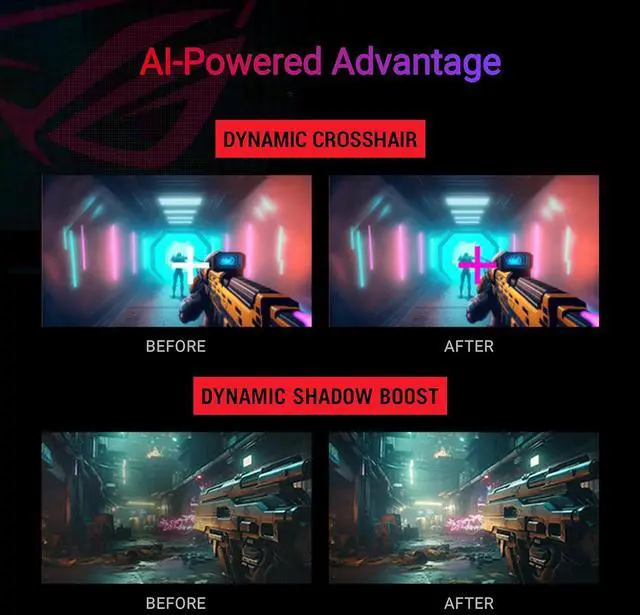
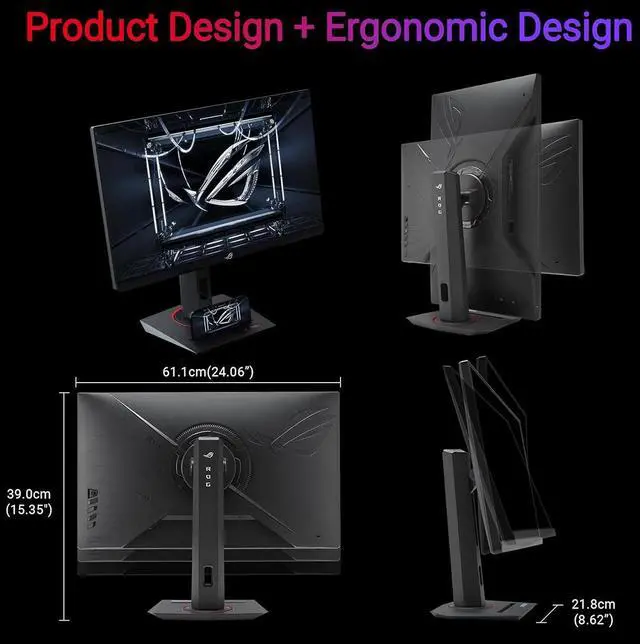
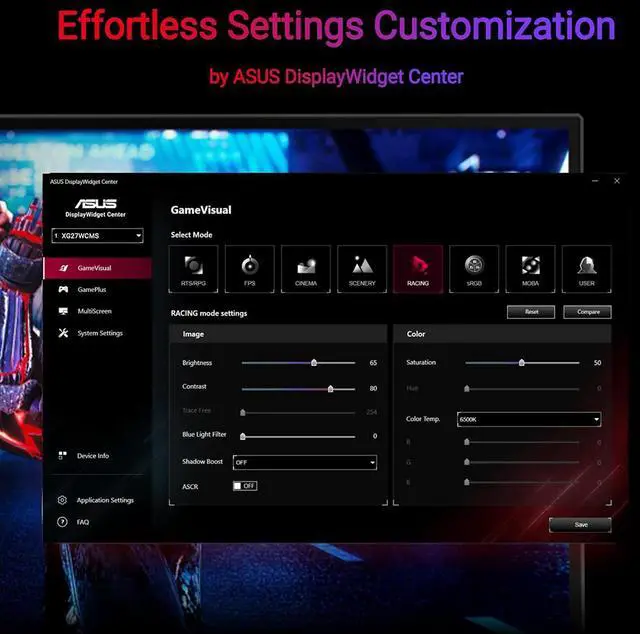
    Note: Need to check whether the USB-C port of your devices supports DP Alt mode prior to useAI-Powered AdvantageWith AI-powered GamePlus technology, the monitor analyzes the scene on-screen in real-time and adjusts the GamePlus crosshair to enhance targeting accuracy. Additionally, Dynamic Shadow Boost brightens dark areas without overexposing bright areas, providing a clear advantage in low-light environments. Compact Design, Ergonomic ComfortThis monitor boasts a compact footprint, saving valuable desk space. It also features a convenient phone holder on the stand, allowing you to easily keep your phone within reach and charge it simultaneously via the Type-C port. The ergonomically-designed stand provides tilt, swivel, pivot and height adjustment, ensuring you find the perfect viewing position for all-day comfort. Additionally, VESA compatibility lets you mount the monitor to the wall for even greater flexibility. Effortless Settings CustomizationEasily adjust your monitor settings through the intuitive DisplayWidget Center app, eliminating the need for physical buttons. Customize your settings for different games and applications with ease.

    Warranty & Returns

    Warranty, Returns, And Additional Information

    Warranty

    • Please contact the Seller directly for warranty information. Warranty information may also be found on the Manufacturer's website.
    • Read full details
    • CONTACT

    Return Policies

    • Return for refund within: 30 days
    • Return for replacement within: non-replaceable
    • This item is covered by Adorama Return Policy

    Manufacturer Contact Info

    LOADING...
    LOADING...

    The ASUS ROG Strix XG27WCMS is a 27-inch curved QHD gaming monitor with a 280Hz refresh rate and 1ms response time, suited to competitive PC gamers who prioritize fast, responsive gameplay.

    Recommended For

    • PC gamers who play fast-paced titles at 1440p and want a high-refresh display, with Adaptive-Sync and motion-blur reduction features for gameplay.
    • Players who prefer a curved screen and higher contrast for immersive, darker game scenes; this model uses a 1500R Fast VA panel with a 3000:1 contrast ratio.
    • Laptop users who want to send video to the monitor over USB-C and reduce desk cabling, while charging the laptop separately if it needs more than 15W.
    • Streamers or desk creators who want a built-in tripod socket for mounting a camera or other compatible accessory alongside their gaming display.

    Real-World Use Scenarios

    • In competitive PC shooters or racing games, a high-frame-rate gaming PC can use the monitor’s fast refresh and variable-refresh support for smoother motion, while the 1440p resolution keeps the image detailed. The experience depends on the PC producing high frame rates.
    • For a mix of fast multiplayer games and slower single-player titles, adaptive refresh support can help keep motion smooth when frame rates vary; the curved 27-inch screen also suits a close-up desk setup.
    • When a compatible laptop is used as the gaming or work source, USB-C can carry DisplayPort video to the monitor and provide up to 15W of power; that is convenient for a simpler desk connection, but is not a replacement for most laptop chargers.
    • For console gaming, HDMI lets a console connect directly for a large-screen 1440p setup; the console and game determine the available resolution and frame rate, so the monitor’s maximum PC refresh rate should not be assumed for every console game.
    • For darker games or evening video viewing, the VA panel’s high stated contrast can help dark scenes look more distinct; HDR is supported, but this is a DisplayHDR 400-class monitor rather than a high-brightness HDR display.

    Spec Summary

    AttributeValue
    Best ForGaming, desktop use, and photo or video editing on a curved QHD display
    Panel And Resolution27-inch curved Fast VA LCD with a 2560 × 1440 QHD resolution, 16:9 aspect ratio, 1500R curvature, 178° horizontal and vertical viewing angles, and a matte, non-glare finish; 0.233 mm pixel pitch and 100% sRGB color gamut
    Refresh Rate And Response280 Hz refresh rate with a 1 ms response time
    HDR And Contrast3000:1 contrast ratio, 16.7 million display colors, HDR10, and VESA Certified DisplayHDR True Black 400
    Ports And ConnectivityOne HDMI 2.1, one DisplayPort 1.4, and one USB Type-C port (USB 3.1 Type-C)
    Gaming And Eye Care FeaturesFreeSync Premium adaptive sync, flicker-free viewing, blue-light filtering, and a phone-holder feature
    Stand And ErgonomicsWall-mountable; measures 24.1 × 15.4 × 8.6 inches with stand and 24.1 × 14.6 × 7.9 inches without stand; weighs 15.9 pounds
    Included AccessoriesDisplayPort cable, power cord, quick-start guide, and ROG pouch
    Model IdentifiersASUS ROG Strix, model XG27WCMS

    Reference Q&A

    Q: ASUS ROG Strix XG27WCMS vs. XG27WCS: what’s the difference?

    A: Choose the XG27WCMS for a higher refresh rate: it supports up to 280Hz, compared with 180Hz on the XG27WCS. Both are 27-inch curved 1440p Fast VA monitors with a 3000:1 contrast ratio. The XG27WCMS also has HDMI 2.1 and 15W USB-C power delivery; the XG27WCS has HDMI 2.0 and 7.5W USB-C power delivery.

    Q: Should I get the XG27WCMS or the XG27ACMS for 1440p gaming?

    A: Choose the XG27WCMS for a curved Fast VA display with a 3000:1 contrast ratio and up to 280Hz. Choose the XG27ACMS if you want a flat Fast IPS display and a higher maximum refresh rate of 320Hz. Both are 27-inch 1440p monitors with USB-C.

    Q: XG27WCMS or XG27ACS: which ASUS 1440p monitor should I choose?

    A: Choose the XG27WCMS for a curved Fast VA panel, 3000:1 contrast ratio, and up to 280Hz. Choose the XG27ACS for a flat Fast IPS panel with up to 180Hz. Both have a 27-inch 2560 × 1440 display, USB-C, and a 1ms GTG response-time specification.

    Q: Can I connect a laptop to this monitor with USB-C, and will it charge the laptop?

    A: A compatible laptop can send video over USB-C if its port supports DisplayPort Alt Mode. The monitor provides up to 15W USB-C power, so it may not supply enough power to charge many laptops during use; check your laptop’s charging requirements.

    Q: Who is this monitor best suited for?

    A: It suits PC gamers who want a 27-inch curved QHD screen with a refresh rate up to 280Hz. To benefit from the highest refresh rates, the connected computer and game must be able to output them. Its USB-C video input also makes it usable with compatible laptops.

    Q: Is this monitor suitable for office work as well as gaming?

    A: Yes. Its 27-inch 2560 × 1440 display can be used for everyday computer work, and its stand supports height adjustment, tilt, and swivel. It is a desktop monitor, not a portable travel screen, and USB-C power output is limited to 15W.

    Q: Will it run at 280Hz with any computer or console?

    A: No. 280Hz is the monitor’s maximum refresh rate; the connected device, graphics hardware, cable, selected resolution, and content must support the required output. Check the device’s video-output specifications before buying if 280Hz is essential.

    Q: Is the ASUS XG27WCMS a good fit for gaming and everyday work?

    A: It may suit someone who wants one monitor for high-refresh-rate gaming and office use: it combines 2560 × 1440 resolution with a 280Hz refresh rate. A Reddit buyer considering it described gaming and office work as intended uses, but that discussion does not establish how well it performs for every workload.

    Q: Should I expect backlight bleed on the XG27WCMS?

    A: Not necessarily, but a Reddit post about this model reports visible bleed in dark scenes. That is an individual report, not evidence that every unit has the issue; check the screen in your typical viewing conditions and review the seller’s return policy.

    Q: Is VA-panel ghosting or smearing a concern with the XG27WCMS?

    A: The available Reddit feedback is limited and anecdotal: one buyer of the faster XG27WCMS said they did not notice trails in a UFO test. That does not guarantee the same experience for every user, so people especially sensitive to motion artifacts may want to check a unit themselves before keeping it.