




 here!
here!
I’m your shopping assistant for PC builds, upgrades, and everything tech.
Got questions? Ask away!
Start a conversation
here!
I’m your shopping assistant for PC builds, upgrades, and everything tech.
Got questions? Ask away!
Start a conversationShipped by Newegg
 Hot Seller
 Top Rated Top Rated

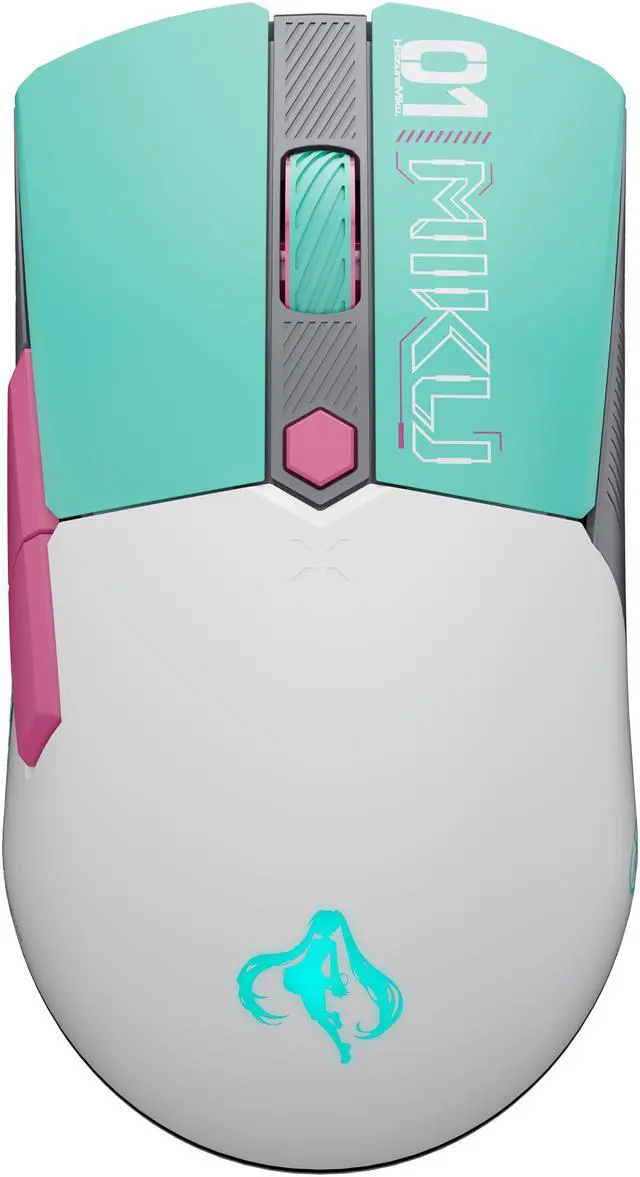
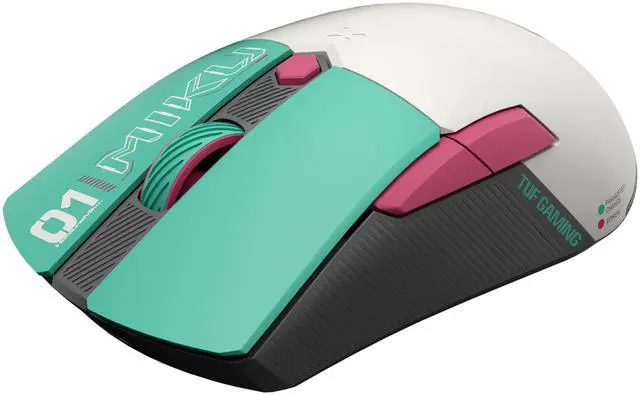
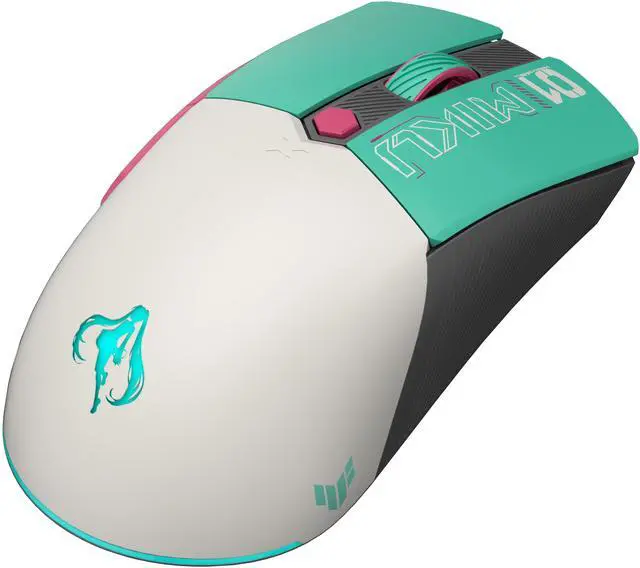
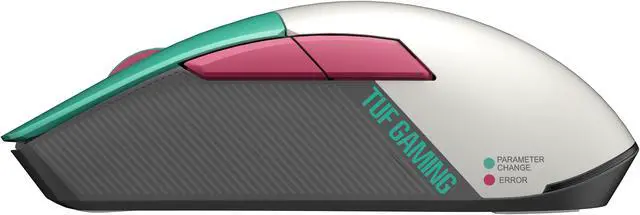
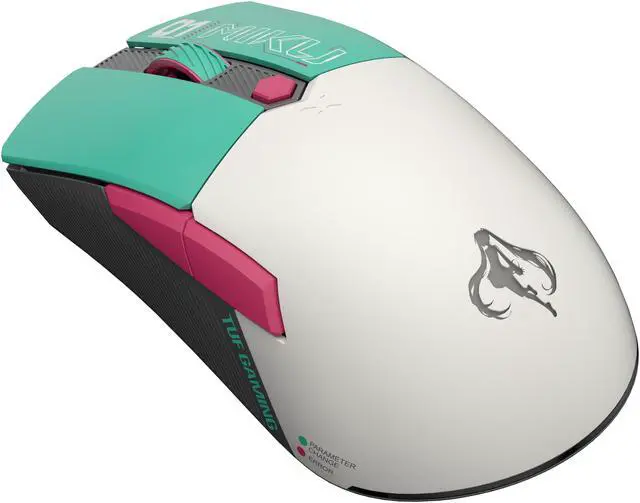
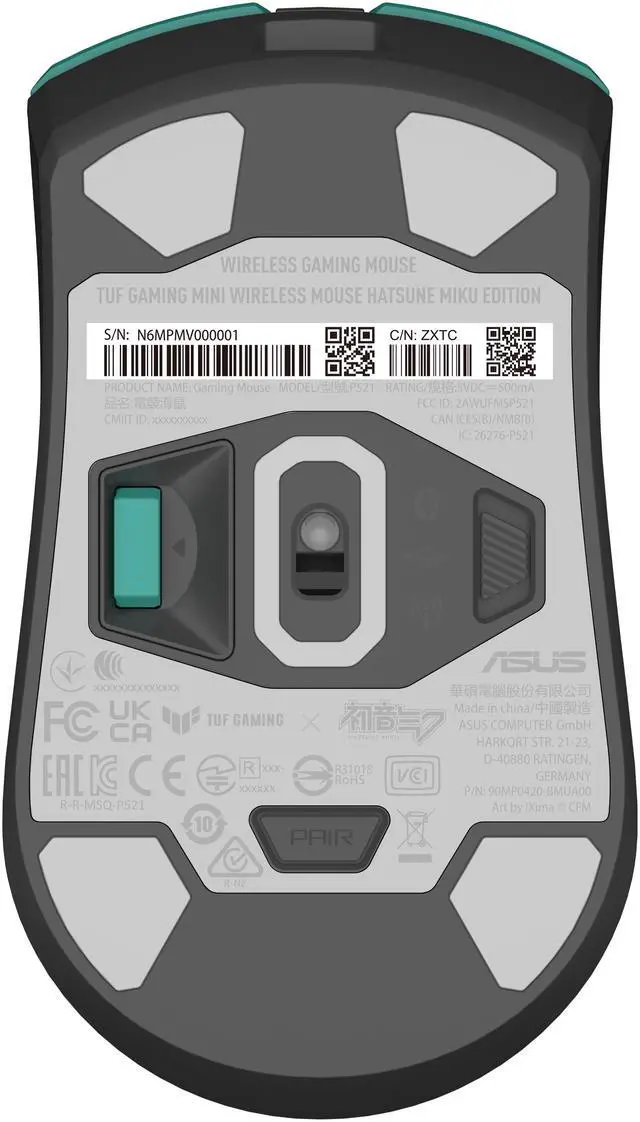


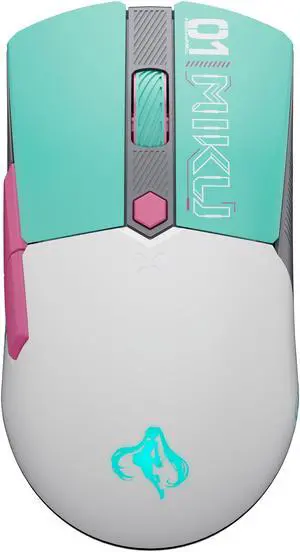
Gaming Mouse
Gaming Mouse
ASUS RA09 TG K3 GEN II MIKU EDITION/RD/CA/PBT
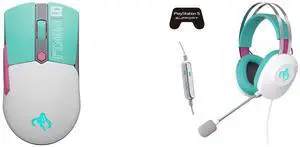
Gaming Mouse
Gaming Headset

Gaming Mouse
Gaming Mouse Pad

Combo Up Savings Up To $290+
The more you add, the more you'll save!
Any questions? Ask CelesteSM will help you find out quickly.
| Attribute | Value |
|---|---|
| Best For | PC gamers and office users who want a compact tri‑mode optical gaming mouse with RGB lighting and wired USB‑C option |
| Connectivity | Tri‑mode connectivity: Bluetooth 5.1, 2.4 GHz RF and wired USB Type‑C |
| Sensor And Tracking | Optical tracking with up to 12,000 dpi maximum sensitivity and up to 35G acceleration |
| Buttons And Controls | Six buttons including one scroll wheel; push‑button control; right‑hand orientation |
| Physical | Item weight 0.1 lb; package weight 0.231 kg; package dimensions 8.001 L x 13.9954 W x 19.1008 H cm; package quantity 1 |
| Battery And Power | Includes one installed battery (battery included and required); listed battery energy 1.4 Wh and average life 134 hours; packaging noted as 'batteries packed with equipment'; source battery fields report Battery Type entries including 'aaa', 'Lithium Ion' and 'nonstandard_battery' and Number of Lithium‑ion Cells reported as 0 |
| Compatibility And OS | Supports Windows 10 and Windows 11 (minimum required OS: Windows 10); compatible with personal computers |
| Lighting And Extras | RGB lighting plus listed extras including lightweight/portable design and mechanical switches |
| Materials And Build | Plastic enclosure with modern styling |
| Model Identifiers | ASUS P521 TG MINI WL MOUSE MIKU EDITION (Model/Name); part number 90MP0420-BMAA00; manufacturer ASUS; FCC ID 2AWUFMSP521 |
| Regulatory And Contacts | Radio frequency authorization/FCC ID present; SDoC contact and mailing address provided; California Proposition 65 on‑product cancer warning noted |
Q: Is the ASUS TUF Gaming Mini Wireless Mouse a better fit than a larger ergonomic wireless mouse?
A: Buy the ASUS TUF Gaming Mini Wireless Mouse if you want a compact, travel-friendly shape and lower weight. Its 65g body and mini format are better aligned with claw or fingertip users and with smaller desk setups. A larger ergonomic wireless mouse is the better fit if your priority is fuller palm support for long sessions, especially if you prefer a right-handed shell with more hand contact. The trade-off is portability versus hand-filling comfort, not raw functionality.
Q: Should I buy the ASUS TUF Gaming Mini Wireless Mouse Hatsune Miku Edition or a standard wired gaming mouse for competitive play?
A: Choose the ASUS TUF Gaming Mini Wireless Mouse Hatsune Miku Edition if you want a lighter, cable-free setup without giving up a 1,000Hz gaming connection. ASUS positions it as a 65g tri-mode mouse with 2.4GHz wireless, Bluetooth, and USB-C wired use, which makes it more flexible than a basic wired model. A standard wired mouse is still the simpler choice if your priority is lower cost and you do not need wireless or multi-device pairing. In practice, this ASUS model makes more sense for users who want one compact mouse for both gaming and everyday laptop use.
Q: What are the main trade-offs versus a productivity mouse like the Logitech MX Anywhere series?
A: Choose this ASUS mouse if you care more about gaming responsiveness, lighter weight, RGB styling, and a collectible themed design. Choose a productivity-focused alternative like the MX Anywhere line if you care more about office-centric features such as workflow controls, productivity software features, and a shape tuned more for business travel use. In short: the ASUS model is the better fit for portable gaming and mixed use, while an MX Anywhere-style mouse is the better fit for work-first users.
Q: Who is this mouse most suitable for?
A: It is best suited to users who want a small, lightweight wireless gaming mouse and also care about design or collectibility. Its compact body, ambidextrous shape, tri-mode connectivity, and mainstream 12,000 DPI sensor make it a practical fit for casual to mid-level PC gaming, portable laptop use, and shared setups. It is less suitable for buyers who want a full-size palm-grip mouse, a strongly ergonomic office mouse, or advanced esports features such as ultra-high-end sensors and more buttons.
Q: Is it a good travel mouse for a laptop or multi-device setup?
A: Yes, for users who prioritize portability and flexible connectivity. The compact 65g size is travel-friendly, and tri-mode support lets you use 2.4GHz USB, Bluetooth 5.1, or wired USB-C. It can pair with up to three devices over Bluetooth, which is useful for switching between a laptop, tablet, or secondary PC. The main limitation is that it is still a gaming-style mouse, so it may be less comfortable than a larger travel or ergonomic mouse for long all-day work sessions.
Q: Is this mouse good for both gaming and everyday office use?
A: Yes, if you want one compact mouse for mixed use. Its 12,000 DPI optical sensor, 1,000Hz polling rate, 2.4GHz wireless mode, and mechanical switches fit gaming well, while Bluetooth support and a compact 65g body also make it practical for browsing, meetings, and general office work. The main trade-off is shape and feature set: it is a small, lightweight gaming mouse with 6 buttons, not a large ergonomic productivity mouse.
Q: What is the weight of the ASUS TUF Gaming Mini Wireless Mouse Hatsune Miku Edition?
A: The mouse weighs 65 grams.
Q: What type of connectivity options does the ASUS TUF Gaming Mini Wireless Mouse offer?
A: The mouse offers tri-mode connectivity with 2.4 GHz RF, Bluetooth 5.1, and USB Type-C.
Q: Should I buy the ASUS TUF Gaming Mini Wireless Mouse Hatsune Miku Edition or a standard wired gaming mouse for competitive play?
A: Choose the ASUS TUF Gaming Mini Wireless Mouse Hatsune Miku Edition if you want a lighter, cable-free setup without giving up a 1,000Hz gaming connection. ASUS positions it as a 65g tri-mode mouse with 2.4GHz wireless, Bluetooth, and USB-C wired use, which makes it more flexible than a basic wired model. A standard wired mouse is still the simpler choice if your priority is lower cost and you do not need wireless or multi-device pairing. In practice, this ASUS model makes more sense for users who want one compact mouse for both gaming and everyday laptop use.
Q: Is the ASUS TUF Gaming Mini Wireless Mouse a better fit than a larger ergonomic wireless mouse?
A: Buy the ASUS TUF Gaming Mini Wireless Mouse if you want a compact, travel-friendly shape and lower weight. Its 65g body and mini format are better aligned with claw or fingertip users and with smaller desk setups. A larger ergonomic wireless mouse is the better fit if your priority is fuller palm support for long sessions, especially if you prefer a right-handed shell with more hand contact. The trade-off is portability versus hand-filling comfort, not raw functionality.


