BOSGAME XV40 Desktop Computer Windows 11 Pro|Core i5-12450H (8-Core 4.4GHz)|8GB DDR4|1TB NVMe SSD, Wi-Fi 6/BT 5.2|HDMI+VGA+USB 3.2, Home Office PC
Price alert

Best Sellers

Hot Seller
4.4 (2,201 total ratings)
  • $539.00
Newegg
  • $551.99
  • + $4.99 Shipping
Hot Seller
4.5 (9,028 total ratings)
  • $606.86
Shop it at NeweggBusiness.

Meet Your Seller

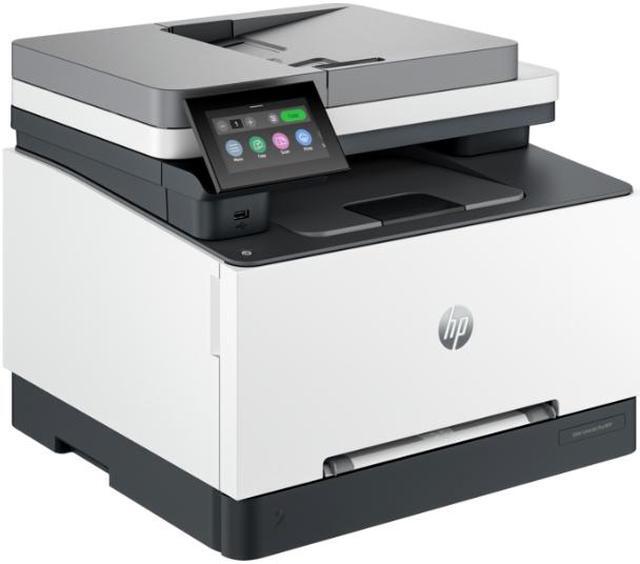
HP Color LaserJet Pro MFP 3301sdw (499Q3F)

  • Designed for business work teams that need professional performance with fast, high-quality two-sided color printing with scanning and copying, plus award-winning reliability in a compact design.
+
+
Overview
Specs
Reviews
See all Q & A

Any questions? Ask CelesteSM will help you find out quickly.

OverviewDesigned for business work teams that need professional performance with fast, high-quality two-sided color printing with scanning and copying, plus award-winning reliability in a compact design. HP Personal Laser Multifunction Printers are designed for individuals or small workteams who need affordable, reliable multifunction performance in a compact and easy-to-use desktop device. Dynamic security enabled printer. Contains technology that may prevent cartridges with non-HP chips or circuitry from working now or in the future.
More at:
http: //www. hp. com/learn/dsFeaturesProfessional color and speed Experience high-speed, automatic, two-sided color printing up to 26 pages per minute (Letter) /25 pages per minute (A4). Peace-of-mind with award-winning reliabilityPerformance you can count on page after page with award-winning reliability. Pro level security to help protect your businessSafeguard your business with proactive, embedded security ready out of the box and tamper-resistant toner. Compact and energy efficient designDesigned in a compact size with energy saving auto-on/auto-off technology to optimize printer energy use. Minimum system requirementsMicrosoft® Windows® 11, 10: 32 -bit or 64-bit, 2 GB available hard disk space, Internet connectionWhat's in the box? HP Color LaserJet Pro MFP 3301sdw; Power cord; Toner cartridge; User Guide; FlyersDisclaimers Measured using ISO/IEC 24734 and excludes first set of test documents. For more information, see
https: //www. hp. com/go/printerclaims. Exact speed varies depending on the system configuration, software application, driver, and document complexity. Internet access required and must be purchased separately. Wireless operations are compatible with 2.4 GHz and 5.0 GHz operations only. Supports both 5.0 GHz and 2.4 GHz using up to 12 non-overlapping channels vs. only 3 non-overlapping channels for 2.4 GHz only. Supports 5.0 GHz band (up to 150 mbps) vs. 2.4 GHz band (up to 72.2 mbps).
Learn more at:
https: //www. hp. com/go/mobileprinting HP Web Jetadmin is available for download at no additional charge at https: //www. hp. com/go/webjetadmin HP calculations based on normalized Energy Star® TEC data of HP LaserJet Pro and Enterprise series with HP TerraJet Cartridges compared to predecessors.
See https: //www. hp. com/TerraJet/energysaving Standard print mode for HP Color LaserJet Pro series with HP TerraJet Toner Cartridges compared to predecessors.
See https: //www. hp. com/TerraJet/colors HP Planet Partners program availability varies. For details, see
https: //www. hp. com/recycle HP Security Manager must be purchased separately. For details, see
https: //www. hp. com/go/securitymanager

Warranty & Returns

Warranty, Returns, And Additional Information

Warranty

  • Please contact the Seller directly for warranty information. Warranty information may also be found on the Manufacturer's website.
  • Read full details
  • CONTACT

Return Policies

Manufacturer Contact Info

LOADING...
LOADING...

The HP Color LaserJet Pro MFP 3301sdw is a compact color laser printer with scanning and copying, suited to business teams that need fast, professional two-sided color printing and everyday document handling.

Recommended For

  • Small work teams printing color reports, proposals, and other business documents who want one shared device for printing, copying, and scanning.
  • Home-office workers who regularly print mixed black-and-white and color documents and value crisp text, saturated color, and automatic two-sided printing.
  • Small offices that scan or copy occasional multi-page, mostly single-sided paperwork and want an automatic document feeder instead of placing each page on the glass.
  • Teams sharing a printer over Wi-Fi or Ethernet who need to print from networked computers or mobile devices rather than rely on a direct USB connection.

Real-World Use Scenarios

  • A small team prints proposals, reports, and client handouts with text, charts, and color accents; pages come out crisp and business-ready without relying on an inkjet printer.
  • When preparing packets or internal reports, staff print double-sided to reduce paper use; the printer handles two-sided output automatically, so pages do not need to be turned by hand.
  • A home-office user or small team scans a stack of single-sided invoices, forms, or meeting notes through the document feeder, then saves or shares the files instead of scanning each page individually.
  • When an office needs a few extra copies of a signed form or handout, staff can copy it at the machine; it is a practical fit for routine documents, though copies may not match the original color exactly.
  • For a two-sided original that needs to be scanned, users should expect to turn and re-feed the pages rather than rely on one-pass automatic duplex scanning; frequent double-sided scanning may take extra handling.