




 here!
here!
I’m your shopping assistant for PC builds, upgrades, and everything tech.
Got questions? Ask away!
Start a conversation
here!
I’m your shopping assistant for PC builds, upgrades, and everything tech.
Got questions? Ask away!
Start a conversationShipped by Newegg






Any questions? Ask CelesteSM will help you find out quickly.
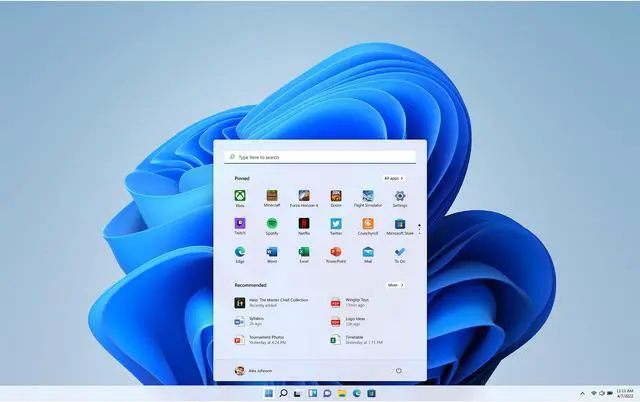
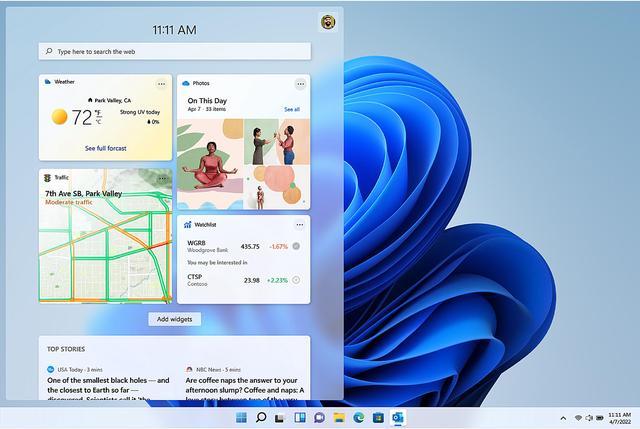
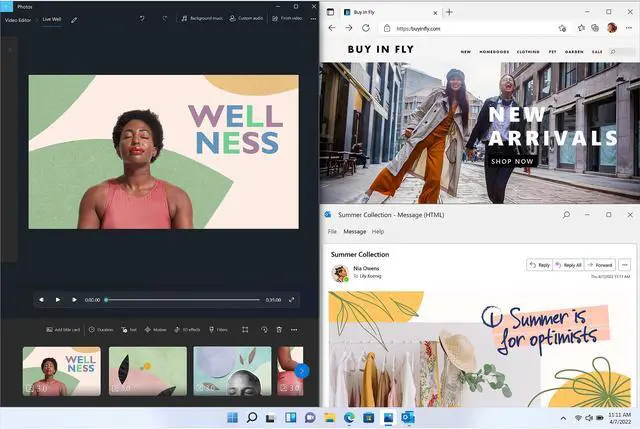
Microsoft Windows 11 Home (Digital Download) is a PC operating system for people who want a refreshed interface, built-in security features, and tools for organizing apps and desktops. It requires compatible 64-bit hardware, including TPM 2.0, and internet access and a Microsoft account for setup.
Q: Windows 11 Home vs. Pro: which edition should I buy?
A: Choose Windows 11 Home for a personal PC if you do not need Pro’s business and advanced security features. Choose Pro if you need features such as BitLocker Drive Encryption, Remote Desktop hosting, or joining a work domain or Microsoft Entra ID. Microsoft says you can upgrade an activated Home installation to Pro later.
Q: Windows 11 Home vs. Pro for gaming: is Pro worth it?
A: For a personal gaming PC, choose Windows 11 Home unless you also need Pro features such as BitLocker Drive Encryption, Remote Desktop hosting, or work-network management. Windows 11’s gaming features depend on compatible hardware and games; the product edition alone does not establish a performance advantage.
Q: Should I keep Windows 10 or install Windows 11 Home?
A: Choose Windows 11 Home if your PC meets Windows 11’s hardware requirements and you want an operating system that is still receiving standard support. Windows 10 support ended on October 14, 2025, so Microsoft no longer provides its regular free security updates or technical assistance. Check device compatibility before installing Windows 11.
Q: Will Windows 11 Home work on my current PC?
A: Only if the PC meets Windows 11’s hardware requirements. The listed minimums include a compatible 64-bit processor with at least 2 cores, 4 GB of RAM, 64 GB of storage, UEFI with Secure Boot capability, and TPM 2.0. A PC running Windows 10 version 2004 or later may be eligible to upgrade, but it must still meet the hardware requirements.
Q: Can I install it on a new or blank PC?
A: Yes, if the PC meets Windows 11’s system requirements. Because this is a digital download, installation on a new PC may require creating Windows installation media, such as a USB drive, using a separate working device. Windows 11 Home setup also requires an internet connection and a Microsoft account.
Q: Does Windows 11 Home require internet and a Microsoft account?
A: Yes. Windows 11 Home requires an internet connection and a Microsoft account during setup. Internet access is also needed for updates and some features.
Q: Is this a subscription, and does it include a disc?
A: The retailer lists this Windows 11 Home offer as a one-time purchase and a digital download, not a subscription or disc-based package. Check the order or delivery instructions for how to access the download and activation details.
Q: Is Windows 11 Home enough for a gaming PC, or do I need Pro?
A: Home is suitable for gaming if you do not need Pro-specific features. A Reddit discussion says Home and Pro offer essentially the same gaming performance; Pro’s extra features are aimed more at business and technical use.
Q: Should I buy Windows 11 Home or Pro for a personal PC?
A: Home is a reasonable choice for typical personal use if you do not need Pro-only capabilities. Reddit users commonly point to features such as hosting Remote Desktop, Hyper-V, and Group Policy as reasons to choose Pro; the product listing identifies this download as Home.
Q: Will Windows 11 Home install on my current PC?
A: Check compatibility before buying: the listed minimums include a compatible 64-bit processor, 4 GB RAM, 64 GB storage, UEFI with Secure Boot capability, and TPM 2.0. Reddit discussions also show that a PC can have substantial RAM and storage yet still fail compatibility because its processor is unsupported.
Q: Can I move this Windows 11 Home download to a new PC later?
A: Do not assume the license can be transferred. Reddit users distinguish transferable retail licenses from OEM licenses, which may be tied to the original computer. Check the specific license terms for this download before buying if you expect to change PCs.


![Norton 360 Premium 2026, Antivirus software for 10 Devices with Auto-Renewal – Includes Advanced AI Scam Protection, VPN & PC Cloud Backup [Download]](https://c1.neweggimages.com/ProductImageCompressAll60/32-119-004-11.jpg "Norton 360 Premium 2026, Antivirus software for 10 Devices with Auto-Renewal – Includes Advanced AI Scam Protection, VPN & PC Cloud Backup [Download]")