




 here!
here!
I’m your shopping assistant for PC builds, upgrades, and everything tech.
Got questions? Ask away!
Start a conversation
here!
I’m your shopping assistant for PC builds, upgrades, and everything tech.
Got questions? Ask away!
Start a conversation Hot Seller Hot Seller




Any questions? Ask CelesteSM will help you find out quickly.
We want to ensure your holiday shopping this year is hassle-free. That’s why we’re automatically extending our return policies on almost every product! For purchases placed between November 1st, 2026 and December 31, 2026 you will have until January 31, 2027 to return your product.
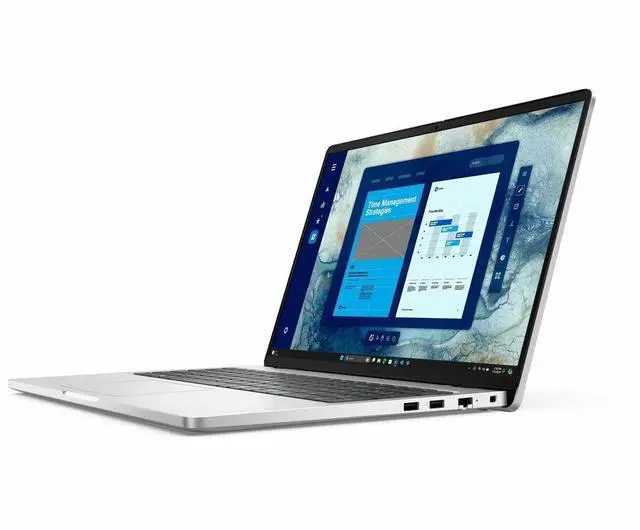
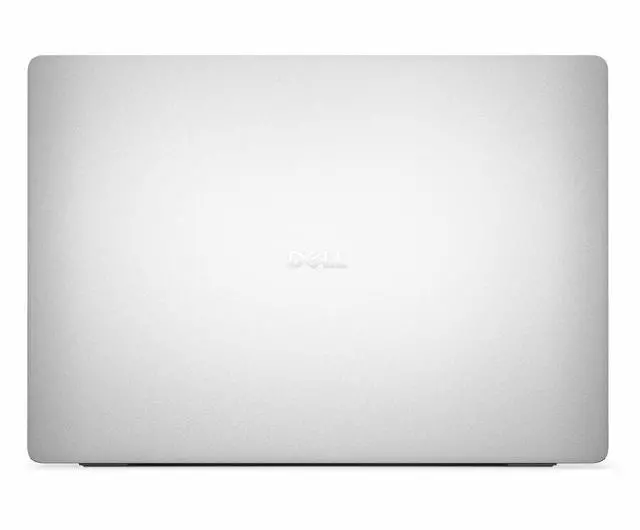
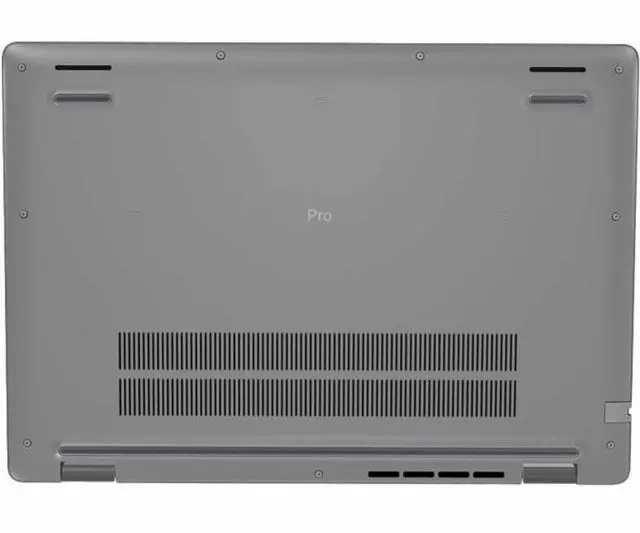
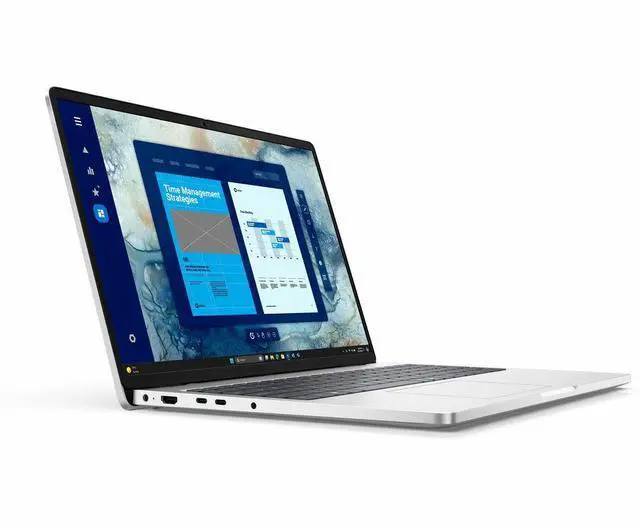
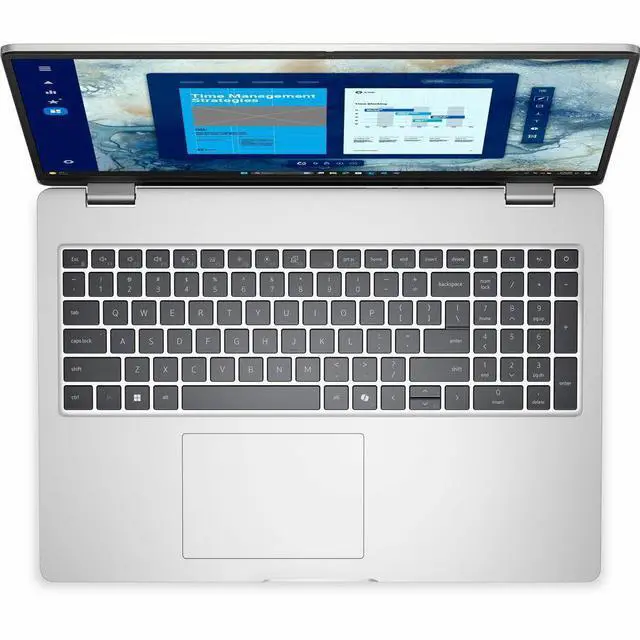
The Dell Pro 16 PC16250 is a 16-inch business laptop with an Intel Core 5 120U, 16GB RAM, 512GB SSD, and Windows 11 Pro, making it a strong fit for office users, remote workers, and students who want a larger screen, modern connectivity, and everyday productivity in a professional design.
| Attribute | Value |
|---|---|
| Best For | Business and productivity users who need a 16.0" Full HD+ (1920 x 1200) IPS notebook with an efficient Intel Core 5 U-series CPU, 16GB DDR5 memory and a 512GB M.2 SSD for everyday multitasking, office work, web conferencing and light content tasks |
| Processor And Core Count | Intel Core 5 120U (12th Gen U-series) single-processor configuration, nominal 1.4 GHz with Turbo up to 5 GHz |
| GPU And VRAM | Integrated Intel graphics (no discrete GPU specified); graphics use system memory (DDR5) as indicated by DDR5 graphics RAM type entry |
| Display Spec | 16.0" FHD+ (1920 x 1200) IPS anti-glare, non-touch display at 60 Hz with up to 300 nit brightness |
| Memory Configuration | 16 GB DDR5 (5200 MHz) installed, 2 memory slots, supports up to 64 GB |
| Storage And Expansion | 512 GB solid-state storage in M.2 form factor (SSD, M.2 interface) |
| High Speed I O | Includes 3 total USB ports, 1 Thunderbolt port, 1 HDMI output and Gigabit Ethernet for wired networking; sources do not consistently specify USB generation details |
| Battery And Power | 3-cell battery with up to 8.7 hours maximum run time; external attributes list a 4000 mAh energy value and lithium polymer cell type |
| Wired And Wireless Networking | Wi‑Fi 6 (802.11ax) wireless, backward-compatible with 802.11 a/b/g/n/ac, Bluetooth support included, and Gigabit Ethernet for wired networks |
| Webcam And Privacy | Front-facing webcam included (webcam capability confirmed) |
| Keyboard And Control | Full-size standard keyboard with touch pad; non-touchscreen display |
| Portability | Notebook weighs about 4.28 lb and measures approximately 14.1" x 9.9" x 0.82" for desk-to-meeting portability |
| External Display And Docking Fit | 1 Thunderbolt port plus HDMI output provide options for external monitors and docking setups |
| Model Identifiers | Dell Pro 16 PC16250 (Model/Series: Pro 16 / PC16250, Model Number PC16250, Part Number DYFPN, Manufacturer Dell Technologies, Model Year 2025) |
Q: Should I choose the Dell Pro 16 PC16250 or step up to the Dell Pro 16 Plus?
A: Choose the Dell Pro 16 PC16250 if your main workload is web apps, Office, video calls, and general business use, and you want a simpler 16-inch business laptop with Windows 11 Pro, Ethernet, and Intel vPro on this configuration. Step up to the Dell Pro 16 Plus if you want a newer platform with Intel Core Ultra options, stronger multi-core performance, and a more current AI-focused product tier. Dell positions the Pro 16 Plus above the Pro 16, and benchmark sources show Core Ultra 5 235U is typically about 13% to 15% faster than Core 5 120U in multi-threaded testing. The trade-off is that the Pro 16 PC16250 is the better fit when mainstream productivity and lower platform complexity matter more than extra performance headroom.
Q: Is the Dell Pro 16 PC16250 a better choice than an 8GB version of the same laptop?
A: Yes for most business buyers. A 16GB configuration is the safer choice than 8GB if you keep many browser tabs open, work in Teams or Zoom, use Microsoft 365 all day, or want the laptop to stay comfortable over a longer ownership period. Dell lists base Pro 16 configurations with 8GB single-channel memory, while this Newegg configuration moves to 16GB and 512GB storage. The practical trade-off is simple: the 8GB version can handle lighter office use, but the 16GB version is the better choice for smoother multitasking and fewer memory limits.
Q: How does the Dell Pro 16 PC16250 compare with older Core i5 U-series business laptops?
A: The Dell Pro 16 PC16250 is the better upgrade if you are moving from an older 11th- or 12th-gen Core i5 U-series office laptop and want a larger 16:10 display, current business features, and more modern efficiency. Intel Core 5 120U is still a mainstream U-series chip rather than a high-performance class processor, but review databases place it around current entry-to-mid business laptop performance and clearly ahead of older low-end office systems. The trade-off is that this is an upgrade for productivity, display area, and everyday responsiveness, not a jump to workstation-class speed.
Q: Is the Dell Pro 16 PC16250 good for portability, or should I look for a more performance-focused laptop?
A: Choose the Dell Pro 16 PC16250 if you want a larger-screen productivity laptop and your work is mostly document editing, browser-based tools, email, and meetings. With a 16-inch 1920 x 1200 60Hz IPS display, integrated Intel graphics, and a 4.28 lb chassis, it is better matched to desk-to-meeting mobility than to performance-first workloads. If you need heavier content creation, engineering apps, or gaming, a higher-tier model with a faster processor class or discrete graphics is the better direction. The trade-off is screen space and business practicality versus graphics and compute headroom.
Q: Is this a good laptop for office work, note-taking, Zoom, and everyday business tasks?
A: Yes. This configuration is well suited for office work, web apps, note-taking, video meetings, and multitasking. The Core 5 120U, 16GB RAM, 512GB SSD, Windows 11 Pro, Wi‑Fi 6, and built-in webcam match the needs most buyers ask about on business-laptop retail Q&A pages. The main limitation is graphics power: Intel integrated graphics are fine for productivity and media, but not ideal for gaming, 3D work, or heavy video editing.
Q: Is it worth buying as a travel work laptop?
A: It can work well for travel if your priority is a larger 16-inch screen and business features, not minimum carry weight. At 4.28 lb with a 16-inch chassis, it is portable enough for commuting and occasional trips, but it is less convenient than lighter 13- or 14-inch business laptops. In return, you get more screen space, Wi‑Fi 6, Gigabit Ethernet, and a business-oriented Windows 11 Pro setup.
Q: Who is this laptop best suited for?
A: This model is best for business users, students in productivity-heavy programs, remote workers, and buyers who need a straightforward Windows Pro laptop for documents, browser-based work, meetings, and general multitasking. It is a better fit for spreadsheets, email, CRM, and office software than for gaming, CAD, or creator workloads that need stronger graphics or higher-end CPUs.
Q: What are the main trade-offs versus a consumer laptop at a similar price?
A: The main advantage of this Dell Pro 16 is business practicality: Windows 11 Pro, vPro support, Gigabit Ethernet, and a 16:10 FHD+ display. Compared with many consumer laptops, it is more work-focused and better for wired office setups. The trade-offs are that it is heavier than many thin consumer models, uses basic integrated graphics, and has a non-touch 60Hz display, so it is less appealing if you want entertainment, gaming, or premium portability features.
Q: Is this better than a similar thin-and-light laptop if I need Ethernet and business features?
A: Yes, if you specifically need built-in Ethernet, Windows 11 Pro, and a business-oriented configuration, this Dell is the safer choice than many mainstream thin-and-light laptops that drop RJ-45 and focus more on slim design. It is not automatically the better choice for everyone, though. If you value lower weight, touch input, or a sharper display more than wired networking and business manageability, a consumer alternative may be more appealing.
Q: Is the Dell Pro 16 PC16250 a good buy for basic office work and everyday productivity?
A: Yes, if you want a business-focused 16-inch laptop for email, web apps, documents, video calls, and general office use. Its Core 5 120U, 16GB RAM, 512GB SSD, 1920x1200 IPS display, Windows 11 Pro, Ethernet, and Wi‑Fi 6 make it a practical fit for work. The main trade-offs are modest graphics performance, a non-touch 60 Hz screen, and a heavier 4.28 lb chassis.
Q: Who is the Dell Pro 16 PC16250 best suited for?
A: It is best suited for office users, remote workers, and buyers who prefer a larger screen over maximum portability. The configuration is aimed at mainstream business tasks rather than creative, engineering, or gaming workloads. It makes more sense as a dependable work laptop than as a performance-focused personal laptop.
Q: What are the main trade-offs of choosing the Dell Pro 16 PC16250?
A: The main trade-offs are portability and performance headroom. At 4.28 lb, it is less travel-friendly than smaller business laptops. Its Intel Graphics and Core 5 120U are appropriate for office work but not ideal for demanding creative apps, 3D work, or modern gaming. The display is functional rather than premium: FHD+, non-touch, and 60 Hz.
Q: Is the Dell Pro 16 PC16250 a good choice for travel or working away from a desk?
A: It is acceptable for occasional travel, but it is better suited to desk-based or mixed office/home use than frequent carry. The 16-inch size, 4.28 lb weight, and 3-cell battery make it less convenient than lighter 13- or 14-inch business laptops. It is a better fit if screen space and built-in Ethernet matter more than portability.
Q: Are there any reliability or deployment concerns to consider before buying the Dell Pro 16?
A: For individual buyers, the main caution is that this is a practical business model, not a premium flagship. In Reddit discussions around the Pro 16 family, some business users describe the systems as generally fine for standard use, while others mention issues that were resolved through BIOS or firmware updates, especially in docked environments. That makes it a more sensible choice for routine productivity than for buyers who want the lowest possible support risk on day one.


