




 here!
I’m your shopping assistant for PC builds, upgrades, and everything tech.
Got questions? Ask away!
Start a conversation
here!
I’m your shopping assistant for PC builds, upgrades, and everything tech.
Got questions? Ask away!
Start a conversation Hot Seller Hot Seller





Any questions? Ask CelesteSM will help you find out quickly.
We want to ensure your holiday shopping this year is hassle-free. That’s why we’re automatically extending our return policies on almost every product! For purchases placed between November 1st, 2026 and December 31, 2026 you will have until January 31, 2027 to return your product.
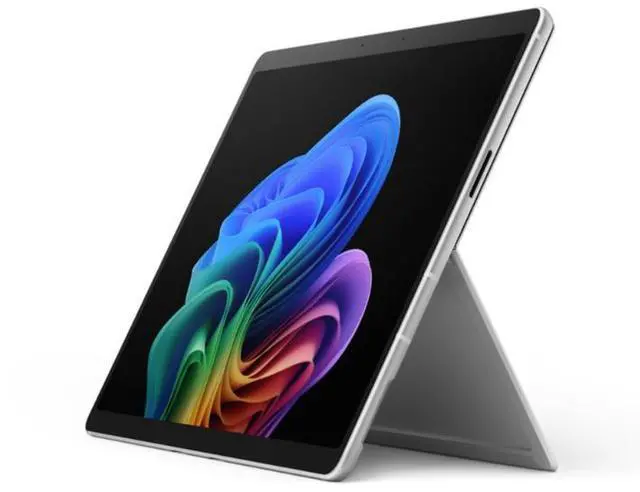
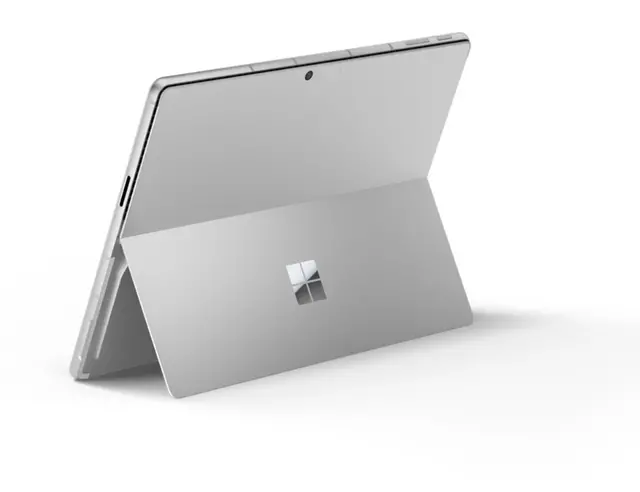
The Microsoft Surface Pro 12th Edition is a 13-inch Windows 11 Pro tablet built for professionals and mobile users who want a sharp 2880 x 1920 touch display, 32GB of memory, a 256GB SSD, and modern connectivity including Wi‑Fi 7 and Thunderbolt 4-compatible USB4.
| Attribute | Value |
|---|---|
| Best For | Business and professional users who need a Windows 11 Pro 13.0-inch PixelSense tablet with high memory and storage for multitasking and productivity; pairs with Surface Keyboard and SurfaceConnect for laptop-style typing and docking |
| Model Identifiers | Microsoft Surface Pro 12th Edition, model EP2-55174 (Part Number EP2-55174), 2026 model year, manufactured by Microsoft |
| Display Spec | 13.0-inch PixelSense touch display, 2880 x 1920 resolution |
| Processor And Clock Speeds | Intel Core Ultra 5 335 (Intel Core Ultra 5 series); listed processor speed 1.8 GHz |
| Memory Configuration | 32 GB DDR5 system memory |
| Storage And Expansion | 256 GB built-in SSD |
| Graphics | Integrated Intel graphics (video/graphics handled by Intel integrated processor) |
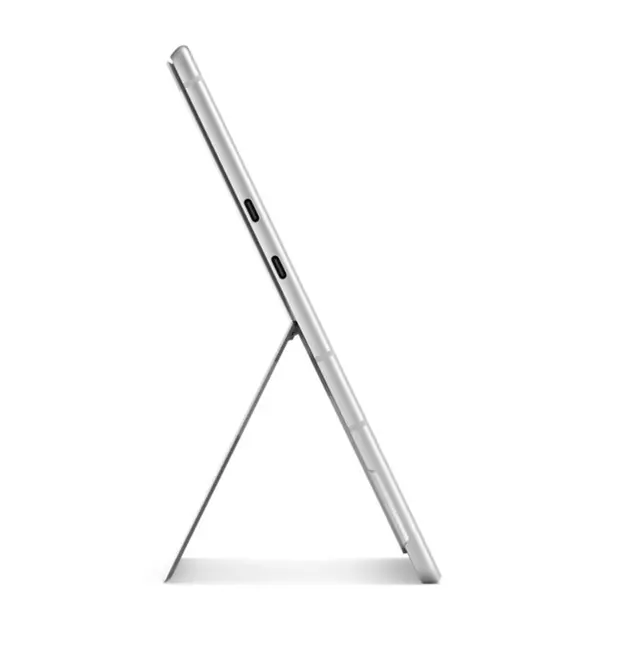
| High Speed I O | 2 × USB4 ports (supporting Thunderbolt 4 and DisplayPort 2.1 Alt Mode) plus Surface Keyboard and SurfaceConnect support for charging, data, video and docking |
| Wireless And Networking | Wi‑Fi 7 (802.11be) wireless LAN and Bluetooth 5.4 connectivity |
| Webcam And Privacy | 5 megapixel front-facing webcam |
| Battery And Power | Built-in lithium-ion battery, 36 Watt Hours energy content, 4 lithium-ion cells; device ships with battery included |
| Dimensions And Weight | Product dimensions 11.3 x 8.2 x 0.4 (W x D x H) and weight 31.57 ounce |
| Operating System | Windows 11 Pro |
Q: Should I buy this Surface Pro 12th Edition Intel model or a Surface Pro 11 with Snapdragon?
A: Choose this Surface Pro 12th Edition Intel model if you want the Surface Pro form factor with the widest Windows app and peripheral compatibility, especially for older x86 software, specialized business tools, or workflows where native Intel support matters. Choose a Surface Pro 11 with Snapdragon if longer battery life, lower starting price, and stronger value in mainstream productivity use matter more. Across official Microsoft positioning and review coverage, the Intel 12th Edition is mainly the compatibility-first option, while Snapdragon Surface Pro models are more often favored for efficiency and everyday mobile use.
Q: Is the 32GB Surface Pro worth it over a 16GB Surface Pro configuration?
A: Buy the 32GB version if you expect to keep many browser tabs, large Office files, Teams, Adobe apps, local AI tools, development environments, or virtual machines open at once. For note-taking, web work, Office, video calls, and light creative use, 16GB is usually the more practical value point. The main benefit of this 32GB configuration is headroom and longer useful life, not a different day-to-day experience in lighter tasks.
Q: Is this Surface Pro better than a Surface Laptop for work and travel?
A: Choose this Surface Pro if you want one device that can switch between tablet, pen-first, and desk use, and if low weight plus detachable flexibility matters for travel, meetings, field work, or handwritten notes. Choose a Surface Laptop if you spend most of your time typing at a desk or on your lap and want a more traditional clamshell setup. The buying decision is mainly about form factor: Surface Pro is the more flexible 2-in-1, while Surface Laptop is the steadier choice for lap use and conventional productivity.
Q: Should I upgrade from an older Intel Surface Pro to this 12th Edition model?
A: This 12th Edition model makes the most sense as an upgrade if your current Intel Surface Pro feels limited by memory, storage speed, wireless connectivity, or newer dock and monitor support. Compared with older Intel Surface Pro generations, this model adds a higher-end connectivity package with USB4/Thunderbolt 4 support, Wi-Fi 7, Bluetooth 5.4, and newer Intel Core Ultra platform hardware. If your current device still handles Office, browsing, and note-taking well, the upgrade case is stronger for users who need modern I/O, more RAM, or better support for heavier multitasking.
Q: Should I choose this 256GB Surface Pro or pay more for a higher-storage configuration?
A: The 256GB version is the right fit if most of your files live in OneDrive, SharePoint, or other cloud storage and your local workload is mostly documents, web apps, and standard business software. Move up to 512GB or more if you store large media projects, offline datasets, virtual machines, or several large applications locally. In practice, storage is the key trade-off here: this 256GB model keeps the platform and memory strong, but buyers with heavier local file needs will benefit more from extra SSD capacity than from changing the core Surface Pro experience.
Q: Is this Surface Pro a good travel work device?
A: Yes for mobile office work, meetings, and light-to-moderate multitasking. The main reasons are its 13-inch 2880 x 1920 touch display, 32GB RAM, 256GB SSD, Windows 11 Pro, Wi-Fi 7, and low tablet weight of about 31.57 ounces. The trade-off is that this listing is for the tablet only, so buyers who need a laptop-style setup should budget for a keyboard and likely a pen separately.
Q: Is it good for note-taking, meetings, and office work?
A: Yes. This model is well suited to note-taking and business use because it combines a high-resolution 13-inch touch display with Windows 11 Pro, a 5MP webcam, wireless connectivity, and enough memory for heavy browser, Office, Teams, and document workflows. It is a better fit for productivity than for demanding GPU-heavy creative or gaming workloads, since it uses integrated Intel Graphics.
Q: Who is this Surface Pro best for?
A: It is best for professionals, students, and hybrid workers who want a premium Windows tablet that can double as a light laptop once a keyboard is added. The 32GB RAM makes it especially suitable for buyers who keep many apps or browser tabs open, join frequent video meetings, and work with large spreadsheets or documents. It is less ideal for buyers who want an all-in-one package in the box or a machine mainly for gaming.
Q: What are the main trade-offs versus a traditional laptop?
A: The advantage is portability and flexibility: you get a thin, light 13-inch Windows tablet with touch input, two USB4 ports with Thunderbolt 4 support, and the option to use it as a 2-in-1 setup. The trade-offs are typical Surface Pro ones: the keyboard is usually sold separately, lap use is not as simple as a clamshell laptop, and 256GB of storage is functional but not large for users with big local files.
Q: Is this a better choice than the ARM-based Surface Pro models?
A: It is the better choice for buyers who want a Windows Pro configuration with Intel hardware, 32GB RAM, and broad compatibility expectations for standard desktop business software and peripherals. ARM-based Surface Pro models are often positioned around battery life and mobility, but this Intel model is the safer pick for buyers who prioritize familiar x86 Windows workflows over maximum battery-first positioning.
Q: Is this Surface Pro a good fit for work, note-taking, and travel?
A: Yes, if you want a full Windows tablet-laptop for Office, web apps, meetings, handwritten notes, and light multitasking in a compact 13-inch form factor. Its 32GB RAM is generous for business use, but this configuration is still better suited to productivity than GPU-heavy creative work or gaming.
Q: Can this replace a laptop for most users?
A: It can replace a laptop for users whose workload is mainly email, Office, browser-based tools, video calls, and note-taking. It is less ideal as a primary machine if you need sustained heavy performance, more ports, or a built-in keyboard experience without extra accessories.
Q: Is the 256GB SSD a limitation?
A: For many buyers, yes. A 256GB SSD is workable for documents, cloud storage, and light local files, but it can feel tight if you keep large apps, media, or project files on the device. This model makes more sense for users who prioritize RAM and portability over local storage capacity.
Q: What are the main trade-offs of buying this model?
A: The main trade-offs are price relative to storage, reliance on accessories for the full laptop experience, and performance that is strong for everyday productivity but not clearly aimed at demanding workstation tasks. Buyers typically choose it for the Windows tablet form factor, display, and portability rather than raw value.
Q: Who is this configuration best suited for?
A: This configuration is best for business users, students, and mobile professionals who want Windows 11 Pro, a sharp 13-inch touch display, plenty of memory for multitasking, and a lightweight device for mixed tablet and desktop-style use. It is less compelling for buyers who mainly care about gaming, high-end graphics work, or maximum storage per dollar.


