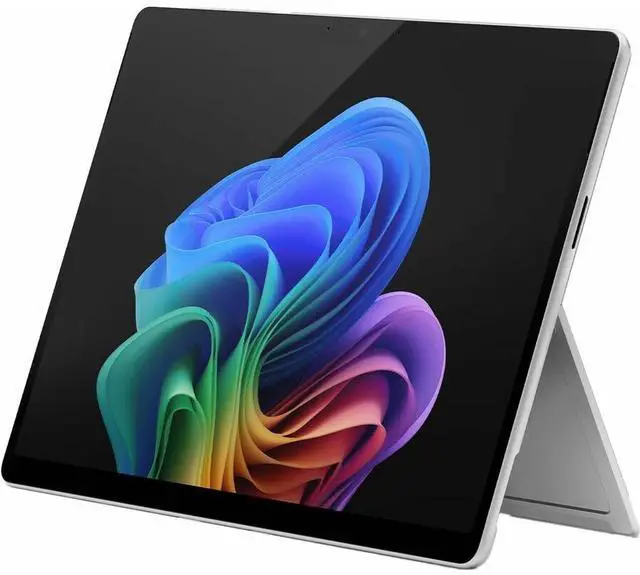
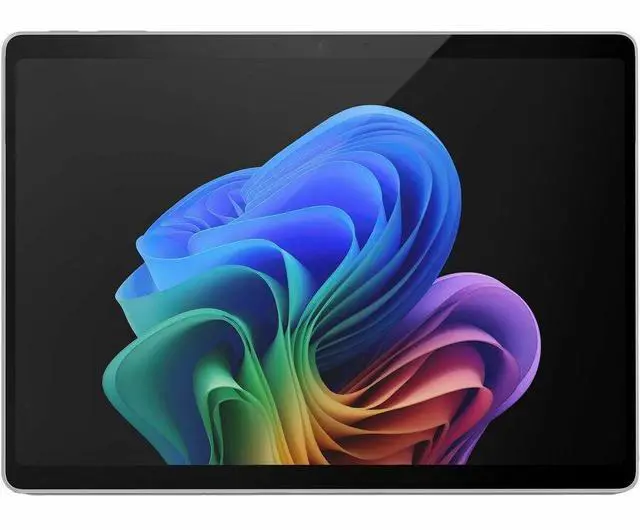
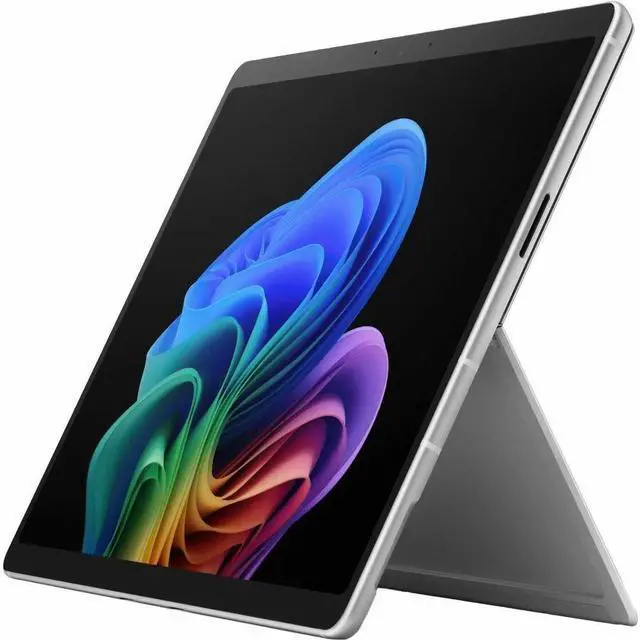
The Microsoft Surface Pro (12th Edition) is a 13-inch Copilot+ PC tablet with an Intel Core Ultra 7 366H, 32 GB of memory, and a 1 TB SSD, suited to professionals and students who want a high-spec Windows device for everyday work, multitasking, and note-taking.
Recommended For
- Mobile Windows professionals who switch between laptop work and tablet use, such as typing reports, reviewing documents, and annotating them with a pen. The detachable keyboard and pen are optional accessories.
- People who carry Windows-specific or older x86 business software and need a tablet-style device without relying on Windows-on-Arm app emulation. TechRadar identifies legacy software compatibility as a reason to choose the Intel version.
- Traveling office workers who need a portable screen for browser-heavy work, video meetings, and photo edits, and value the option to detach the keyboard between tasks. TechRadar tested these kinds of workloads on the Intel Surface Pro 12th Gen.
- Students and meeting-heavy users who want to carry one Windows device for typing, touchscreen navigation, handwritten notes, and document markup, provided they budget for the separate keyboard and pen.
Real-World Use Scenarios
- During a mobile workday, use it with the optional keyboard to handle documents, browser tabs, and video meetings; a reviewer found it managed a similar multitasking workload with only a brief slowdown during a call.
- In a meeting or class, detach the keyboard and use the touchscreen with an optional Slim Pen to jot notes, mark up documents, or sketch ideas; the adjustable kickstand supports a hands-free viewing angle.
- For photo work between meetings, edit images in Photoshop and switch between the tablet and keyboard setup as needed; a hands-on reviewer completed photo edits, though heavier multitasking made the fan more noticeable.
- At a desk, connect an external display and storage over USB-C to extend a work setup; the tablet can still be used on its own when it is time to move.
- For everyday work away from a desk, use it for browsing, office tasks, and calls without planning around frequent charging; a reviewer’s test of a 13-inch Intel 12th Edition configuration lasted about 12 hours, though results vary with workload and settings.
Spec Summary
| Attribute | Value |
|---|
| Best For | Pen-enabled Windows tablet use, multitasking, and working with large files |
|---|
| Processor And Graphics | Intel Core Ultra 7 366H processor with integrated Intel Graphics |
|---|
| Display And Touch | 13-inch 2880 × 1920 OLED PixelSense touchscreen with pen support |
|---|
| Memory And Storage | 32 GB LPDDR5X memory and 1 TB SSD |
|---|
| Wireless Connectivity | Wi-Fi 7 (802.11be) and Bluetooth 5.4 |
|---|
| Operating System | Windows 11 Pro |
|---|
| Physical Details | Platinum finish; device dimensions are 11.5 × 7.9 × 0.3 inches |
|---|
| Included Components And Packaging | Manufacturer documentation and charger; package measures 13 × 9 × 0.3 inches and weighs 3.25 lb |
|---|
| Model Identifiers | Microsoft Surface Pro, model EP2-55239 |
|---|





 here!
here!
 Top Rated
 Hot Seller