Your Browsing History
Best Sellers
- $4,038.99
- + FREE SHIPPING
- $4,143.82
- + $12.99 Shipping
- $4,182.99
- + FREE SHIPPING
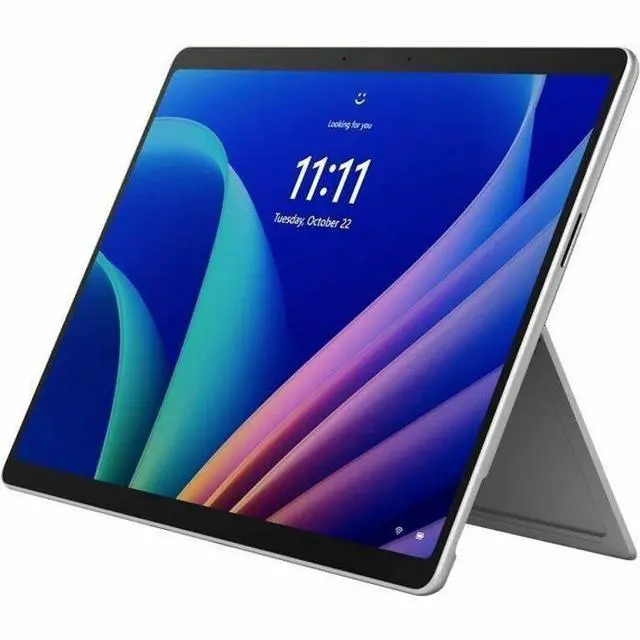
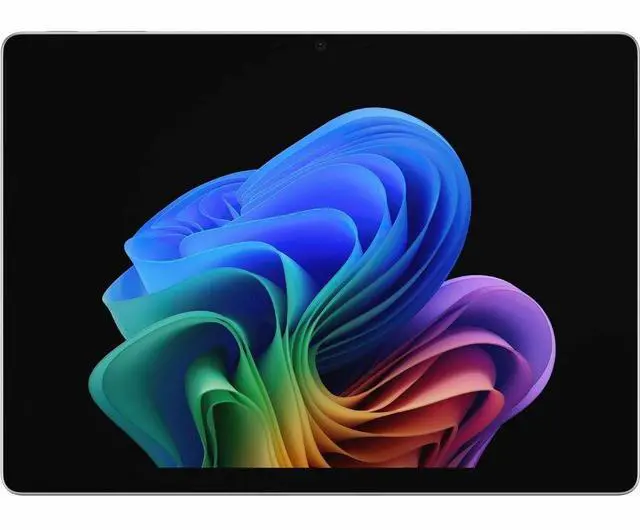
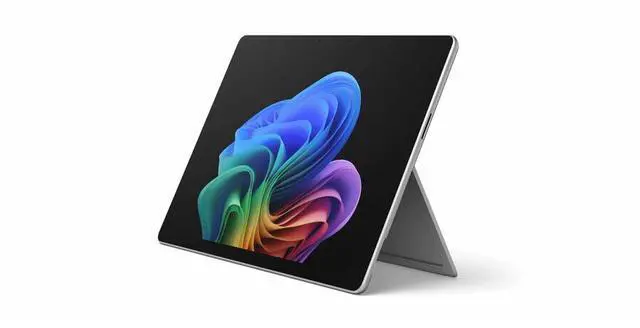
Microsoft Surface Pro 12 Copilot+ PC Tablet - 13" PixelSense Display - Intel Core Ultra 7 366H (2 GHz) - 32 GB - 256 GB SSD - Windows 11 Pro - 5G Cellular - Platinum - Wi-Fi 7 - EP2-54525
- 13" PixelSense 2880 x 1920
- 32 GB Memory 256 GB SSD
- Front-Facing Camera Ultrawide front camera with AI-powered Windows Studio Effects
- Rear Camera High-resolution rear camera
- 13.7"W x 9.7"D x 2.0"H 3.3 lbs
- Windows 11 Pro
- Surface Pro for Business 13-inch (12th Edition), Quick Start Guide, Safety and Warranty Documents
+
+
Overview
Specs
Reviews
See all Q & A
Any questions? Ask CelesteSM will help you find out quickly.
Try me now
Warranty & Returns
Warranty, Returns, And Additional Information
Warranty
- Limited Warranty period (parts): 1 year
- Limited Warranty period (labor): 1 year
- Read full details
Return Policies
- Return for refund until: January 31, 2027
- Return for replacement until: January 31, 2027
- This item is covered by Newegg.com's Extended Holiday Return Policy.
- Read full return policy for details.
We want to ensure your holiday shopping this year is hassle-free. That’s why we’re automatically extending our return policies on almost every product! For purchases placed between November 1st, 2026 and December 31, 2026 you will have until January 31, 2027 to return your product.
Manufacturer Contact Info
- Manufacturer Product Page
- Manufacturer Website
- Support Phone: 1-800-642-7676
- Support Website
- View other products from Microsoft
LOADING...
LOADING...
The Microsoft Surface Pro for Business (12th Edition) is a 13-inch Copilot+ 2-in-1 tablet with an Intel Core Ultra 7 366H, 32GB memory, and Windows 11 Pro, suited to professionals who want a capable device for work in tablet or laptop mode.
Recommended For
- Mobile professionals who need a Windows tablet with built-in 5G for working between offices, client sites, or other places without dependable Wi-Fi; cellular service and a plan are required.
- Business users who need a portable 2-in-1 that runs Windows software on Intel hardware, including workplaces that depend on existing desktop applications; TechRadar found the tested Intel model handled everyday office work and multitasking.
- People who move between video meetings, document review, and handwritten notes or markups, and want to switch between tablet and laptop modes; the keyboard and pen are separate purchases.
- Office workers who want one portable Windows device for browser-heavy work, video calls, and light photo editing; TechRadar reported that its tested Intel configuration managed those tasks, though demanding workloads made the fan more noticeable.
Real-World Use Scenarios
- When working between offices or on the road, use the optional keyboard for email, documents, and browser-based work; the 5G configuration can keep you connected where Wi-Fi is unavailable, subject to carrier coverage and plan.
- For a meeting-heavy workday, use the front camera and Windows Studio Effects for video calls, then switch to the detachable-keyboard setup for notes and follow-up work; a TechRadar hands-on test used the Intel model for multiple video meetings alongside other work.
- For everyday business multitasking—such as switching among office apps, many browser tabs, and video calls—the Intel Surface Pro can serve as a compact Windows work device; one hands-on test reported it handled that mix, with a brief slowdown during a call under load.
- When reviewing or discussing documents, detach the keyboard and use the touchscreen with a compatible Surface Slim Pen to mark up pages or sketch notes; the pen is an accessory, not listed as included with this configuration.
- For light photo-editing tasks between appointments, use the touchscreen Surface Pro with desktop Windows creative software; a TechRadar hands-on test edited photos in Photoshop, though demanding sustained workloads may make the cooling fan noticeable.
Spec Summary
| Attribute | Value |
|---|---|
| Best For | Business users who want a Windows 11 Pro tablet that can serve as a laptop, with detachable-keyboard support, a built-in kickstand, and 5G cellular connectivity |
| Processor And AI Features | Intel Core Ultra 7 366H with 16 cores, built-in NPU for Copilot+ PC, and vPro technology |
| Display And Touch | 13-inch PixelSense touchscreen with 2880 × 1920 resolution, up to 120Hz refresh rate, and 900-nit brightness |
| Memory And Storage | 32 GB memory and 256 GB SSD storage |
| Wireless And Cellular Connectivity | Wi-Fi 7, Bluetooth 5.4, and cellular support for GPRS, EDGE, LTE, LTE Advanced Pro, and 5G NR |
| Cameras | Ultrawide front-facing camera with AI-powered Windows Studio Effects and a high-resolution rear camera |
| Battery And Charging | Up to 17 hours of battery life; fast charging via USB-C or Surface Connect |
| Design And Portability | Platinum 2-in-1 tablet/laptop with a built-in kickstand; 13.7 × 9.7 × 2.0 inches and 3.3 lb |
| Operating System | Windows 11 Pro |
| Model Identifiers | Microsoft Surface Pro (12th Edition), part number EP2-54525 |
| Included Materials | Surface Pro for Business 13-inch (12th Edition), Quick Start Guide, Safety and Warranty Documents |