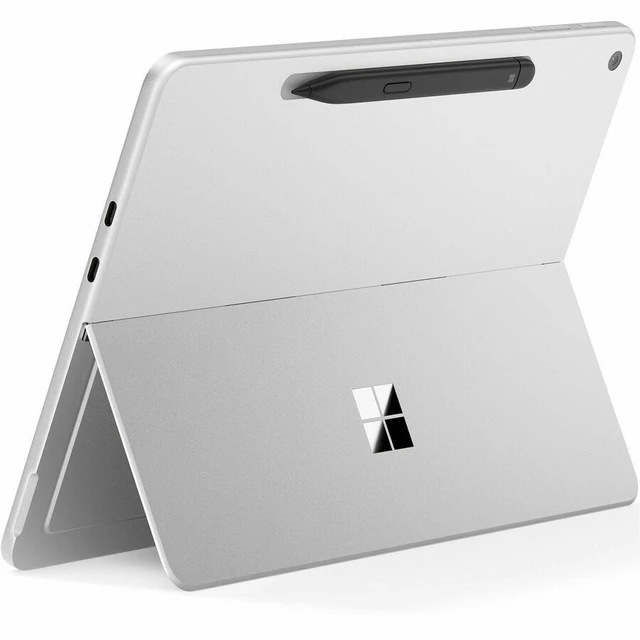
The Microsoft Surface Pro 12-inch (EP2-76365) is a Windows 11 Pro tablet with a 6-core Snapdragon X2 Plus, 24GB LPDDR5X memory, and 1TB UFS storage, suited to professionals who want a compact device for work, multitasking, and storing files locally.
Recommended For
- Mobile professionals who carry Windows work between meetings or locations and mainly handle documents, web tasks, and notes on a compact device.
- Students and meeting-heavy workers who want to handwrite notes, mark up documents, or sketch ideas, then switch to Windows apps and keyboard input.
- People who want a quiet, fanless Windows device for everyday work and prefer a compact tablet that can also serve as a laptop-style setup.
- Creators who mainly sketch, annotate designs, or make occasional photo edits on the move rather than run long, demanding production jobs.
Real-World Use Scenarios
- For everyday work or study—writing documents, browsing with multiple tabs, and switching between apps—the Surface Pro 12 is suited to a portable laptop-style workflow; add the optional keyboard for longer typing sessions. ([blogs.windows.com](https://blogs.windows.com/devices/2026/09/23/introducing-surface-pro-12-inch-and-surface-laptop-13-inch-with-snapdragon-x2/?trk=public_post_comment-text))
- In class, meetings, or while reviewing documents, users can write notes, mark up PDFs, or sketch directly on the touchscreen; the Surface Slim Pen is sold separately. ([blogs.windows.com](https://blogs.windows.com/devices/2026/09/23/introducing-surface-pro-12-inch-and-surface-laptop-13-inch-with-snapdragon-x2/?trk=public_post_comment-text))
- For travel or moving between workspaces, its tablet-to-laptop format and fanless design suit quiet, portable tasks such as reading, browsing, and handling documents; the keyboard is optional. ([blogs.windows.com](https://blogs.windows.com/devices/2026/09/23/introducing-surface-pro-12-inch-and-surface-laptop-13-inch-with-snapdragon-x2/?trk=public_post_comment-text))
- For creative work such as sketching, photo edits, or switching among several creative apps, hands-on testing found the Surface Pro 12 could keep a sketching, 3D, and image-editing workflow open together; results will depend on the app and workload. ([tomsguide.com](https://www.tomsguide.com/computing/laptops/microsoft-surface-pro-12-inch-surface-laptop-13-inch-snapdragon-x2-plus-hands-on-review))
- If your work depends on a specialized Windows app, game, or accessory, check its Snapdragon/Windows-on-ARM compatibility before relying on the device; reviewers note that some apps, games, and accessories may have compatibility issues. ([notebookcheck.net](https://www.notebookcheck.net/Microsoft-Surface-Pro-12-2026-Fanless-convertible-gets-a-display-downgrade.1439933.0.html))
Spec Summary
| Attribute | Value |
|---|
| Best For | Windows-based work and everyday use with a touchscreen display, 24 GB of memory, and 1 TB of storage |
|---|
| Processor And Core Count | Snapdragon X2 Plus 6-core processor with 22 MB L3 cache |
|---|
| Display Spec | 12-inch LCD PixelSense touchscreen with 2196 x 1464 resolution |
|---|
| Graphics | Qualcomm Adreno graphics |
|---|
| Memory Configuration | 24 GB LPDDR5X memory; maximum supported memory is 24 GB |
|---|
| Storage | 1 TB UFS storage |
|---|
| Ports And Connectivity | 2 USB-C ports with USB 3.2 at up to 10 Gbps; Wi-Fi 7, Bluetooth 5.4, and NFC |
|---|
| Operating System | Windows 11 Pro |
|---|
| Model Identifiers | Microsoft Surface Pro, model 2149, part number EP2-76365; Platinum; 2026 release |
|---|




 here!

 Hot Seller