




 here!
I’m your shopping assistant for PC builds, upgrades, and everything tech.
Got questions? Ask away!
Start a conversation
here!
I’m your shopping assistant for PC builds, upgrades, and everything tech.
Got questions? Ask away!
Start a conversation Hot Seller
 Top Rated Hot Seller





Any questions? Ask CelesteSM will help you find out quickly.
We want to ensure your holiday shopping this year is hassle-free. That’s why we’re automatically extending our return policies on almost every product! For purchases placed between November 1st, 2026 and December 31, 2026 you will have until January 31, 2027 to return your product.
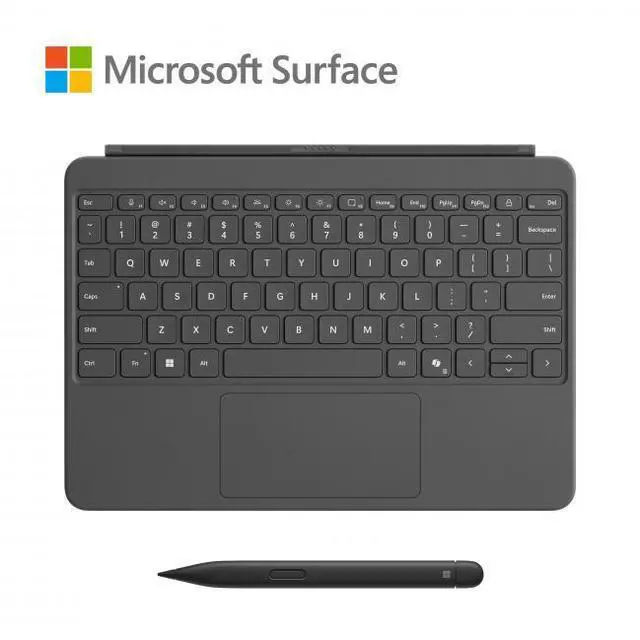
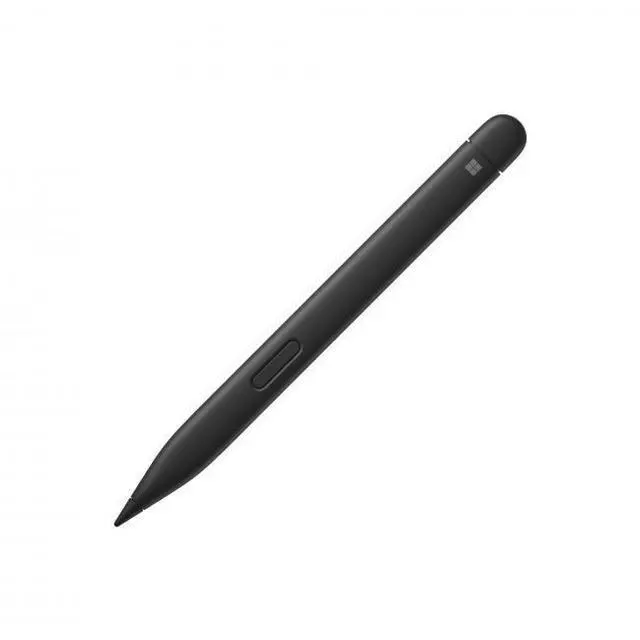
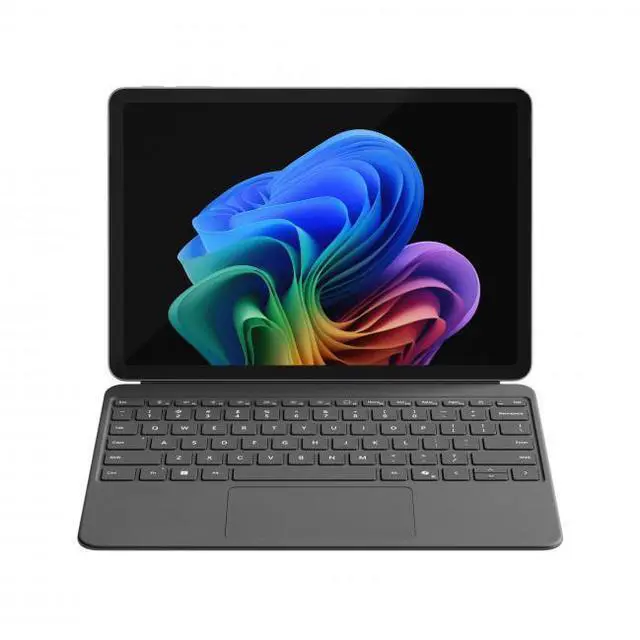
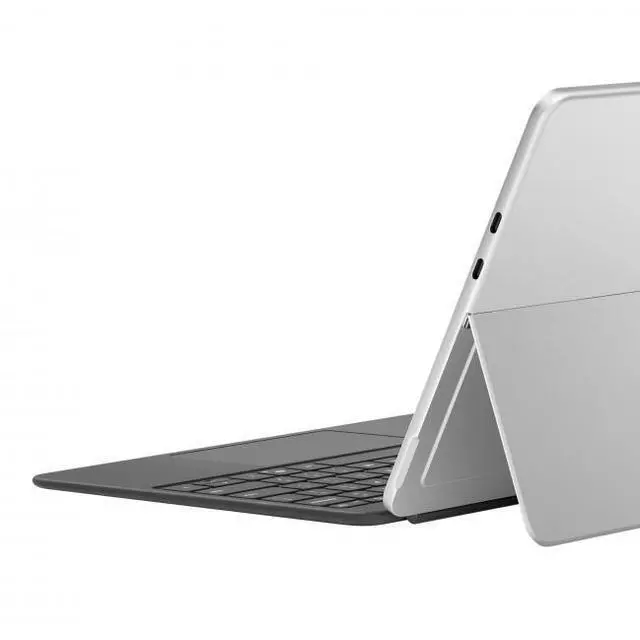
The Microsoft Surface Pro 12-inch Keyboard with Slim Pen is a premium keyboard-and-stylus accessory for Surface Pro 12-inch users who want to turn their tablet into a more laptop-like setup for typing, note-taking, and everyday productivity at home, school, or work.
| Attribute | Value |
|---|---|
| Best For | Owners of Surface Pro 12-inch (Windows tablets/laptops) who want a laptop-like typing experience with an included Slim Pen and multi-posture hinge for content creation and productivity |
| Model Identifiers | Microsoft — model/part EP2-33054; sold as a 'Keyboard with Pen Bundle' |
| Compatibility & Operating System | Made for Surface Pro 12-inch; also lists compatibility with model AAUB P30; compatible with Windows-based devices (minimum Windows 10); intended for laptop/tablet use |
| Design & Materials | Slate color with Alcantara enclosure; ambidextrous QWERTY keyboard layout and single-color backlight |
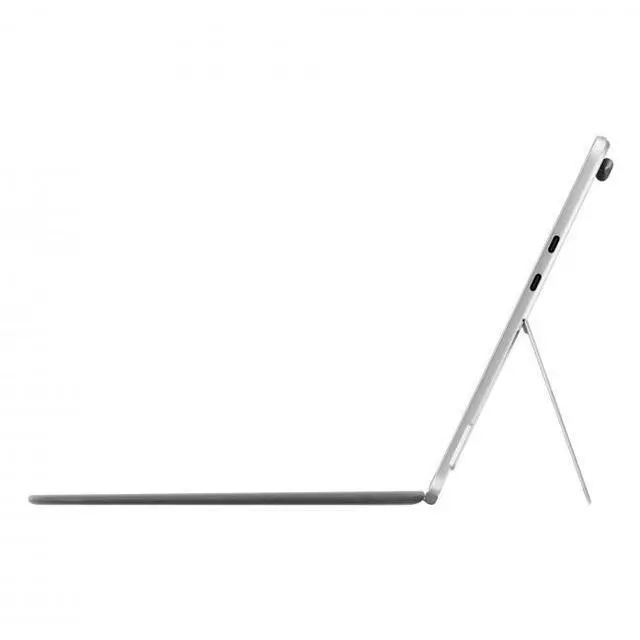
| Keyboard And Pen Features | Mechanical-switch backlit keyboard with spacious touchpad and dynamic 360° hinge for multiple postures and improved lap/table stability; dedicated one-touch keys (Copilot, snipping, microphone mute, lock) and includes Surface Slim Pen |
| Power & Batteries | Keyboard operates via wired/plugged-in power; product includes battery-powered component(s) (Surface Slim Pen) that use one nonstandard battery; batteries are not included and the keyboard itself does not require batteries |
| Dimensions & Weight | Item dimensions 11.6 L x 11 W x 1 H inches with item weight 0.5 kilograms; package dimensions 2.3876 L x 20.9042 W x 29.3116 H centimeters with package weight 0.712 kilograms |
| Packaging & Count | Sold as a single unit (package quantity 1; number of items 1; unit count 1; number of packs 1) |
| Certifications & Emissions | Not capable of emitting RF energy |
Q: Should I buy the Surface Pro 12-inch Keyboard with Slim Pen or the Surface Pro Flex Keyboard for a larger Surface Pro?
A: Choose the Surface Pro 12-inch Keyboard with Slim Pen if you have the 12-inch Surface Pro and want the matching keyboard-and-pen bundle built for that device. Choose the Surface Pro Flex Keyboard if you use a 13-inch-class Surface Pro and want higher-end keyboard features such as detached wireless use and a haptic touchpad. The main trade-off is that the 12-inch keyboard is the simpler, device-specific option, while the Flex Keyboard is positioned as the more premium accessory for larger Surface Pro models.
Q: Is the Surface Pro 12-inch Keyboard with Slim Pen better than buying the keyboard and pen separately?
A: Buy the bundle if you already know you want both typing and pen input. Microsoft positions this package as the complete accessory setup for the 12-inch Surface Pro, and reviews consistently describe the keyboard and Slim Pen as the pair that unlocks the device's full laptop-and-tablet workflow. Buying separately makes more sense only if you are sure you will skip pen use or already own a compatible pen.
Q: Should I choose the 12-inch Surface Pro keyboard bundle or move up to a 13-inch Surface Pro setup for heavier work?
A: Choose the 12-inch keyboard bundle if portability, note-taking, and a smaller travel setup matter more. Move up to a 13-inch Surface Pro setup if you want a roomier typing deck, more premium keyboard options, and a configuration that reviewers more often recommend for desk-first productivity. Community discussion also commonly frames the 12-inch model as the easier tablet to carry, while the larger model is the better fit for users who spend longer stretches typing.
Q: How does the Surface Pro 12-inch Keyboard with Slim Pen compare with older Surface Pro keyboards that stored the pen in the keyboard?
A: Choose this newer 12-inch bundle if you prefer the current 12-inch Surface Pro accessory design and want the keyboard made specifically for that device. Choose an older 13-inch-style Surface Pro keyboard design if in-keyboard pen storage and charging are higher priorities. A common trade-off noted by reviewers and Surface users is that the 12-inch setup moves pen attachment to the back of the tablet instead of integrating it into the keyboard.
Q: Is this keyboard with Slim Pen a good fit for note-taking, meetings, and office work?
A: Yes, if you use a Surface Pro 12-inch and want both typing and handwriting in one setup. The keyboard adds backlit laptop-style typing, a touchpad, and dedicated productivity keys, while the included Slim Pen is designed for writing and sketching and is rated for up to 15 hours of battery life. For meetings, class, and general office work, the main benefit is convenience: you can type, annotate, and switch modes without carrying separate accessories.
Q: Will this work with older Surface Pro models like Surface Pro 7, 8, or 9?
A: No. This accessory is for the Surface Pro 12-inch platform, so compatibility is the first decision check. Retail Q&A for the 12-inch version points buyers back to Surface Pro 12-inch specifically, and older Surface keyboard Q&A pages show that Microsoft keyboard compatibility is model-specific rather than universal. If you own a Surface Pro 7, 8, or 9, you should buy the keyboard made for that generation instead.
Q: Is this worth buying as a travel work accessory?
A: Yes for frequent Surface Pro 12-inch users who want one compact kit for typing and pen input. The value is portability: it turns the tablet into a more laptop-like setup while keeping the pen included and ready to use. The trade-off is price versus a keyboard-only option. If you mainly type and rarely use a pen, a keyboard without Slim Pen will usually be the better value; if you annotate documents, take handwritten notes, or mark up slides while traveling, the bundle is easier to justify.
Q: Who should buy the keyboard-and-pen bundle instead of the keyboard-only version?
A: Buy the bundle if you expect to use the pen regularly for note-taking, markup, sketching, or meetings. Buy the keyboard-only version if your use is mostly typing, browsing, and office apps. Retail discussion around Surface keyboards repeatedly centers on whether pen storage, charging, and pen inclusion matter; that makes the bundle best for users who want the pen ready at all times, not for buyers who just need a typing cover.
Q: What is the main trade-off versus Microsoft’s Flex Keyboard alternatives?
A: The main trade-off is price and flexibility versus simplicity. Microsoft’s Flex Keyboard options for comparable Surface Pro models are positioned as more premium and more versatile, including detached wireless use on some versions, but they cost much more. This Surface Pro 12-inch keyboard with Slim Pen is the more straightforward choice if you want an integrated keyboard-plus-pen setup and do not need higher-end Flex features.
Q: Is the Surface Pro 12-inch Keyboard with Slim Pen worth buying if you want a laptop-style setup?
A: It is most suitable for Surface Pro 12-inch owners who want better typing, a larger touchpad, and an integrated pen workflow in one accessory bundle. Community discussion repeatedly points to the keyboard feel, trackpad, and portability as strengths, while the main trade-off is price. It is a better fit for people who will regularly switch between tablet and laptop use than for buyers who only need a basic cover.
Q: Is this keyboard and Slim Pen combo good for note-taking and school or work use?
A: Yes, for users who need both handwriting and regular productivity work. Reddit discussion around the Surface Pro 12-inch commonly describes it as useful for note-taking, email, browsing, and light office tasks, and the product data supports that with a backlit keyboard, touchpad, and included Slim Pen. The main limitation is that heavy creative or demanding desktop workloads are not the focus of this accessory setup.
Q: Who is this accessory bundle best suited for?
A: It is best suited for mobile users who want a lighter 2-in-1 setup and expect to use both keyboard input and pen input often. Repeated discussion favors the 12-inch form factor for portability, travel, and handheld note-taking. It is less compelling for users who mainly work at a desk, want the largest screen, or do not plan to use the pen regularly.
Q: What are the main trade-offs of buying the Surface Pro 12-inch Keyboard with Slim Pen bundle?
A: The main trade-offs are cost and some lap-use compromises. Reddit users repeatedly mention that the keyboard-and-pen add-on cost feels high, and some users report that the keyboard design is less ideal on the lap than earlier Surface styles. In return, you get a more travel-friendly setup, backlit keys, touchpad support, and a pen included in the bundle.


