here!
here!
I’m your shopping assistant for PC builds, upgrades, and everything tech.
Got questions? Ask away!
Start a conversation
here!
I’m your shopping assistant for PC builds, upgrades, and everything tech.
Got questions? Ask away!
Start a conversation



Any questions? Ask CelesteSM will help you find out quickly.


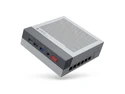
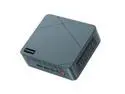
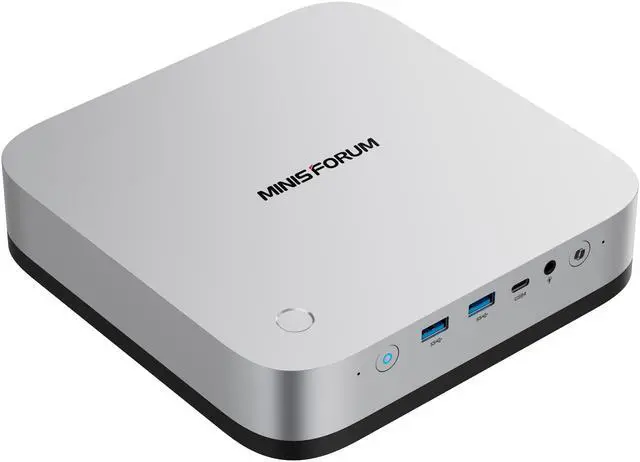
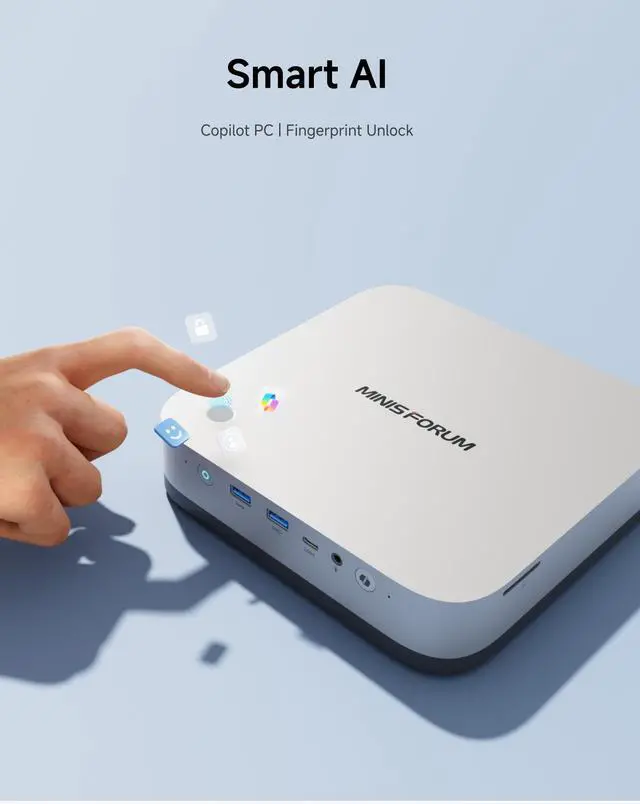
The MINISFORUM X1 Pro-470 is a barebone AI mini PC built for power users, developers, creators, and office setups that need Ryzen AI 9 HX 470 performance, Radeon 890M graphics, quad-display support, and fast networking in a compact desktop format.
| Attribute | Value |
|---|---|
| Best For | Compact, AI‑ready barebone mini PC for desktop AI-accelerated workflows, multi-monitor productivity and high-speed wired/wireless networking, built around an AMD Ryzen AI 9 HX 470 with integrated Radeon 890M graphics |
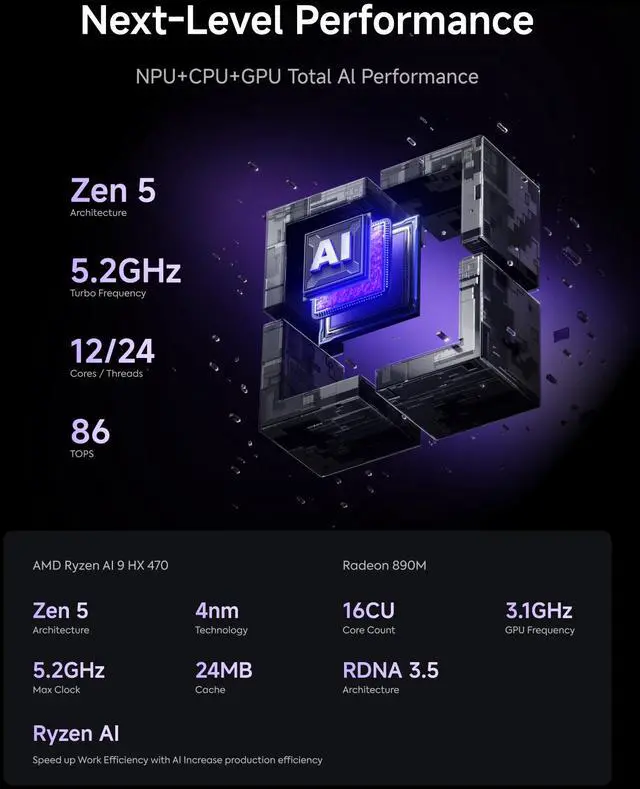
| Processor And Core Count | AMD Ryzen AI 9 HX 470 with 12 cores and 24 threads, up to 5.2 GHz |
| AI And Performance | AI Ready platform with up to 86 TOPS overall performance for accelerated AI inference and tasks |
| Graphics | Integrated AMD Radeon 890M iGPU for display output and GPU-accelerated workloads |
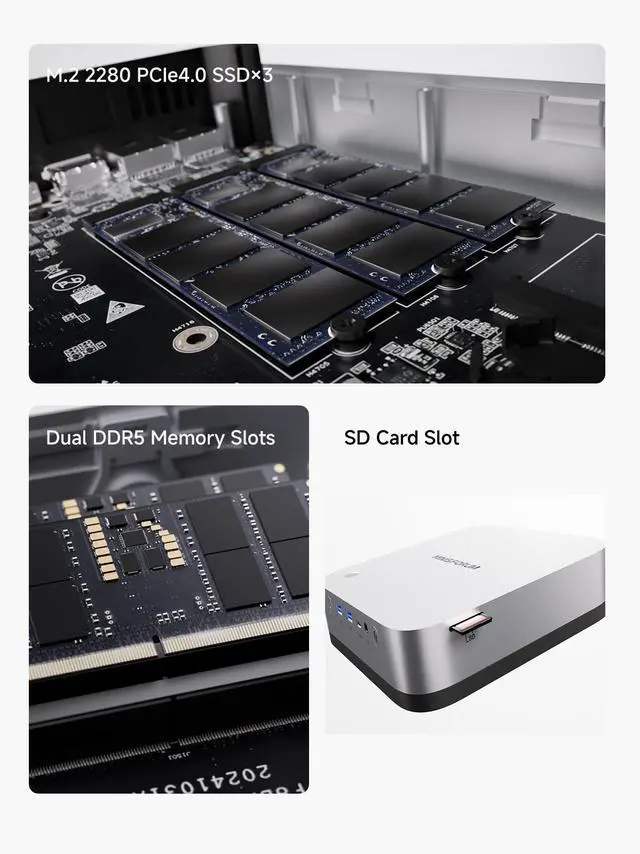
| Memory Configuration | Ships without memory; 2 x 262Pin SO-DIMM sockets supporting DDR5-5600 up to 128GB total |
| Storage And Expansion | Ships without storage; three M.2 2280 NVMe slots (2 x PCIe4.0 x4 and 1 x PCIe4.0 x1), each listed up to 4TB |
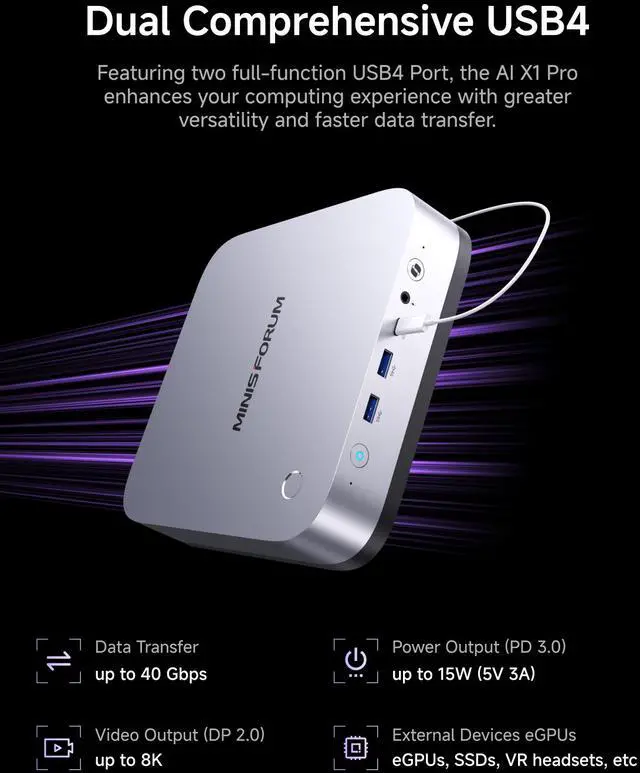
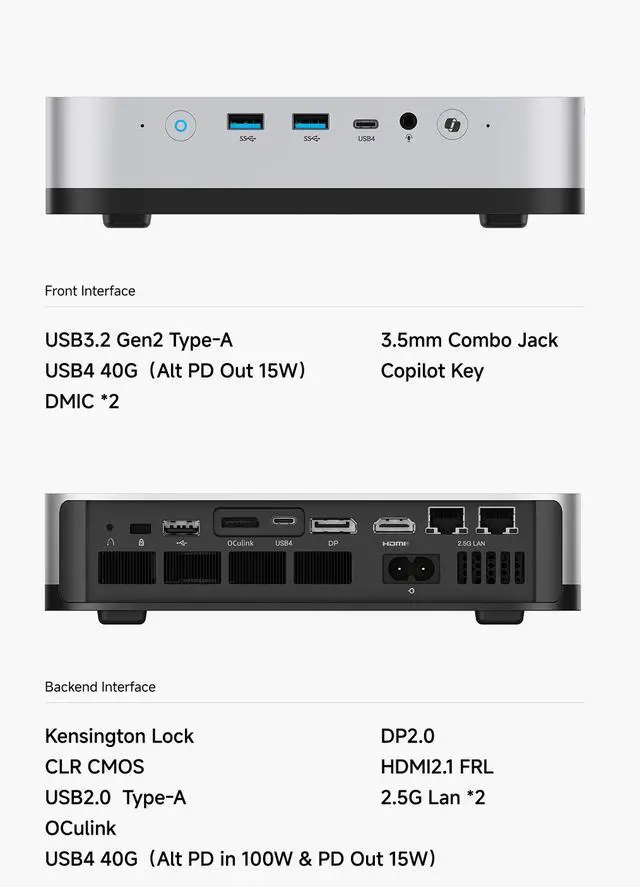
| Display Output | High-speed display set including 1x HDMI 2.1 FRL, 1x DisplayPort 2.0 and two USB4-capable ports suitable for alternate-mode video over USB4 |
| Ports And I/O | Front I/O: 2x USB 3.2 Gen2 Type-A, a USB4 port (40 Gbps, Alt PD Out 15W), 3.5 mm combo jack and SD card slot; Rear I/O: USB2.0 Type-A, a USB4 port (40 Gbps, PD in 65–100W & PD Out 15W) and OCuLink |
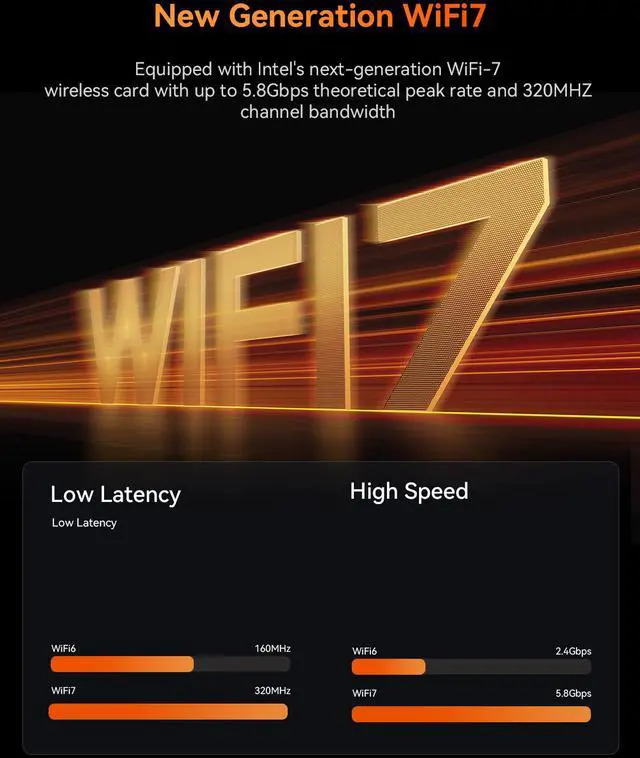
| Wired And Wireless Networking | Dual RJ45 2.5Gbps LAN ports plus 802.11be Wi‑Fi (Wi‑Fi 7) and Bluetooth 5.4 for high-throughput wired and wireless connectivity |
| Power And Dimensions | AC input 100–240V 50/60Hz with internal DC adapter 19V/7.1A (134.9W); dimensions 195 x 195 x 42.5 mm; weight 1.36 kg |
| Model Identifiers | MINISFORUM X1 Pro-470 in Silver (AI Ready barebone mini PC) |
Q: Should I buy the MINISFORUM AI X1 Pro-470 or a Ryzen AI 9 HX 370 mini PC?
A: Choose the MINISFORUM AI X1 Pro-470 if you want the same Radeon 890M graphics class as many HX 370 mini PCs, but with newer Ryzen AI 9 HX 470 positioning, OCuLink expansion, three M.2 slots, and dual 2.5GbE in one system. Choose an HX 370 mini PC if lower price is the priority, because professional reviews show that HX 470 does not automatically deliver a clear real-world uplift over well-tuned HX 370 systems with the same 890M iGPU. In short: X1 Pro-470 is the better fit for expandability and upgrade path; HX 370 options are often the better fit for value-first buyers.
Q: Is the X1 Pro-470 a better buy than an Intel Core Ultra 9 285H mini PC?
A: Buy the X1 Pro-470 if you care more about Radeon 890M gaming performance, OCuLink eGPU expansion, and workstation-style I/O such as dual 2.5GbE plus triple NVMe support. Consider a Core Ultra 9 285H mini PC if your priority is an Intel platform, business features, or a more office-centric mini PC design. Across reviews, this comparison usually comes down to platform preference and ports rather than a universal win on raw specs alone.
Q: Should I choose the X1 Pro-470 over a cheaper mini PC with older Radeon 680M graphics?
A: Yes, if your goal is a larger step up in integrated graphics, newer AI capability, faster networking, and better long-term expandability. The X1 Pro-470 pairs Radeon 890M graphics with USB4, Wi‑Fi 7, dual 2.5GbE, OCuLink, and up to three NVMe drives, which is a broader feature set than many older 680M-class mini PCs. A lower-cost 680M system still makes sense for basic office, media, and light homelab use, but the X1 Pro-470 is the more suitable choice when gaming, creator workloads, or future storage and eGPU upgrades matter.
Q: Is the barebone X1 Pro-470 worth it, or should I get a preconfigured mini PC instead?
A: Choose the barebone X1 Pro-470 if you want control over RAM and SSD selection, especially because review coverage and community feedback repeatedly show that memory configuration has a meaningful effect on Radeon 890M performance. A preconfigured mini PC is the simpler option if you want a ready-to-use system with less setup time. The practical trade-off is flexibility versus convenience: the barebone route is better for buyers who want to optimize thermals, storage layout, and gaming performance from the start.
Q: Is the X1 Pro-470 better for portability, or should I get a gaming laptop instead?
A: Get the X1 Pro-470 if you want a compact desktop that stays mostly in one place and gives you more ports, easier storage expansion, dual Ethernet, and an OCuLink upgrade path. Get a gaming or creator laptop if you need an all-in-one system with a built-in display, battery, and true travel use. The X1 Pro-470 suits performance-first desk setups; a laptop suits mobility-first use.
Q: Is this a good fit for office work, meetings, and a multi-monitor desk setup?
A: Yes. This model is well suited to office productivity, video meetings, web apps, and multi-window work. Its Ryzen AI 9 HX 470, modern connectivity, and four display outputs make it a stronger fit than basic mini PCs for users who want several monitors and fast networking. The main limitation is that this is a barebone unit, so you must add your own RAM, SSD, and operating system before use.
Q: Do I need to buy anything else, or is it ready to use out of the box?
A: You need to buy additional parts. This X1 Pro-470 is a barebone mini PC, which means it does not include memory or storage, and you should also confirm your operating system plan before purchase. It is a better choice for buyers who want to choose their own DDR5 RAM and NVMe SSDs, but it is less convenient than a fully configured mini PC for someone who wants a plug-and-play desktop.
Q: Who is this mini PC best for?
A: It is best for power users who want a compact desktop with upgrade flexibility, fast wired networking, and strong integrated graphics. Good fits include developers, home office users with several monitors, light content creators, homelab users, and buyers who want to add their own RAM and SSDs. It is less suitable for buyers who want the simplest setup experience or who need a dedicated GPU for heavier gaming or workstation-class graphics workloads.
Q: Is it a good travel work device?
A: It can work as a travel desktop, but it is not the most convenient travel computer for most people. The compact size helps, and it can drive hotel or office displays easily, but it still needs external power, a monitor, and input devices. It makes more sense for users who travel between fixed desks than for people who need true laptop-style portability.
Q: Is this better than a typical Intel barebone mini PC alternative?
A: It is usually the better choice if you value stronger integrated graphics, AI-focused hardware, dual 2.5Gb Ethernet, and three internal M.2 slots. A typical Intel barebone alternative may be preferable if you want a more familiar platform, lower entry price, or do not need the extra graphics and networking capability. The trade-off is that this MINISFORUM model is aimed more at performance-oriented buyers than basic desktop users.
Q: Is the MINISFORUM AI X1 Pro-470 worth buying over the HX 370 version?
A: Usually only if the price gap is small. Reddit discussions repeatedly describe the HX 470 as a minor refresh over the HX 370, with similar chassis, ports, expansion, and overall use case. Based on the product data, the main differences are the newer Ryzen AI 9 HX 470 and slightly higher stated AI performance, not a major platform change. If both are close in price, the 470 is the safer pick. If the 370 is meaningfully cheaper, it is likely the better value.
Q: Who is the AI X1 Pro-470 best suited for?
A: It fits buyers who want a compact but expandable mini PC for multitasking, homelab use, creator workflows, and light-to-moderate local AI experimentation. Reddit and YouTube discussions around this model focus on Linux, virtualization, storage expansion, eGPU use, and desk-space savings. The hardware supports that profile well: 12 cores, Radeon 890M graphics, dual DDR5 slots up to 128GB, three M.2 slots, dual 2.5GbE, USB4, and OCuLink. It is less suitable for buyers who want a simple plug-and-play budget mini PC, since barebone configuration requires adding RAM and storage.
Q: Is the AI X1 Pro-470 a good choice for gaming or an eGPU setup?
A: It can be a good fit if you want strong integrated graphics now and the option to add more GPU power later. Community discussion repeatedly highlights the Radeon 890M iGPU and the OCuLink port as key decision points. On its own, this is still an iGPU-based mini PC, so expectations should stay in the light-to-mid gaming range depending on settings and game type. Its bigger advantage is flexibility: OCuLink and USB4 make it more suitable than many mini PCs for future eGPU expansion.
Q: Is the AI X1 Pro-470 a good mini PC for local AI or LLM use?
A: It is reasonable for entry-level or space-efficient local AI use, but not ideal for larger models if that is your main goal. Reddit discussion around this product shows interest in Ollama and local LLM workloads, but also highlights limits versus higher-end systems with faster memory or stronger GPUs. Based on the product data, the X1 Pro-470 has useful AI-oriented hardware, including a Ryzen AI NPU, up to 128GB memory support, and expandability, but the integrated Radeon 890M and shared-memory design still make it a compromise platform for serious LLM work.
Q: What is the main trade-off with the AI X1 Pro-470 barebone model?
A: The main trade-off is that you must configure it correctly to get its value. Community discussion repeatedly points to memory setup as important, and this barebone version includes no RAM or SSD. For buyers comfortable choosing parts, that is a benefit because you can install up to 128GB DDR5 and up to three NVMe drives. For buyers who want a ready-to-use system at the lowest total cost, the extra spend on memory and storage makes it less straightforward.