




 here!
here!
I’m your shopping assistant for PC builds, upgrades, and everything tech.
Got questions? Ask away!
Start a conversation
here!
I’m your shopping assistant for PC builds, upgrades, and everything tech.
Got questions? Ask away!
Start a conversation



Any questions? Ask CelesteSM will help you find out quickly.


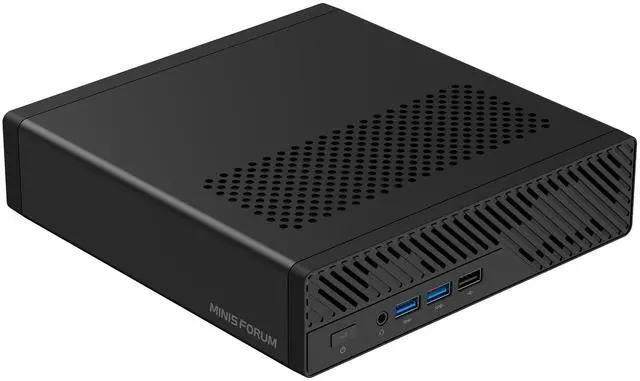
The MINISFORUM MS-A2 is a compact mini workstation for professionals who need Ryzen 9 9955HX processing, up to 96GB DDR5 support, and unusually strong networking with dual 10G SFP+ plus dual 2.5GbE. It fits CAD, virtualization, NAS/server-edge roles, content workflows, and multi-display desk setups.
| Attribute | Value |
|---|---|
| Best For | Compact mini-workstation workloads that need high CPU core count, multiple NVMe expansion slots and high-speed networking—suitable for CPU-heavy tasks, multi-monitor workflows and networked storage/server use |
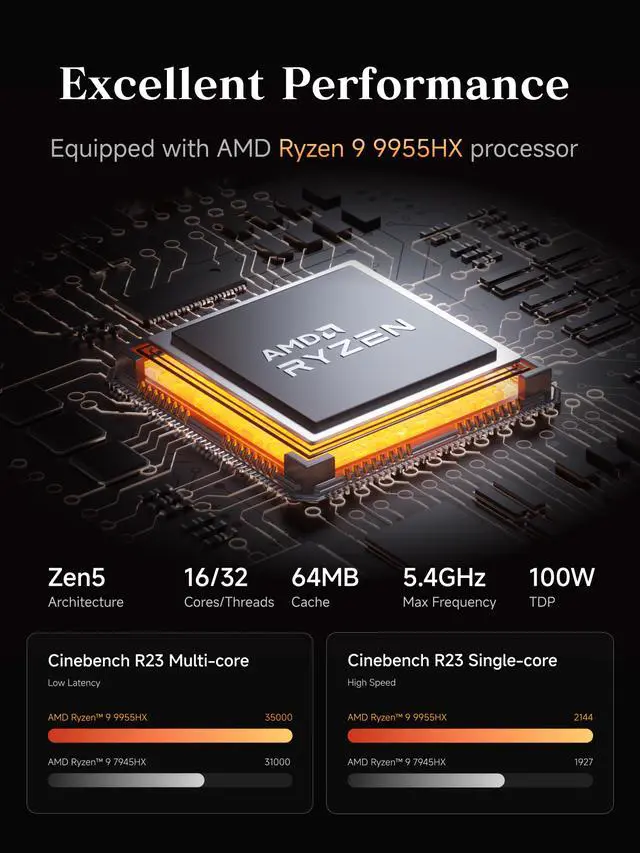
| Processor And Core Count | AMD Ryzen 9 9955HX with 16 cores and 32 threads, up to 5.4 GHz |
| GPU And Graphics | Integrated AMD Radeon 610M |
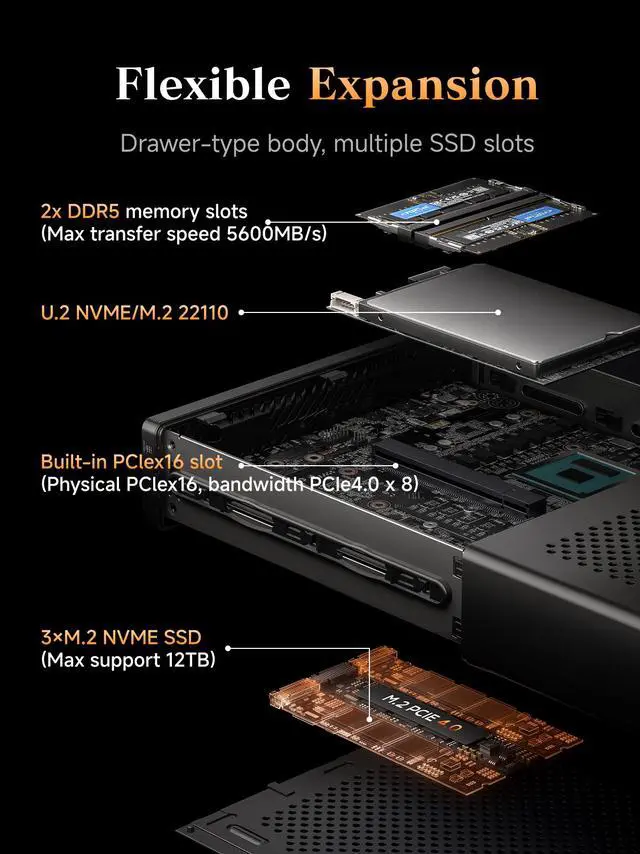
| Memory Configuration | 2 x 262‑pin SO‑DIMM DDR5-5600, dual-channel, up to 96 GB total (96 GB installed) |
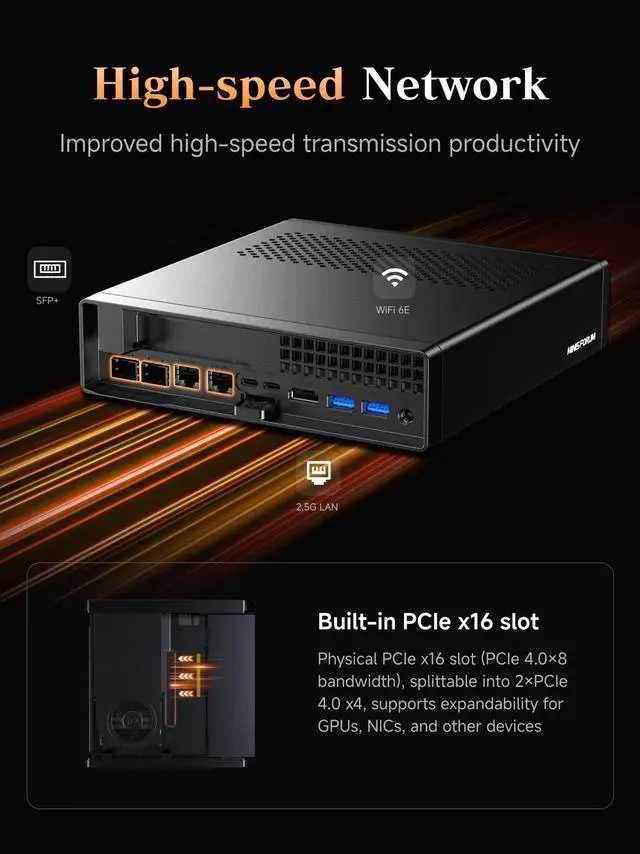
| Storage And Expansion | No storage installed; expansion includes 1x M.2 2280/U.2 NVMe (PCIe 4.0 x4, U.2 support up to 15 TB) plus 2x M.2 2280/22110 NVMe (up to 4 TB per slot, default PCIe 3.0 x4, up to PCIe 4.0 x4); one PCIe x16 slot wired as PCIe4.0 x8 with splitting supported |
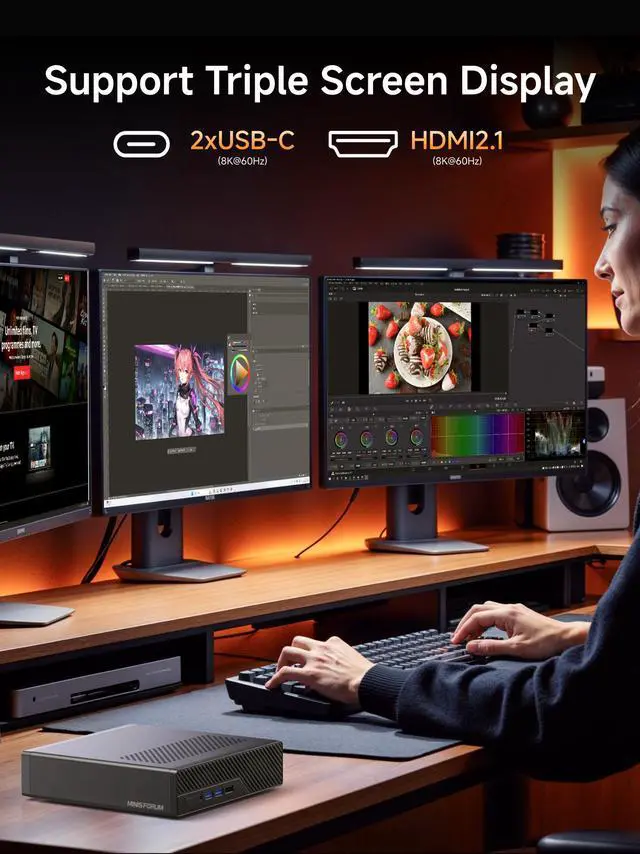
| Video Output And Display | 1x HDMI 2.1 output plus 2x USB-C (USB3.2 Gen2, 10 Gbps) with DisplayPort Alternate Mode, enabling multiple external monitors |
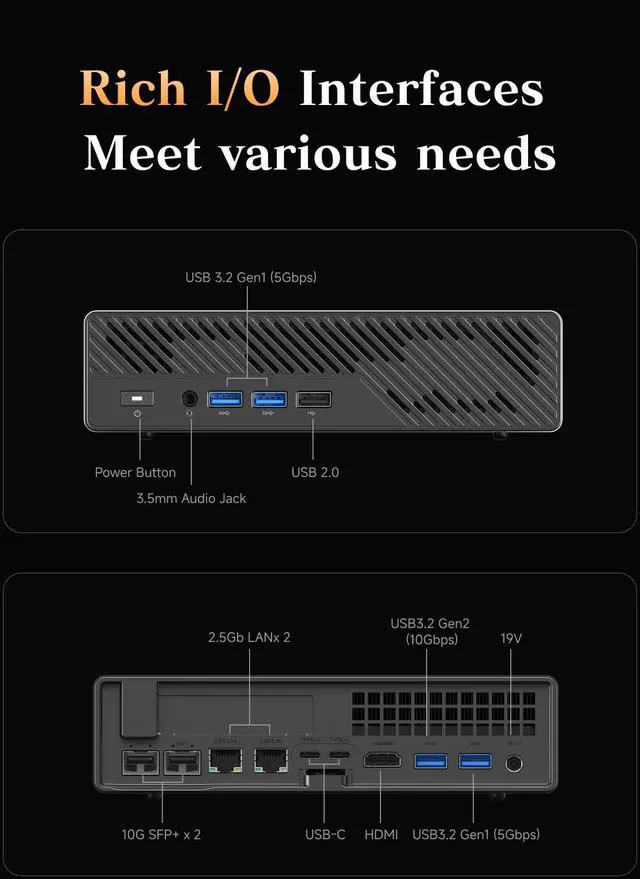
| Ports And I/O | Front: 2x USB 3.2 Gen1 (5 Gbps) and 1x USB 2.0 plus 3.5 mm combo audio; Rear: 1x USB 3.2 Gen2 (10 Gbps), 1x USB 3.2 Gen1 (5 Gbps) and 2x USB-C (USB3.2 Gen2, 10 Gbps, Alt DP) |
| Wired And Wireless Networking | Dual 2.5 GbE RJ45 (Realtek RTL8125 and Intel I226-V) plus 2x 10G SFP+ (Intel X710) with wired maximum 10 Gbps; Wi‑Fi 6E (802.11ax) and Bluetooth 5.2 |
| Power And Physical | 19 V / 12.63 A power supply; dimensions 196 x 189 x 48 mm; weight 1.4 kg |
| Packaging And Contents | Includes MS-A2-995HX mini workstation, US power adapter, power cord, HDMI cable, mounting screw set and manual |
| Model Identifiers | MINISFORUM MS-A2-9955HX (color: Black) |
Q: Should I buy the MINISFORUM MS-A2 with Ryzen 9 9955HX or the older MINISFORUM MS-01?
A: Choose the MS-A2 if your priority is higher CPU throughput, newer AMD Zen 5 performance, and a compact workstation or homelab build with multiple NVMe drives and dual 10G SFP+ networking. Choose the MS-01 if you want a similar networking-focused mini workstation concept at a lower price point and your workloads are less dependent on maximum multi-core CPU performance. External reviews consistently position the MS-A2 as the faster compute-focused successor, while the MS-01 remains a practical value alternative in the same niche.
Q: Is the MS-A2 better than a Ryzen AI 9 HX 370 mini PC for work and gaming?
A: Choose the MS-A2 for CPU-heavy work such as virtualization, compiling, rendering, and multi-threaded productivity, especially if you also want 10G SFP+ networking and broader internal storage expansion. Choose a Ryzen AI 9 HX 370 mini PC if stronger integrated graphics, lighter gaming, or local AI features are more important, because HX 370 systems commonly use the Radeon 890M iGPU and newer AI-focused platform features. The trade-off is straightforward: the MS-A2 is the better fit for workstation-style CPU and I/O demands, while HX 370 mini PCs are usually the better fit for users who rely on iGPU performance.
Q: Should I choose the Ryzen 9 9955HX version of the MS-A2 or a lower-tier MS-A2 configuration?
A: Choose the Ryzen 9 9955HX version if you expect sustained multi-core workloads, heavier virtualization, or professional tasks that benefit from 16 cores and 32 threads. A lower-tier MS-A2 configuration makes more sense if you mainly want the chassis, networking, PCIe expansion, and storage flexibility but do not need top-end CPU throughput every day. This is a classic scale-up decision: the platform features stay attractive across the range, while the 9955HX is the better fit when processor time is the main bottleneck.
Q: Is the MS-A2 with Ryzen 9 9955HX a worthwhile upgrade over the Ryzen 9 7945HX version?
A: Yes, the 9955HX version is the more sensible choice if pricing is reasonably close and you want the longest useful life from the system. The main benefit is newer-generation CPU performance, especially in single-core responsiveness, while keeping the same general MS-A2 workstation concept. The 7945HX version still makes sense for buyers focused on value, but most decision-oriented comparisons favor the 9955HX when the goal is maximum CPU performance from this platform.
Q: Is the MS-A2 a good choice for portability-focused setups, or should I pick a smaller mini PC?
A: Choose the MS-A2 if you want a transportable workstation that prioritizes networking, storage expansion, and CPU performance over the smallest possible footprint. Choose a smaller mini PC if your priority is desk simplicity, lighter travel, or a quieter mainstream office setup. The MS-A2 is still compact for what it offers, but external reviews describe it more as a workstation or homelab mini PC than a minimal everyday carry system.
Q: Is this a good choice for office work, multitasking, and professional desktop use?
A: Yes, if you want a compact desktop for heavy office work, development, virtual machines, CAD-adjacent workloads, or multitasking. The Ryzen 9 9955HX has 16 cores and 32 threads, the system supports up to 96GB DDR5, and it offers multiple high-speed storage options. The main limitation is that this is a barebone-style configuration with no SSD and no operating system included, so it is better for buyers who are comfortable finishing the setup themselves.
Q: Do I need to add my own RAM, SSD, and operating system before I can use it?
A: Yes. Based on the product listing, this version does not include storage or an operating system, and the title also indicates a barebone-style purchase. It is intended for users who want to choose their own SSD and OS. Buyers should verify the exact RAM configuration before purchase, because the title and spec block are inconsistent: the title mentions 96GB DDR5, while the same listing also says 'Without RAM/SSD/OS.'
Q: Who is this mini PC best suited for?
A: This model is best suited for advanced users who need strong CPU performance, fast local networking, and flexible storage expansion in a small chassis. It fits roles such as homelab node, edge server, NAS-adjacent workstation, development box, or productivity workstation with multiple displays. It is less suitable for buyers who want a simple plug-and-play family PC, because setup is more involved and the integrated Radeon 610M graphics are not the main reason to buy it.
Q: Is it a good travel work device?
A: Usually no. It is compact for a workstation, but it is still a desk-first mini PC, not a travel-first computer. At about 1.4 kg plus a large external power adapter, it is more portable than a tower but much less convenient than a laptop for flights, meetings, and battery-free mobile use. It makes more sense as a semi-portable workstation you move between fixed locations.
Q: What are the main trade-offs versus a typical consumer mini PC from ASUS, Lenovo, or MSI?
A: The MS-A2 is stronger on CPU class, networking, and expansion than a typical consumer mini PC. Its advantages are the 16-core Ryzen 9 processor, dual 10G SFP+, dual 2.5GbE, three NVMe-capable storage positions, and a PCIe slot. The trade-offs are lower plug-and-play convenience, no included SSD or OS in this listing, and integrated Radeon 610M graphics that are fine for display output and basic GPU tasks but not a substitute for a gaming-focused or creator mini PC with much stronger graphics.
Q: Who is the MINISFORUM MS-A2 best suited for?
A: The MS-A2 is best suited for users who need strong CPU performance and unusually flexible networking in a very small desktop. Based on its 16-core Ryzen 9 9955HX, triple-storage layout, and dual 10G SFP+ plus dual 2.5GbE ports, it fits developer workstations, compact homelabs, virtualization nodes, and network-heavy office setups better than gaming-focused use. Its main trade-off is that the integrated Radeon 610M is a basic iGPU, so graphics-heavy work and modern gaming are not its strength.
Q: Is the MS-A2 a good choice for a homelab, Proxmox, or NAS-style setup?
A: Yes, if your priority is high networking density and storage flexibility in a compact system. Community discussion repeatedly centers on Proxmox, ZFS, firewall, and homelab use, which matches the hardware: dual 10G SFP+, dual 2.5GbE, three NVMe-capable storage positions, and support for RAID or multi-drive layouts. The main caveat is that buyers should be comfortable supplying and validating their own SSD and OS configuration, especially for reliability-sensitive deployments.
Q: Is the MS-A2 a good replacement for a full-size desktop workstation?
A: It can replace a full-size desktop for CPU-heavy office, development, and virtualization workloads if you do not need a powerful GPU. The Ryzen 9 9955HX and up to 96GB official memory support make it viable for demanding multitasking, compiling, and general workstation use. The trade-offs versus a tower are tighter thermal limits, less upgrade freedom, and much weaker graphics unless you add a very constrained low-profile PCIe card.
Q: What are the main trade-offs of buying the MS-A2?
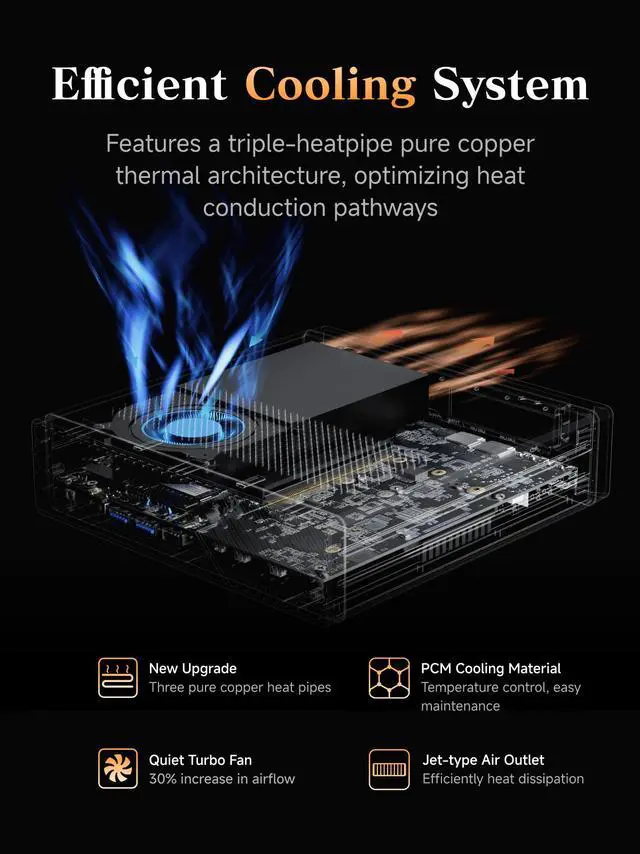
A: The main trade-offs are graphics capability, noise and thermals under load, and barebone-style setup complexity. The integrated Radeon 610M is suitable for display output and light graphics work, not serious gaming or GPU-intensive creation. Community discussion also raises fan noise, tuning, and some setup or boot-display friction, so this model makes more sense for buyers who value CPU and networking features over quiet operation and plug-and-play simplicity.
Q: Should you buy the MS-A2 if you want gaming or heavy GPU performance?
A: No, not as a primary gaming or GPU workstation. The MS-A2's value is in compact CPU performance, storage expansion, and network connectivity, while the Radeon 610M integrated graphics are modest. It is a better fit for productivity, server, and networking roles than for modern AAA gaming, GPU rendering, or other graphics-first workloads.


