




 here!
I’m your shopping assistant for PC builds, upgrades, and everything tech.
Got questions? Ask away!
Start a conversation
here!
I’m your shopping assistant for PC builds, upgrades, and everything tech.
Got questions? Ask away!
Start a conversation



Any questions? Ask CelesteSM will help you find out quickly.

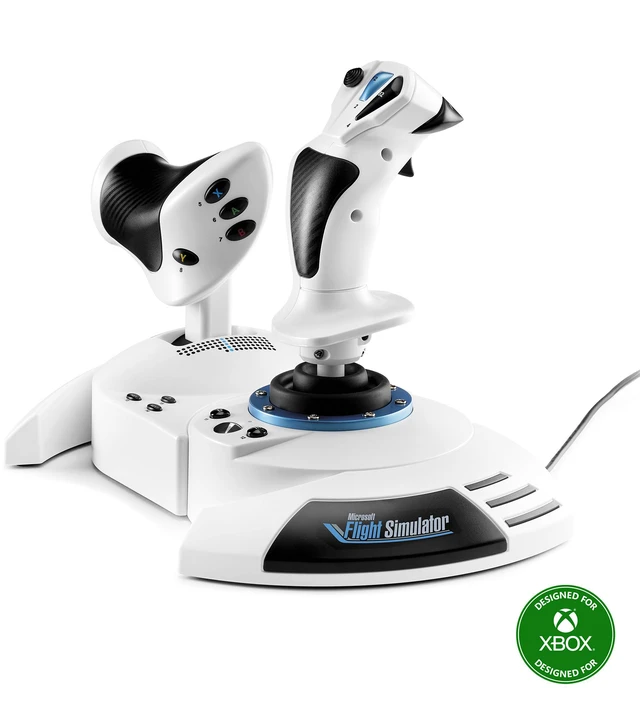
Start your flight simulation adventure with the T.Flight Hotas One Microsoft Flight Simulator Edition, the immersive, complete and precise plug-and-play equipment you need to fly all types of aircraft. Connect it to your Xbox Series X|S console or your PC to play Microsoft Flight Simulator 2024.

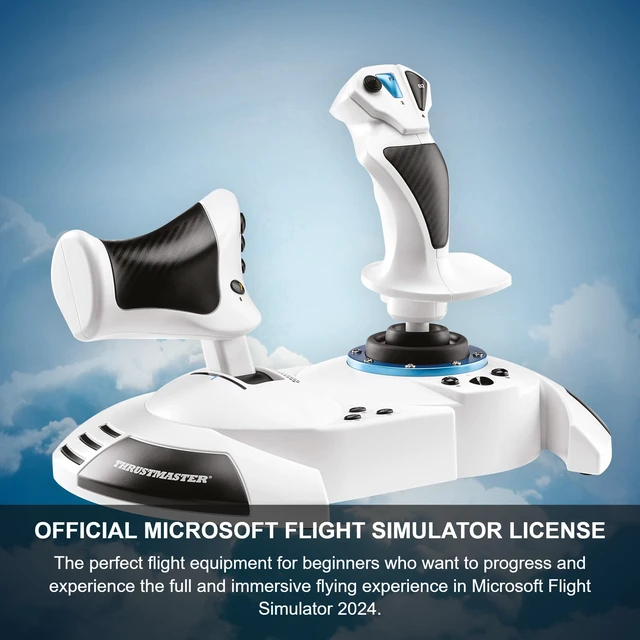
T.Flight Hotas One Microsoft Flight Simulator Edition is the perfect all-in-one flight equipment for beginners who want to progress and experience their first full and immersive flying experience in Microsoft Flight Simulator 2024.

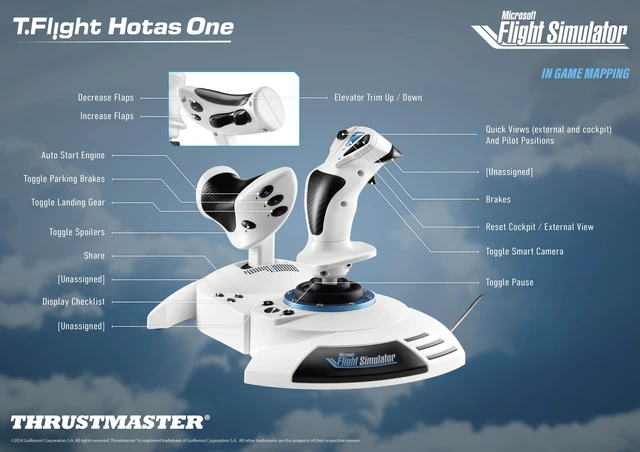
It’s time to feel real sensations like never before with T.Flight Hotas One Microsoft Flight Simulator Edition, the perfect equipment to progress in an immersive flying experience, thanks to its joystick and throttle with a total of 14 buttons, 1 rapid trigger and 1 multi-directional hat switch.

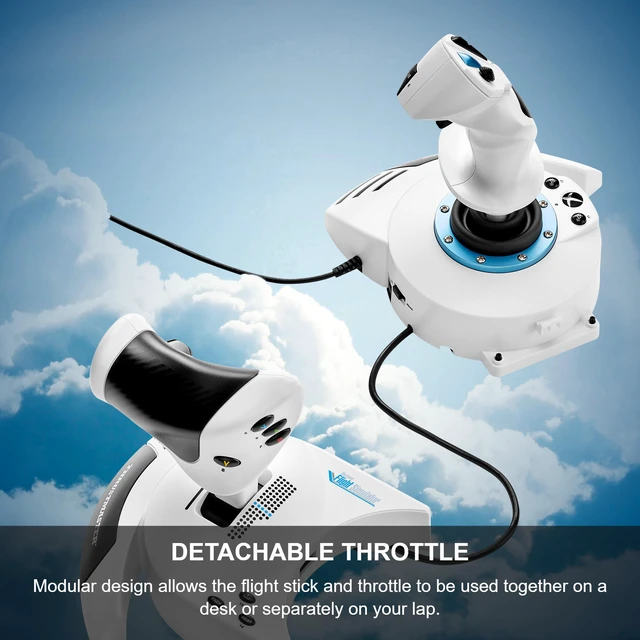
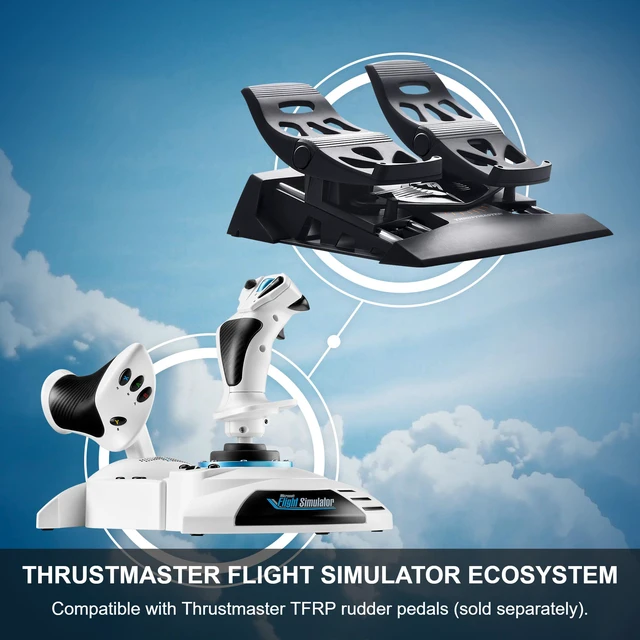
Adapt to your gaming environment thanks to the detachable throttle and the weighted base of Flight Hotas One Microsoft Flight Simulator Edition. Chose to detach the joystick from its throttle to recreate real flying sensations or remain it attached for greater stability and space savings.

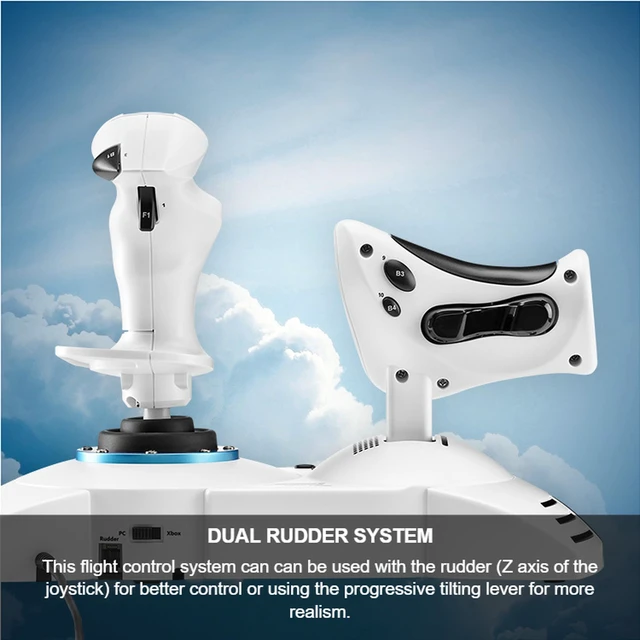
According to your preferences, the rudder function (rotate the aircraft around its vertical axis) of T.Flight Hotas One Microsoft Flight Simulator Edition can be used with the rudder (Z axis of the joystick) for better control or using the progressive tilting lever for more realism.

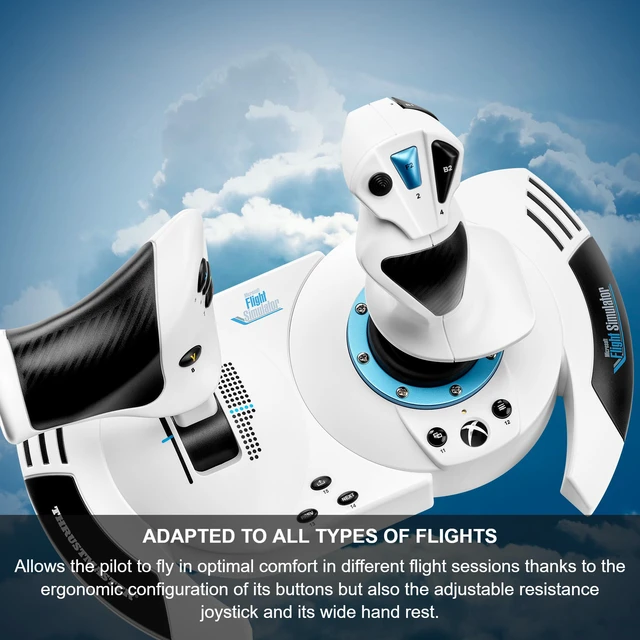
T.Flight Hotas One Microsoft Flight Simulator Edition allows to fly in optimal comfort in different flight sessions thanks to the ergonomic configuration of its buttons but also the adjustable resistance joystick and its wide hand rest.

Q: How can I fix reversed axes on Xbox?
A: Go to Settings > Controls in the game.
Select T.Flight Hotas One and filter by "Assigned controls".
Click the gear icon next to each command, enable the "Invert Axis" option, and save.
Q: How can I fix the rudder configuration on PC?
A: Download and install the latest drivers from Thrustmaster's official website.
Go to Settings > Controls, select T.Flight Hotas One, and search for "Rudder Axis".
Enable the automatic detection function, then move the stick (Z axis), to assign it.
Q: Do I need to repeat configuration setting steps every time I play?
Download and install the latest drivers from Thrustmaster's official website.
Go to Settings > Controls, select T.Flight Hotas One, and search for "Rudder Axis".
Enable the automatic detection function, then move the stick (Z axis), to assign it.
Do I need to repeat configuration setting steps every time I play?
A: No, once the settings are applied and saved in a custom profile, they will be preserved for future sessions.
What should I do if I encounter issues with setting up my device?
Please contact Thrustmaster support or check the Microsoft Flight Simulator community forums for additional guidance.

Start your flight simulation adventure with the T.Flight Hotas One Microsoft Flight Simulator Edition, the immersive, complete and precise plug-and-play equipment you need to fly all types of aircraft. Connect it to your Xbox Series X|S console or your PC to play Microsoft Flight Simulator 2024.
T.Flight Hotas One Microsoft Flight Simulator Edition is the perfect all-in-one flight equipment for beginners who want to progress and experience their first full and immersive flying experience in Microsoft Flight Simulator 2024.
It’s time to feel real sensations like never before with T.Flight Hotas One Microsoft Flight Simulator Edition, the perfect equipment to progress in an immersive flying experience, thanks to its joystick and throttle with a total of 14 buttons, 1 rapid trigger and 1 multi-directional hat switch.
Adapt to your gaming environment thanks to the detachable throttle and the weighted base of Flight Hotas One Microsoft Flight Simulator Edition. Chose to detach the joystick from its throttle to recreate real flying sensations or remain it attached for greater stability and space savings.
According to your preferences, the rudder function (rotate the aircraft around its vertical axis) of T.Flight Hotas One Microsoft Flight Simulator Edition can be used with the rudder (Z axis of the joystick) for better control or using the progressive tilting lever for more realism.
T.Flight Hotas One Microsoft Flight Simulator Edition allows to fly in optimal comfort in different flight sessions thanks to the ergonomic configuration of its buttons but also the adjustable resistance joystick and its wide hand rest.

Q: How can I fix reversed axes on Xbox?
A: Go to Settings > Controls in the game.
Select T.Flight Hotas One and filter by "Assigned controls".
Click the gear icon next to each command, enable the "Invert Axis" option, and save.
Q: How can I fix the rudder configuration on PC?
A: Download and install the latest drivers from Thrustmaster's official website.
Go to Settings > Controls, select T.Flight Hotas One, and search for "Rudder Axis".
Enable the automatic detection function, then move the stick (Z axis), to assign it.
Q: Do I need to repeat configuration setting steps every time I play?
Download and install the latest drivers from Thrustmaster's official website.
Go to Settings > Controls, select T.Flight Hotas One, and search for "Rudder Axis".
Enable the automatic detection function, then move the stick (Z axis), to assign it.
Do I need to repeat configuration setting steps every time I play?
A: No, once the settings are applied and saved in a custom profile, they will be preserved for future sessions.
What should I do if I encounter issues with setting up my device?
Please contact Thrustmaster support or check the Microsoft Flight Simulator community forums for additional guidance.
We want to ensure your holiday shopping this year is hassle-free. That’s why we’re automatically extending our return policies on almost every product! For purchases placed between November 1st, 2026 and December 31, 2026 you will have until January 31, 2027 to return your product.
The Thrustmaster T-Flight Hotas One MSFS 2024 Collector’s Edition is an officially licensed stick-and-throttle flight control system for Xbox Series X|S and Windows, suited to beginners and flight-sim enthusiasts who want hands-on controls for Microsoft Flight Simulator 2024.
| Attribute | Value |
|---|---|
| Best For | Flight simulation on Xbox Series X|S, Xbox One, or Windows using a joystick-style control system |
| Controls And Input | Joystick controller with 18 buttons and an ergonomic design |
| Compatibility And Connectivity | Compatible with Xbox Series X, Xbox Series S, Xbox One, and PC; connects via USB with a 9-foot cable |
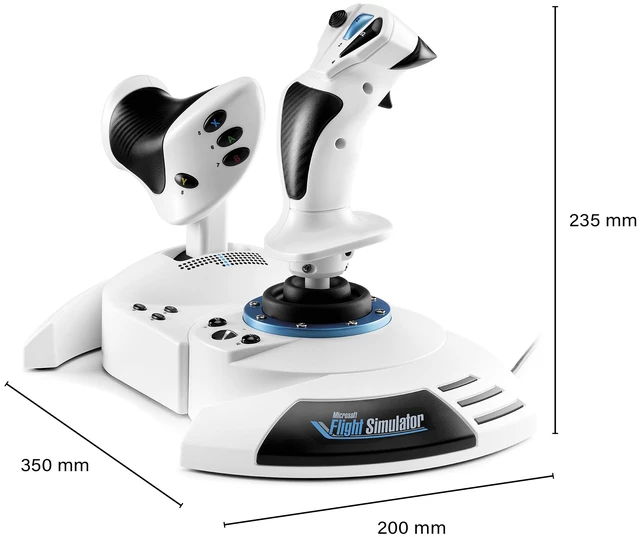
| Physical Specifications | 13.30 L × 11.40 W × 10.30 H; 10.40 lb |
| Design And Edition | White; Microsoft Flight edition |
| Model Identifiers | Thrustmaster T-Flight Hotas One MSFS Edition; model and part number 4460295 |


