

Your Browsing History

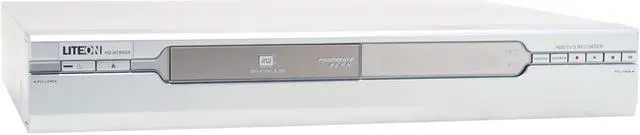
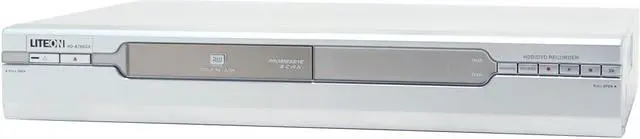


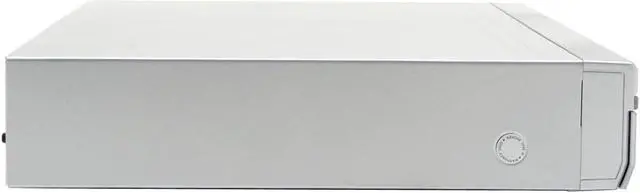
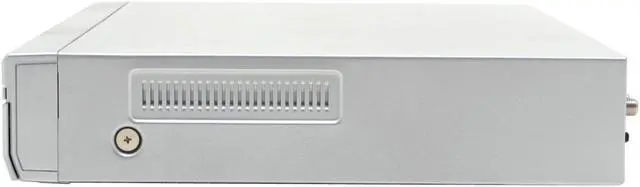
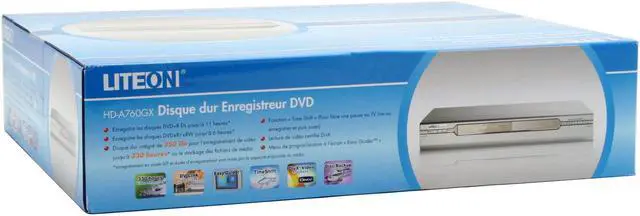


LITE-ON DVD Recorder & HDD Combo HD-A760GX
- DVD+VR
- Hard Disk Drive (Built-in 250GB)
- 1-Disc
Specs
Reviews (5)

Any questions? Our AI beta will help you find out quickly.
Try me now
Learn more about the Lite-On HD-A760GX
| Brand | LITE-ON |
|---|---|
| Model | HD-A760GX |
| Player Type | DVD Recorder & HDD Combo |
|---|---|
| Other Specification | DVD+VR |
| Disc Changer | 1-Disc |
|---|---|
| HDD Capacity | Hard Disk Drive ( Built-in 250GB ) |
| Disc Playback Capability | Built-in HDD: HQ: 55hrs / SP: 108hrs / LP: 160hrs / EP: 214hrs / SLP: 321hrs DVD+R DL 8.5G: HQ: 115mins / SP: 230mins / LP: 345mins / EP: 460mins / SLP: 690mins DVD 4.7G: HQ: 1hr / SP: 2hrs / LP:3hrs / EP: 4hrs / SLP:6hrs |
| File Playback Formats | DVD+R DL, DVD+R / DVD+RW, DVD-R / DVD-RW VOB / MPG / DAT MP3, WMA, WAV JPEG, BMP MPEG-4 playback DivX playback |
| Power Supply | AC 100~120V60Hz |
|---|
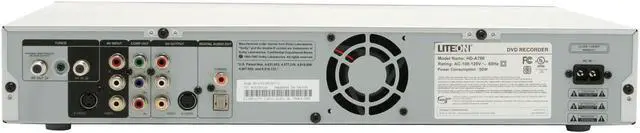
| Connectors | Front connections: Audio / Video input 1 DV input (IEEE 1394) 1 S-Video input 1 Rear connections: Audio / Video output 1 Component output 1 (Y, pb, pr) Digital audio output 2 (coaxial, optical) RF input 1 RF output 1 |
|---|
| Feature | With the built in 250GB HDD (Hard Disk Drive), you may record up to 321 hours (SLP modes) of quality video programs on it. The coexistence of the optical disc drive and the built-in HDD on HD-A760GX doesn't stay for nothing! With it, you can record the camcorder footages onto the built-in HDD all at once. In there, you can utilize all the editing functions to the titles and then save them onto discs respectively to share them with family or friends. The contents on any types of disc by copying them to the built-in HDD, where all the editing functions can be utilized. This not only solves the problem that certain editing functions are only applicable to certain disc types but also is convenient given the huge storage space of the HDD. Advance feature such as "Time Shift", is also featured on HD-A760GX. The "Time Shift" feature allows you to virtually "Freeze" the live TV program while you are temporary interrupted and "Un-Freeze" it to continue viewing the live program. With HD-A760GX, you can watch the recording program from the very beginning while it is still being recorded, regardless of how far along that recording is in progress. Simply press a key and you no longer need to wait until the recording is completed. Recording will not be interrupted and viewing can be performed any time you desire! Connect a DV Camcorder to the "DV Link" to easily archive camcorder footages digitally in DVD quality to a DVD recordable disc that lasts. Moreover, the on-screen DV Control panel allows basic commands over the DV camcorder using HD-A760GX's remote control. Our unique Easy Guider Menu navigates you through the process of basic functions, like record and playback, on a step-by-step basis. This graphic-based Easy Guider provides error-free recording and is suitable for users of all ages. You can follow the below icons to start your recording! progressive scan Graphical Easy Guider menu |
|---|
| First Listed on Newegg | June 28, 2006 |
|---|
Warranty & Returns
Warranty, Returns, And Additional Information
Return Policies
- Return for refund within: Non-refundable
- Return for replacement within: 30 days
- This item is covered by Newegg.com's Replacement Only Return Policy.
- Read full return policy for details.
Manufacturer Contact Info
- Manufacturer Product Page
- Manufacturer Website
- Support Phone: 888-454-8366
- Support Email: [email protected]
- Support Website
- View other products from Lite-On
LOADING...
LOADING...