here!
here!
I’m your shopping assistant for PC builds, upgrades, and everything tech.
Got questions? Ask away!
Start a conversation
here!
I’m your shopping assistant for PC builds, upgrades, and everything tech.
Got questions? Ask away!
Start a conversation


Combo Up Savings Up To $280+
The more you add, the more you'll save!
Any questions? Ask CelesteSM will help you find out quickly.


Components from Intel, AMD, NVIDIA, ASUS, GIGABYTE, MSI, ASRock, XPG, GAMDIAS

Hand-built, tuned, and stress-tested for unmatched performance and reliability. With a 3-year labor, 2-year parts, and lifetime technical service.

CS Tel: 949 226 8899
Work Hours: Monday-Friday, 8:30 AM - 5:30 PM (Pacific Time)

All STORMCRAFT PCs are backed by U.S.-based technicians who understand the needs of serious gamers.
STORMCRAFT PC was founded with a clear purpose: to build performance-driven gaming PCs with the same care and precision we put into our own personal rigs. Based in California, our team of passionate builders shares one mindset—craft every system with pride, using only trusted, high-quality components.
From day one, our focus has been on delivering premium machines that combine sleek aesthetics, precision engineering, and exceptional reliability. Every PC we build is designed to exceed expectations—and elevate your gaming experience.
Our Mission & Values
We’re on a mission to raise the standard for gaming PCs—one build at a time.
At the heart of everything we do are these values:
We believe that premium performance should be the norm, not the exception. That’s why each system we ship is expertly tuned, thoroughly stress-tested, and ready to deliver from the moment it powers on.
What Sets Us Apart
At STORMCRAFT PC, we believe gamers deserve systems they can rely on—built with passion, precision, and performance in mind.
STORMCRAFT PC — Built for Gamers. Backed by Pros.
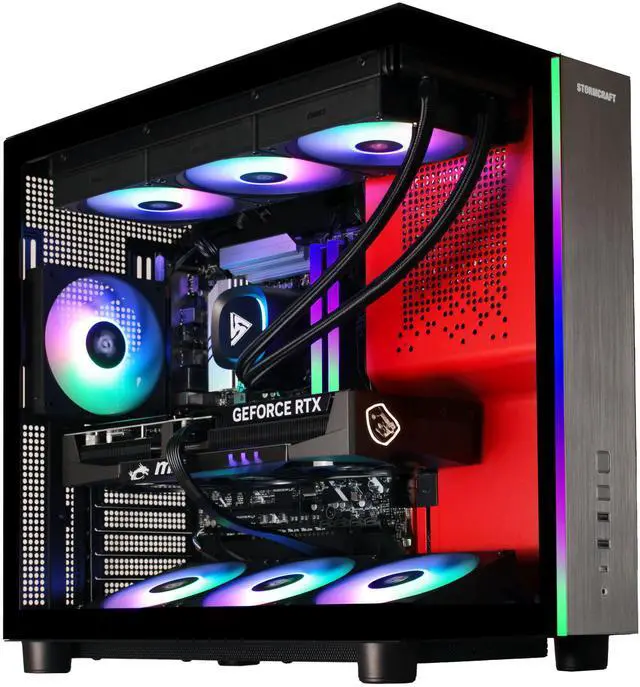
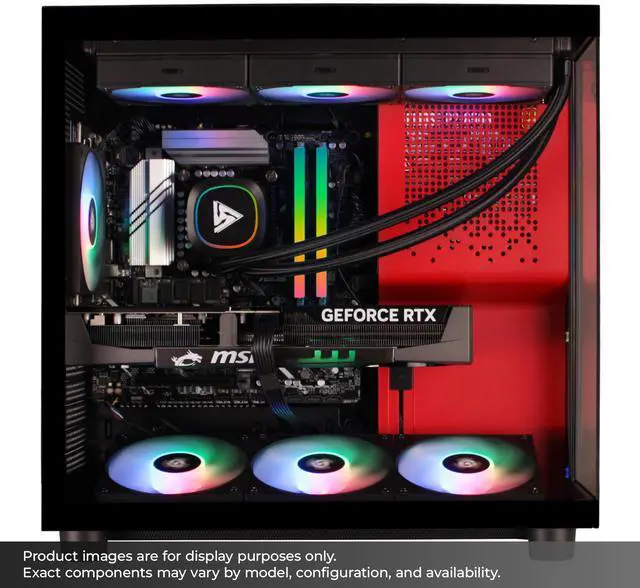
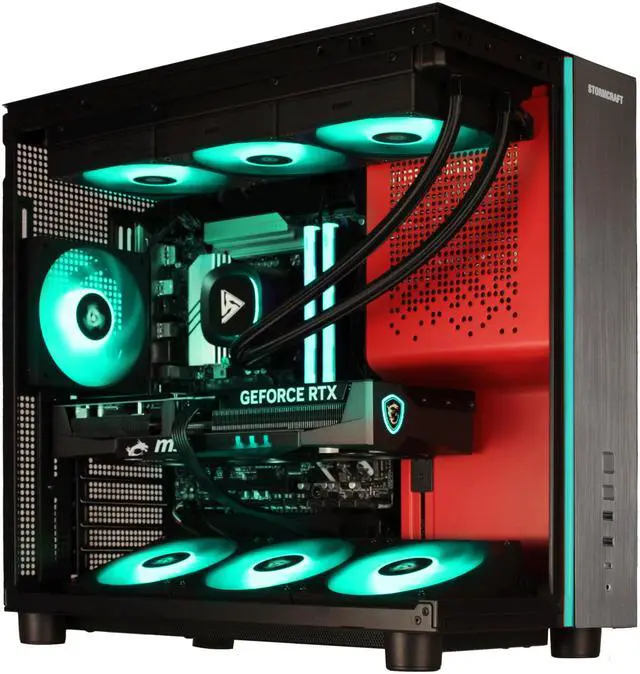
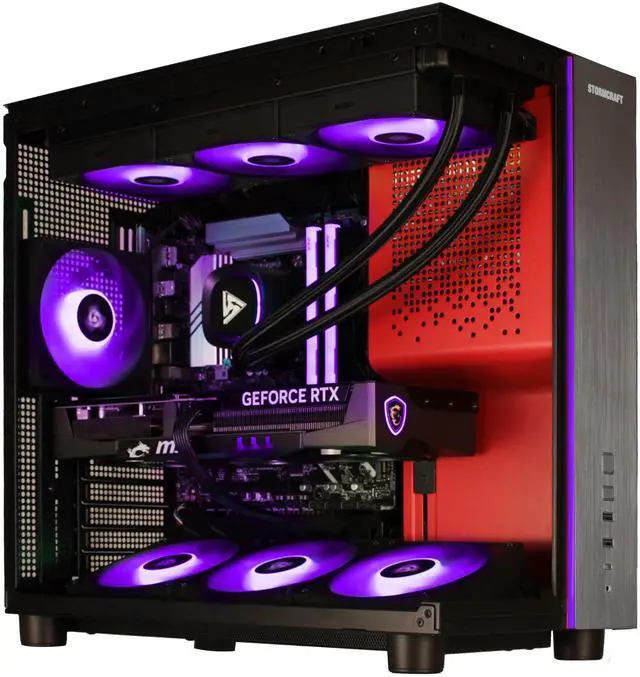
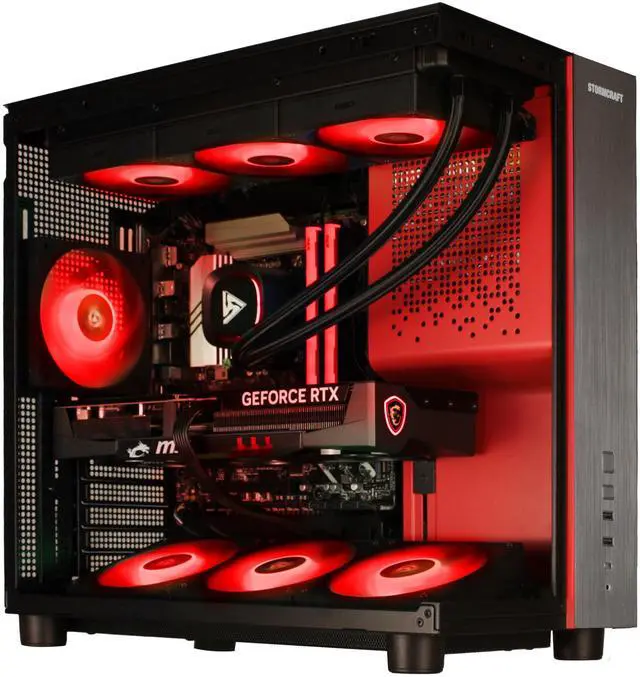
The STORMCRAFT PHANTOM is a prebuilt gaming desktop with an Intel Core Ultra 7 265F, GeForce RTX 5080, 32GB DDR5, and a 2TB Gen4 SSD, making it well suited for high-end PC gaming, VR, and demanding multitasking in a ready-to-use Windows 11 setup.
| Attribute | Value |
|---|---|
| Best For | High-performance gaming and entertainment with VR and AI-capable workloads; suited for gamers and creators who need a discrete NVIDIA GeForce RTX 5080, a 20-core Intel Core Ultra 7 CPU, 32GB DDR5-6000 memory, and a 2TB Gen4 NVMe SSD |
| Processor And Core Count | Intel Core Ultra 7 265F (Series 2) — 20-core, 64-bit CPU with 36 MB L2 cache and 30 MB L3 cache |
| Memory Configuration | 32GB DDR5-6000 RGB configured as 2 x 16GB |
| GPU And VR Capabilities | NVIDIA GeForce RTX 5080 GPU; system listed as VR Ready |
| Storage And Expansion | 2TB NVMe SSD (Gen 4.0) for primary fast storage |
| Cooling And Airflow | 360mm AIO liquid cooling combined with nine ARGB fans for system cooling |
| Power And Electrical | 850W Gold+ power supply |
| Motherboard And Chipset | Intel B860 chipset |
| Operating System And Software | Windows 11 Home |
| Input Devices | Includes a mechanical keyboard and a mechanical gaming mouse |
| Model Identifiers | Stormcraft PHANTOM — Part Number PH265F0CC-580N1; product Type: Gaming & Entertainment; Usage: Consumer |
Q: Should I choose this RTX 5080 desktop or an RTX 5070 Ti gaming PC?
A: Choose this STORMCRAFT PHANTOM if you want a stronger 4K-focused desktop and more headroom for ray tracing, higher refresh targets, and longer upgrade runway. Across reviews and benchmark coverage, the RTX 5080 consistently lands above the RTX 5070 Ti, with the gap becoming more meaningful at 4K than at 1440p. An RTX 5070 Ti system is the more practical choice if your main target is high-end 1440p gaming and you want to spend less while keeping similar platform features.
Q: Is this Core Ultra 7 265F + RTX 5080 build a better buy than a higher-tier Core Ultra 9 or RTX 5090 desktop?
A: This configuration is the better fit if you want near-flagship gaming performance without moving into the highest-cost tier. Reviews of Intel's Core Ultra 7 265-class chips show only a narrow gaming gap versus Core Ultra 9 285K-class parts, while the RTX 5080 already targets premium 4K gaming. A higher-tier desktop makes more sense if you specifically want the top-end GPU tier for heavier 4K ray tracing, creator workloads, or maximum frame rates regardless of price.
Q: How does this RTX 5080 desktop compare with an older RTX 4080 Super gaming PC?
A: Choose this newer system if you want a current-generation platform, updated RTX 50-series features, and a modest but real step up in raw GPU performance. Independent review data places the RTX 5080 ahead of the RTX 4080 Super, with gains that are more noticeable in demanding 4K workloads than in lighter scenarios. An RTX 4080 Super system can still be a sensible value option if priced clearly lower, especially for 1440p gaming.
Q: Should I buy this desktop or a gaming laptop with RTX 5080 graphics?
A: Buy this desktop if gaming performance, quieter sustained cooling, and future upgrade flexibility matter more than mobility. Desktop RTX 5080 testing shows a clear performance advantage over RTX 5080 laptop implementations because the desktop GPU runs with a larger power budget and fewer thermal constraints. Choose a laptop instead if you need one system for travel, school, or limited-space use and are willing to trade some performance for portability.
Q: Is this a good fit for high-end 1440p or 4K gaming without immediate upgrades?
A: Yes. This configuration is already in the high-end prebuilt tier for gaming: an RTX 5080, 32GB DDR5 memory, and a 2TB NVMe SSD are the same class of parts commonly used in premium competitor systems. It should suit buyers who want strong current-generation gaming performance and large game storage out of the box, without needing an immediate RAM or storage upgrade. The main trade-off is that buyers who want exact component brands for the motherboard, power supply, or GPU cooler may need to confirm those details before purchase because the listing says component brands may vary.
Q: Who is this PC most suitable for?
A: It is best suited for buyers who want a powerful desktop mainly for gaming, VR, streaming, and other GPU-heavy workloads, while still having enough memory and storage for general productivity. It is less suited to buyers who want a compact or portable system, or who only need basic office work, because this is a full-size gaming desktop built around high-performance parts, liquid cooling, and many case fans.
Q: What are the main trade-offs versus a more premium RTX 5080 prebuilt from brands like Alienware?
A: The main likely advantage of this Stormcraft system is value: it matches the common high-end baseline of RTX 5080, 32GB RAM, and 2TB SSD seen in premium competitors, while including extras such as a mechanical keyboard and mouse. The trade-off is predictability. More premium brands more often publish or answer detailed questions about exact power supply, memory limits, wireless standards, or service options, while this listing explicitly says component brands may vary. Buyers who care about exact motherboard, PSU, or upgrade path details should verify those before ordering.
Q: Can this replace a regular home or office PC, or is it overkill?
A: It can easily handle normal home, school, and office tasks, but it is more PC than most productivity-only users need. Its value makes the most sense for buyers who will actually use the gaming GPU, high airflow case, liquid cooling, and 32GB memory. If the workload is mostly web, documents, video calls, and light media use, a less expensive desktop would usually be the more practical choice.
Q: Does it include the basics needed to start using it right away?
A: Mostly yes. Based on the product data, it includes Windows 11 Home, Wi‑Fi and Bluetooth support, and a mechanical keyboard and gaming mouse. That makes it closer to an out-of-box setup than some prebuilts that ship without peripherals. The main thing still needed is a monitor, since none is listed. As with many gaming desktops, buyers should also expect some implementation details, such as wireless antenna setup or exact peripheral models, to vary by builder.
Q: Is this Stormcraft RTX 5080 prebuilt worth buying?
A: It can make sense if you want a ready-to-use high-end gaming PC with an RTX 5080, 32GB RAM, and 2TB SSD without building your own. The main trade-off is value: Reddit discussions repeatedly compare it against similarly priced prebuilts with Ryzen 7 7800X3D or 9800X3D CPUs, which are often preferred for gaming at the same budget. This system is easier to justify if your priority is convenience, strong GPU performance, and mixed gaming plus general productivity rather than absolute gaming value per dollar.
Q: Who is this PC best suited for?
A: This PC is best suited for buyers who want high-end 1440p or 4K gaming performance from the RTX 5080 and also want a complete package with Windows, cooling, Wi-Fi, and peripherals included. It is a better fit for someone who values a turnkey setup than for an enthusiast trying to maximize gaming FPS per dollar. Based on the specs, it also suits users who need plenty of storage and memory for large games, streaming, or general productivity workloads.
Q: Is the Intel Core Ultra 7 265F a good match for the RTX 5080?
A: It is a usable pairing, but it is not the strongest value pairing for a gaming-first buyer. Community discussion repeatedly treats the GPU as the main strength of the system while questioning whether this CPU is ideal at this price, especially versus Ryzen X3D alternatives that are commonly favored for gaming. If your focus is mostly gaming, the CPU is more of a compromise; if you also care about broader desktop and productivity use, the pairing is easier to justify.
Q: What are the main trade-offs with this prebuilt?
A: The main trade-offs are component transparency and gaming-first value. The listing says component brands may vary, and community discussion around this model and similar prebuilts raises concern about exactly which motherboard, PSU, SSD, or RAM you receive. The specs are strong on paper, but buyers who care about specific premium component models or the best gaming CPU for the money may prefer a more fully specified prebuilt or a custom build.


![AOACE Gaming PC AMD Ryzen 7 5700X [8-Core 4.6GHz], RTX 5060 8GB GDDR7, DLSS 4, VR Ready, WiFi 6E, 32GB DDR4, 1TB PCIe4 NVMe, 6 ARGB, Win11 Home](https://c1.neweggimages.com/ProductImageCompressAll125/C545S2607150J6GDT09.jpg "AOACE Gaming PC AMD Ryzen 7 5700X [8-Core 4.6GHz], RTX 5060 8GB GDDR7, DLSS 4, VR Ready, WiFi 6E, 32GB DDR4, 1TB PCIe4 NVMe, 6 ARGB, Win11 Home")