




 here!
I’m your shopping assistant for PC builds, upgrades, and everything tech.
Got questions? Ask away!
Start a conversation
here!
I’m your shopping assistant for PC builds, upgrades, and everything tech.
Got questions? Ask away!
Start a conversation


| Brand | MINISFORUM |
|---|---|
| Model | MF-X1-255(32+1T)US |
| Type | Nettop Computer |
|---|---|
| Form Factor | Mini PC |
| Usage | Consumer / Home / Personal / Mainstream |
| Color | Silver |
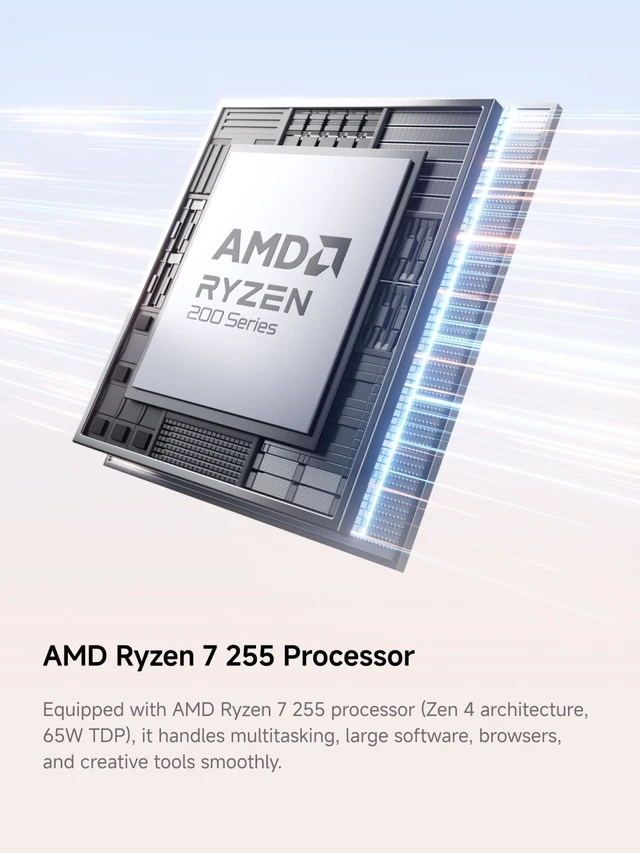
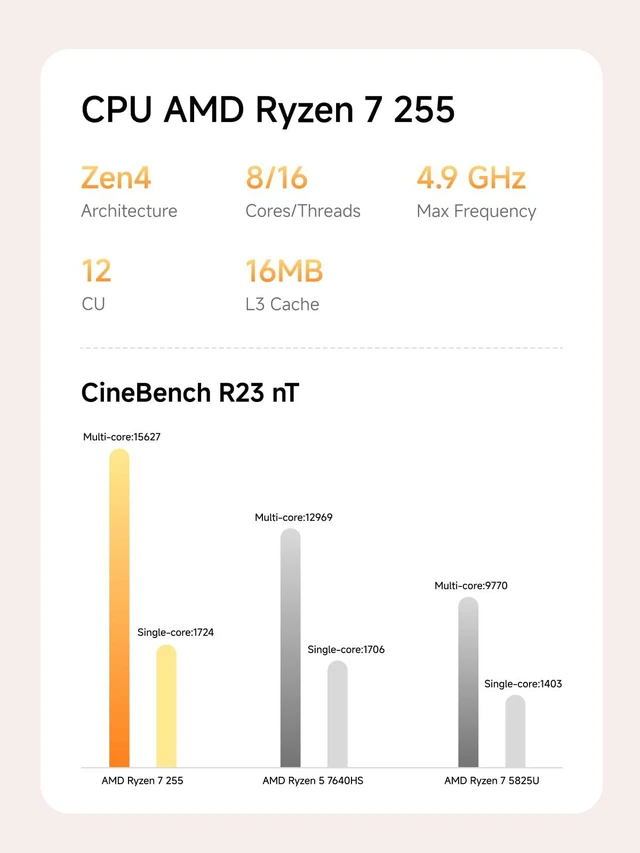
| Processor | AMD Ryzen 7 255 |
| Memory | 32GB DDR5 |
| Storage | 1TB SSD |
| Graphics | AMD Radeon 780M |
| CPU Type | AMD Ryzen 7 200 Series |
|---|---|
| CPU Name | AMD Ryzen 7 255 |
| L2 Cache Per CPU | 8 MB |
| L3 Cache Per CPU | 16 MB |
| GPU/VGA Type | AMD Radeon 780M |
|---|
| Memory Capacity | 32GB |
|---|---|
| Memory Slot (Total) | 2 |
| Maximum Memory Supported | 96 GB |
| SSD | 1TB |
|---|---|
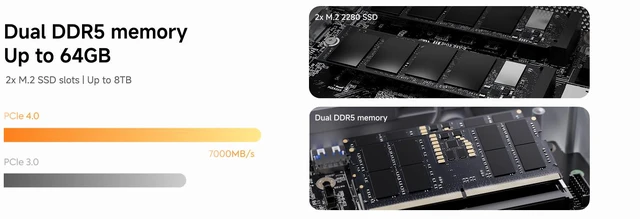
| Storage Spec | Two M.2 2280 PCIe4.0 SSD slot (up to 8TB) |
| LAN Speed | 2.5Gbps |
|---|---|
| WLAN | 802.11be Wireless LAN |
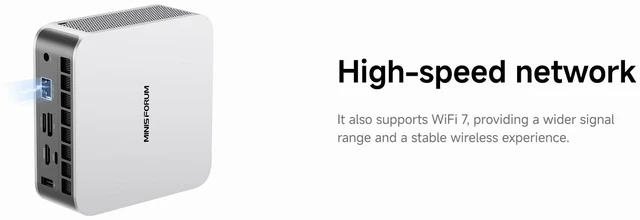
| WiFi Generation | Wi-Fi 7 |
| Bluetooth | Bluetooth 5.4 |
| PCIe Slots | PCIe4.0 x4 (64Gbps) OCuLink port |
|---|
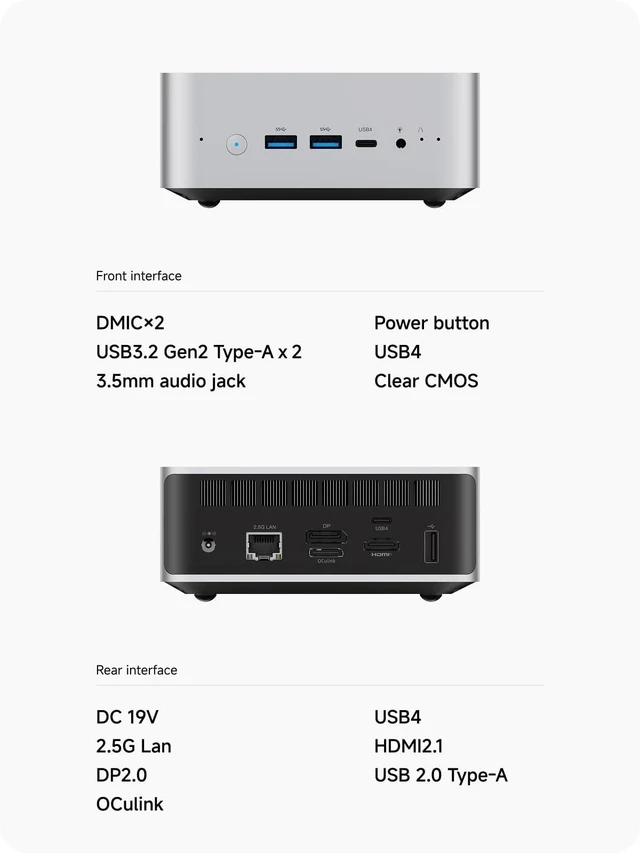
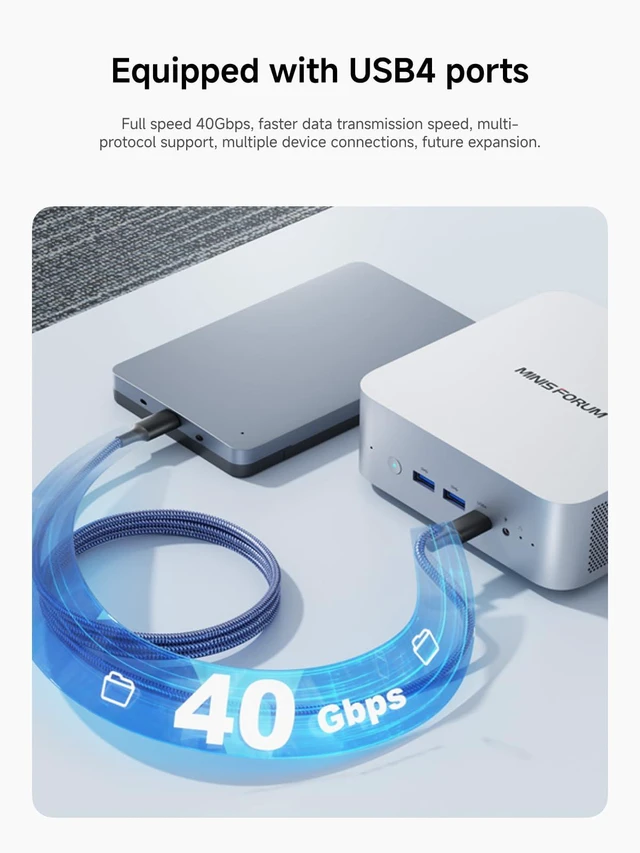
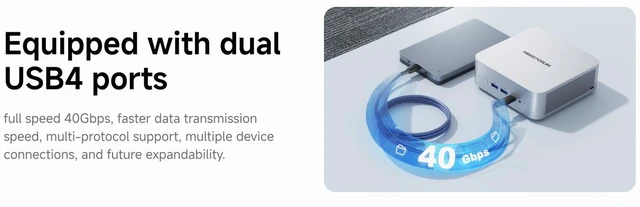
| Front USB | 2 x USB4 |
|---|---|
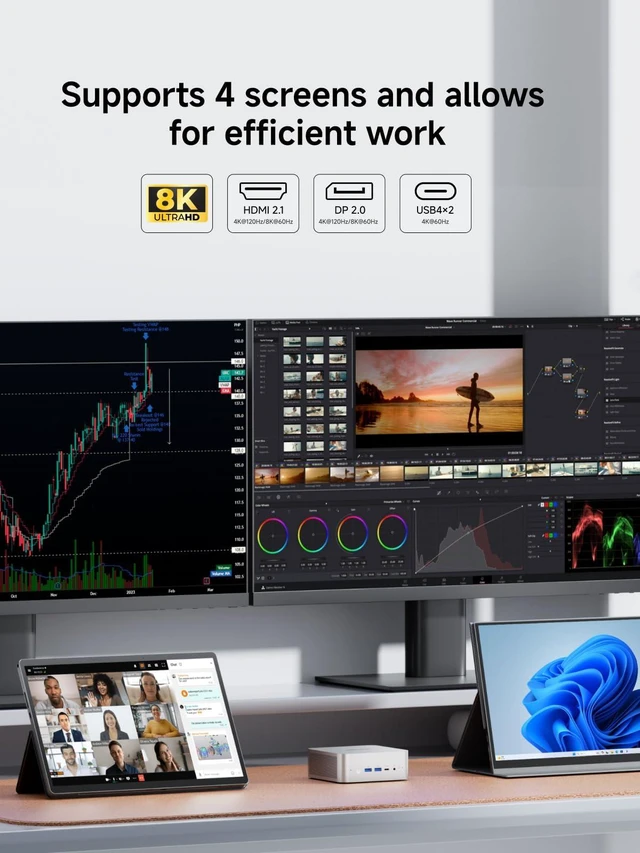
| Video Ports | 1 x DisplayPort / 1 x HDMI |
| RJ45 | 1 port |
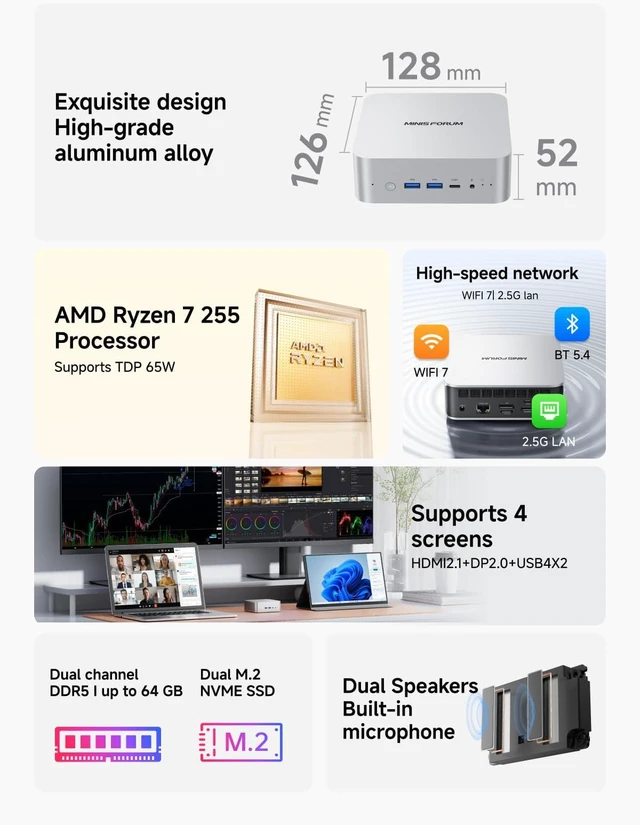
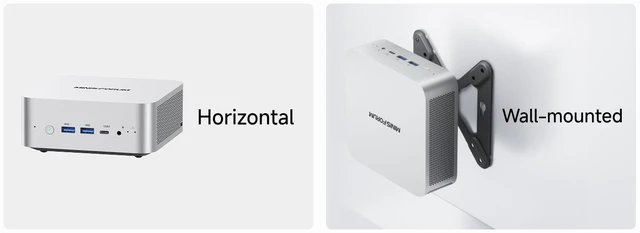
| Dimensions (H x W x D) | 52 x 128 x 126mm |
|---|---|
| Weight | 0.65kg |
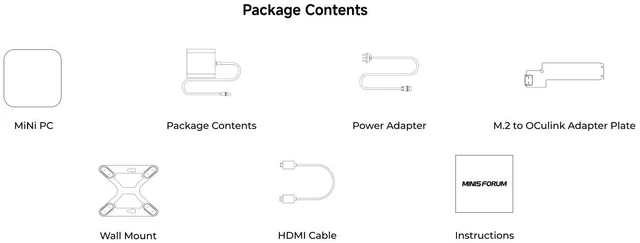
| Package Contents | 1 x X1-255 Mini PC 1 x HDMI Cable 1 x US Power Adapter 1 x Manual |
|---|
| First Listed on Newegg | November 12, 2026 |
|---|
We want to ensure your holiday shopping this year is hassle-free. That’s why we’re automatically extending our return policies on almost every product! For purchases placed between November 1st, 2026 and December 31, 2026 you will have until January 31, 2027 to return your product.
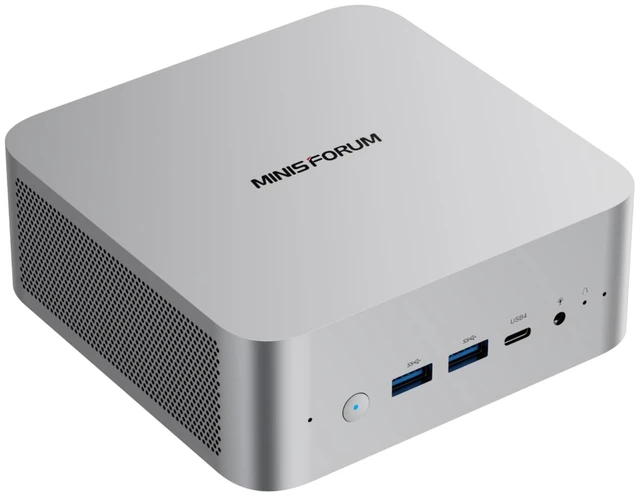
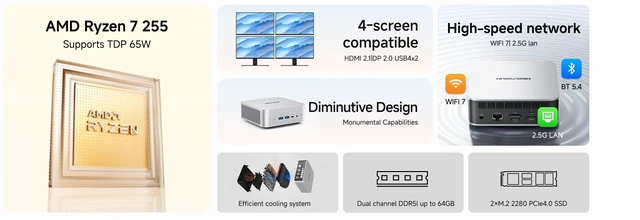
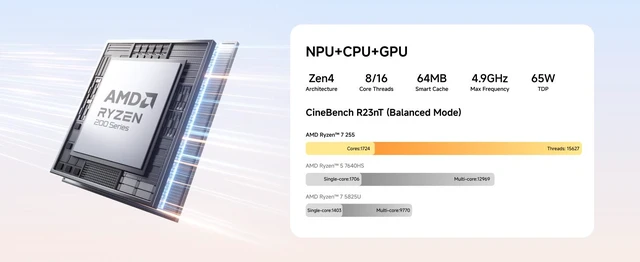
The MINISFORUM X1-255 is a compact mini PC with an 8-core, 16-thread AMD Ryzen 7 255, 32GB of DDR5 memory, and a 1TB SSD, suited to everyday office work, programming, image editing, media playback, and light gaming.
| Attribute | Value |
|---|---|
| Best For | Mainstream home and personal computing, including office work, web browsing, media playback, programming, image editing, and light gaming |
| Processor And Cache | AMD Ryzen 7 255 from the Ryzen 7 200 Series, with 8 MB L2 cache and 16 MB L3 cache |
| Graphics | AMD Radeon 780M integrated graphics |
| Memory Configuration | 32GB DDR5 memory; two memory slots, with support for up to 96GB |
| Storage And Expansion | 1TB SSD, with two M.2 2280 PCIe 4.0 SSD slots and support for up to 8TB |
| Ports And Expansion Connectivity | 2 USB4 ports, one DisplayPort, one HDMI port, and a PCIe 4.0 x4 OCuLink port rated at 64Gbps |
| Wired And Wireless Networking | 2.5Gbps LAN, Wi-Fi 7 (802.11be), and Bluetooth 5.4 |
| Form Factor And Physical Details | Mini PC (nettop computer) in silver; 52 × 128 × 126 mm and 0.65 kg |
| Model Identifiers | MINISFORUM MF-X1-255(32+1T)US |
| In The Box | X1-255 Mini PC, HDMI cable, US power adapter, and manual |
Q: Should I choose the MINISFORUM X1-255 or the X1 Pro-370 for more performance?
A: Choose the X1 Pro-370 for a higher-performance configuration: it pairs a 12-core/24-thread Ryzen AI 9 HX 370 with Radeon 890M graphics and up to 80 TOPS of total AI compute. The X1-255 is the Ryzen 7 255 configuration, suited to buyers prioritizing everyday productivity and an OCuLink eGPU upgrade path. Notebookcheck’s Geekbench 6.7 results also show higher multi-core CPU scores for the tested HX 370 X1 Pro configuration.
Q: MINISFORUM X1-255 or UM870 Slim: which fits a Wi-Fi 7 and eGPU setup?
A: Choose the X1-255 if you want Wi-Fi 7 and an OCuLink connection for an external GPU, alongside its Ryzen 7 255, Radeon 780M, and four-display output support. The UM870 Slim is another 8-core/16-thread, Radeon 780M option, with Wi-Fi 6E and USB4 connectivity. The X1-255’s listed configuration supports up to 96GB of memory and two M.2 SSD slots.
Q: Is the X1-255 with 32GB RAM and 1TB SSD a better fit than the 16GB/512GB configuration?
A: Choose the 32GB/1TB X1-255 if you want twice the listed memory and storage capacity for multitasking and keeping files or applications on the internal drive. The 16GB/512GB configuration is the lower-capacity option within the same X1-255 line; both use the Ryzen 7 255 platform.
Q: Can I connect four monitors to this mini PC?
A: Yes. The X1-255 is specified to support up to four displays through its HDMI, DisplayPort, and two USB4 ports. Confirm that your monitors and cables support the resolutions and connection types you plan to use.
Q: Can I upgrade the RAM or add more storage?
A: Yes. It has two SO-DIMM memory slots and supports up to 96GB of RAM. It also has two M.2 PCIe 4.0 SSD slots, with storage listed up to 8TB. Using the OCuLink port occupies one M.2 slot, so check the available storage-slot configuration if you plan to use both OCuLink and additional SSD storage.
Q: Is this mini PC suitable for office work and video meetings?
A: It is specified for everyday office work, web browsing, and programming, and it has built-in dual microphones for calls. A monitor, keyboard, and mouse are not listed in the package contents; the product information also does not specify a built-in webcam or operating system, so check those details before buying.
Q: Is it suitable for gaming, and can I improve its graphics?
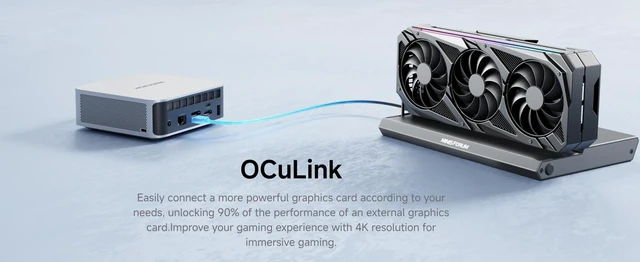
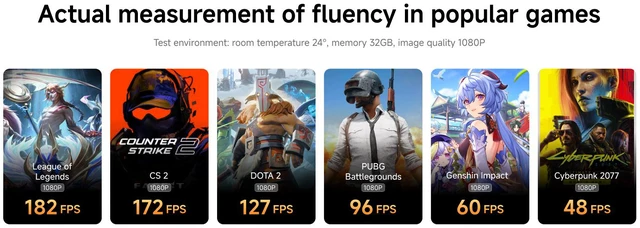
A: The Radeon 780M graphics are specified for light gaming, but the product information does not establish performance for particular games or settings. An external GPU can be connected through OCuLink; using that port is not hot-swappable and occupies one M.2 SSD slot.
Q: Is the X1-255 suitable for office work and light gaming?
A: It appears suited to everyday office work, browsing, and light gaming. The listed configuration has a Ryzen 7 255, Radeon 780M graphics, and 32GB RAM; Reddit owners describe using the X1-255 for office tasks and lighter games. Gaming performance will depend on the game and memory configuration, so it is not a substitute for a dedicated gaming PC.
Q: Does RAM configuration matter for gaming on the X1-255?
A: It can matter for graphics performance: Reddit users note that the integrated GPU benefits from dual-channel memory. The product listing confirms two SO-DIMM slots and 32GB RAM, but does not specify whether the included memory is one or two modules. Confirm the module layout if gaming performance is a priority.
Q: Can I add an external graphics card for more gaming performance?
A: Yes. The product data lists a PCIe 4.0 x4 OCuLink port for an external GPU. It requires a compatible dock and graphics card; the listing also notes that OCuLink is not hot-swappable and uses one M.2 SSD slot. Reddit owners discuss using an OCuLink eGPU, though individual results depend on the setup.
Q: Are heat or throttling a concern during gaming?
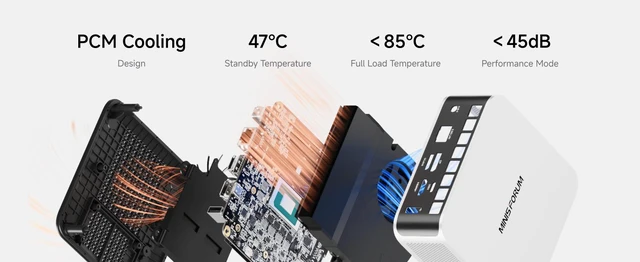
A: Some X1-255 owners have reported heat or throttling during gaming, while one Reddit user said browsing and lighter tasks were fine. Those are individual reports, not a guarantee that every unit will behave the same. If you plan long gaming sessions, consider this uncertainty and look for testing of the exact configuration.


