here!
I’m your shopping assistant for PC builds, upgrades, and everything tech.
Got questions? Ask away!
Start a conversation
here!
I’m your shopping assistant for PC builds, upgrades, and everything tech.
Got questions? Ask away!
Start a conversation



Combo Up Savings Up To $280+
The more you add, the more you'll save!
Any questions? Ask CelesteSM will help you find out quickly.


We want to ensure your holiday shopping this year is hassle-free. That’s why we’re automatically extending our return policies on almost every product! For purchases placed between November 1st, 2026 and December 31, 2026 you will have until January 31, 2027 to return your product.
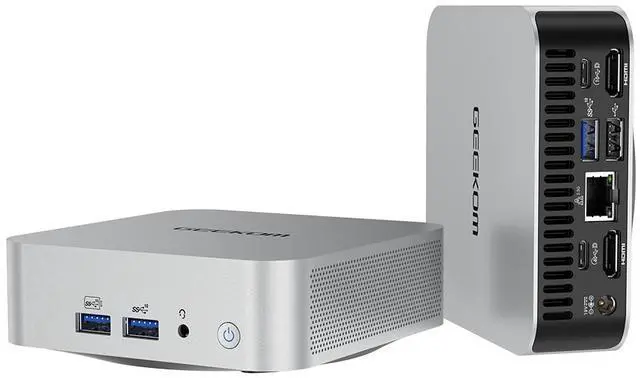
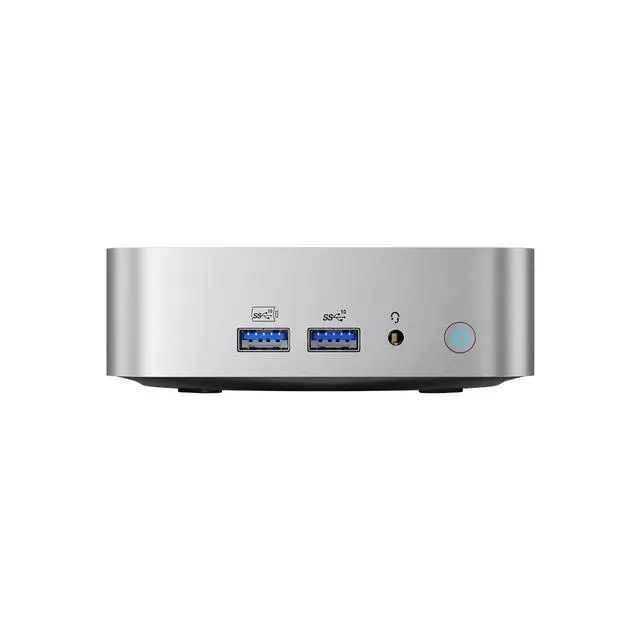
The GEEKOM A6 is a compact Windows 11 Pro mini PC with an AMD Ryzen 7 6800H, 16GB DDR5, 1TB SSD, and Radeon 680M graphics, making it well suited for home users, office work, multitasking, media streaming, and light creative or casual gaming setups in a space-saving form factor.
| Attribute | Value |
|---|---|
| Best For | Compact home/mainstream mini PC for everyday productivity, web browsing, media playback and multitasking on Windows 11 Pro using an AMD Ryzen 7 6800H with integrated Radeon 680M |
| Processor And Cache | AMD Ryzen 7 6800H (AMD Ryzen 7 6000 Series) with 4 MB L2 cache and 16 MB L3 cache |
| Memory Configuration | 16GB DDR5 installed; system supports up to 64 GB |
| Storage And Expansion | 1TB SSD (internal) |
| GPU And Graphics | Integrated AMD Radeon 680M |
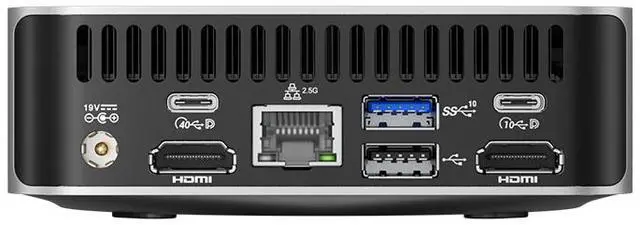
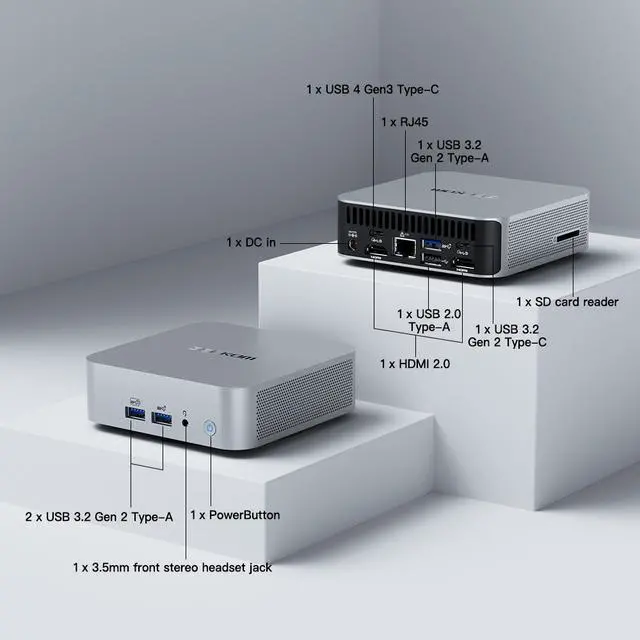
| Networking And Wireless | 2.5Gbps wired LAN; Wi‑Fi 6E (802.11ax) wireless; Bluetooth supported |
| Operating System And Software | Windows 11 Pro |
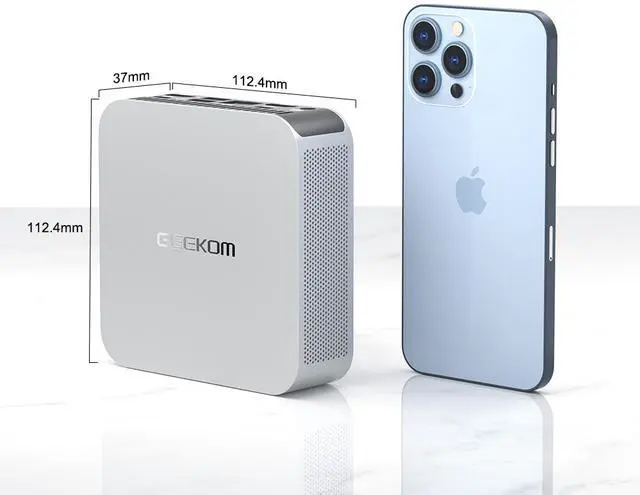
| Power And Dimensions | 120W power adapter; dimensions 37 x 112.4 x 112.4 mm (H x W x D); weight 423 g |
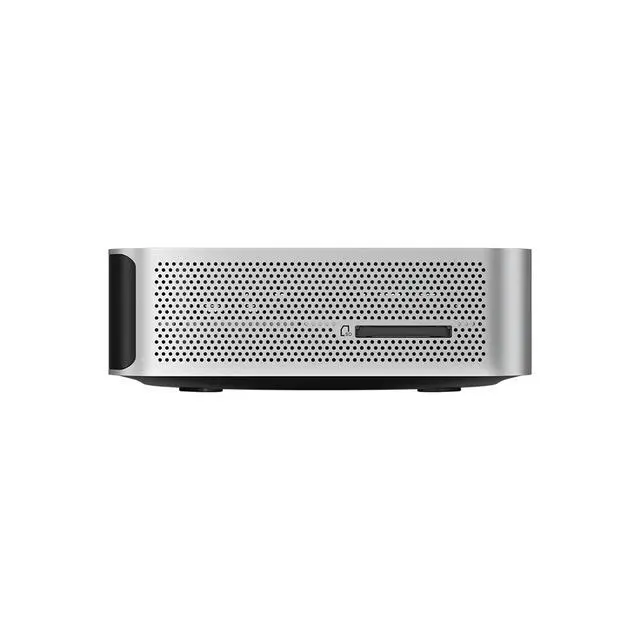
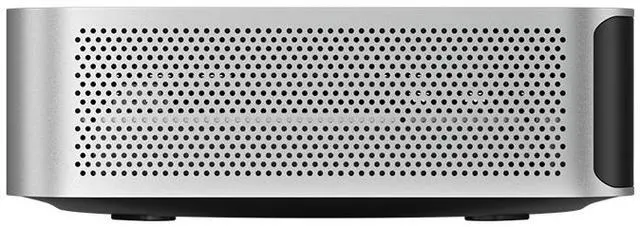
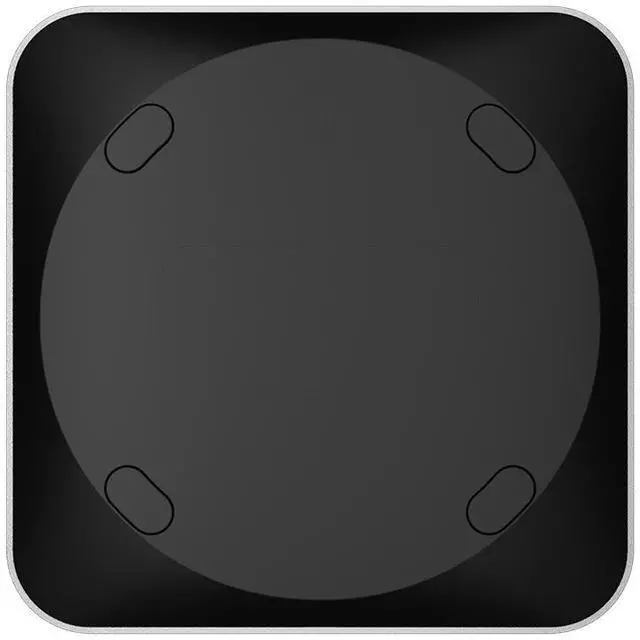
| Form Factor And Color | Nettop Mini PC form factor in silver, designed for desktop or VESA-mounted setups |
| Model Identifiers | GEEKOM A6 — Part Number GMA6R76800-161-US |
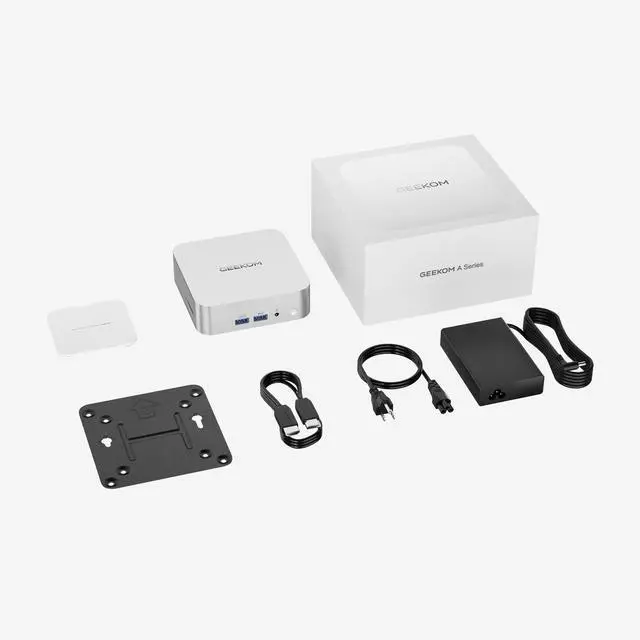
| Package Contents | A6 6800 MINI PC; include 1 3.3V button battery; VESA Mount; HDMI Cable (100mm±10mm); User Guide; 6 screws; Thank You Card; Power Adapter |
Q: Should I get the GEEKOM A6 or step up to a newer Ryzen 7 7840HS/8845HS mini PC?
A: Choose the GEEKOM A6 if you want a lower-cost mini PC for office work, web use, media playback, light content creation, and light gaming. Its Ryzen 7 6800H and Radeon 680M are still commonly viewed as a solid midrange combination. Step up to a Ryzen 7 7840HS or 8845HS system if gaming performance and newer integrated graphics matter more, since Radeon 780M-class mini PCs are consistently positioned by reviewers and community users as the stronger option for higher frame rates and a longer performance runway.
Q: Is the GEEKOM A6 worth buying over a cheaper Ryzen 5 6600H mini PC?
A: Buy the GEEKOM A6 when you want more CPU headroom for heavier multitasking and stronger integrated graphics for light gaming or emulation. Ryzen 5 6600H mini PCs are often the better fit when price is the main priority and the workload is mostly browsing, streaming, office apps, and basic home use. The usual trade-off is that the A6 gives you a clearer step up in graphics capability and longevity, while 6600H models are more budget-focused.
Q: How does the GEEKOM A6 compare with other Ryzen 7 6800H mini PCs like the Beelink SER6?
A: If two mini PCs use the same Ryzen 7 6800H and Radeon 680M platform, real-world performance is usually in the same class. In that comparison, the better choice usually comes down to RAM and SSD configuration, port layout, cooling behavior, noise, warranty, and price. The GEEKOM A6 is the better choice when you value its compact metal design, USB4 connectivity, 2.5GbE, and upgradeable memory and storage. A competing 6800H model can make more sense if it offers the same core platform at a lower street price or with more memory preinstalled.
Q: Should I choose the GEEKOM A6 or an older Ryzen 7 5800H mini PC?
A: Choose the GEEKOM A6 if you want a more modern AMD mini PC platform with DDR5-era hardware and much stronger integrated graphics. This is the more practical choice for buyers who want one compact system for everyday work plus occasional gaming or emulation. An older Ryzen 7 5800H mini PC still fits basic desktop tasks well, but the A6 is the more balanced option when graphics performance and platform freshness matter.
Q: Is the GEEKOM A6 a better choice for portability than a larger performance-first mini PC?
A: Yes, if your priority is a very compact Windows desktop that is easy to place behind a monitor, on a small desk, or in a travel setup. The GEEKOM A6 is positioned and reviewed as a small, upgradeable mini PC that handles mainstream workloads well in a very compact chassis. A larger performance-first mini PC is the better fit if you want more cooling headroom, stronger sustained performance, or better gaming capability, but the trade-off is a less space-efficient system.
Q: Is this mini PC a good fit for office work, video meetings, and everyday home use?
A: Yes. The Ryzen 7 6800H, 16GB DDR5, and 1TB SSD are more than enough for web browsing, Office apps, multitasking, video calls, and general home computing. It is a better fit for productivity and everyday use than for demanding AAA gaming or heavy workstation workloads.
Q: Can it run two monitors for work or a small desk setup?
A: Yes. This is a practical choice for dual-monitor office use. Comparable mini PC Q&A pages repeatedly ask about two-monitor support, and the GEEKOM A6 Best Buy Q&A specifically includes a user question confirming two-monitor use. For buyers building a compact productivity setup, dual displays are a reasonable expected use case.
Q: Is it worth buying if I want a compact PC for travel, hot desks, or limited space?
A: Yes, if you want desktop-style performance in a very small footprint. At 112.4 x 112.4 x 37 mm and 423 g, it is easy to move between desks or pack for temporary setups. The trade-off is that it still needs external power, a monitor, and peripherals, so it is portable in the mini-PC sense, not laptop-convenient.
Q: Can I upgrade the RAM or storage later, or should I buy a higher-spec model now?
A: This model is a reasonable buy if you expect to upgrade later. Your product data lists support for up to 64GB memory, and comparable retail Q&A pages for mini PCs commonly focus on RAM and SSD upgrades. If you plan to keep many apps open, run light VMs, or game more often, upgrading beyond 16GB may be worthwhile sooner rather than later.
Q: Is this better than a cheaper basic mini PC for light gaming and graphics-heavy everyday use?
A: Usually yes. The Radeon 680M is a stronger integrated GPU class than the basic graphics commonly found in entry mini PCs, so this A6 is the better choice for light gaming, emulator use, media playback, and heavier multitasking. The trade-off is price: if you only need email, browser tabs, documents, and streaming, a cheaper Ryzen 5 or entry Intel mini PC may be enough.
Q: Is the GEEKOM A6 a good buy for everyday work and as a compact main PC?
A: Yes for typical home and office use. The Ryzen 7 6800H, 16GB DDR5, and 1TB SSD are strong enough for web work, documents, video calls, media, and general multitasking in a very small footprint. The main trade-off is that it is still a mini PC with integrated graphics, so it makes more sense for productivity and light creative work than for heavy gaming or workstation-class loads.
Q: Is the GEEKOM A6 good for light gaming and emulation?
A: Yes, within limits. Its Radeon 680M integrated graphics are suitable for lighter PC games, older titles, indie games, and common emulation use cases. It is not the right choice if your main goal is modern AAA gaming at high settings, because this model does not have a discrete GPU and the 16GB memory configuration is less flexible for graphics-heavy use than higher-RAM variants.
Q: Who is the GEEKOM A6 best suited for?
A: It fits buyers who want a small desktop for home office use, study, media, travel-friendly setups, or a clean monitor-mounted workstation. Its compact size, Windows 11 Pro, Wi-Fi 6E, 2.5GbE, and 1TB SSD make it practical for users who value space efficiency and simple setup. It is less suitable for buyers who want major GPU upgrades or tower-PC expandability.
Q: What are the main trade-offs of buying the GEEKOM A6 instead of a larger desktop or a stronger mini PC?
A: The main trade-offs are graphics headroom, thermal limits under sustained heavy load, and value relative to competing mini PCs. You get a very compact system with solid mainstream performance, but not the upgrade freedom or sustained high-end performance of a larger desktop. Buyers comparing options should pay attention to price, memory configuration, and whether they need better gaming performance or quieter operation under load.