




 here!
I’m your shopping assistant for PC builds, upgrades, and everything tech.
Got questions? Ask away!
Start a conversation
here!
I’m your shopping assistant for PC builds, upgrades, and everything tech.
Got questions? Ask away!
Start a conversation
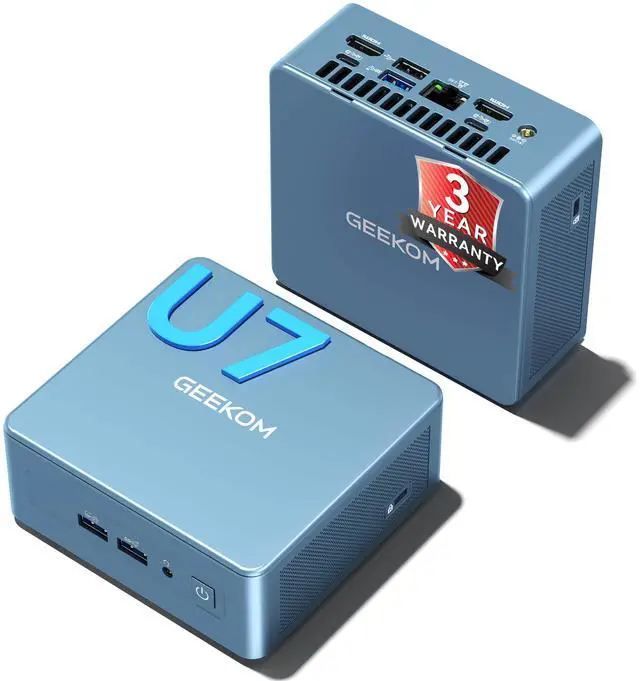

| Brand | GEEKOM |
|---|---|
| Model | IT13 |
| Part Number | GMIT13U7356H-321-US |
| Memory | 32GB DDR5 |
|---|---|
| Graphics | Intel Graphics |
| Power Supply | 120W, 19V-6.32A |
| Operating System | Windows 11 Pro |
| CPU Type | Intel Core Ultra 7 356H |
|---|---|
| CPU Name | Intel Core Ultra 7 356H |
| GPU/VGA Type | Intel Graphics |
|---|
| Memory Capacity | 32GB |
|---|---|
| Memory Speed | DDR5 4800/5600MHz |
| Memory Spec | 32GB DDR5, dual-channel, 4800/5600MHz, up to 64GB (32GB per module) |
| Memory Slot (Total) | 2 |
| Maximum Memory Supported | 64GB |
| LAN Speed | 2.5Gbps |
|---|---|
| Bluetooth | Bluetooth 5.4 |
| Front Audio Ports | 1 x 3.5 mm headphone jack |
|---|
| Dimensions (H x W x D) | 117*112*38.5 mm |
|---|
| First Listed on Newegg | August 24, 2026 |
|---|
We want to ensure your holiday shopping this year is hassle-free. That’s why we’re automatically extending our return policies on almost every product! For purchases placed between November 1st, 2026 and December 31, 2026 you will have until January 31, 2027 to return your product.
The GEEKOM IT13 is a compact mini PC with an Intel Core Ultra 7 356H, 32GB of DDR5 memory, a 1TB SSD, and Windows 11 Pro. It suits professionals and home-office users who want a small desktop for everyday productivity and multitasking.
| Attribute | Value |
|---|---|
| Best For | Compact desktop computing and multitasking, with dual-channel memory that can be upgraded as needs grow |
| Processor And Graphics | Intel Core Ultra 7 356H processor with Intel Graphics |
| Memory Configuration | 32GB dual-channel DDR5 at 4800/5600MHz, expandable to 64GB across two slots |
| Networking And Connectivity | 2.5Gbps LAN and Bluetooth 5.4 |
| Audio | Front 3.5 mm headphone jack |
| Operating System And Power | Windows 11 Pro; 120W power supply rated at 19V-6.32A |
| Dimensions | 117 × 112 × 38.5 mm |
| Model Identifiers | GEEKOM IT13; part number GMIT13U7356H-321-US |
Q: GEEKOM IT13 with Core Ultra 7 356H or the older IT13 with Core i9-13900HK?
A: Choose this IT13 configuration if you want the newer Core Ultra 7 356H platform, its built-in 50-TOPS NPU, and 32GB of DDR5 memory. The older Core i9-13900HK IT13 is a previous-generation option; the newer model is the more relevant fit for buyers prioritizing the updated platform and AI features.
Q: Should I choose the IT13 with Core Ultra 7 356H or the lower-priced IT13 with Core i5-13500H?
A: Choose this Core Ultra 7 356H configuration if you want the newer platform, its integrated NPU for compatible AI workloads, and the included 32GB RAM and 1TB SSD. The Core i5-13500H version is positioned as a lower-priced IT13 option.
Q: Is the IT13’s included 32GB RAM enough, or should I upgrade it to 64GB?
A: The 32GB configuration is ready for multitasking and common productivity workloads. Choose a 64GB configuration or upgrade if your planned work benefits from more memory; GEEKOM lists support for up to 64GB.
Q: Is this mini PC practical to take on work trips?
A: It is compact at 117 × 112 × 38.5 mm, so it can be easier to pack than a desktop tower. It is not a laptop replacement on its own: you will also need access to a display, keyboard, mouse, and power. The included power supply is rated at 120 W.
Q: Can I upgrade the RAM later?
A: Yes. It comes with 32GB of dual-channel DDR5 memory, has two memory slots, and supports up to 64GB total—up to 32GB per module.
Q: Is it suitable for everyday office work and video meetings?
A: Its Intel Core Ultra 7 356H processor, 32GB of DDR5 memory, 1TB SSD, and Windows 11 Pro make it suitable for typical office tasks and multitasking. The listing does not specify a built-in camera or microphone, so plan to use external meeting equipment if needed.
Q: Is the GEEKOM IT13 suitable as a work or everyday desktop?
A: Its 32GB of dual-channel DDR5, 1TB SSD, and Windows 11 Pro configuration is suited to everyday productivity and multitasking. Reddit users describe earlier IT13 configurations as daily-driver or work machines, but those reports do not test this exact Ultra 7 356H version.
Q: Is the IT13 a good choice for gaming?
A: Consider it for lighter gaming, not as a dedicated gaming-PC replacement: the supplied specifications list Intel Graphics rather than a separate graphics card. Reddit discussion of earlier IT13 versions is mixed, and does not establish gaming performance for this Ultra 7 356H model.
Q: Should I be concerned about fan noise?
A: Noise is a possible trade-off to consider. Some Reddit users report noticeable fan noise on earlier IT13 configurations, while other owners report quiet operation. Those accounts are mixed and do not confirm how loud this specific Ultra 7 356H version is.
Q: Can I upgrade the memory later?
A: Yes. The provided specifications list two memory slots and support for up to 64GB, so the installed 32GB can be expanded within that limit. A YouTube review of an earlier IT13 configuration also discusses upgradeability; confirm compatibility for this specific version before buying memory.


