here!
I’m your shopping assistant for PC builds, upgrades, and everything tech.
Got questions? Ask away!
Start a conversation
here!
I’m your shopping assistant for PC builds, upgrades, and everything tech.
Got questions? Ask away!
Start a conversation




Combo Up Savings Up To $280+
The more you add, the more you'll save!
Any questions? Ask CelesteSM will help you find out quickly.


We want to ensure your holiday shopping this year is hassle-free. That’s why we’re automatically extending our return policies on almost every product! For purchases placed between November 1st, 2026 and December 31, 2026 you will have until January 31, 2027 to return your product.
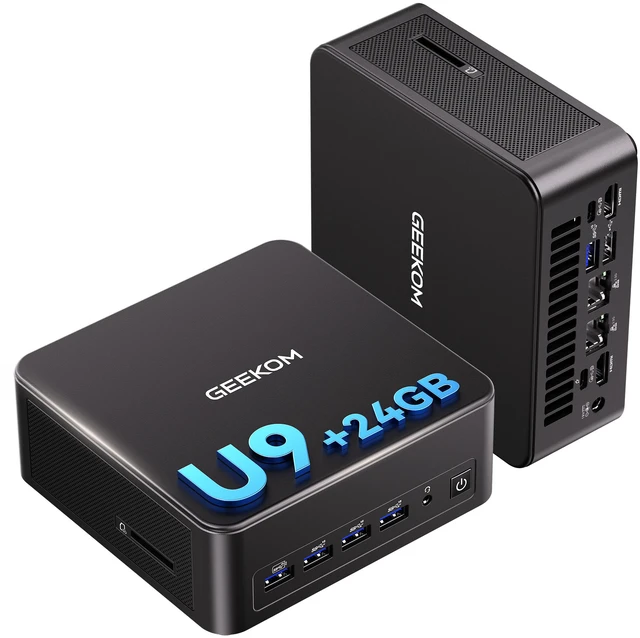
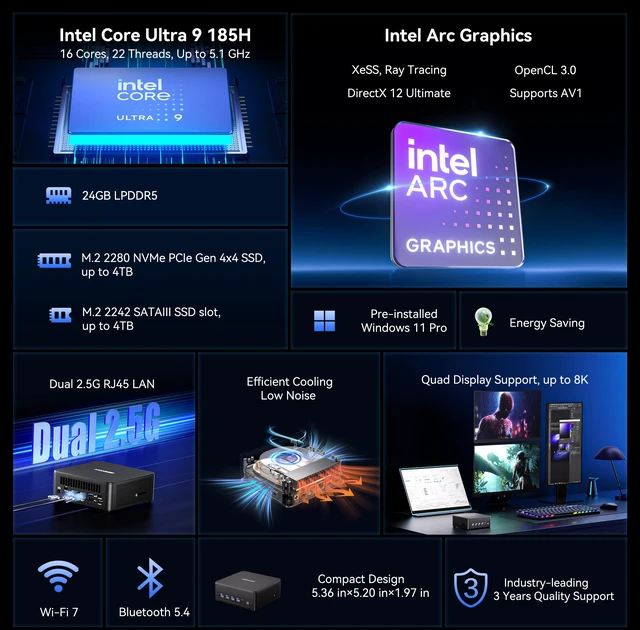
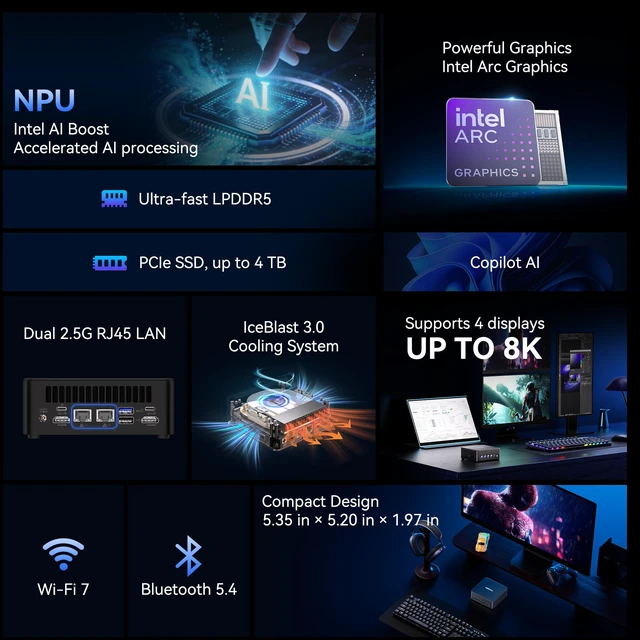
The GEEKOM IT13 MAX is a compact Windows 11 Pro mini PC with an Intel Core Ultra 9 185H, 24GB LPDDR5 memory, 1TB NVMe SSD, and Intel Arc graphics, suited to developers, engineers, and creative professionals who need capable local computing in a small desktop.
| Attribute | Value |
|---|---|
| Best For | Personal and home desktop computing in a compact mini PC, with Intel Core Ultra 9 processing, 24GB memory, and 1TB SSD storage |
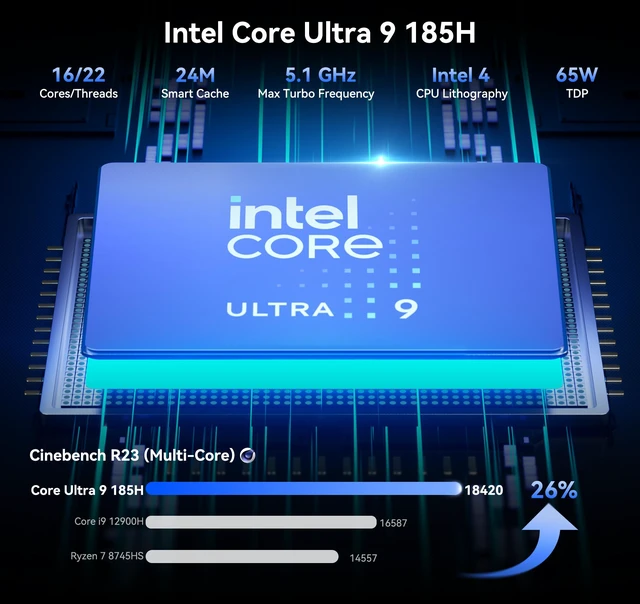
| Processor And Cache | Intel Core Ultra 9 185H (Series 1) with 24MB L3 cache |
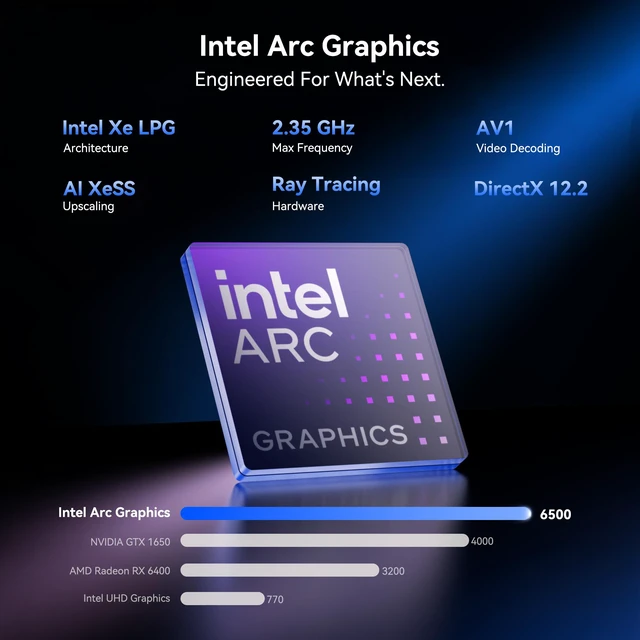
| Graphics | Integrated Intel Arc Graphics |
| Memory Configuration | 24GB LPDDR5 memory running at 5600 |
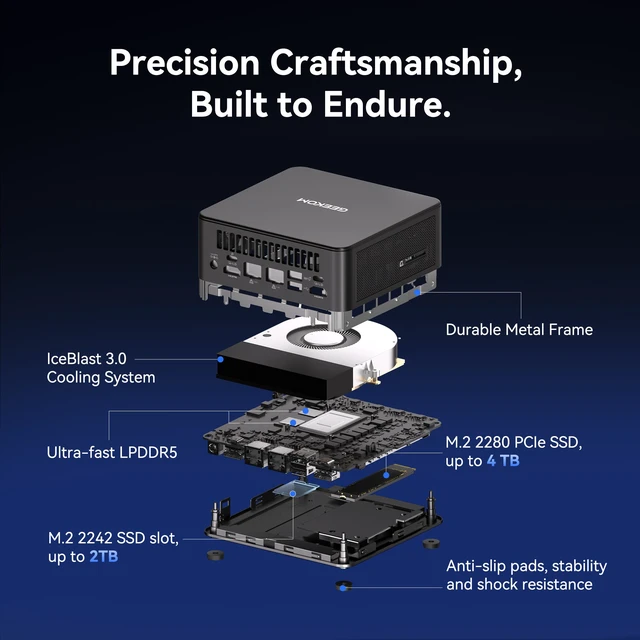
| Storage | 1TB NVMe SSD |
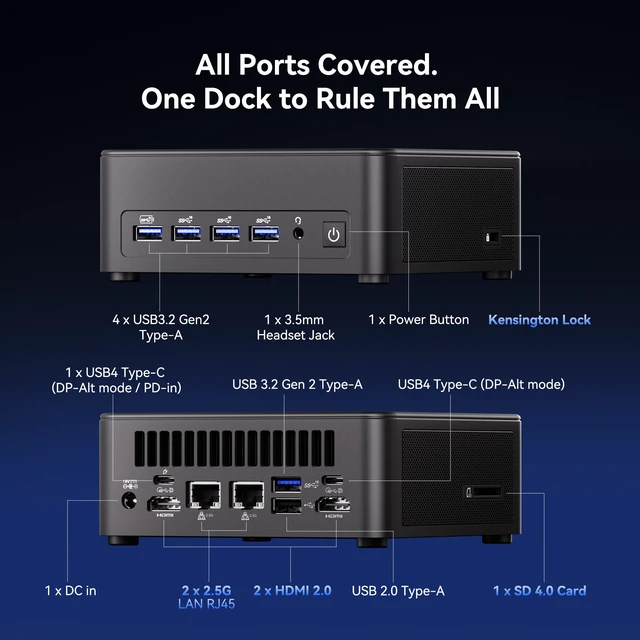
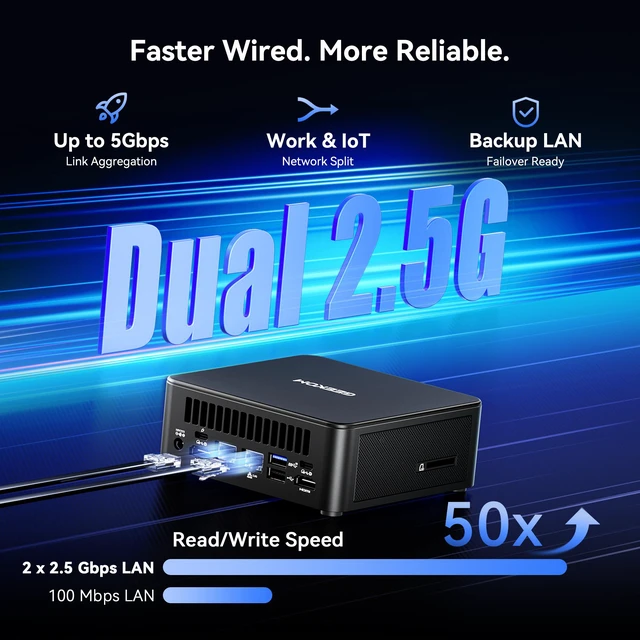
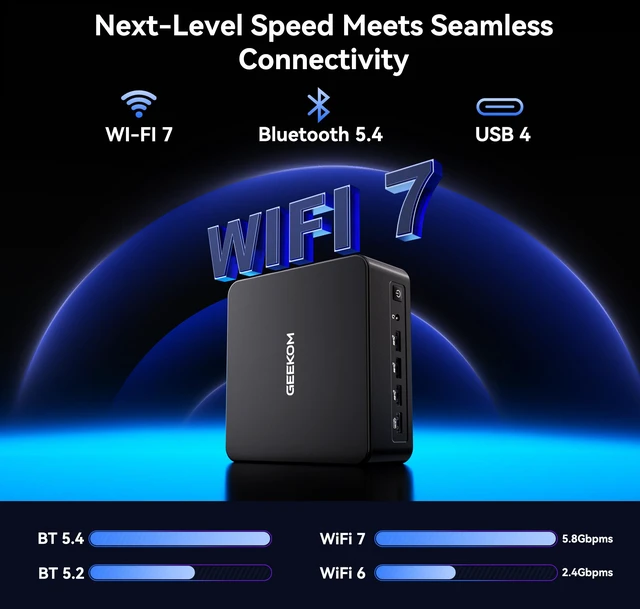
| Networking | Dual RJ45 ports with 2.5Gbps LAN and 802.11be Wi-Fi 7 |
| Operating System | Windows 11 Pro |
| Power | 120W power supply |
| Physical Design | Black mini PC measuring 132 × 136 × 50.1mm and weighing 832.1g |
| Included Accessories | VESA mount, HDMI cable, user guide, screws, thank-you card, and 120W power adapter |
| Model Identifiers | GEEKOM IT13 MAX; part number GMIT13MAXU9185HLP-241-US |
Q: GEEKOM IT13 Max vs. IT13 (2025): what changed?
A: Choose the IT13 Max for its Core Ultra 9 185H processor, Intel Arc graphics, built-in NPU, Wi-Fi 7, and dual 2.5GbE ports. In GEEKOM’s comparison, the Max also scored higher in multi-core Cinebench R23 and 3DMark Time Spy. The IT13 (2025) is a separate option for buyers who prefer its typical 32GB DDR4 configuration.
Q: GEEKOM IT13 Max vs. IT15: which should I choose for more performance?
A: Choose the IT15 if your priority is higher benchmarked CPU and integrated-graphics performance: PCWorld recorded 8,341 in PCMark 10 and 4,244 in 3DMark Time Spy for the IT15, versus 7,117 and 3,880 for the IT13 Max. Choose the IT13 Max when its Core Ultra 9 185H platform and connectivity— including dual 2.5GbE, Wi-Fi 7, and support for up to four displays—fit your setup.
Q: Should I get the IT13 Max with 24GB LPDDR5 or 16GB DDR5?
A: Choose the 24GB LPDDR5 configuration for more memory capacity out of the box and GEEKOM’s higher-bandwidth memory option. Choose the 16GB DDR5 configuration if you want memory that can be expanded later; GEEKOM lists that version as upgradeable to 96GB. Both configurations use the Core Ultra 9 185H and Intel Arc graphics.
Q: Is the GEEKOM IT13 MAX suitable for office work, meetings, and multitasking?
A: Yes. Its Core Ultra 9 185H processor, 24GB of memory, and 1TB NVMe SSD suit office applications, video meetings, and multitasking. It is a mini desktop, so you will need a separate monitor, keyboard, and mouse.
Q: Can it run several monitors for a desk setup?
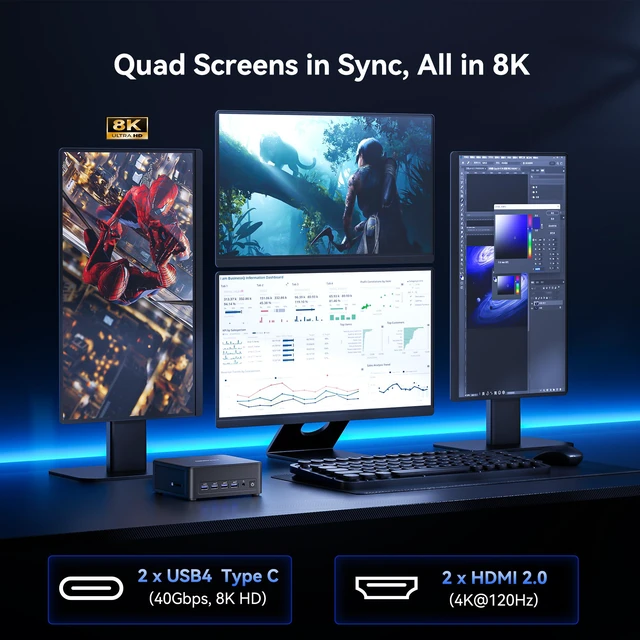
A: The product information specifies support for up to four displays at 8K or 4K. It is a fit for multi-screen desk work, but confirm the available ports and supported resolution for each planned display setup before connecting monitors.
Q: Is this mini PC a good choice for local development or a small server setup?
A: It may suit development, Docker, and compact lab or server-room deployments: the listed configuration includes a Core Ultra 9 processor, 24GB RAM, 1TB SSD, and dual 2.5GbE LAN, and the product information lists support for major Linux distributions and Proxmox. Check the memory and software requirements of your specific workloads before deploying it.
Q: Is it practical as a travel work computer?
A: It is compact, but it is not a laptop: it has no built-in screen, keyboard, battery, or mouse. It is more practical for a fixed desk or a destination where you can use an external monitor and peripherals than for working on the move.
Q: Is the GEEKOM IT13 MAX worth buying?
A: It may suit buyers who need a compact PC with a Core Ultra 9 185H, 24GB RAM, a 1TB SSD, and multiple display and network connections. Whether it is worth the price depends on the asking price and workload; compare it with alternatives before buying.
Q: Is the IT13 MAX suitable for gaming and creative work?
A: Its Core Ultra 9 processor and integrated Intel Arc graphics make it a candidate for productivity, video editing, and lighter gaming. It does not have a dedicated graphics card, so buyers focused on demanding games or GPU-heavy creative work should check independent performance tests for their specific applications.
Q: Does it stay quiet during demanding work?
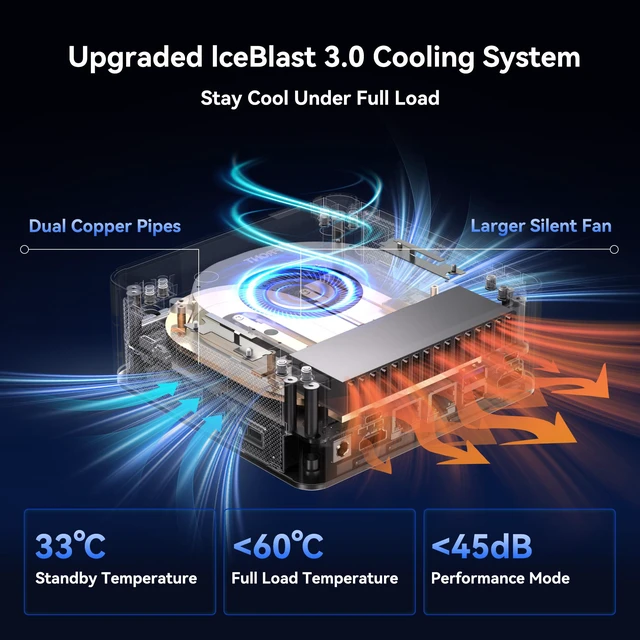
A: Quiet operation under sustained load is not guaranteed. The product description claims quiet cooling, but the IT13 MAX review includes a fan-noise test, and Reddit reports on earlier IT13 models describe fan noise. Those reports concern other configurations, so they do not establish the MAX’s noise level; check testing of this exact model if quiet operation is essential.
Q: Is the IT13 MAX a good choice for Linux?
A: The product information says it supports major Linux distributions, but Reddit users have reported Wi‑Fi or driver setup difficulties with earlier IT13 configurations. Because component configurations can vary, confirm Linux support for the exact unit and wireless module before relying on it.