




 here!
here!
I’m your shopping assistant for PC builds, upgrades, and everything tech.
Got questions? Ask away!
Start a conversation
here!
I’m your shopping assistant for PC builds, upgrades, and everything tech.
Got questions? Ask away!
Start a conversation




Any questions? Ask CelesteSM will help you find out quickly.
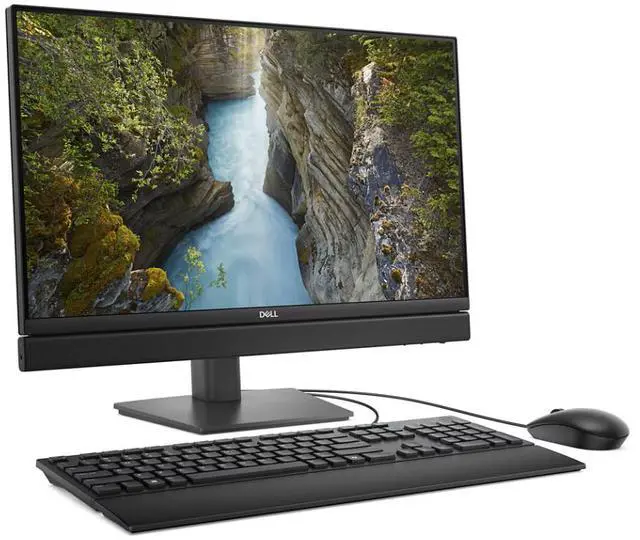
The Dell Pro 24 QC24251 is a Windows 11 Pro all-in-one desktop with an Intel Core Ultra 5 235T, 16GB DDR5 memory, a 512GB SSD, and a 23.8-inch FHD non-touch display, suited to office users who want a single-screen setup for everyday productivity and multitasking.
| Attribute | Value |
|---|---|
| Best For | Desk-based work and general computing in a single-unit setup with a 23.8-inch non-touch display |
| Processor And Core Count | Intel Core Ultra 5 235T (Series 2), with turbo frequency up to 5.0GHz |
| Graphics | Intel Graphics |
| Display | 23.8-inch non-touch screen |
| Memory Configuration | 16GB DDR5 memory running at 5600 speed |
| Storage | 512GB SSD |
| Operating System | Windows 11 Pro |
| Form Factor | All-in-One PC |
| Model Identifiers | Dell QC24251, part number RXRDW |
Q: Should I choose the Dell Pro 24 QC24251 with Core Ultra 5 235T or the 65W QC24250?
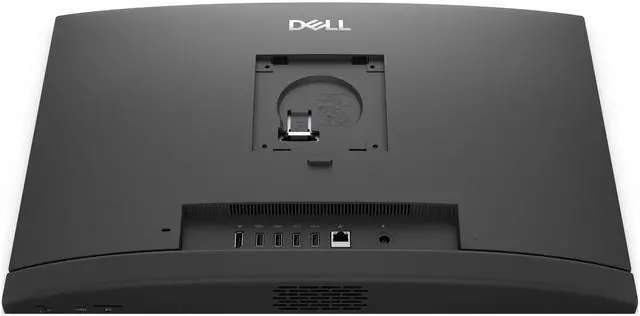
A: Choose the QC24251 if you want this 35W configuration for everyday business and office work. Consider the QC24250 if you need its higher-power processor options or more connectivity and storage expansion: Dell lists HDMI-in and HDMI-out, additional USB ports, and two M.2 storage slots for the QC24250. Compare the exact configurations, since available processors and features vary.
Q: Is the Core Ultra 5 235T version worth choosing over a lower-spec QC24251?
A: Choose the 235T configuration if you expect heavier multitasking or want an Intel Core Ultra processor with a listed 13 TOPS NPU. Dell also offers lower-tier processor options, including the four-core Core i3-14100T and two-core Intel 300T. Those options may suit lighter workloads; Dell’s specifications establish the core-count difference but do not quantify real-world speed for specific apps.
Q: Should I pay more for the Core Ultra 5 245T instead of the 235T?
A: The 245T is a small step up on the listed specifications: both processors have 14 cores and a 13 TOPS NPU, while Dell lists maximum boost speeds of 5.1 GHz for the 245T and 5.0 GHz for the 235T. Choose the 245T if the small clock-speed increase is worth its configuration premium to you; the 235T keeps the same listed core count and NPU specification.
Q: Is this all-in-one suitable for office or work-from-home tasks?
A: It is configured for typical office work, with an Intel Core Ultra 5 235T processor, 16GB of DDR5 memory, a 512GB SSD, and Windows 11 Pro. The product listing does not confirm a webcam or microphone, so check those details or plan to use external accessories for video calls.
Q: Does the display support touch?
A: No. The listed 23.8-inch display is specified as non-touch, so it must be controlled with a mouse and keyboard rather than touch input.
Q: Is this all-in-one good for gaming?
A: It is better suited to office and everyday use than demanding gaming. The listed configuration uses Intel Graphics and does not list a dedicated graphics card, so buyers seeking strong performance in graphics-intensive games should consider a system designed for gaming.
Q: Does it have a built-in webcam for video meetings?
A: The provided product listing does not confirm whether this configuration includes a webcam or microphone. Check with the seller before purchase, or plan to use an external webcam and microphone for video meetings.
Q: Can the QC24251 run two external monitors?
A: A Reddit user reported connecting one external monitor through DisplayPort but could not get a third screen working through USB-C or wireless casting. That setup used a different QC24251 processor configuration, so confirm the exact unit’s display outputs before relying on a multi-monitor setup.
Q: Can you replace or upgrade the QC24251’s SSD?
A: A Dell Support video demonstrates replacing the QC24251’s 2230 SSD. It does not establish which replacement capacities or drives are compatible, so check the system’s service documentation before buying an upgrade.
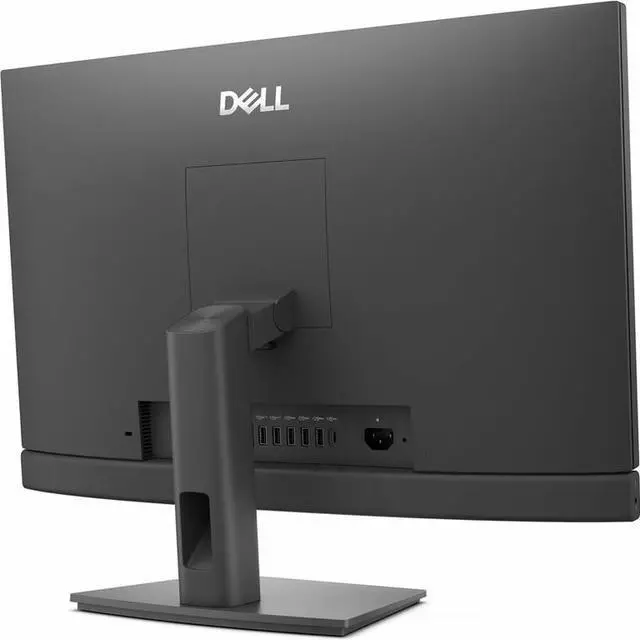
Q: How much height adjustment does the QC24251 stand provide?
A: A Reddit post asks for the height range of the optional height-adjustable stand, but does not provide a confirmed measurement. If stand height matters, verify the included stand and its adjustment range with the seller before purchase.


