here!
I’m your shopping assistant for PC builds, upgrades, and everything tech.
Got questions? Ask away!
Start a conversation
here!
I’m your shopping assistant for PC builds, upgrades, and everything tech.
Got questions? Ask away!
Start a conversation Hot Seller Hot Seller





Any questions? Ask CelesteSM will help you find out quickly.
We want to ensure your holiday shopping this year is hassle-free. That’s why we’re automatically extending our return policies on almost every product! For purchases placed between November 1st, 2026 and December 31, 2026 you will have until January 31, 2027 to return your product.
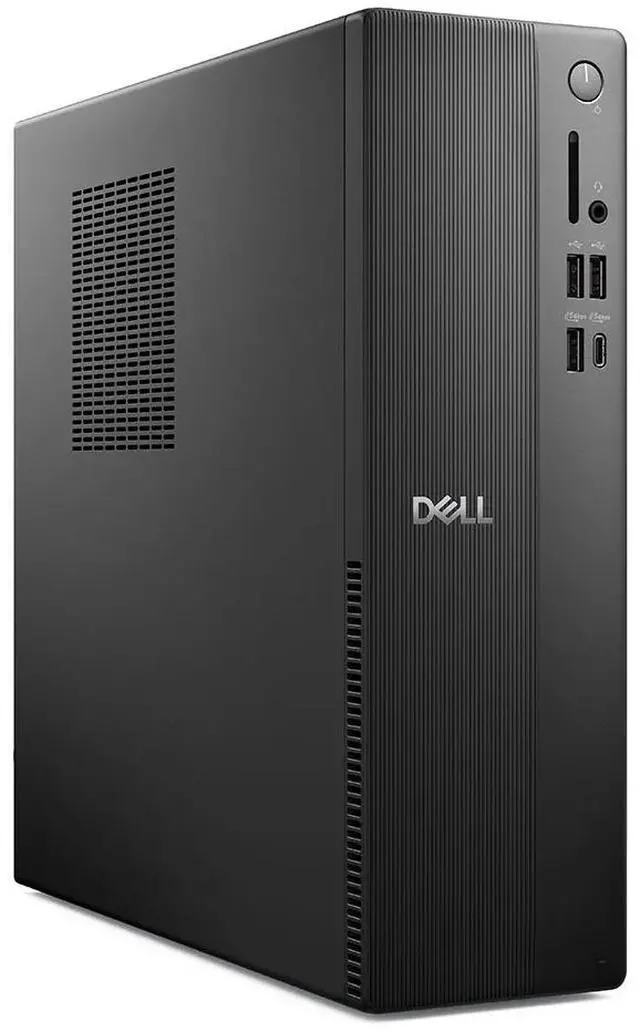
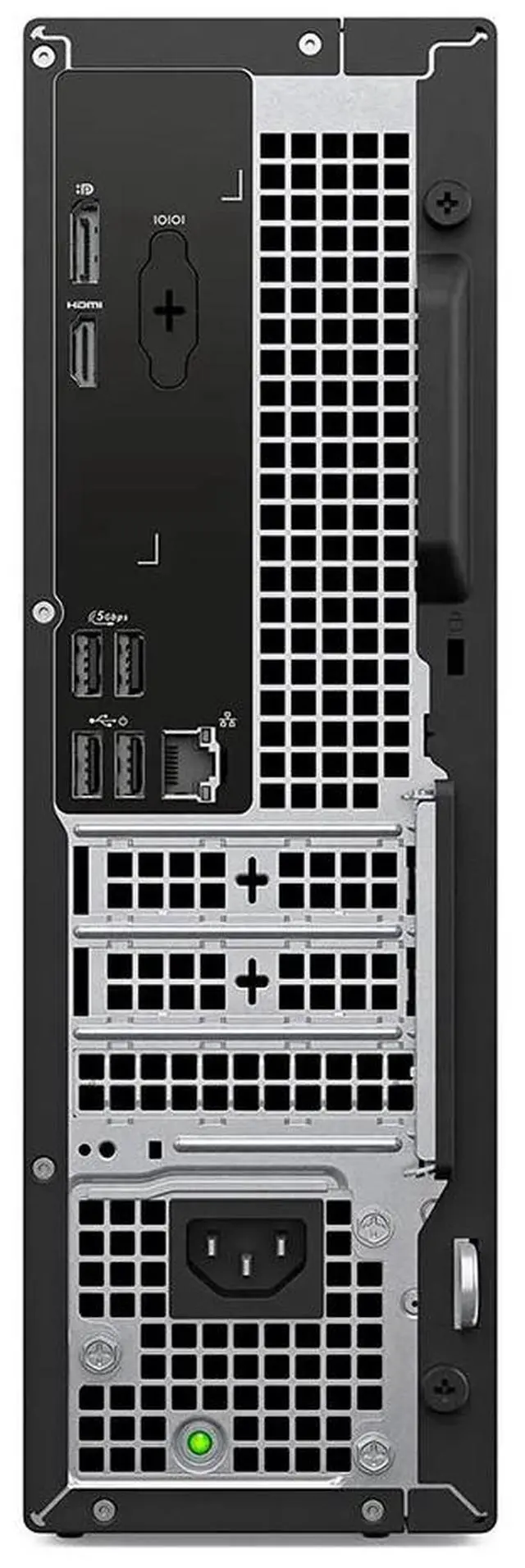
The Dell Pro Slim Essential QVS1260 (GK4HK) is a slim business desktop with an Intel Core i5-14500 vPro processor, 16GB DDR5 memory, a 256GB SSD, and Windows 11 Pro, suited to office productivity and everyday business workloads.
| Attribute | Value |
|---|---|
| Best For | Business desktop use with an Intel Core i5 processor, integrated graphics, and 16 GB of memory |
| Processor And Core Count | 14-core Intel Core i5-14500 vPro, up to 5.0GHz |
| Graphics | Integrated Intel UHD Graphics 730 |
| Memory Configuration | 16 GB DDR5 (1 x 16 GB), up to 4800 MT/s |
| Storage | 256 GB TLC SSD |
| Operating System | Windows 11 Pro |
| Form Factor | Slim/Small Form Factor |
| Display | No screen included |
| Model Identifiers | Dell, part number GK4HK |
Q: Dell Pro Slim Essential QVS1260 or Pro Tower Essential QVT1260 for a smaller desk?
A: Choose the QVS1260 when a narrower desktop footprint is the priority: Dell lists it at 3.74 inches wide and 7.69 lb, compared with 6.06 inches wide and 9.17 lb for the QVT1260. Choose the QVT1260 when you want its tower chassis and its listed option for NVIDIA GeForce RTX 5060 graphics.
Q: Should I choose the QVS1260 with a Core i5-14500 or a lower-tier Core i3 configuration?
A: Choose the listed Core i5-14500 QVS1260 when you want its 14-core processor and up-to-5.0-GHz turbo frequency. A Core i3-14100 configuration is the lower-tier option in Dell’s QVS1260 product lineup; compare the configured price and processor needs when selecting between them.
Q: Is 16GB or 32GB of memory the better QVS1260 configuration?
A: The listed configuration has 16GB of DDR5 memory as one 16GB module. Choose a 32GB configuration when you want more memory capacity for running multiple applications or handling larger work files; Dell lists configurations up to 64GB across two memory slots.
Q: Is this desktop suitable for office work and everyday multitasking?
A: Yes. The Core i5-14500, 16GB of DDR5 memory, and Windows 11 Pro suit common office tasks such as documents, email, web browsing, and typical business applications. The 256GB SSD may be limiting if you keep many large files on the computer.
Q: Does the desktop come with a monitor?
A: No. The product information specifies “No Screen,” so you will need a separate compatible monitor. A keyboard and mouse are not confirmed in the provided product information.
Q: Is this desktop practical for travel or working away from a desk?
A: Not for mobile work. It is a desktop with no built-in screen, so using it elsewhere requires a monitor and a power connection. It is better suited to a fixed desk or to moving between workspaces that already have the needed equipment.
Q: Is it a good choice for gaming or graphics-heavy work?
A: It is better suited to everyday display tasks and office productivity than demanding gaming or graphics-intensive work. The listed Intel UHD Graphics 730 is integrated graphics; the product information does not list a dedicated graphics card.
Q: Is 256GB of storage enough for everyday use?
A: A 256GB SSD can suit everyday office tasks and documents, but it leaves less room for large software installations, media, and local file libraries. Consider your storage needs before buying; the provided information does not confirm upgrade options for this configuration.