Your Browsing History
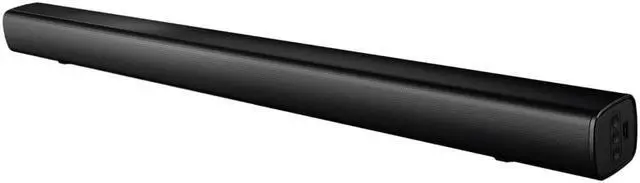
AverMedia GS-68C Bluetooth Classromm Soundbar
- Works on its own as a loudspeaker or seamlessly with an interactive flat panel (IFP) or interactive touch panel (ITP). Simply connect with your microphone or device to begin using.
- Designed to be mounted on the wall, credenza, or to a TV.
- Includes a remote control to adjust volume settings. LED lights will appear on the soundbar to indicate volume level.
+
+
Overview
Specs
Reviews
See all Q & A
Any questions? Ask CelesteSM will help you find out quickly.
Try me now
Warranty & Returns
Warranty, Returns, And Additional Information
Warranty
- Limited Warranty period (parts): 1 year
- Limited Warranty period (labor): 1 year
- Read full details
Return Policies
- Return for refund until: January 31, 2027
- Return for replacement until: January 31, 2027
- This item is covered by Newegg.com's Extended Holiday Return Policy.
- Read full return policy for details.
We want to ensure your holiday shopping this year is hassle-free. That’s why we’re automatically extending our return policies on almost every product! For purchases placed between November 1st, 2026 and December 31, 2026 you will have until January 31, 2027 to return your product.
Manufacturer Contact Info
- Manufacturer Product Page
- Manufacturer Website
- Support Phone: 510-403-0006
- Support Email: support.usa@avermedia.com
- Support Website
- View other products from AVerMedia
LOADING...
The AVerMedia GS-68C is an 80W Bluetooth classroom soundbar with a built-in subwoofer, designed to help teachers make lessons easier to hear across the room; it suits classrooms and teaching spaces using microphones or interactive displays.
Recommended For
- Teachers presenting lessons from an interactive flat panel who want a room speaker for spoken instruction and course audio.
- Schools adding audio to an existing interactive display who want a classroom-focused soundbar that can be mounted on a wall or credenza.
- Educators who play lesson audio from a nearby device and want Bluetooth or wired input options in a fixed classroom setup.
- Schools pairing classroom speakers with a compatible teacher microphone so students can hear instruction while the teacher moves around the room.
Real-World Use Scenarios
- During a lesson, a teacher plays video or other course audio through an interactive flat panel; the soundbar is intended to make that content easier for students across the classroom to hear.
- While teaching at the board or moving around the room, a teacher uses a compatible microphone with the soundbar; the setup is intended to let students hear the teacher without requiring them to stay beside the display.
- In a classroom without an interactive panel, staff connect a compatible audio source and use the GS-68C as a standalone speaker for lessons or classroom media.
- When setting up a fixed teaching area, staff mount the soundbar on a wall or place it on a credenza or TV; this keeps classroom audio near the display without taking up desk space.
- For a lesson or presentation using a phone or computer as the audio source, a teacher can connect over Bluetooth or use a wired audio input, then adjust the listening level with the included remote.
Spec Summary
| Attribute | Value |
|---|---|
| Best For | Classroom audio enhancement as a soundbar or standalone loudspeaker |
| Audio Configuration | Two 2-inch drivers and two 2.25-inch drivers |
| Audio Performance | 80 W RMS total output (20 W × 2 + 40 W), with an 80 Hz–20 kHz frequency response |
| Wireless Connectivity | Bluetooth 4.2+EDR with a range of up to 10 m |
| Input Specifications | 800 mV ±50 mV input sensitivity and 4 Ω × 2 + 4 Ω × 2 input impedance |
| Power | 120 V AC, 60 Hz power supply |
| Physical Design | Black finish; 35.43 in long × 2.75 in high × 3.07 in deep |
| Included Accessories | Remote controller, remote battery, wall mount kit, 1.5 m 3.5 mm AUX cable, 1.5 m optical cable, and quick start guide |
| Model Identifiers | AVerMedia GS-68C |