• $919.99
  • $975.49
  • Save: $55.50 (5%)
  • Free 30-day Returns
  • Add to PC build list 
    Sold by Newegg

    Shipped by Newegg

    Price alert

    Best Sellers

    Top Rated
    5 (6 total ratings)
    • $1,149.99
    • + FREE SHIPPING
    Hot Seller
    2.8 (240 total ratings)
    • $1,451.90
    • + FREE SHIPPING
    Top Rated
    4.7 (80 total ratings)
    • $1,699.99
    • + FREE SHIPPING
    Newegg PC Builder
    Server System configurator/ABS
    Shop it at NeweggBusiness.
    Get Educated

    Make informed decisions with expert advice. Learn More

    GIGABYTE AORUS GeForce RTX 5060 Ti 16GB GDDR7 External Graphics card AORUS RTX 5060 TI AI BOX

    (119)(29) Write a Review
    • AORUS AI BOX
    • AORUS
    • AERO
    • Gaming
    • EAGLE ICE
    • EAGLE
    • WindForce
    • RTX 5060 Ti 16GB OC MAX
    • RTX 5060 Ti 16GB OC
    • RTX 5060 Ti 16GB
    • RTX 5060 Ti 8GB OC MAX
    • RTX 5060 Ti 8GB OC
    • RTX 5060 Ti 8GB
    • RTX 5060 Ti 8GB MAX
    Newegg Trade-In loading
    • 16GB GDDR7
    • Core Clock 2572 MHz
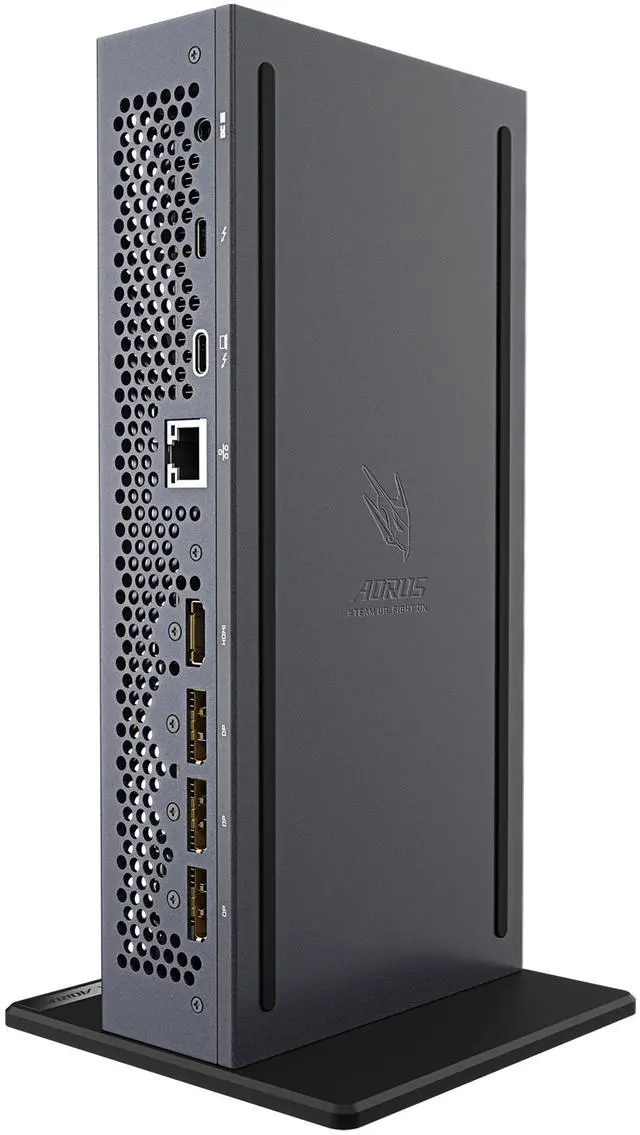
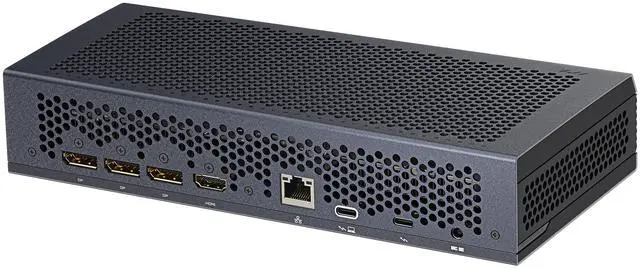
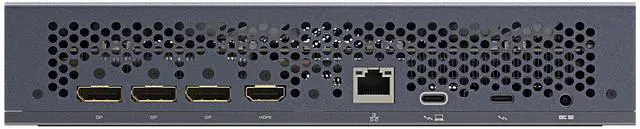
    • 1 x HDMI 2.1b 3 x DisplayPort 2.1b
    • External
    🔥Don't forget your OS, we have Windows 11 OEM, Download and USB versions available
    +
    +
    Overview
    Specs
    Reviews (119)
    See all Q & A

    Any questions? Ask CelesteSM will help you find out quickly.

    Warranty & Returns

    Warranty, Returns, And Additional Information

    Warranty

    • Limited Warranty period (parts): 3 years
    • Limited Warranty period (labor): 3 years
    • Read full details

    Return Policies

    • Return for refund within: 30 days
    • Return for replacement within: 30 days
    • This item is covered by Newegg.com's 30-Day Return Policy.
    • 15% restocking fee may apply.
    • Read full return policy for details.
    LOADING...
    LOADING...

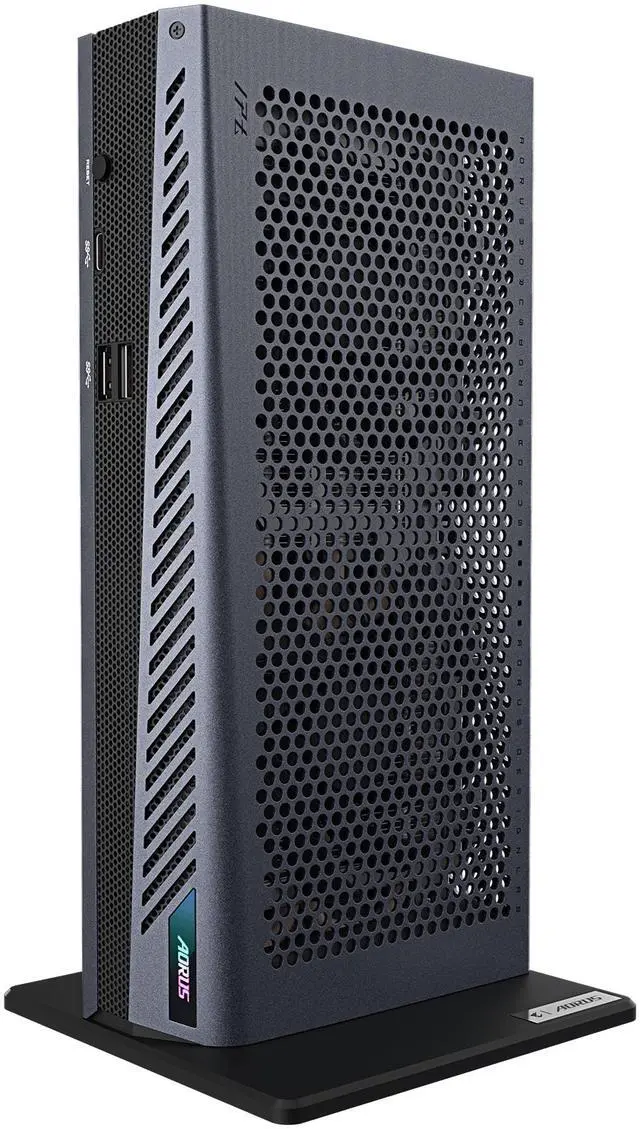
    The GIGABYTE AORUS RTX 5060 Ti AI BOX is an external GPU enclosure with an included GeForce RTX 5060 Ti 16GB GDDR7, designed to add graphics power to compatible laptops or desktops for gaming, creative work, and AI applications.

    Recommended For

    • Ultrabook owners who want to play demanding games at a desk or in a hotel: Notebookcheck tested the AI BOX with a thin-and-light laptop for 1440p gaming, and the box connects over one Thunderbolt cable.
    • People who use a lightweight laptop for work and want to add GPU acceleration at a fixed workstation for video editing, 3D work, or local AI tasks; Notebookcheck tested the box with video editing, 3D rendering, and local AI workloads.
    • Handheld-PC or compact-PC owners who want to dock their device to an external monitor or TV for more demanding gaming; community benchmark discussions show users testing this box in docked setups.
    • Laptop users who want a compact desk dock as well as an external GPU, with USB ports, Ethernet, display outputs, and up to 100W laptop charging through the setup.

    Real-World Use Scenarios

    • When a thin-and-light laptop lacks gaming graphics, connect the AI BOX at a desk and send video to an external monitor; it can make many games playable at 1080p, while demanding titles may need adjusted settings.
    • For a hotel stay or work trip, pack the compact box with a compatible laptop to add gaming or GPU-accelerated work without carrying a desktop tower; the setup still needs the AI BOX’s power adapter.
    • When experimenting with local image generation or smaller, quantized AI models, use the AI BOX’s GPU and 16GB of video memory to run workloads that may exceed a laptop’s integrated graphics; results depend on the model and software.
    • For video editing or 3D work on a thin laptop, connect the box when you need GPU acceleration and disconnect it for everyday mobile use; the AI BOX can extend the laptop’s graphics capability, but it does not replace a full workstation for every workload.
    • At a home desk, use the AI BOX as a laptop dock for an external display, wired Ethernet, and USB peripherals while adding graphics performance; confirm the laptop supports external GPUs over its Thunderbolt connection before buying.

    Spec Summary

    AttributeValue
    Best ForCompatible laptop or desktop users seeking external GeForce RTX 5060 Ti graphics for gaming, creative work, or AI applications
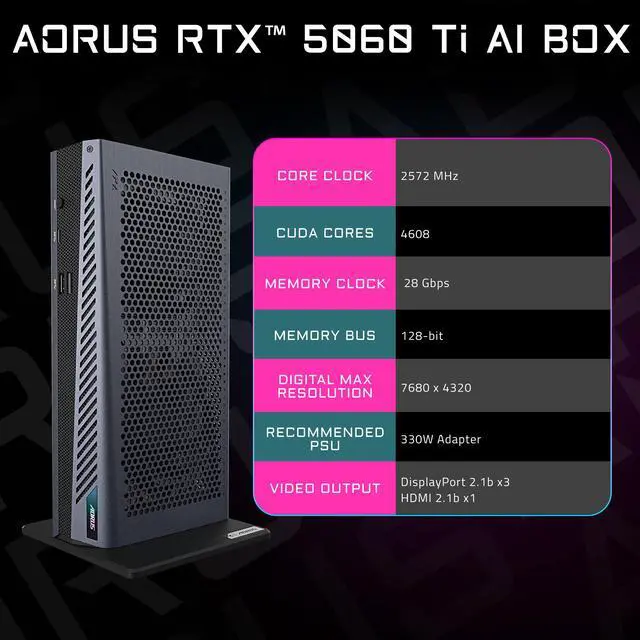
    GPU And MemoryNVIDIA GeForce RTX 5060 Ti with a 2572 MHz core clock, 16GB GDDR7 memory, 28 Gbps effective memory clock, and 128-bit memory bus
    Graphics Features And APIsDirectX 12 Ultimate, OpenGL 4.6, DLSS 4, hardware-accelerated ray tracing, and AI-ready support
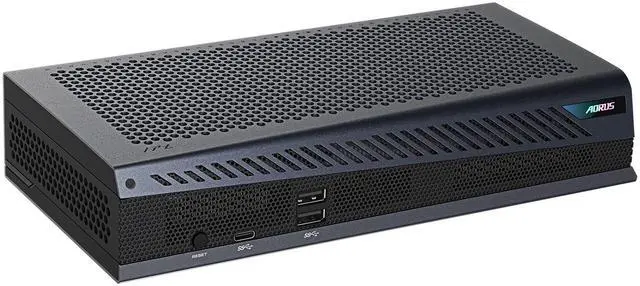
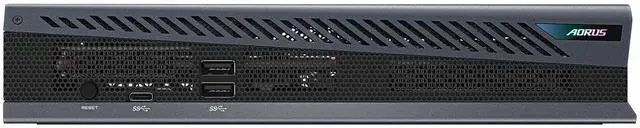
    Ports And Display SupportThunderbolt 5 USB-C connections to the PC and a peripheral; 1 HDMI 2.1b, 3 DisplayPort 2.1b, 1 USB-C, and 2 USB-A ports. Supports up to 4 monitors at a maximum resolution of 7680 × 4320; also supports Thunderbolt daisy-chaining and Ethernet
    CompatibilityFor a laptop or desktop with a Thunderbolt port and external-GPU support; requires Windows 11 version 25H2 or later. Confirm Thunderbolt 5 compatibility with the PC manufacturer
    Power And ChargingIncludes a 330W power adapter and supports Power Delivery 3.0 laptop charging up to 100W
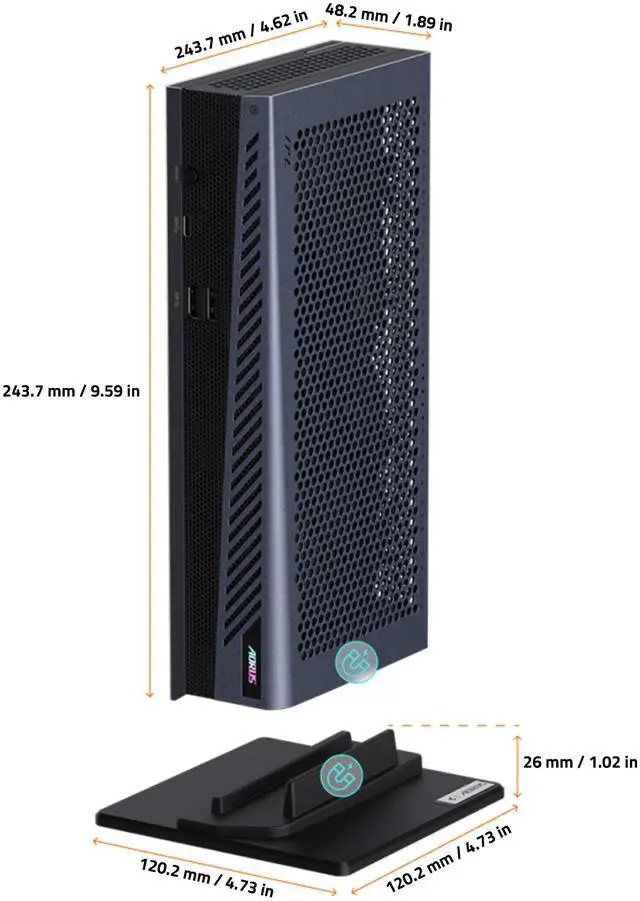
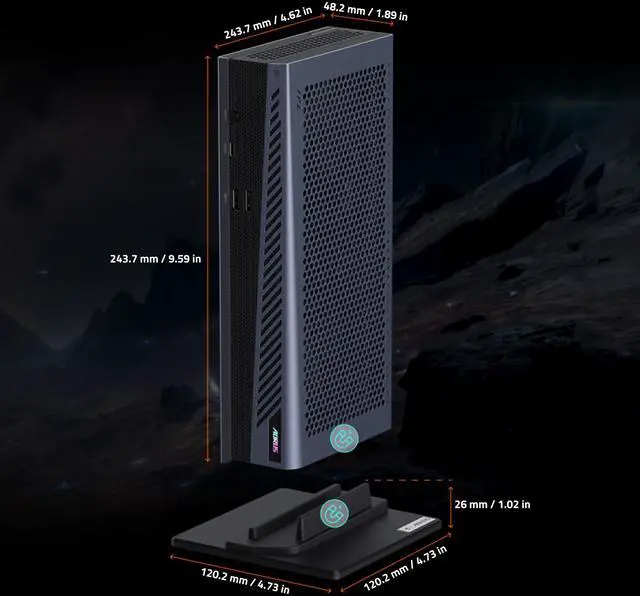
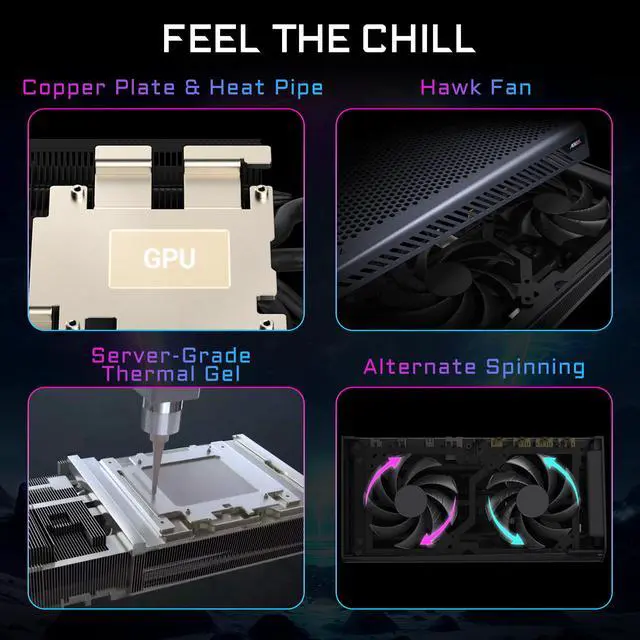
    Cooling And DesignWINDFORCE cooling, RGB lighting, and a compact black design intended for portability
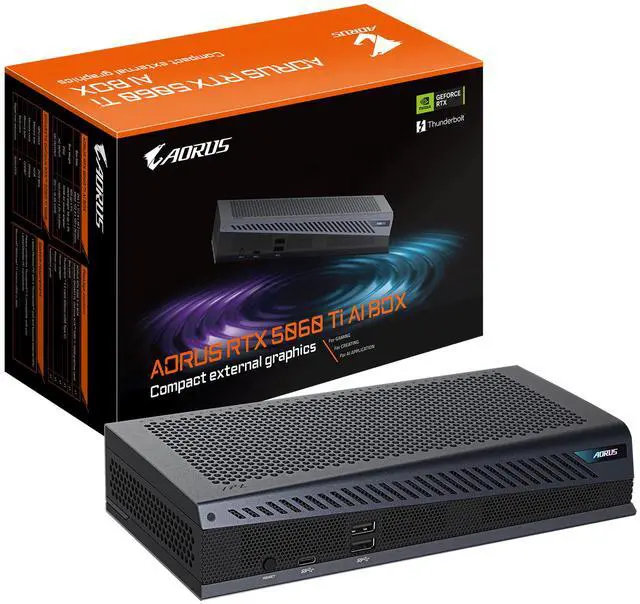
    Included In The BoxAORUS RTX 5060 Ti AI BOX with GeForce RTX 5060 Ti 16GB graphics card, box stand, 800 mm Thunderbolt 5 USB-C cable, power adapter, power cord, and installation guide
    Model IdentifiersGIGABYTE AORUS; model AORUS RTX 5060 TI AI BOX; part number GV-N506TIXEB-16GD