

Your Browsing History
- Free 30-day Returns
$44.59
Most customers receive within 7-9 days.





Meet Your Seller



Visit SRhonyra Store
FOLLOW
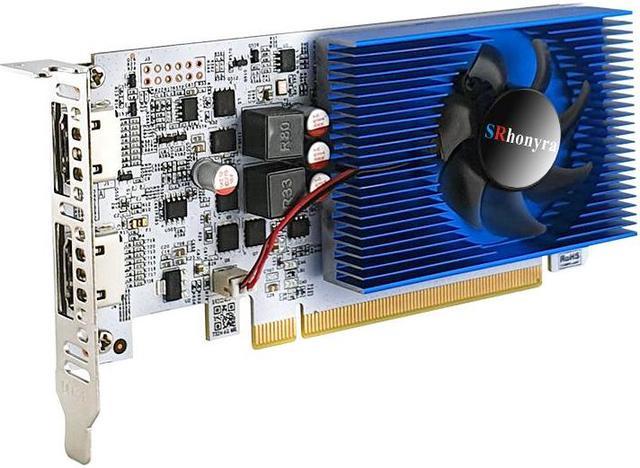
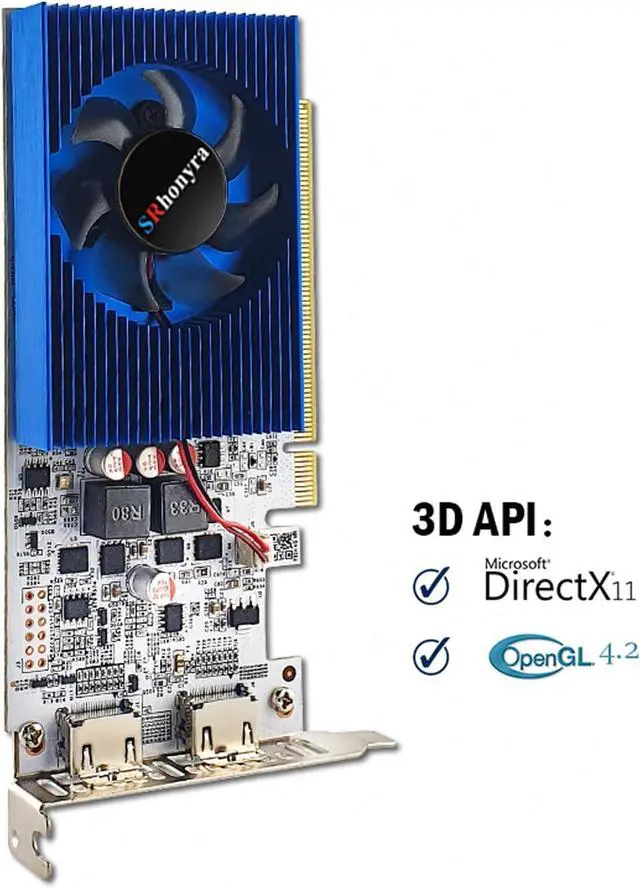
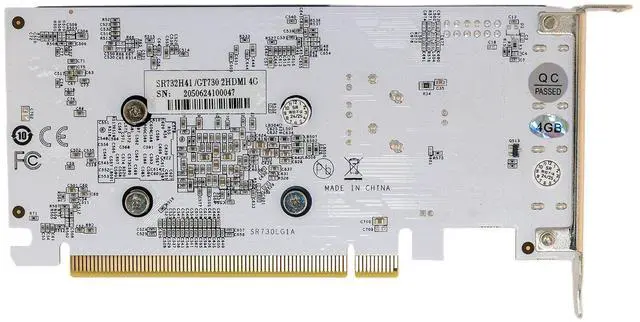
SRhonyra GT 730 4GB low profile graphics card, DDR3 128-Bit, 2×HDMI outputs, single-slot width, PCIe 2.0 x16, designed for small-form-factor desktop PC, 2U server cases
Limited time offer, ends10/04 By SRhonyra
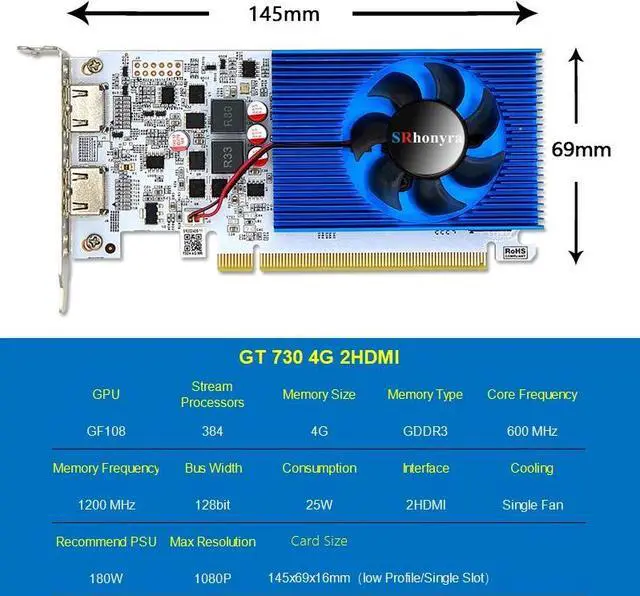
- Good Upgrade for PC with Integrated Graphics: Built on the 40 nm process GF108 graphics processor, 96 shading units, 16 texture mapping units, operating at 600 MHz, and paired 4GB DDR3 memory running at 533 MHz with 128-bit memory interface, proving you a more powerful performance PC without changing any components on it.
- Dual-Monitor 1080P Display: Equipped with dual HDMI 1.3 ports and supporting a maximum resolution of 1920 × 1080 @60 Hz refresh rate, will increase your productivity for creating or editing a document, displaying a slideshow etc. Kindly note it Does Not support splicing mode display.
- Great Value for Energy Saving: This GT 730 video card drains just 30W of power; no need for external connectors from your PSU. A PCIe 2.0 x16 slot can power it on. Bring great economic value to your project, such as digital signage, kiosk and interactive display with such an energy-saving low-profile graphics card.
- Light Gaming GPU: This GT 730 4GB low profile video card isn't a great option for gaming, but light games such as Minecraft will run smoothly and without any issues and be able to handle editing in the office also good for watching movies in HD at home.
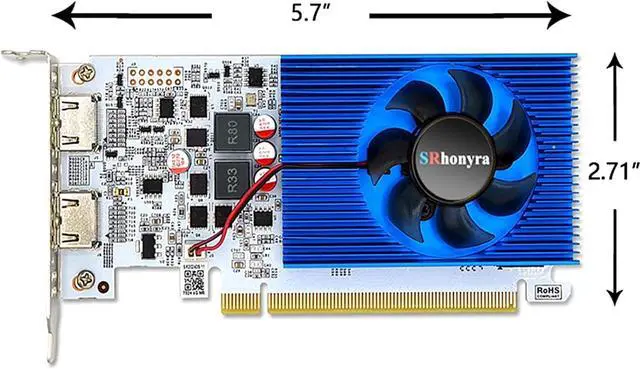
- Low Profile Design: Being a single-slot, 2 monitor HDMI graphics card, only 5.7 inches length, 2.71 inches height, it enable you do a space-saving installation and let you build a compact PC system easily even with a small-form-factor (SFF) chassis.
+
+
Overview
Specs
Reviews (2)
See all Q & A 
Any questions? Our AI mode will help you find out quickly.
Try me now

IMPORTANT:
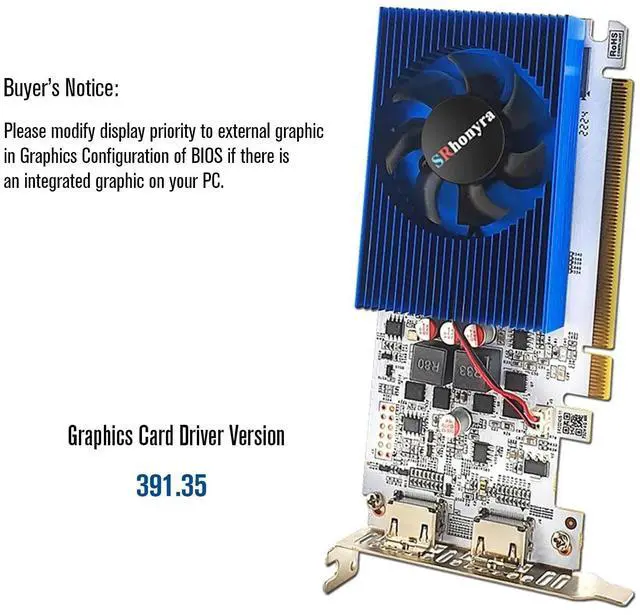
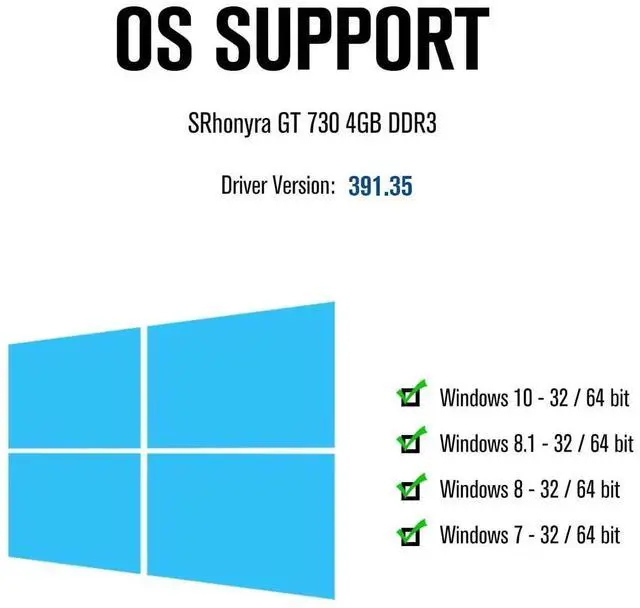
* Driver Version: 391.35 (Newer drivers than 391.35 are incompatible, please do not install)
OS support:
* Win 10 32-bit/64-bit
* Win 8.1 32-bit/64-bit
* Win 8 32-bit/64-bit
* Win 7 32-bit/64-bit
How to search for driver 391.35 and download it?
Please use the Google search box and type the driver version based on your PC system. eg. "gt 730 4gb driver 391.35 Win 10 64-bit". Then click the search result that directs to the nVidia website.
What to do before installing the SRhonyra GT 730 4GB video card if your PC has integrated graphics?
* Please follow the steps.
1) Use a brush and compressed air to blow away any dust from the PCIe slot used to install the video card.
2) Make sure the PCIe slot is working, and your GPU is fully seated in the PCIe slot.
What to do after installing the 391.35 driver for SRhonyra GT 730 4GB video card if your PC has integrated graphics?
Then follow the steps to get the BIOS to default to external graphics after the graphics card is installed:
1) Restart your computer and press the BIOS key (usually F2 or Delete) repeatedly as soon as the computer starts up.
2) Once in the BIOS, navigate to the Advanced or Settings menu.
3) Look for the option to change the primary graphics card.
4) Select the dedicated graphics card as the primary graphics card.
5) Save your changes and exit the BIOS.
Follow the steps to check your current GPU driver version:
1) Within Device Manager, search for the Display adapters drop-down and click it to find out the discrete GT 730 graphics card installed.
2) Within Device Manager, right-click your listed GPU and click Properties.
3) Within this Properties window, click the Driver tab to see what your currently installed driver version is.
Troubleshootings:
Problem 1: Both HDMI ports don't work at the same time
Root Reason: Did not install the correct driver version
Solution: Download DDU, and use it to uninstall the current driver for the GT 730 4GB video card. After the PC restarts, search for driver 391.35 and download it, reinstall driver 391.35 for the SRhonyra GT 730 4GB video card.
Problem 2: Item didn't fit customer's system
That means no display comes out of the graphics card.
Root causes: 1) Did not clean the PCIe slot for the video card 2) PCIe slot is bad 3) Did not enable CSM support
Solution:
1) Use a brush and compressed air to clean the PCIe slot
2) Use another video card to check whether the PCIe slot is working or not
3) Restart your PC, enter BIOS settings, and enable CSM support. Save and exit.
If you have any questions, please feel free to contact us. We are happy to help you.
Warranty & Returns
Warranty, Returns, And Additional Information
Warranty
- Please contact the Seller directly for warranty information. Warranty information may also be found on the Manufacturer's website.
- CONTACT
Return Policies
- Return for refund within: 30 days
- Return for replacement within: 30 days
- This item is covered by SRhonyra Return Policy
Manufacturer Contact Info
- For a directory of all our manufacturers, please click below.
- Manufacturers Directory
LOADING...