




 here!
I’m your shopping assistant for PC builds, upgrades, and everything tech.
Got questions? Ask away!
Start a conversation
here!
I’m your shopping assistant for PC builds, upgrades, and everything tech.
Got questions? Ask away!
Start a conversation



Any questions? Ask CelesteSM will help you find out quickly.


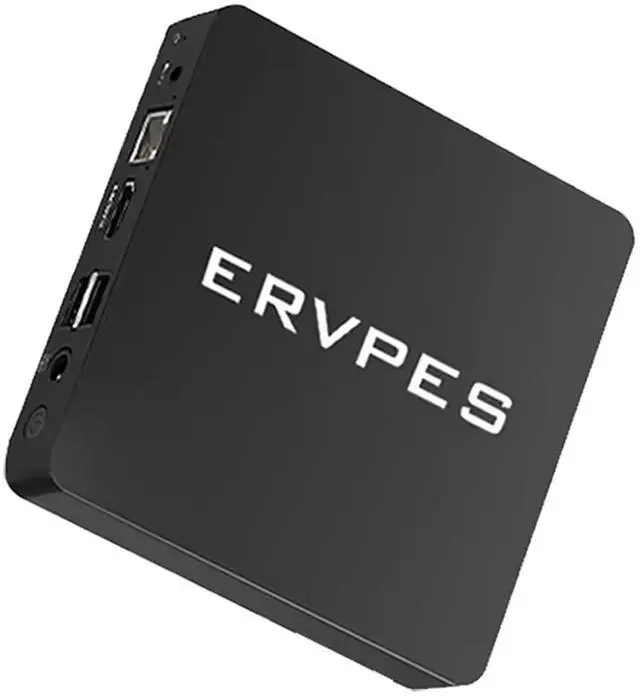
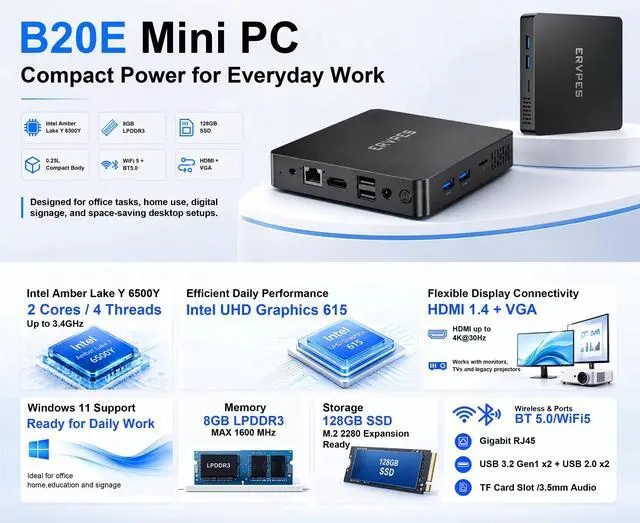
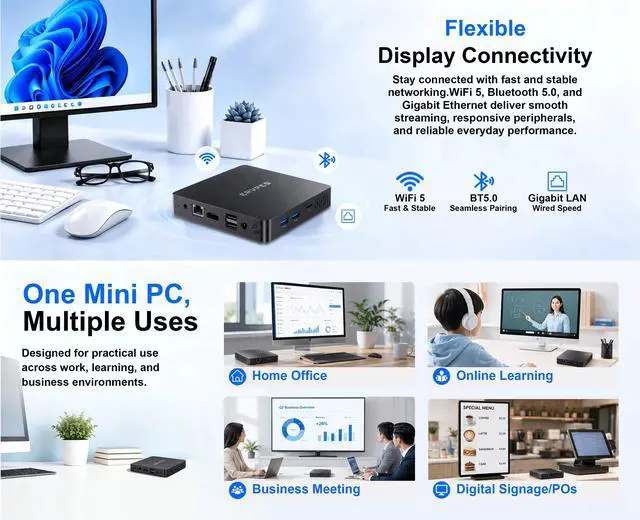
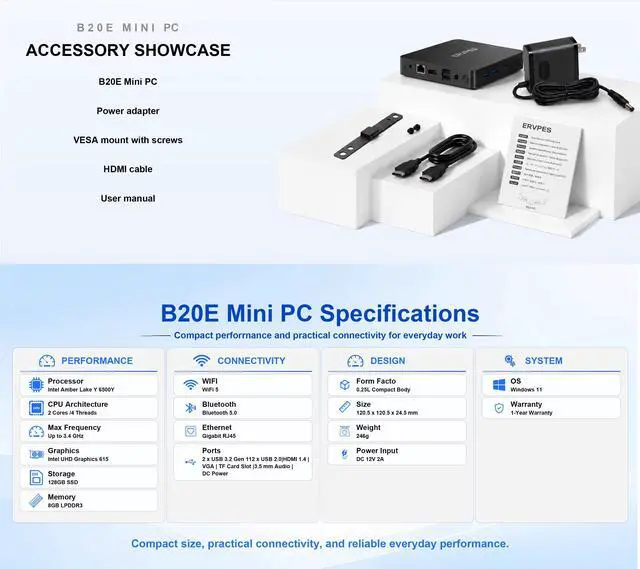
The ERVPES B20E is a compact Windows 11 Pro mini PC with 8GB LPDDR3 memory, a 128GB SSD, Intel integrated graphics, dual-band Wi-Fi, Bluetooth 5.0, and HDMI. It is suitable for everyday web browsing, office work, streaming, light productivity, and space-saving desktop setups.
| Attribute | Value |
|---|---|
| Best For | Compact desktop computing based on the Intel N4500 processor |
| Processor | Intel N4500 Processor |
| Model Identifiers | ERVPES B20E |
Q: Is the ERVPES B20E better than an Intel N100 mini PC?
A: An Intel N100 mini PC is generally the stronger choice for multitasking, newer software, and sustained workloads because the N100 has 4 cores, 6 MB cache, and a newer Alder Lake-N design. Choose the B20E for basic browsing, office applications, media playback, and potentially lower-cost desktop use, but confirm whether the unit contains the listed Pentium Gold 6500Y or the N4500 shown elsewhere in the PDP.
Q: Should I choose the B20E or an N95/N97 mini PC?
A: Choose an N95 or N97 mini PC when processor performance and newer integrated graphics matter more than the B20E's low-power design. Intel's N97 has 4 cores, a 3.6 GHz maximum frequency, 6 MB cache, and 24 graphics execution units, while the listed 6500Y has 2 cores and the listed N4500 has 2 cores. The B20E is more appropriate for light desktop work, streaming, signage, or other low-demand tasks.
Q: Is the B20E 8GB/128GB configuration enough, or should I buy a 16GB/512GB mini PC?
A: The B20E's 8GB of RAM and 128GB SSD are suitable for web browsing, document work, streaming, and a small number of desktop applications. A 16GB/512GB configuration is the better choice for heavier multitasking, larger application installs, local media storage, virtual machines, or longer-term use because it provides twice the memory and four times the listed storage capacity. Choose the B20E configuration when the workload is light and external storage is acceptable.
Q: Is the B20E better than a newer mini PC for portable or low-power use?
A: The B20E can make sense for a fixed, low-power setup such as a secondary office PC, digital signage system, or media box. It is not a replacement for a laptop because a mini PC requires a separate display, keyboard, mouse, and power connection. Choose a laptop for battery-powered or mobile use, and choose the B20E when the computer will remain connected to one workspace.
Q: Does the ERVPES B20E use the Intel Pentium Gold 6500Y or the Intel N4500?
A: The provided PDP contains conflicting processor information: the title and bullet description identify the Pentium Gold 6500Y, while the specifications list the Intel Celeron N4500. These are different processors. The 6500Y is a 2-core/4-thread Amber Lake-Y chip with UHD Graphics 615 and LPDDR3 support; the N4500 is a 2-core/2-thread Jasper Lake chip with Intel UHD Graphics and DDR4 or LPDDR4x support. Confirm the CPU through the seller, BIOS, or Windows System Information before comparing performance or purchasing.
Q: Is this mini PC suitable for note-taking, online meetings, browsing, and basic office work?
A: Yes. The 8GB RAM, 128GB SSD, Windows 11 Pro, Wi-Fi, Bluetooth 5.0, and HDMI output make it suitable for documents, email, web browsing, note-taking, and standard online meetings when paired with a monitor, keyboard, mouse, microphone, and camera. It is not intended for demanding video editing, 3D work, or modern gaming.
Q: Is it a good travel work device?
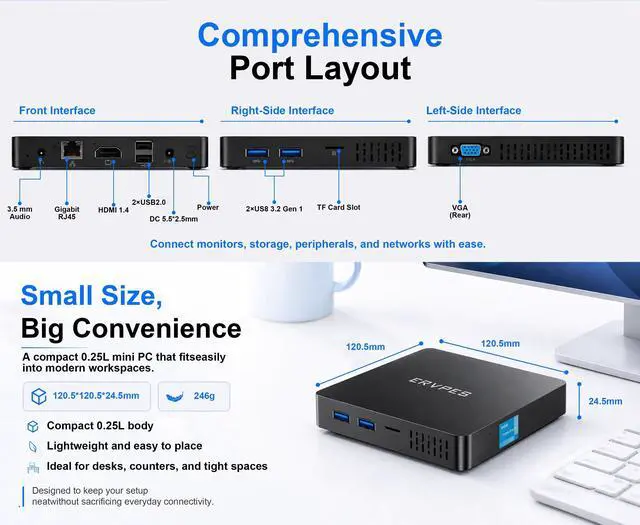
A: It can work well as a portable desktop for moving between offices, hotel rooms, or shared workspaces, but it is not a standalone travel computer. You must provide an external display, keyboard, mouse, power, and usually a webcam and microphone. The listing does not provide dimensions or weight, so portability should be confirmed before purchase.
Q: Does it include Windows 11 Pro, and is a separate license required?
A: The provided product information identifies the operating system as Windows 11 Pro, so it is marketed as a Windows 11 Pro system rather than a bare hardware-only computer. However, the information provided does not confirm activation status, product-key delivery, or licensing terms. Verify that Windows is activated and that no recurring license fee applies before buying.
Q: Can the RAM or storage be upgraded later?
A: The product information confirms 8GB of LPDDR3 memory and a 128GB SSD, but it does not state whether the memory is soldered or whether the SSD can be replaced or expanded. Treat the upgrade path as unconfirmed. The 128GB capacity is adequate for basic applications, but users storing many videos, photos, or large programs may need external storage if internal expansion is unavailable.
Q: Can it connect to a 4K TV or run two monitors?
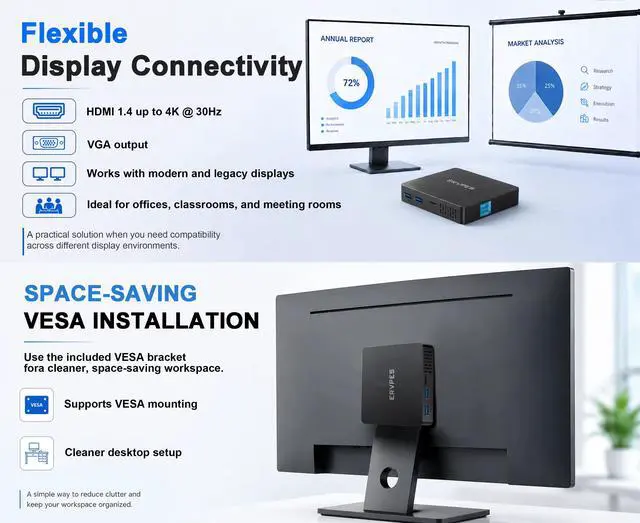
A: It includes HDMI output, so it can connect to a compatible monitor or TV with an HDMI cable. The provided specifications do not confirm 4K support, HDMI version, or dual-monitor capability. Buyers who need 4K playback or multiple displays should confirm the supported resolution and number of video outputs with the seller.


